RAZER
Razer Nommo 2.0 PC Speakers CHROMA Edition
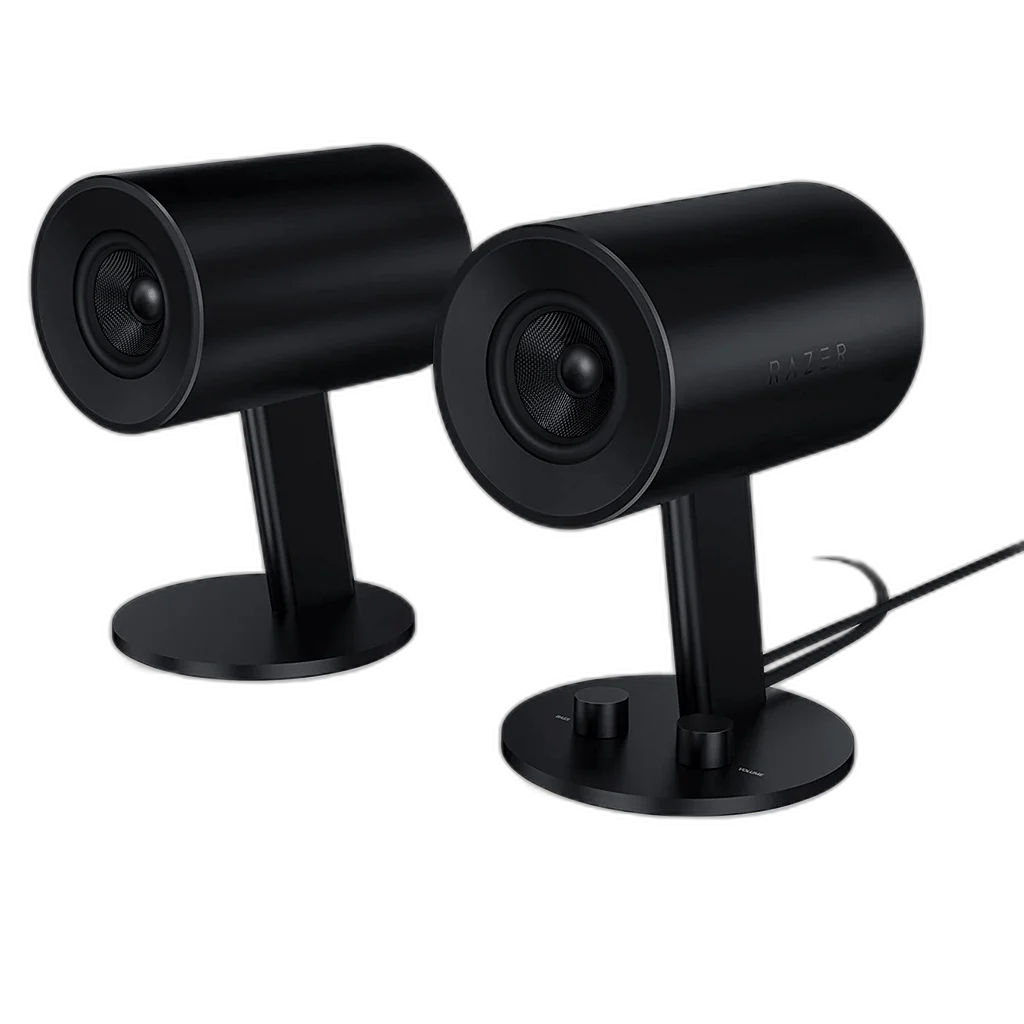
Original Razer Nommo 2.0 desktop speakers with rear-facing bass ports and dedicated bass and volume controls. Choose Regular for 3.5 mm audio or Chroma for added USB audio and RGB lighting.
Model
Regular price
37.500 KWD
or 4 payments of 9.375 KWD with
Pay with card & save


35.500 KWD
Save 2.000 KWD
Overview
RAZER NOMMO 2.0 PC SPEAKERS CHROMA EDITION
Razer Nommo Regular & Chroma Speakers
Razer Nommo Regular & Chroma Speakers: Give games, music and movies dedicated stereo sound with the original Razer Nommo. Choose Regular for an analogue setup or Chroma for USB audio and illuminated speaker bases. Explore this model at AX Store in Kuwait.
2.0
Stereo Speaker System
Two 3-inch
Full-Range Drivers
Regular / Chroma
Select the Model
Bass / Volume
Physical Controls
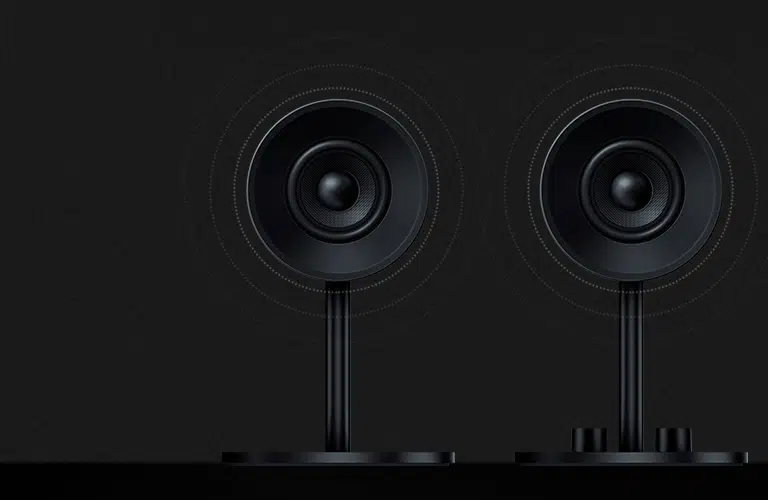
Full-range stereo
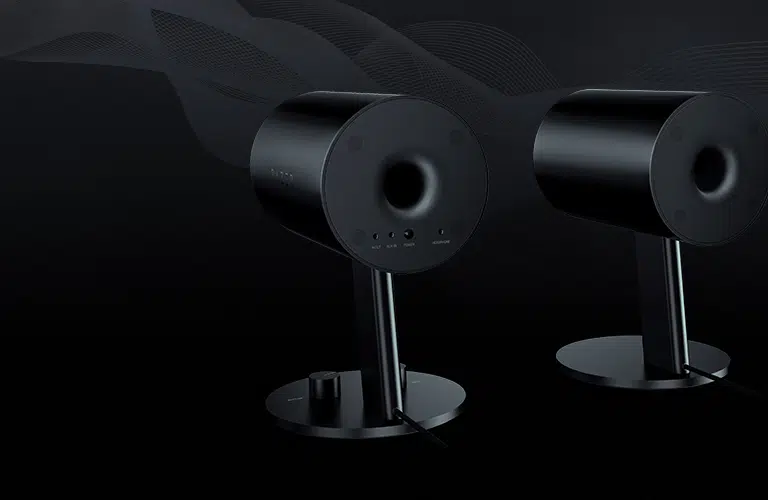
Two 3-inch drivers and rear-facing bass ports create a compact 2.0 setup. Place the speakers on either side of your display for distinct left and right channels.
Bass within reach
Separate bass and volume controls let you adjust your listening without opening an app. Automatic gain control works with the bass adjustment. Check the selected connection and host settings before starting the session, keeping the appropriate controls and the intended listening route available.
Choose your version
Regular uses analogue 3.5 mm audio. Chroma adds USB audio, a built-in DAC and Razer Chroma RGB lighting. Both offer an auxiliary input and a headphone connection.
Choose the Signal Route of the Exact Model
Use the analogue input on Regular or USB and analogue inputs on Chroma. Select the appropriate output on the source device and keep the actual input mode in mind when changing equipment. A connector used for power does not automatically provide a digital audio connection.
Plan Space and Power for the Whole Pair
Place the two speakers around the listening position, leaving access to their controls and enough cable slack. Match the stated power arrangement to the setup and, where a subwoofer is included, allow space for its enclosure and wiring.
Keep Model-Specific Lighting and Audio Distinct
Check the exact model’s audio input and software requirements before configuring optional lighting or processing. Choose the controls and supported settings for the selected speaker version, rather than assuming features shown for another option are supplied with every model.
Plan the Speaker Source and Power
Check whether the speaker arrangement is active or passive and match the actual input, power and placement requirements. Keep speaker amplification separate from headphone-amplifier assumptions. Compare related options such as Logitech Z150 Speakers - Compact 2.0 Desktop Audio or Razer Nommo V2 X 2.0 PC Gaming Speakers for Immersive Sound, keeping the exact model and configuration in the decision. For the wider setup, explore Stagg XLR to XLR Microphone Cable, 3m and check the connection, size or mounting requirements before pairing accessories.
Razer Nommo Regular & Chroma Speakers Setup Choices
Check whether the speaker arrangement is active or passive and match the actual input, power and placement requirements. Keep speaker amplification separate from headphone-amplifier assumptions. Explore Wooting 60HE v2 60% Gaming Keyboard, Aluminium, Pulsar Pro Series Susanto-X Wireless Gaming Mouse Size 2, 50g, ARTISAN NINJA FX ZERO Gaming Mousepad – SOFT/XSOFT, XL/XXL.
Frequently Asked Questions
What changes between Regular and Chroma?
3.5 mm input, auxiliary input and headphone output on Regular; USB digital audio, 3.5 mm auxiliary input and headphone output on Chroma. Chroma also adds its built-in DAC and RGB lighting.
Does Regular provide USB digital audio?
The original Regular model is an analogue speaker version. USB digital audio and illuminated bases belong to the Chroma option.
Is a separate subwoofer included?
Both options are 2.0 stereo speakers with rear-facing bass ports. The ports do not make the package a 2.1 system.
Which model should I select?
Choose Regular RZ05-02450100-R3W1 or Chroma RZ05-02460100-R3W1 according to the desired audio connection and lighting. The photos and description show the different supported options.
Build Your Setup with AX Store
Explore computers, displays and accessories for your workspace at AX Store. For help choosing the right model or checking an accessory, contact AX Store.
THE DETAILS
Technical specifications
Sound
2.0 stereo
Two 3-inch full-range drivers
50 Hz–20 kHz
Rear-facing bass ports
Bass and volume; automatic gain control for bass adjustment
Version comparison
RZ05-02450100-R3W1
3.5 mm input, auxiliary input and headphone output
RZ05-02460100-R3W1
USB digital audio, 3.5 mm auxiliary input and headphone output
Razer Chroma RGB
Built-in digital-to-analogue converter
COMPLETE YOUR SETUP
Pairs well with