
SAMSUNG
Samsung Odyssey OLED G9 G93SD 49" DQHD Gaming Monitor - 240Hz / 0.03ms
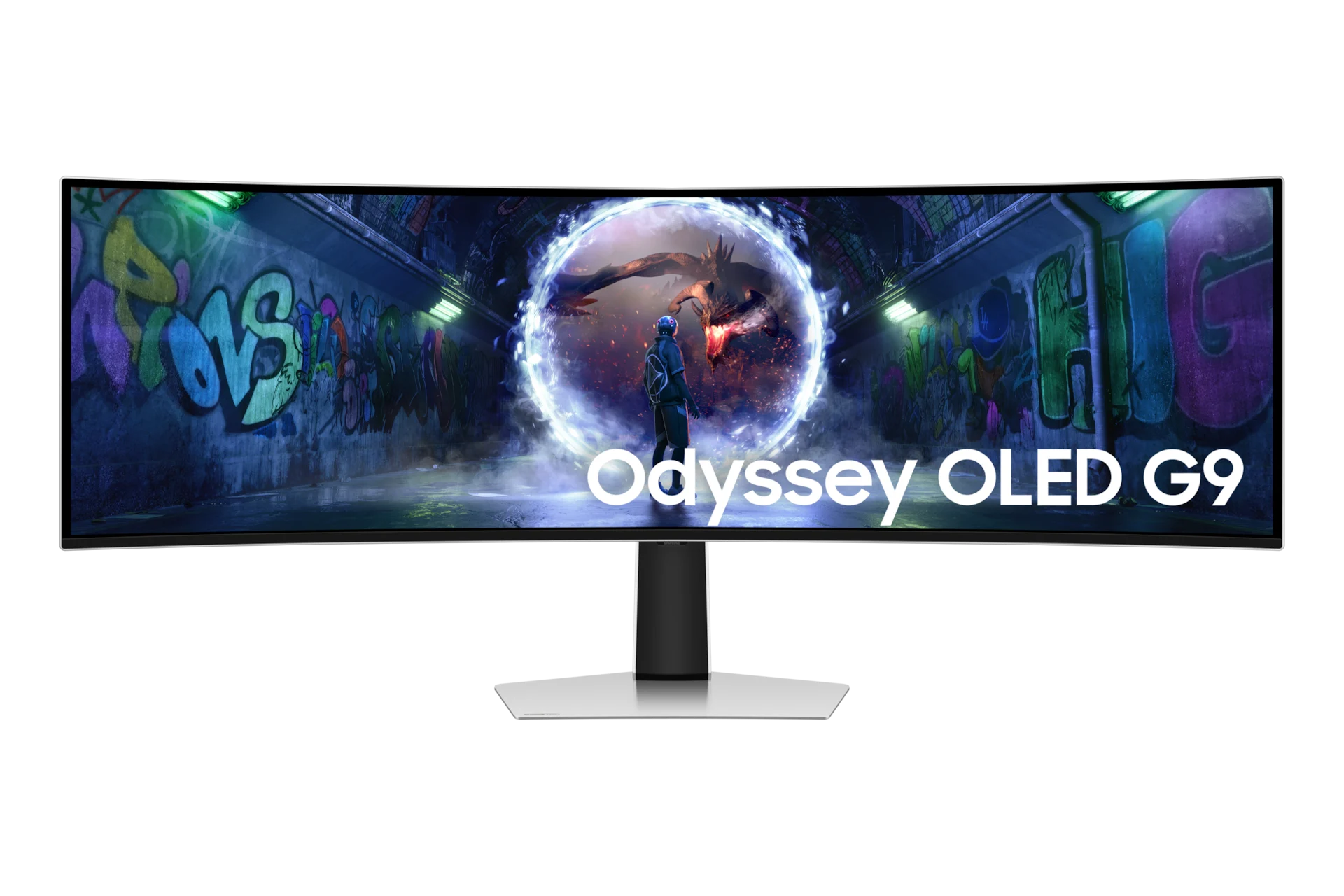
Samsung Odyssey OLED G9 G93SD is a 49-inch 5120 × 1440 OLED gaming monitor with a 1800R curve and 32:9 aspect ratio. It combines 240Hz refresh, 0.03ms GtG response and adaptive sync with Picture-in-Picture and Picture-by-Picture.
Regular price
471.500 KWD
or 4 payments of 117.875 KWD with
Pay with card & save


449.000 KWD
Save 22.500 KWD
Overview
SAMSUNG ODYSSEY OLED G9 G93SD 49" DQHD GAMING MONITOR - 240HZ / 0.03MS
samsung odyssey oled g9 g93sd
Samsung Odyssey OLED G9 G93SD is a 49-inch 5120 × 1440 OLED gaming monitor with a 1800R curve and 32:9 aspect ratio. It combines 240Hz refresh, 0.03ms GtG response and adaptive sync with Picture-in-Picture and Picture-by-Picture. Available from AX Store in Kuwait.
49-inch Class
Display Size
DQHD (5,120 x 1,440)
Native Resolution
Max 240Hz
Maximum Supported Refresh
OLED
Panel Technology
Space for the game and your workflow
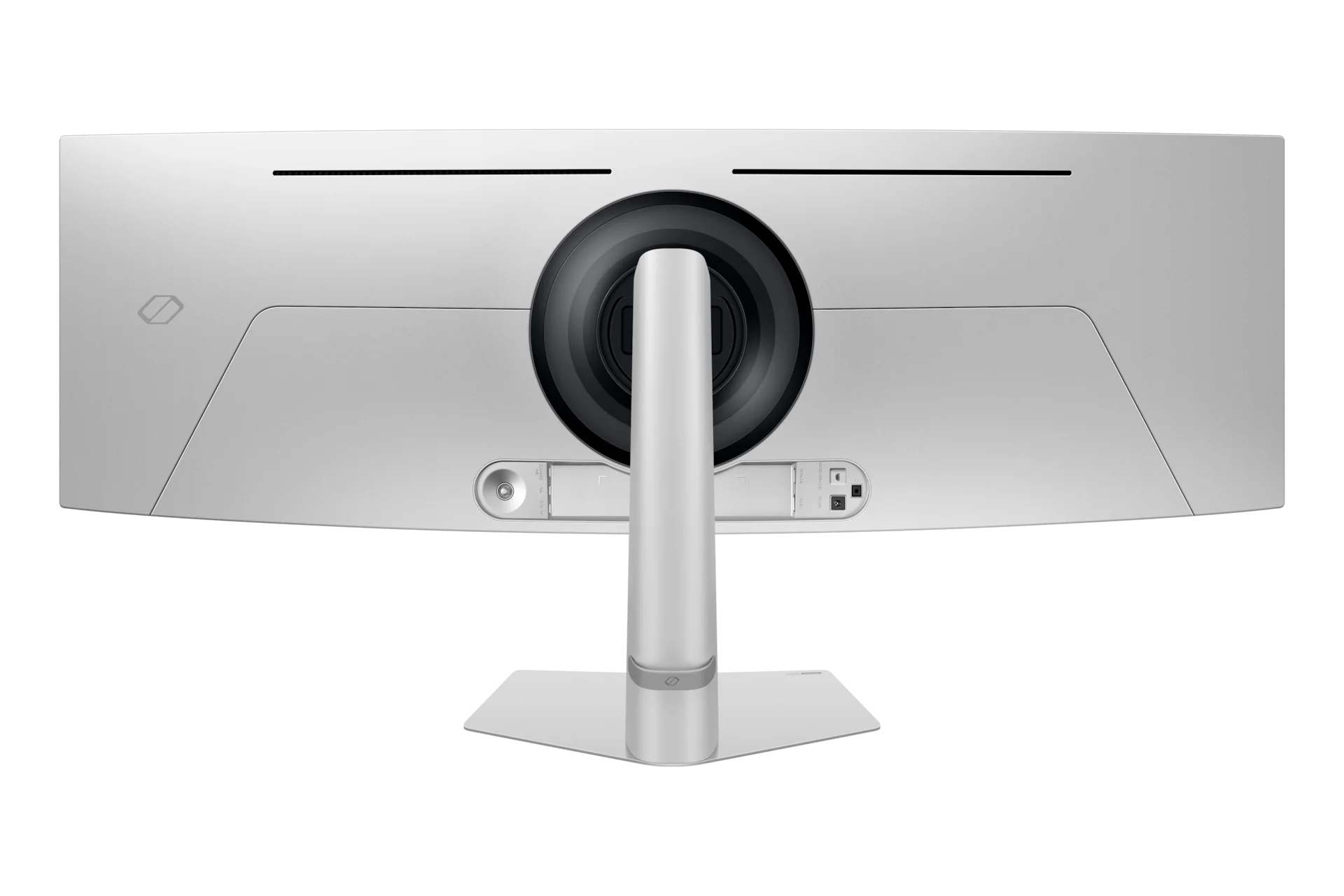
Dual QHD resolution stretches across a 49-inch 32:9 panel. Use the width for compatible ultrawide games or side-by-side windows; Picture-by-Picture and Picture-in-Picture support compatible multi-source layouts.
Fast motion, OLED contrast
240Hz refresh and a rated 0.03ms GtG response combine with FreeSync Premium Pro and G-SYNC compatibility. Quantum Dot Color, 99% DCI coverage (CIE1976), HDR10 and HDR10+ Gaming support detailed colour in compatible content.
Connect the right way
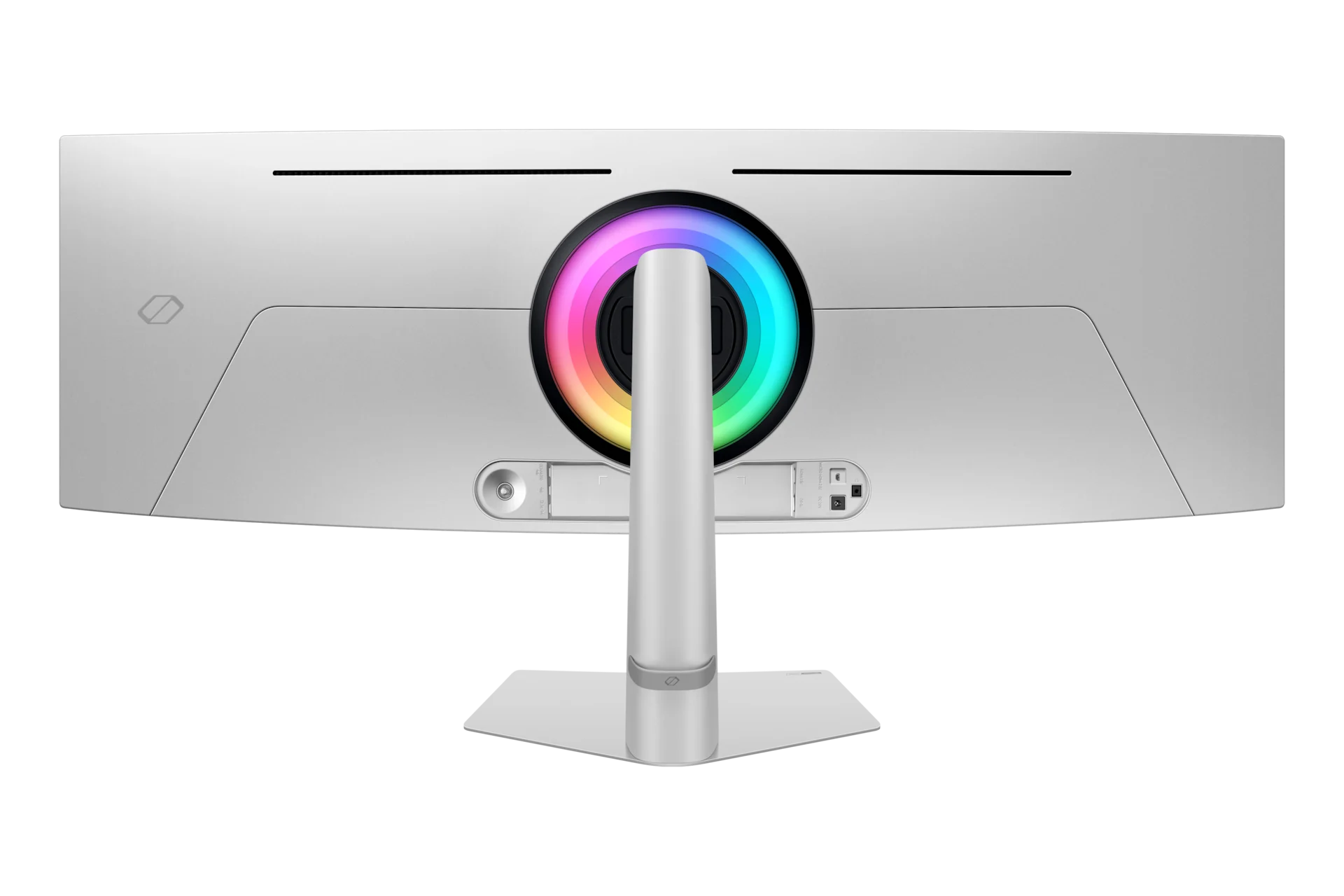
DisplayPort 1.4, full-size HDMI 2.1 and micro-HDMI 2.1 provide video inputs. USB-C upstream and downstream connections are data ports, not USB-C video inputs. A headphone output is included; built-in speakers are not.
A curved screen you can position
The 1800R curve surrounds your viewing area. Adjust stand height by approximately 120mm and tilt the screen, or use a suitable 100 × 100 mm VESA mount. OLED Glare Free helps reduce reflections, while CoreSync and Core Lighting+ add rear illumination.
Choose the Mode for the Actual Source
The USB-C upstream and downstream sockets on G93SD are data ports, not USB-C video inputs. Use DisplayPort, full-size HDMI or micro-HDMI for the stated display connection. This model does not include built-in speakers; plan a suitable separate listening arrangement.
Connect Each Port for Its Intended Role
The connection details are HDMI: 1 EA; Micro HDMI: 1; USB-C: No; USB-C Upstream Port (ONLY DATA): 1; USB Type-C Downstream Port: 2. Match the video output, cable and selected monitor input before choosing the target resolution and refresh rate. A USB data or charging connection should be used only for its stated role.
Plan the Display and the Rest of Your Desk
Compare resolution, refresh rate, screen size and the input you will actually use. Match the computer or console output to the chosen display mode, and leave room for the monitor stand and mouse movement. Compare related options such as Samsung Odyssey G9 G91F 49 inch DQHD VA Panel 144Hz Monitor or Samsung Odyssey OLED G8 G81SF 32 inch 4K UHD OLED 240Hz Monitor, keeping the exact model and configuration in the decision. For the wider setup, explore Logitech G PRO X SUPERLIGHT 2 LIGHTSPEED Wireless Gaming Mouse - Black and check the connection, size or mounting requirements before pairing accessories. Browse the SAMSUNG range at AX for more choices.
samsung odyssey oled g9 g93sd Setup Choices
Compare resolution, refresh rate, screen size and the input you will actually use. Match the computer or console output to the chosen display mode, and leave room for the monitor stand and mouse movement. Explore Wooting 60HE v2 60% Gaming Keyboard, Aluminium, Pulsar Pro Series Susanto-X Wireless Gaming Mouse Size 2, 50g, ARTISAN NINJA FX ZERO Gaming Mousepad – SOFT/XSOFT, XL/XXL.
Frequently Asked Questions
What native resolution is specified?
DQHD (5,120 x 1,440).
What should I check for the highest refresh rate?
The USB-C upstream and downstream sockets on G93SD are data ports, not USB-C video inputs. Use DisplayPort, full-size HDMI or micro-HDMI for the stated display connection. This model does not include built-in speakers; plan a suitable separate listening arrangement.
Which connection details should I check?
HDMI: 1 EA; Micro HDMI: 1; USB-C: No; USB-C Upstream Port (ONLY DATA): 1; USB Type-C Downstream Port: 2.
What mounting pattern should an arm match?
100 x 100. Match the arm’s supported screen size and load to the actual monitor, including the required clearance and any mounting hardware.
Build Your Setup with AX Store
Explore computers, displays and accessories for your workspace at AX Store. For help choosing the right model or checking an accessory, contact AX Store.
THE DETAILS
Technical specifications
Display and gaming
DQHD (5,120 x 1,440)
32:9
1800R
250 cd/㎡
1,000,000:1
0.03ms(GTG)
Max 240Hz
178˚/178˚
49
Curved
1,196.7x339.2
OLED
200 cd/㎡
HDR10
HDR10+ Gaming
Max 1B
99% (CIE1976)
Yes
Yes
Yes
Yes
Yes
Yes
FreeSync Premium Pro
G-Sync Compatible
Yes
Yes
Yes
Yes
Yes
Auto Source Switch+
2.2
Yes
Smart features
No
Connections and audio
1 EA
1.4
1 EA
2.1
2.2
1
2.1
2.2
Yes
No
No
1
2
3.2 Gen1
No
Yes
Yes
Yes
Stand and dimensions
HAS
120.0 ± 5.0
-2°(±2°) ~ 15°(±2°)
100 x 100
AC 100~240V
220 W
1194.7 x 529.3 x 284.1 mm
1194.7 x 365 x 180.8 mm
12.9 kg
9.2 kg
1.5 m
Yes
COMPLETE YOUR SETUP
Pairs well with




