SONOFF
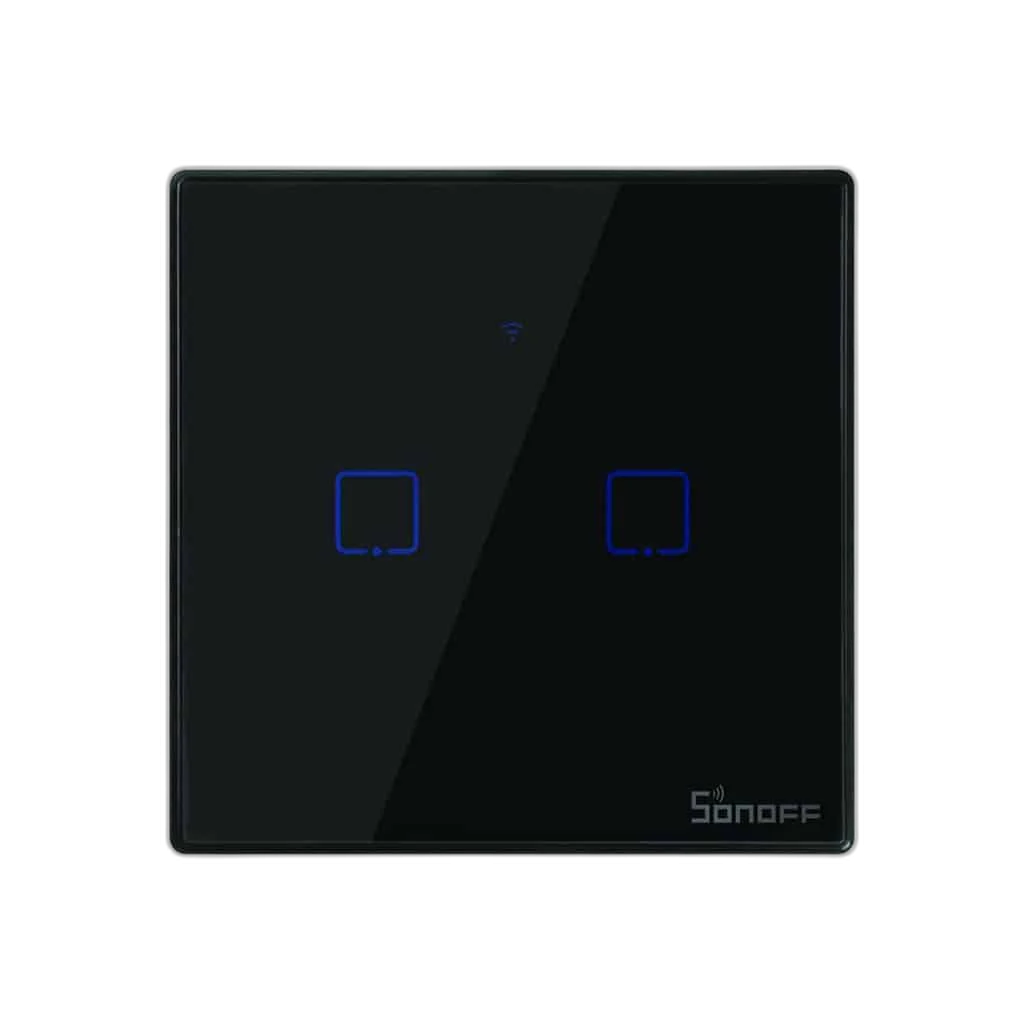
SONOFF Smart WiFi Touch Wall Light Switch
Control a compatible lighting circuit at the wall or through the eWeLink app. This SONOFF Wi-Fi touch-switch family combines a touch panel with remote switching, timers and supported smart-home voice control, with installation matched to the actual switch and lighting circuit.
Regular price
12.500 KWD
or 4 payments of 3.125 KWD with
Pay with card & save


12.000 KWD
Save 0.500 KWD
Overview
SONOFF SMART WI-FI TOUCH WALL LIGHT SWITCH
SONOFF Smart Wi-Fi Touch Wall Light Switch
SONOFF Smart Wi-Fi Touch Wall Light Switch: Control a compatible lighting circuit at the wall or through the eWeLink app. This SONOFF Wi-Fi touch-switch family combines a touch panel with remote switching, timers and supported smart-home voice control, with installation matched to the actual switch and lighting circuit. Explore this model at AX Store in Kuwait.
Touch
Wall control
Wi-Fi
Smart connection
eWeLink
Control app
Schedules
Lighting routines
Touch Control at the Wall
The touch panel provides a familiar control point for switching the connected lighting circuit. It keeps a physical wall control available alongside the app-based functions, useful when entering a room or leaving a desk. Match the circuit and wall-box arrangement to the instructions for the actual switch.
Remote Switching in eWeLink
The eWeLink app provides remote access and state information for the supported switch. Configure the device on its required Wi-Fi network and account so the connected lighting can be managed from the app. Remote functions depend on the device’s network connection and the supporting service being available.
Timers for a Regular Lighting Routine
Set supported schedules to switch lights around the way a room is used. A regular evening or morning routine can reduce repeated manual switching, while separate events can suit different days. Check the scheduled behaviour after setup and adjust it when the room’s normal routine changes.
Voice Control with Supported Assistants
The TX Wi-Fi family supports Amazon Alexa and Google Assistant through the appropriate account integration. Link the device using the matching service instructions and give the light a clear name. The available voice functions depend on that integration and network access; app setup remains part of the process.
Use the Required 2.4 GHz Wi-Fi Network
The referenced Wi-Fi touch-switch family uses 2.4 GHz Wi-Fi rather than a 5 GHz-only connection. Confirm the network and pairing instructions before adding the switch. Keep the router connection available for the app and automation features, and check device status after changes to network credentials.
Brand
SONOFF
Control format
Touch wall light switch
Connectivity family
2.4 GHz Wi-Fi
Match Wiring and Lighting Load Before Fitting
This is an installed mains wall switch, so its exact wiring diagram, required conductors, gang arrangement and load rating must match the circuit. Use a qualified installer and the instructions supplied with the actual unit. Smart switching is an on/off control function; dimming and special lamp compatibility require their own explicit support.
Check the Electrical and Control Requirements
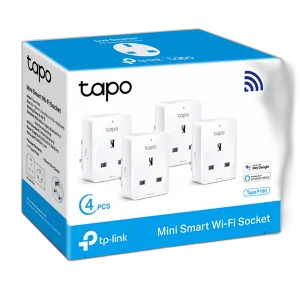
Match the product’s stated load, installation requirements and supported control system. Use a qualified installer where required and check the exact model before selecting an expansion. Compare related options such as TP-LINK TAPO Smart Plug WiFi Outlet, keeping the exact model and configuration in the decision. For the wider setup, explore Govee H10D2 Neon Rope Light 2 Clips 5-Pack and check the connection, size or mounting requirements before pairing accessories.
SONOFF Smart Wi-Fi Touch Wall Light Switch Setup Choices
Match the product’s stated load, installation requirements and supported control system. Use a qualified installer where required and check the exact model before selecting an expansion.
Frequently Asked Questions
Which app controls the switch?
eWeLink.
Does a 5 GHz-only network meet the Wi-Fi requirement?
No. The referenced family uses 2.4 GHz Wi-Fi.
Can timers switch the light automatically?
Yes, using the supported scheduling functions after setup.
Does the listing establish dimmer support?
No. Match any dimming requirement to an explicitly compatible product.
Can gang count or load rating be assumed from another switch?
No. Follow the actual unit’s markings and wiring instructions.
Build Your Setup with AX Store
Explore computers, displays and accessories for your workspace at AX Store. For help choosing the right model or checking an accessory, contact AX Store.
THE DETAILS
Technical specifications
Specifications
SONOFF
Touch wall light switch
2.4 GHz Wi-Fi
eWeLink
Remote switching; supported state sync and schedules
Amazon Alexa / Google Assistant through supported integration
Match actual model wiring, wall box and load instructions
Not established by this on/off touch-switch listing
COMPLETE YOUR SETUP
Pairs well with