TP-Link
TP-LINK TAPO Smart Plug WiFi Outlet
TP-Link’s Tapo Wi-Fi smart plug adds app-based on/off control to a suitable connected device. Use the Tapo app, a compatible 2.4 GHz Wi-Fi network and the required available pack option to build an everyday switching routine.
Model
Regular price
7.000 KWD
or 4 payments of 1.750 KWD with
Pay with card & save


6.500 KWD
Save 0.500 KWD
Overview
TP-LINK TAPO WI-FI SMART PLUG
TP-Link Tapo Wi-Fi Smart Plug
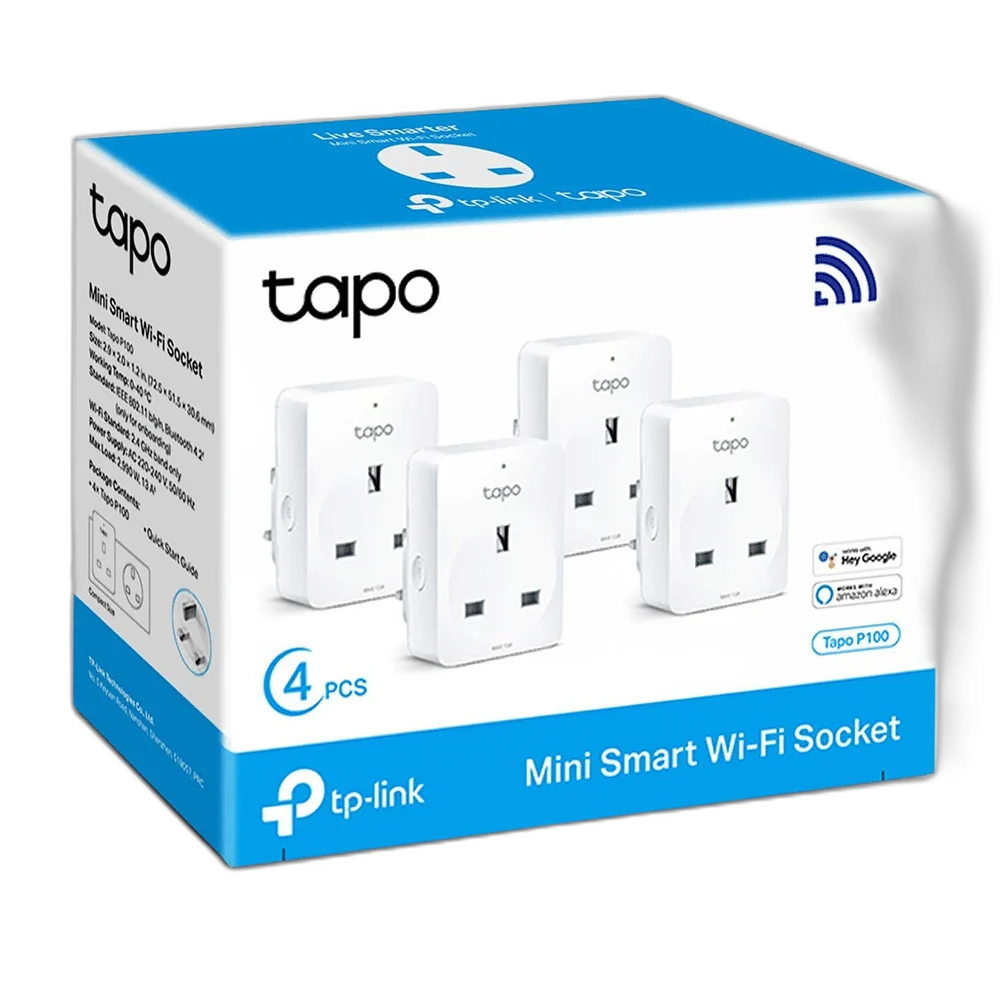
TP-Link Tapo Wi-Fi Smart Plug: TP-Link’s Tapo Wi-Fi smart plug adds app-based on/off control to a suitable connected device. Use the Tapo app, a compatible 2.4 GHz Wi-Fi network and the required available pack option to build an everyday switching routine. Available from AX Store in Kuwait.
Tapo
Control app
2.4 GHz
Wi-Fi band
On / off
Power switching
1 / 2 / 4
Available pack choices
Control a Connected Device in Tapo
Connect a suitable appliance through the smart plug and use the Tapo app for its supported on/off control. The smart plug switches the electrical supply to that device. An appliance that needs a separate manual start after power returns may not resume its task simply because the smart plug is turned on.
Connect Through 2.4 GHz Wi-Fi
The smart plug connects to a compatible secured 2.4 GHz wireless network. Follow the Tapo onboarding instructions on a supported phone and position the plug where the wireless signal is reliable. Remote app access also depends on the required account, internet connection and supported service being available.
Schedules and Countdown Routines
Use supported schedules and timer functions to arrange when the connected device receives power. Check the routine with the actual appliance before relying on it for everyday use. The smart plug controls the supply, while the appliance’s own switches, operating mode and behaviour determine what happens when power becomes available.
Choose the Required Pack
The product has existing single, two-pack and four-pack choices. Select the pack required for the number of separate control points needed around the room. Each smart plug must be installed and configured for its intended device; a multipack does not make one plug control several independently wired sockets.
Match the Plug and Electrical Load
Match the supplied smart plug’s physical socket type, electrical rating and permitted load to the intended wall outlet and appliance. Follow the markings and manufacturer instructions for the actual unit. Keep the plug accessible and use it in the intended location, without treating a software schedule as a change to the appliance’s electrical limits.
Model
TP-Link Tapo Wi-Fi Smart Plug
Product type
Wi-Fi smart plug
Control app
Tapo
Check On and Off Behaviour
After setup, test app switching and any routine with the connected device in its normal operating state. Confirm what the appliance does when power is removed and restored, and keep its own control accessible. The Tapo app then provides a practical control point for a device that behaves appropriately with switched power.
Check the Electrical and Control Requirements
Match the product’s stated load, installation requirements and supported control system. Use a qualified installer where required and check the exact model before selecting an expansion. For the wider setup, explore Govee H10D2 Neon Rope Light 2 Clips 5-Pack and check the connection, size or mounting requirements before pairing accessories.
TP-Link Tapo Wi-Fi Smart Plug Setup Choices
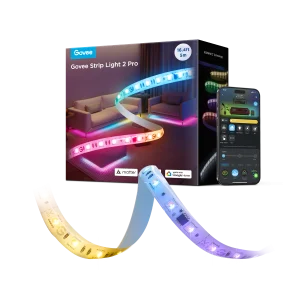
Match the product’s stated load, installation requirements and supported control system. Use a qualified installer where required and check the exact model before selecting an expansion. Explore Govee H61F5 Strip Light 2 Pro 5M - RGBWW Smart LED Strip.
Frequently Asked Questions
Which app is used?
Tapo.
Does it need 2.4 GHz Wi-Fi?
Yes.
Will every appliance restart when power is restored?
No. Check the appliance’s own behaviour and controls.
Which packs are available?
Use the existing single, two-pack or four-pack options.
Does a schedule change its electrical rating?
No. Match the actual unit rating and socket type to the connected appliance.
Build Your Setup with AX Store
Explore computers, displays and accessories for your workspace at AX Store. For help choosing the right model or checking an accessory, contact AX Store.
Compare SONOFF Smart WiFi Touch Wall Light Switch. Match the exact model, connection and configuration to your setup.
THE DETAILS
Technical specifications
Product Specifications
TP-Link Tapo Wi-Fi Smart Plug
Wi-Fi smart plug
Tapo
2.4 GHz Wi-Fi
Switch connected device power on/off
Schedules and timer
Single; 2 pack; 4 pack
Match actual plug/socket type and unit electrical rating
Configured account and supported network / service
COMPLETE YOUR SETUP
Pairs well with