SteelSeries
SteelSeries Mouse Bungee Black, Reduces Cable Drag & Enhances Stability
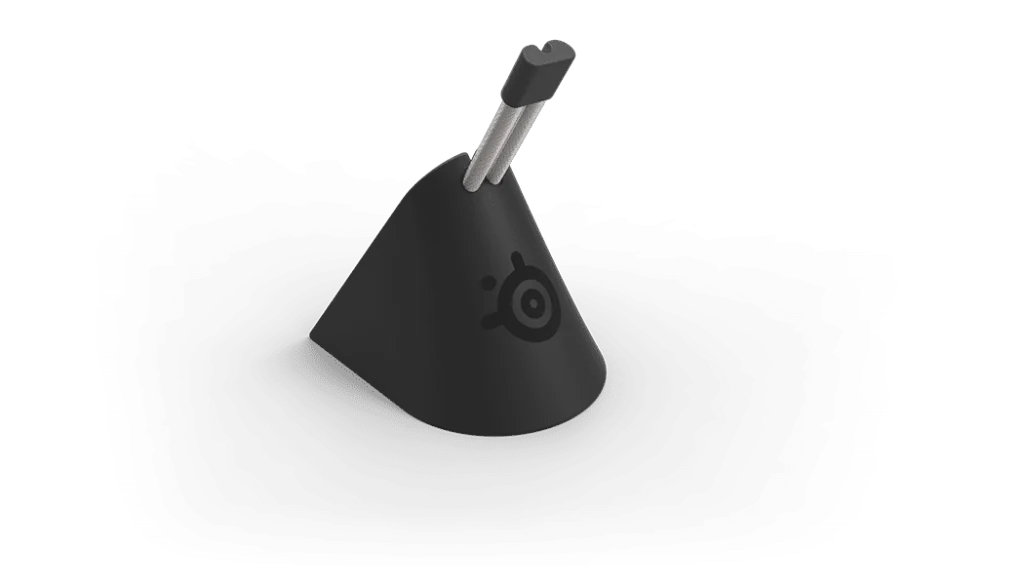
SteelSeries Mouse Bungee 60090 in Black, with a rubber clip for different cable sizes, weighted 263g construction and rubber feet. Published dimensions: 63 × 97 × 88mm. Arrange mouse cable slack around your desk and mousepad.
Regular price
6.500 KWD
or 4 payments of 1.625 KWD with
Pay with card & save


6.000 KWD
Save 0.500 KWD
Overview
STEELSERIES MOUSE BUNGEE 60090
Weighted Cable Support for Your Mouse Setup
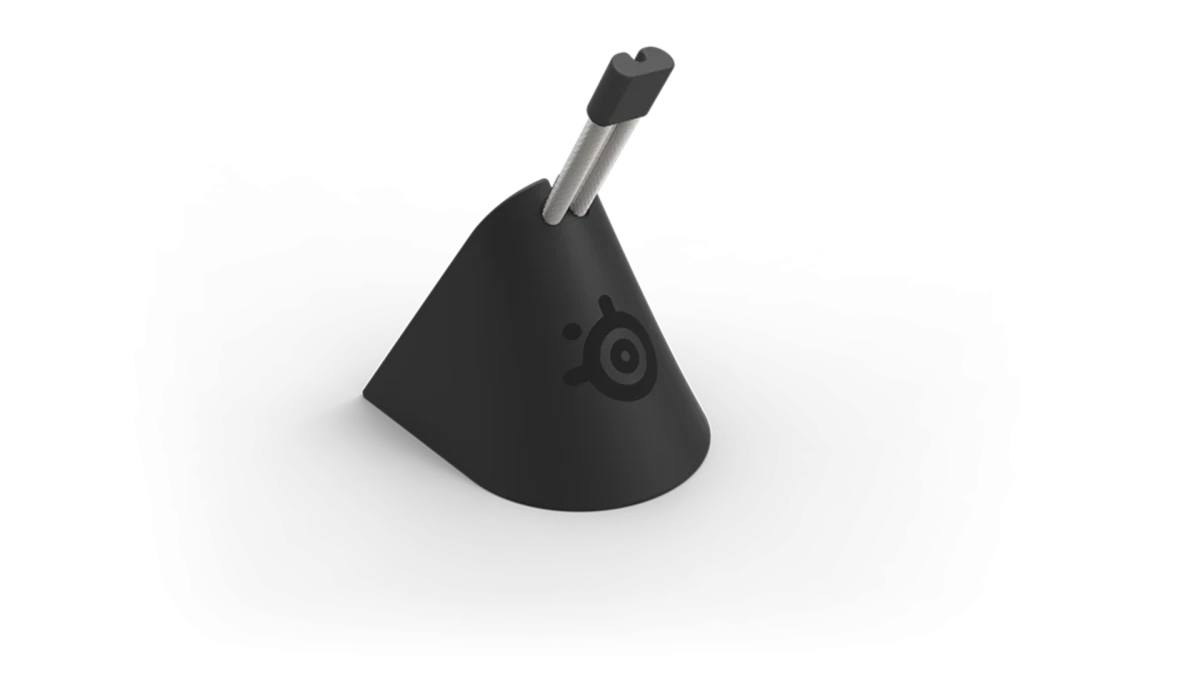
SteelSeries Mouse Bungee supports a mouse cable in a rubber clip while a weighted base and rubber feet help keep the accessory in place. The compact design gives you a dedicated point for arranging cable slack around the mousepad. Position it beside your normal mouse movement area, then adjust the cable route for the desk layout you actually use.
263 g
Weight
Weighted
Base Construction
Rubber Clip
Cable Holder
Black
Colour
A Dedicated Mouse Cable Clip
The rubber clip holds the mouse cable and accommodates different cable sizes according to SteelSeries. Use it to establish a supported cable position near the mousepad, then check that the cable is seated correctly. Leave enough free length for the way you move the mouse while keeping the remaining route organized toward the computer connection.
Weighted Base for Stability
The accessory weighs 263 g, with extra weight forming part of its stability design. Position the base on the desk where it can support the cable without crowding the mouse movement area. Once the route is arranged, move the mouse through your usual range and refine the free cable length so the base and cable work together.
Rubber Feet on the Desk
Rubber feet provide contact with the work surface and help the bungee remain stable. Choose a suitable, level position around the mousepad and keep the support clear of items that could disturb it during play. Review the base position whenever you change the keyboard, mousepad or computer arrangement, since those changes also affect the cable route.
Compact Published Dimensions
SteelSeries lists dimensions of 63 × 97 × 88 mm for the mouse bungee. Compare this footprint and height with the space available behind or beside your mousepad. Planning the location before routing the cable helps you keep the support accessible while leaving room for the hand movements and other equipment that share the same desk.
Arrange Cable Slack Around Your Movement
The bungee is designed to reduce cable drag as the mouse moves across the work surface. Set the free cable length around the range you normally use, including wider movements across the pad. Try the setup in the actual desk position, then make small routing changes until the supported section and available slack suit your normal mouse movement.
Keep the Mouse Area Organized
A dedicated cable-support point gives the mouse cable a consistent route within the desk arrangement. Use the rubber clip, weighted base and available pad space as one setup, then review the position when you switch mice or change your seating distance. Keeping the route clear makes it easier to preserve the cable arrangement you prefer during regular use.
Complete Your Workspace
Explore Gaming Accessories at AX Store and choose the configuration or accessories that fit your setup.
Frequently Asked Questions
What is the bungee designed to do?
Function: Mouse cable support; reduces cable drag.
How is the mouse cable held?
Cable holder: Rubber clip; supports different cable sizes.
How is the base stabilized?
Base stability: Weighted construction and rubber feet.
What dimensions and weight are specified?
Dimensions — listed order: 63 × 97 × 88 mm. Weight: 263 g.
Build Your Setup with AX Store Kuwait
Explore computers, displays and accessories for your workspace at AX Store Kuwait. For help choosing the right model or checking an accessory, contact AX Store.
THE DETAILS
Technical specifications
Manufacturer Specifications
60090
Black
Mouse cable support; reduces cable drag
Rubber clip; supports different cable sizes
Weighted construction and rubber feet
63 × 97 × 88 mm
263 g
COMPLETE YOUR SETUP