
SteelSeries
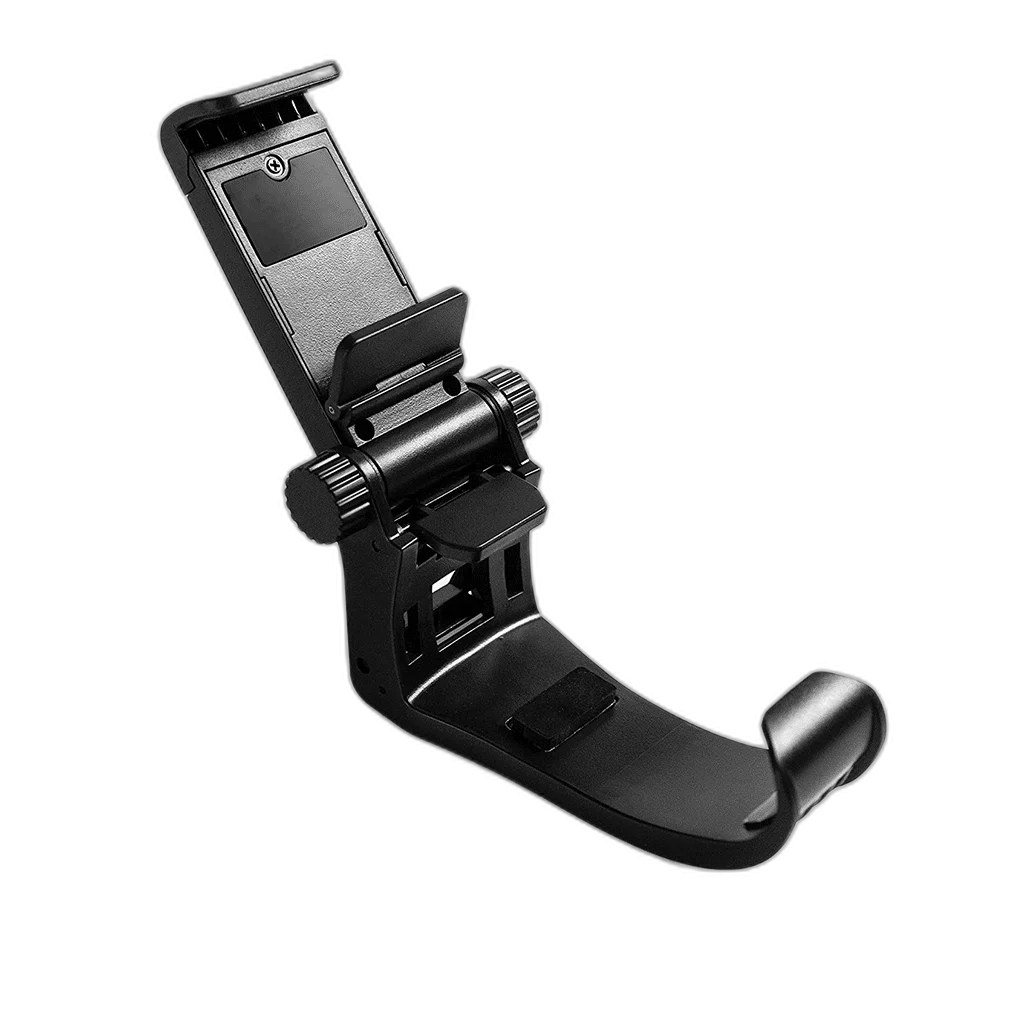
SteelSeries SmartGrip Mobile Phone Holder
SteelSeries SmartGrip 60165 adjustable phone holder for SteelSeries controllers. Supports most 4–6.5-inch phones, with height and angle adjustments plus protective rubber bumpers. Match the holder, controller and phone fit before use.
Regular price
3.500 KWD
or 4 payments of 0.875 KWD with
Pay with card & save


3.250 KWD
Save 0.250 KWD
Overview
STEELSERIES SMARTGRIP 60165
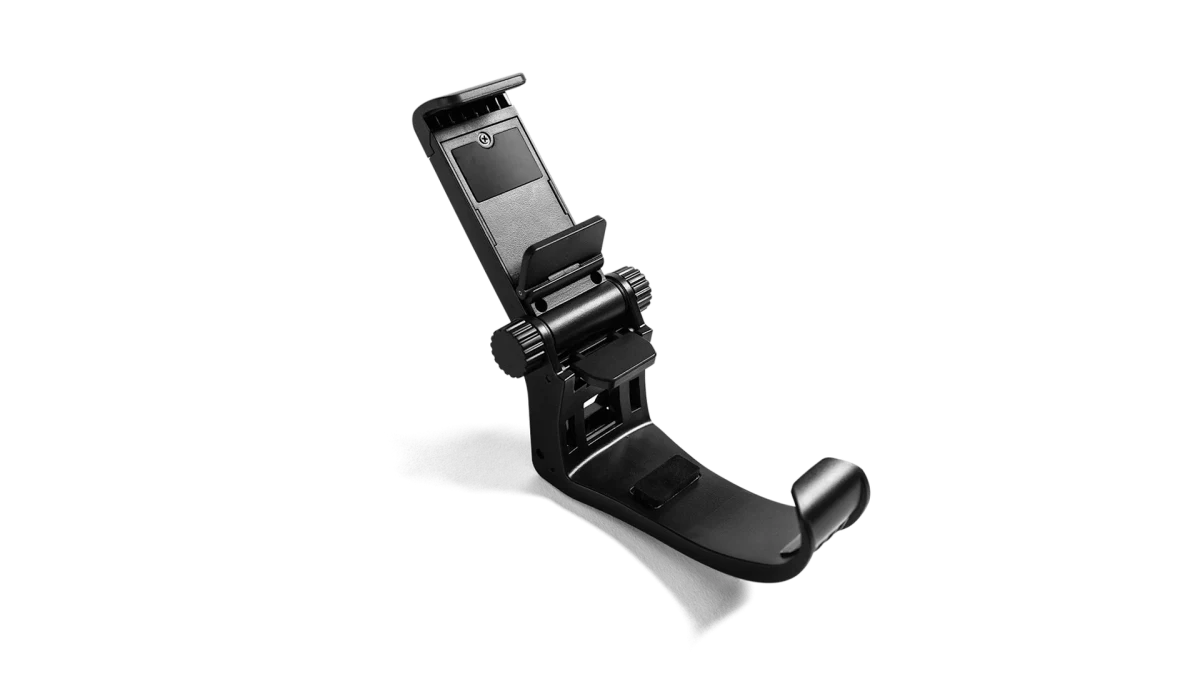
SteelSeries SmartGrip
SteelSeries SmartGrip attaches a compatible phone to a SteelSeries controller so the screen can sit above the controls during play. Adjustable height and angle let you arrange the viewing position, while protective rubber bumpers cushion contact with the phone. The manufacturer lists compatibility with most phones in the 4–6.5-inch size range and with SteelSeries controllers. Explore this model at AX Store in Kuwait.
4–6.5 inch
Published Phone Range
Angle / Height
Adjustments
Clip-On
Attachment
Rubber Bumpers
Phone Protection
A Holder for the Controller Setup
SmartGrip is the phone-mount accessory for a compatible SteelSeries controller and smartphone arrangement. The manufacturer describes a clip-on connection that holds the phone in place while you use the controller. Set up the holder around the controller first, then place the compatible phone in its supported position before adjusting the viewing angle for play.
Adjust the Screen Angle
The viewing angle is adjustable so you can position the phone around the way you hold the controller. Set the angle with the phone secured, then check the screen from your usual playing position. Revisit the adjustment when moving between a chair, desk or another supported gaming position where the screen’s relationship to your hands changes.
Height Adjustment Around the Controls
Adjustable height gives you another way to arrange the phone above the controller. Use it together with the angle setting to establish a comfortable view of the display while keeping access to the controller buttons. Check the final position with the phone fitted, making small changes until the screen and controls are arranged for your normal grip.
Protective Rubber Contact Points
Rubber bumpers provide protective contact around the phone in the holder. Seat the device carefully against these contact points and check the fit before starting a session. The bumpers are part of the mounting design, so arrange the phone and any case around the actual holder fit instead of relying on screen size alone as a complete compatibility check.
Check the Phone Size and Fit
SteelSeries lists compatibility with most phones from 4 to 6.5 inches. Use that published range as a starting point, then compare the physical device and case with the holder before use. Verify that the phone is seated securely and the viewing adjustments work with its dimensions, leaving the screen and any connections you need accessible.
Designed Around SteelSeries Controllers
The manufacturer lists SmartGrip for SteelSeries controllers, and its launch information identifies the accessory across the controller family. Match the holder to your SteelSeries controller and confirm its attachment before fitting the phone. Once the hardware is positioned, choose games that support your controller and phone platform, then adjust the screen around the way you normally play.
Match the Accessory to Your Equipment
Check the exact device, connection and intended use before selecting an accessory. Compare the package contents and any required mount or adapter with the equipment already on your desk. Compare related options such as Wooting Wrist Rest 80 for 80HE / 80HE+ - Black or Gator Frameworks Clamp Mounted Headphone Hanger for Desk, keeping the exact model and configuration in the decision. For the wider setup, explore SteelSeries Aerox 5 Wireless Gaming Mouse, 180-Hour Battery and check the connection, size or mounting requirements before pairing accessories. Browse the SteelSeries range at AX for more choices.
SteelSeries SmartGrip Setup Choices
Check the exact device, connection and intended use before selecting an accessory. Compare the package contents and any required mount or adapter with the equipment already on your desk.
Frequently Asked Questions
Which controller family is supported?
Controller family: SteelSeries controllers — manufacturer compatibility statement.
Which phone sizes are covered?
Phone range: Most 4–6.5-inch phones; physical fit and case must be checked.
What can be adjusted?
Adjustments: Angle and height.
How does it attach and protect the phone?
Phone contact protection: Rubber bumpers. Attachment: Clip-on phone mount for compatible controller.
Build Your Setup with AX Store
Explore computers, displays and accessories for your workspace at AX Store. For help choosing the right model or checking an accessory, contact AX Store.
THE DETAILS
Technical specifications
Manufacturer Compatibility and Features
60165
Controller-mounted phone holder
SteelSeries controllers — manufacturer compatibility statement
Most 4–6.5-inch phones; physical fit and case must be checked
Angle and height
Rubber bumpers
Clip-on phone mount for compatible controller
COMPLETE YOUR SETUP
Pairs well with


