
Brand
BENFEI
5 PRODUCTS
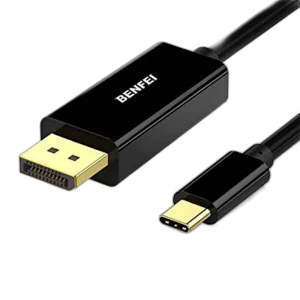
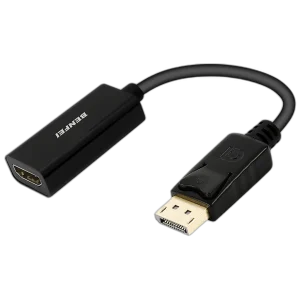
Shop BENFEI in Kuwait: USB-C to DisplayPort and USB-C to HDMI cables for connecting a laptop to a 4K monitor or TV. Check that your USB-C port supports video output.


OUT OF STOCK
7.000 KWD
or 4 × 1.750 KWD with


WITH CARD

OUT OF STOCK
7.500 KWD
or 4 × 1.875 KWD with
WITH CARD
OUT OF STOCK
6.000 KWD
or 4 × 1.500 KWD with
WITH CARD
Showing 5 of 5 products
BENFEI AT AX
Laptop to display, one cable.
Shop BENFEI in Kuwait: 1.8m USB-C to DisplayPort and USB-C to HDMI cables that connect a laptop or other USB-C device straight to a monitor or TV, with no separate adapter in between.
Before you order, check the port on your device. These cables need a USB-C port with DisplayPort Alternate Mode; a USB-C port that only charges or transfers data does not output video. The resolution and refresh rate you get depend on the source, the display and the complete connection.
In stock now: the BENFEI USB-C to DisplayPort Cable, 1.8m and the BENFEI USB-C to HDMI 4K UHD Cable, 1.8m. More in Gaming Cables & Adapters.
USB-C to DP
4K at 60Hz with suitable equipment
USB-C to HDMI
4K UHD for monitors and TVs
1.8 m
cable length
BENFEI FAQ
Before you buy.
Straight answers to the questions we hear most about BENFEI display cables.
Will a BENFEI USB-C cable work with my laptop?
It works when the USB-C port supports DisplayPort Alternate Mode, which is how video is sent over USB-C. A USB-C port that only charges or transfers data will not output a picture. Check your device's specifications before ordering.
USB-C to DisplayPort or USB-C to HDMI: which one do I need?
Match the cable to the input on your screen. Choose USB-C to DisplayPort for a monitor with a DisplayPort input, and USB-C to HDMI for a TV or monitor with an HDMI input.
Do BENFEI USB-C cables support 4K?
The USB-C to DisplayPort cable is listed for 4K at 60Hz and the USB-C to HDMI cable for 4K UHD, in both cases with suitable equipment. The mode you actually get depends on the source, the display and the complete connection.