Apple
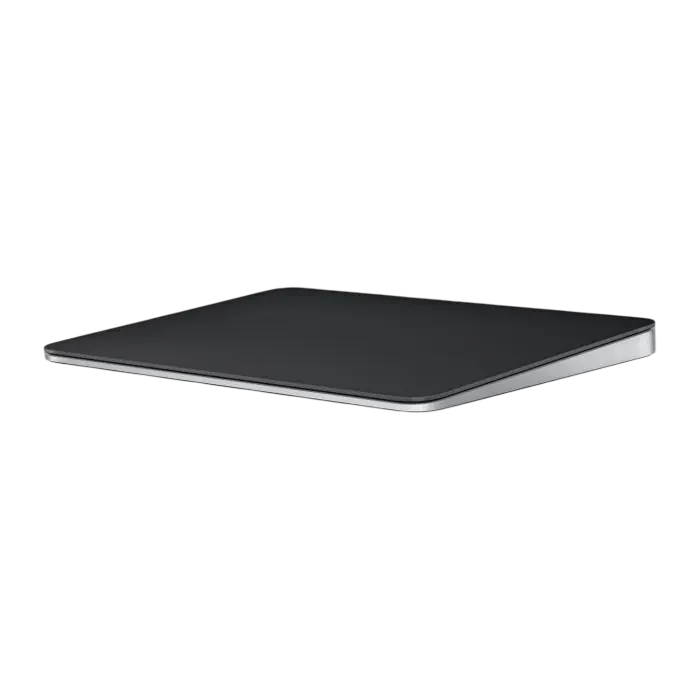
Apple Magic Trackpad USB-C – Multi-Touch & Force Touch – Black
Navigate your workspace with the Apple Magic Trackpad USB-C in Black. Its glass Multi-Touch surface supports scrolling, swiping and zooming, while Force Touch adds pressure-sensitive actions in supported Mac apps. Bluetooth connectivity keeps your desk wireless, and the included woven USB-C cable handles charging and Mac pairing. You can continue using the trackpad while it charges.
Overview
APPLE / MAGIC TRACKPAD
Apple Magic Trackpad USB-C
More ways to move through your Mac.
Scroll through documents, swipe between apps and zoom into details from a separate glass surface beside your keyboard. Magic Trackpad combines Multi-Touch gestures, Force Touch and wireless Bluetooth connectivity in a slim design with a black touch surface. USB-C charging keeps it ready for your next session.

Multi-Touch
Scroll, swipe and zoom
Force Touch
Pressure-sensitive actions
Bluetooth
Wireless connectivity
USB-C
Recharge and pair with Mac

MULTI-TOUCH CONTROL
Keep useful actions under your fingertips
Use two fingers to scroll through a page, pinch to zoom and swipe between supported views. On Mac, gestures also let you open Mission Control or move between full-screen apps.
Choose the gestures you want in macOS Trackpad settings. You can enable, disable or adjust supported gestures to suit the way you navigate.
FORCE TOUCH
Press further to do more
Sensors beneath the surface detect changes in pressure, while haptic feedback provides the feeling of a click. A firmer press activates Force Click in supported Mac applications.
Preview a file in Finder, look up a word or reveal information linked to a date or address. The available action depends on the app, selected content and your Trackpad settings.

RECHARGEABLE WITH USB-C
Keep working while it charges
Connect the included USB-C cable when the battery needs charging. The rear charging port leaves the touch surface accessible, so you can continue using Magic Trackpad while it recharges.
The built-in battery is rated for about a month or more between charges, depending on use. Check its charge level through the Bluetooth controls on your Mac.
DEVICE COMPATIBILITY
Match it with your Apple setup
This USB-C model requires a Mac running macOS 15.1 or later, or an iPad running iPadOS 18.1 or later. Check your device's software version before setting it up.
Magic Trackpad also supports Apple Vision Pro with the latest version of visionOS. Available gestures and actions depend on the device, operating system and application.

PAIRING AND SETUP
Connect once, then go wireless
To pair with a compatible Mac, connect the USB-C cable and switch on the trackpad. The cable connection pairs the accessory and charges its battery. Once paired, disconnect the cable for wireless use over Bluetooth.
The box includes Magic Trackpad and the woven USB-C charge cable. A separate USB receiver is not required.
BEFORE YOU CHOOSE
A few useful answers
Does it work with Mac and iPad?
Yes. This USB-C model requires macOS 15.1 or later on Mac, or iPadOS 18.1 or later on iPad. Available gestures and features vary by platform and app.
Can I use Magic Trackpad while charging?
Yes. Magic Trackpad remains usable while connected to its USB-C charging cable.
Does it need a USB receiver?
No. It connects wirelessly over Bluetooth. On a compatible Mac, the included USB-C cable can be used for initial pairing and charging.
What is included in the box?
The box contains the black Magic Trackpad USB-C and a woven USB-C charge cable.
EXPLORE THE SETUP
COMPLETE YOUR SETUP
Pairs well with