Apple
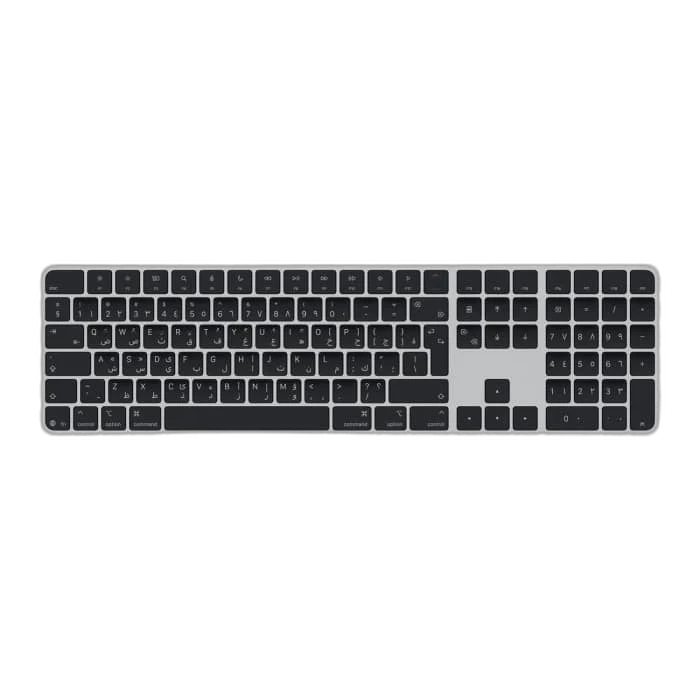
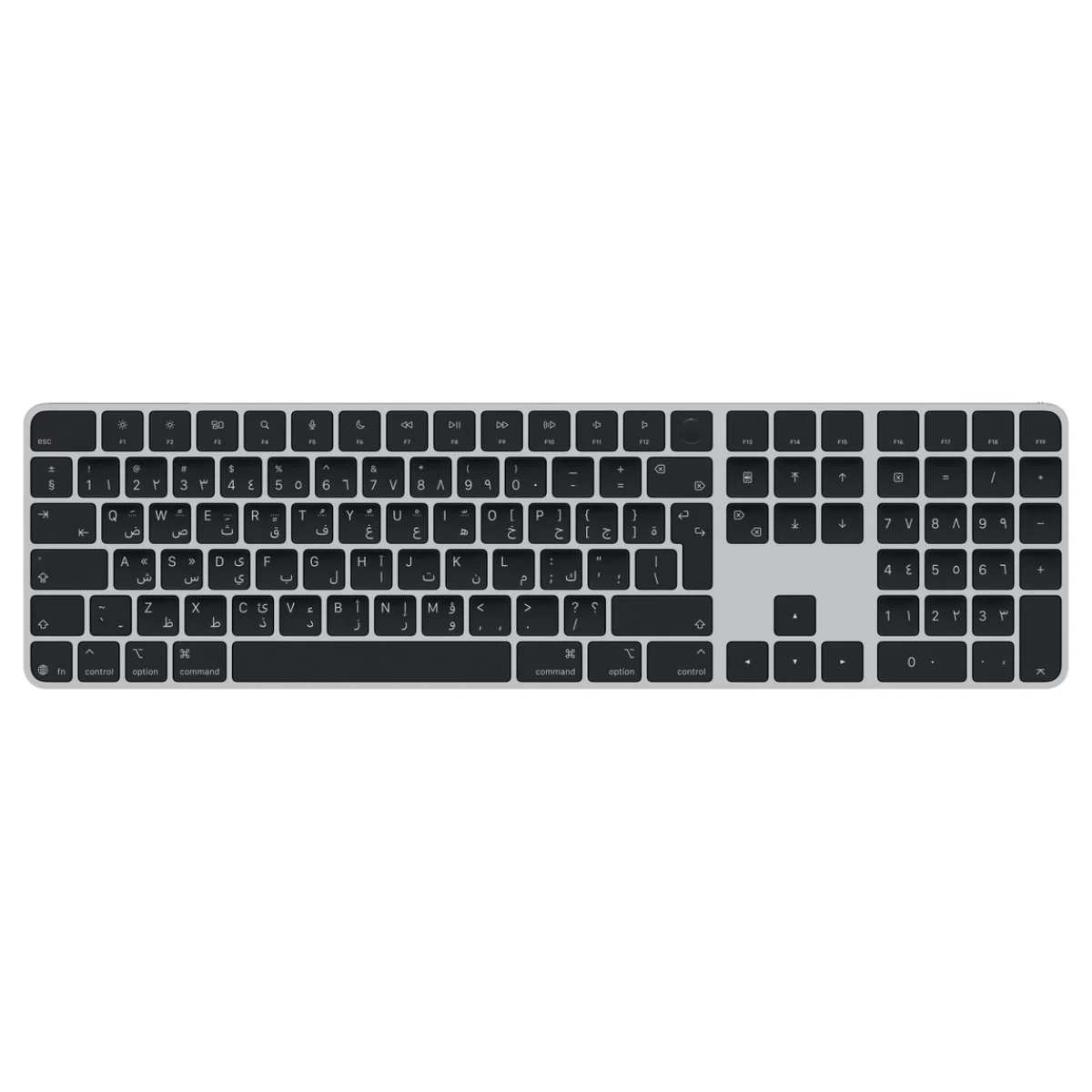
Apple Magic Keyboard with Touch ID and Numeric Keypad, Arabic Layout, Black
Apple Magic Keyboard with Touch ID and Numeric Keypad (USB-C), Arabic layout with Black Keys. Features Bluetooth connectivity, rechargeable battery, document navigation controls and an included USB-C charging cable. Requires an Apple silicon Mac with macOS 15.1 or later.
Regular price
61.500 KWD
or 4 payments of 15.375 KWD with
Pay with card & save


58.500 KWD
Save 3.000 KWD
Overview
APPLE MAGIC KEYBOARD WITH TOUCH ID AND NUMERIC KEYPAD – USB-C, ARABIC, BLACK KEYS
Apple Magic Keyboard MXK83AB/A
Apple Magic Keyboard MXK83AB/A: Bring an extended keyboard layout and convenient authentication to your Apple silicon Mac with Magic Keyboard with Touch ID and Numeric Keypad. This Arabic version combines black keys with a silver aluminium structure, document navigation controls and a separate numeric keypad. Its wireless design and rechargeable battery support a desk setup that stays ready for everyday typing, data entry and work across applications. Product code: MXK83AB/A. Available from AX Store in Kuwait.
Touch ID
Authentication
Arabic
Keyboard Layout
Bluetooth
Wireless Connection
USB-C
Pairing and Charging
Type Across an Extended Layout
The extended layout places everyday typing, document navigation and numeric input on one keyboard. Document navigation controls help you move through longer files, while dedicated arrow keys provide another way to work around applications. The Arabic layout suits the language requirements of this configuration, so choose the keyboard layout that matches the way you plan to type and work.
Keep Numbers Within Easy Reach
A separate numeric keypad gives spreadsheets, calculations and finance applications their own area of the keyboard. It is useful when your routine includes entering figures, working through tabular information or moving between text and numbers. Keeping the numeric section alongside the main typing area gives you a consistent desk arrangement for tasks that need both kinds of input.
Authenticate with Touch ID
The integrated Touch ID sensor provides authentication for supported logins and purchases on a compatible Mac. It places this control on the keyboard rather than requiring you to reach for another input device during normal use. This model requires a Mac with Apple silicon running macOS 15.1 or later; confirm the host and software requirements when planning your setup.
Connect Wirelessly and Pair Through USB-C
Bluetooth provides wireless connectivity for your desktop arrangement. Apple’s automatic pairing process helps you connect to your Mac, while the USB-C port supports pairing and charging through a cable connection to a USB-C port on the computer. The included woven USB-C charging cable gives you the connection needed to recharge the keyboard and set up the pairing.
Recharge Around Your Working Routine
The built-in rechargeable battery avoids the need to replace disposable batteries during normal use. Apple describes battery life of about a month or more between charges, with results depending on device settings, usage and other factors. The estimate comes from Apple’s preproduction reference testing, so your own charging routine will depend on how you use the keyboard.
Plan the Keyboard into Your Desk Setup
The keyboard measures 41.87cm wide and 11.49cm deep, with a height ranging from 0.41cm to 1.09cm. Apple lists a weight of approximately 0.369kg, subject to configuration and manufacturing variation. Multimedia keys add controls alongside the typing layout. The package includes the keyboard and USB-C charging cable; a compatible Mac is required separately.
Match the Accessory to Your Exact Apple Model
Check the device generation, supported ports, power and display requirements before ordering. Keep the model number and included cable or adapter with the comparison. Compare related options such as Apple Magic Keyboard for iPad Air 11" M4/M3/M2 – Arabic/English – White or Apple Magic Trackpad USB-C – Multi-Touch & Force Touch – Black, keeping the exact model and configuration in the decision. For the wider setup, explore SanDisk Ultra 64GB SDXC Memory Card and check the connection, size or mounting requirements before pairing accessories. Browse the Apple range at AX for more choices.
Apple Magic Keyboard MXK83AB/A Setup Choices
Check the device generation, supported ports, power and display requirements before ordering. Keep the model number and included cable or adapter with the comparison. Explore Apple Magic Mouse USB-C – Bluetooth, Multi-Touch – Black, iFi Audio ZEN DAC 3 DAC and Headphone Amplifier, Hi-Res Playback, RØDE PodMic USB Dynamic Microphone – USB-C & XLR – Black / White.
Frequently Asked Questions
Which Mac and software are required?
Required host: Mac with Apple silicon. Required software: macOS 15.1 or later.
What does Touch ID support?
Authentication for compatible Mac logins and purchases.
Does it have a numeric keypad?
Format: Extended layout with numeric keypad. Navigation: Document navigation controls and arrow keys.
How is the keyboard charged?
Port: USB-C, pairing and charging. Battery: Built-in rechargeable. Battery reference: About a month or more between charges; depends on settings, use and other factors.
Which layout and key colour is this?
Layout: Arabic. Keys: Black.
Build Your Setup with AX Store
Explore computers, displays and accessories for your workspace at AX Store. For help choosing the right model or checking an accessory, contact AX Store.
THE DETAILS
Technical specifications
Product
Magic Keyboard with Touch ID and Numeric Keypad (USB-C)
MXK83AB/A
Arabic
Black
Silver aluminium
Extended layout with numeric keypad
Input and authentication
Authentication for compatible Mac logins and purchases
Document navigation controls and arrow keys
Multimedia keys
Connections and battery
Bluetooth
USB-C, pairing and charging
Built-in rechargeable
About a month or more between charges; depends on settings, use and other factors
Apple August/September 2024 preproduction keyboard, firmware and software paired with preproduction 24-inch M4 iMac; automated full-discharge testing
Dimensions and weight
0.41–1.09cm
41.87cm
11.49cm
0.369kg; varies by configuration and manufacturing process
Requirements and contents
Mac with Apple silicon
macOS 15.1 or later
Magic Keyboard with Touch ID and Numeric Keypad; USB-C Charging Cable
195949655203
COMPLETE YOUR SETUP
Pairs well with