ASUS
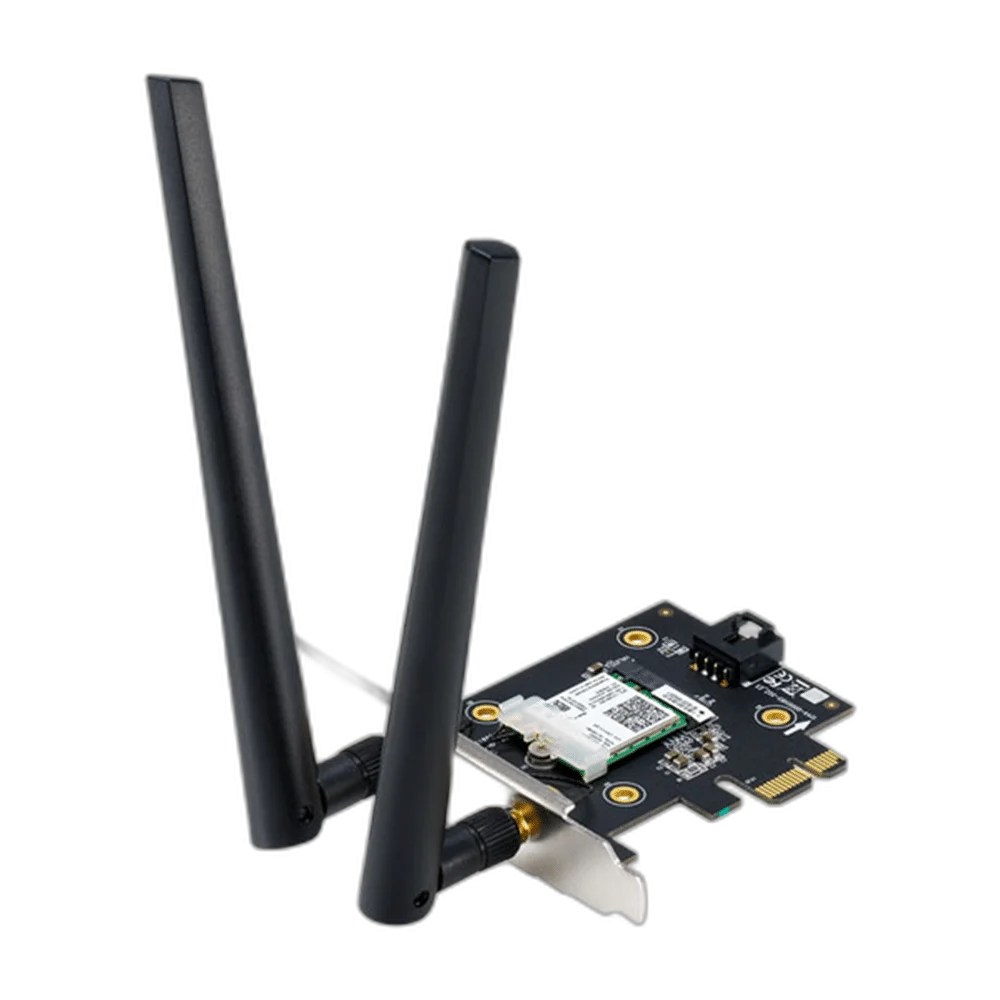
ASUS PCE-AX3000 WiFi 6 Adapter, PCI-E
ASUS PCE-AX3000 Wi-Fi 6 PCIe adapter with Bluetooth 5.0, OFDMA, MU-MIMO and WPA3 support. Published link rates: 5GHz up to 2402Mbps and 2.4GHz up to 574Mbps. Confirm host OS and installation requirements before use.
Regular price
19.000 KWD
or 4 payments of 4.750 KWD with
Pay with card & save


18.000 KWD
Save 1.000 KWD
Overview
ASUS PCE-AX3000 WI-FI 6 PCIE ADAPTER
A Desktop Wireless Upgrade with Bluetooth 5.0
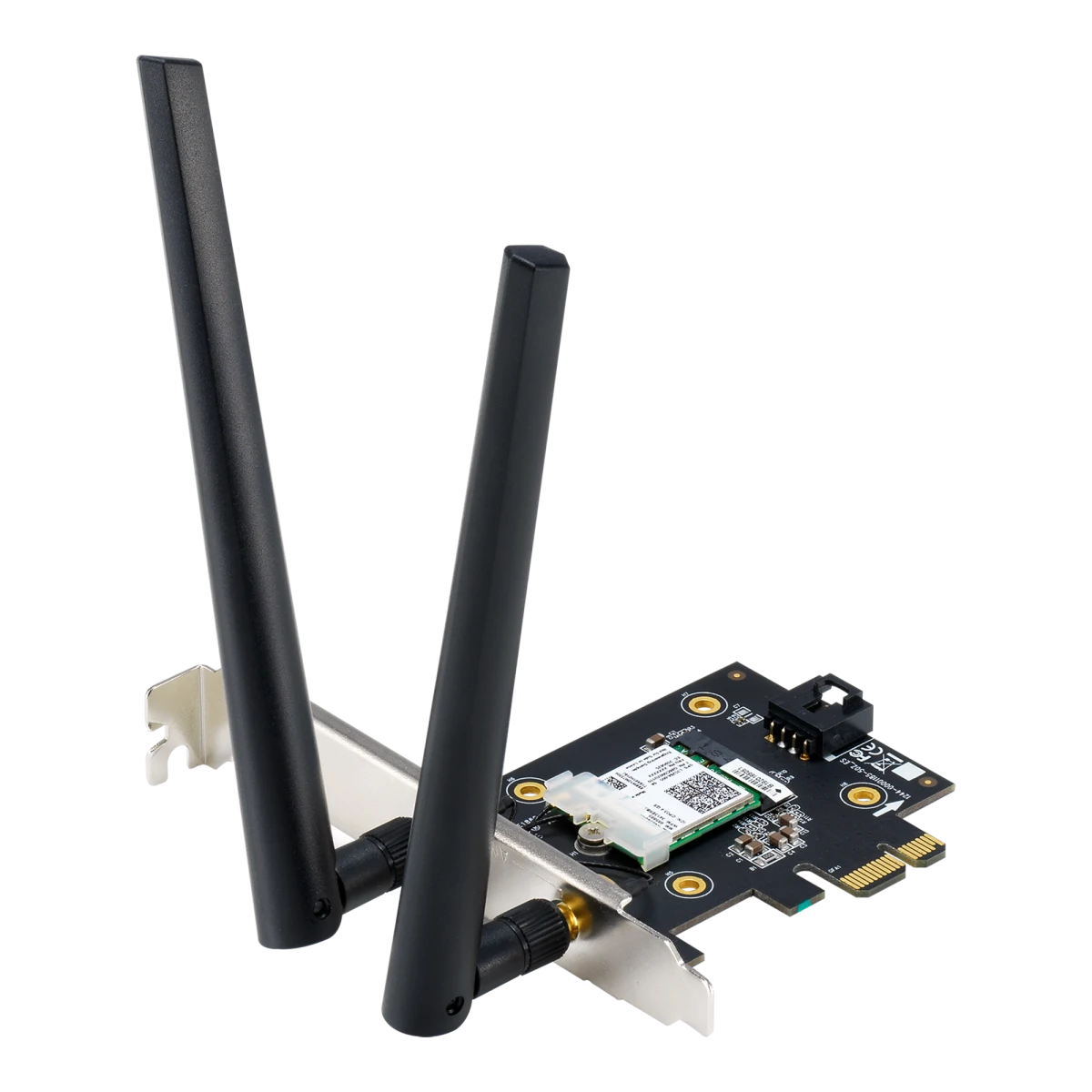
ASUS PCE-AX3000 adds Wi-Fi 6 and Bluetooth 5.0 to a compatible desktop computer. Its PCIe design supports wireless networking alongside Bluetooth peripherals, with external antennas for adjusting the connection around the desktop. Plan the installation around the available expansion slot, supported operating system and router capabilities, then configure the connections for the devices and network you use at the desk.
Wi-Fi 6
Wireless Generation
Bluetooth 5.0
Bluetooth
PCIe x1
Host Interface
WPA3
Wi-Fi Security
Wireless Bands and Published Link Rates
The adapter supports 5GHz up to 2402Mbps and 2.4GHz up to 574Mbps. Match the chosen band to the router and the coverage available where the computer is installed. These are maximum wireless link rates rather than guaranteed file-transfer or internet speeds. Actual results depend on the router, client configuration, distance, interference and network workload during use.
OFDMA and MU-MIMO Support
PCE-AX3000 supports OFDMA and MU-MIMO to help a compatible wireless network handle communication with multiple devices. Use it with suitable router support to access those features. Consider the capabilities of both ends of the connection when upgrading the desktop, especially where several computers, phones or other wireless devices share the same network.
Bluetooth for Supported Peripherals
Bluetooth 5.0 provides a connection option for compatible wireless peripherals alongside Wi-Fi networking. Bluetooth operation also requires the internal USB connection described in the installation guide. Check the host drivers, accessory compatibility and required Bluetooth profiles before pairing. The usable peripheral functions depend on the complete computer and accessory setup, including the software used to manage the connection.
Antennas and Desktop Placement
The adapter uses external antennas for adjusting the connection around the desktop. Plan the computer location and antenna position around the available router coverage, leaving the antenna connections accessible. ASUS lists a weight of 80g device-only and dimensions of 121 × 88.05 × 22mm. Check the expansion-slot space and installation requirements when fitting the card into the desktop system.
Published Operating-System Support
The manufacturer lists Windows 10 64-bit and Linux; the published Linux driver requires kernel 5.1 or later. Check the operating system and driver requirements before installation, then use the matching official driver resources for the card. Review the supported wireless bands and Bluetooth setup for that system so the intended features are available when the computer joins the network and pairs with peripherals.
PCIe Installation and WPA3 Security
The card installs through a PCI Express x1 connection. PCE-AX3000 also supports WPA3 Wi-Fi security for compatible router and system configurations. Prepare the available expansion slot, follow the model-specific installation instructions and configure the router security settings as part of setup. Keep the network and Bluetooth driver requirements together when completing the desktop upgrade.
Complete Your Workspace
Explore Network at AX Store and choose the configuration or accessories that fit your setup.
Frequently Asked Questions
Which wireless standards are supported?
WiFi 6 (802.11ax); Bluetooth® 5.0.
Which computer interface does this card require?
PCI Express x1.
Which operating systems and band limitations apply?
OS Support : Windows 10 64-bit; Linux.
What wireless link rates are specified?
WiFi 6 (802.11ax) (5GHz) : up to 2402 Mbps; WiFi 6 (802.11ax) (2.4GHz) : up to 574 Mbps; WiFi 5 (802.11ac) : up to 1733 Mbps; WiFi 4 (802.11n) : up to 300 Mbps; 802.11g : up to 54 Mbps; 802.11b : up to 11 Mbps; 802.11a : up to 54 Mbps. These are link-rate specifications; actual throughput depends on the router, client configuration and environment.
Does it support Bluetooth and WPA3?
Bluetooth: 5.0. Wi-Fi security: WPA3.
What additional operating-system note applies?
Linux Driver:support kernel 5.1+.
Build Your Setup with AX Store Kuwait
Explore computers, displays and accessories for your workspace at AX Store Kuwait. For help choosing the right model or checking an accessory, contact AX Store.
THE DETAILS
Technical specifications
Model and Configuration
PCE-AX3000
PCI Express x1
Supported with compatible router
WPA3
Technical Specifications
WiFi 6 (802.11ax); Bluetooth® 5.0
AX3000 ultimate AX performance: 2402Mbps+574Mbps
5.0
WiFi 6 (802.11ax) (5GHz) : up to 2402 Mbps; WiFi 6 (802.11ax) (2.4GHz) : up to 574 Mbps; WiFi 5 (802.11ac) : up to 1733 Mbps; WiFi 4 (802.11n) : up to 300 Mbps; 802.11g : up to 54 Mbps; 802.11b : up to 11 Mbps; 802.11a : up to 54 Mbps
OS Support : Windows 10 64-bit; Linux
80 g (Device Only)
121 x 88.05 x 22 mm
Linux Driver:support kernel 5.1+
COMPLETE YOUR SETUP
Pairs well with