ASUS
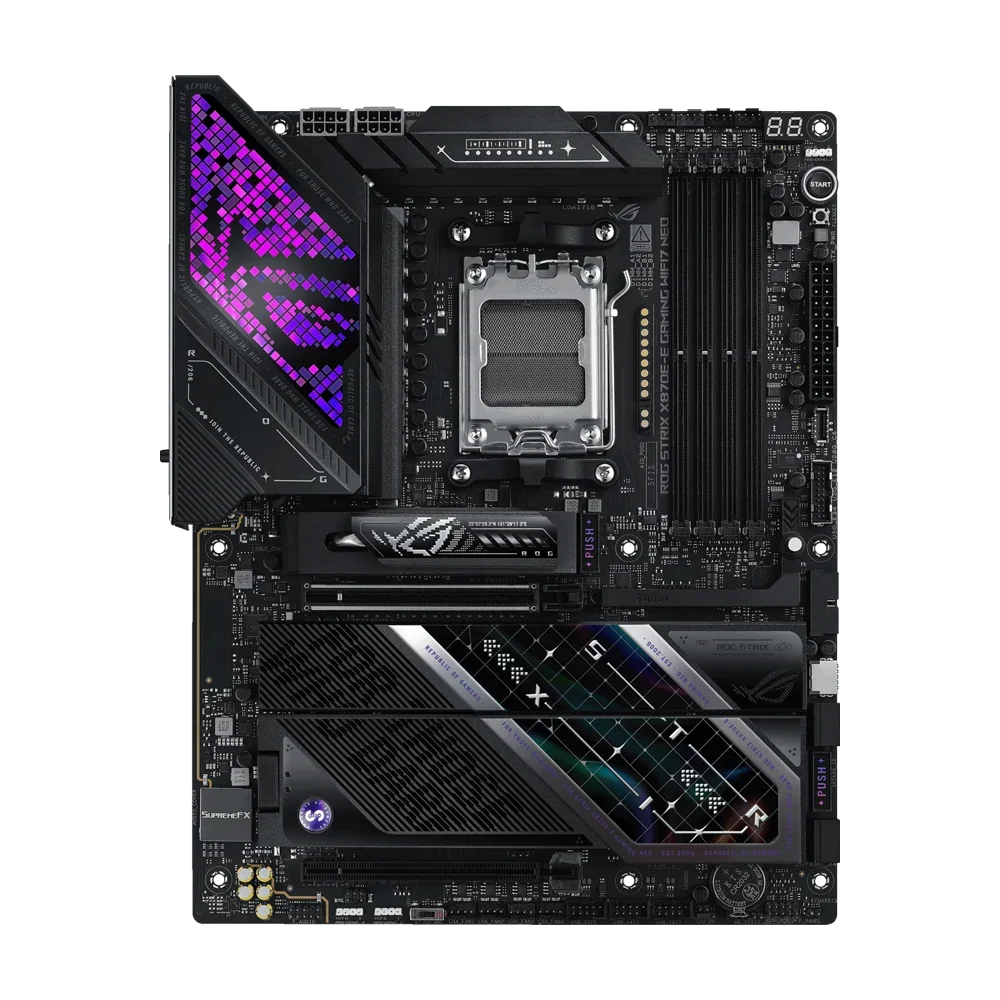
ASUS ROG Strix X870E-E Gaming WiFi7 NEO Motherboard - Black
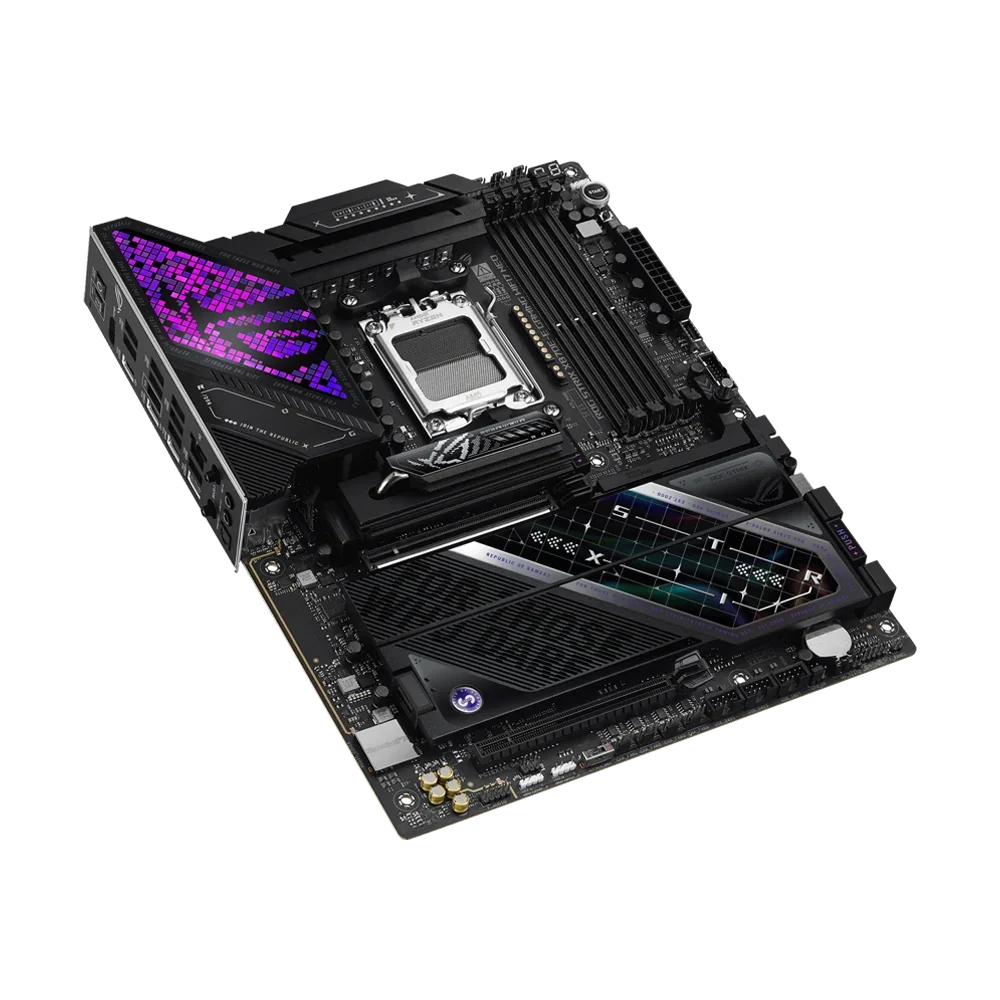
The ASUS ROG Strix X870E-E Gaming WiFi7 NEO is an AM5 ATX motherboard with DDR5 support, five M.2 slots, PCIe 5.0, dual USB4 ports, Wi-Fi 7, 5Gb Ethernet and SupremeFX audio.
Regular price
198.500 KWD
or 4 payments of 49.625 KWD with
Pay with card & save


189.000 KWD
Save 9.500 KWD
Overview
ASUS ROG STRIX X870E-E GAMING WIFI7 NEO MOTHERBOARD
An AM5 foundation with five M.2 slots and USB4.
The ASUS ROG Strix X870E-E Gaming WiFi7 NEO brings the AMD X870E chipset to an ATX board for Ryzen 9000, 8000 and 7000 Series desktop processors. Four DDR5 slots support up to 256 GB of memory, while five M.2 slots, dual USB4 ports, Wi-Fi 7 and 5Gb Ethernet provide room for a connected gaming or creative workstation.
AM5
AMD Ryzen processor socket
256 GB
Maximum DDR5 capacity
5 × M.2
SSD slots
5Gb
Wired Ethernet
DDR5 tuning for your Ryzen configuration
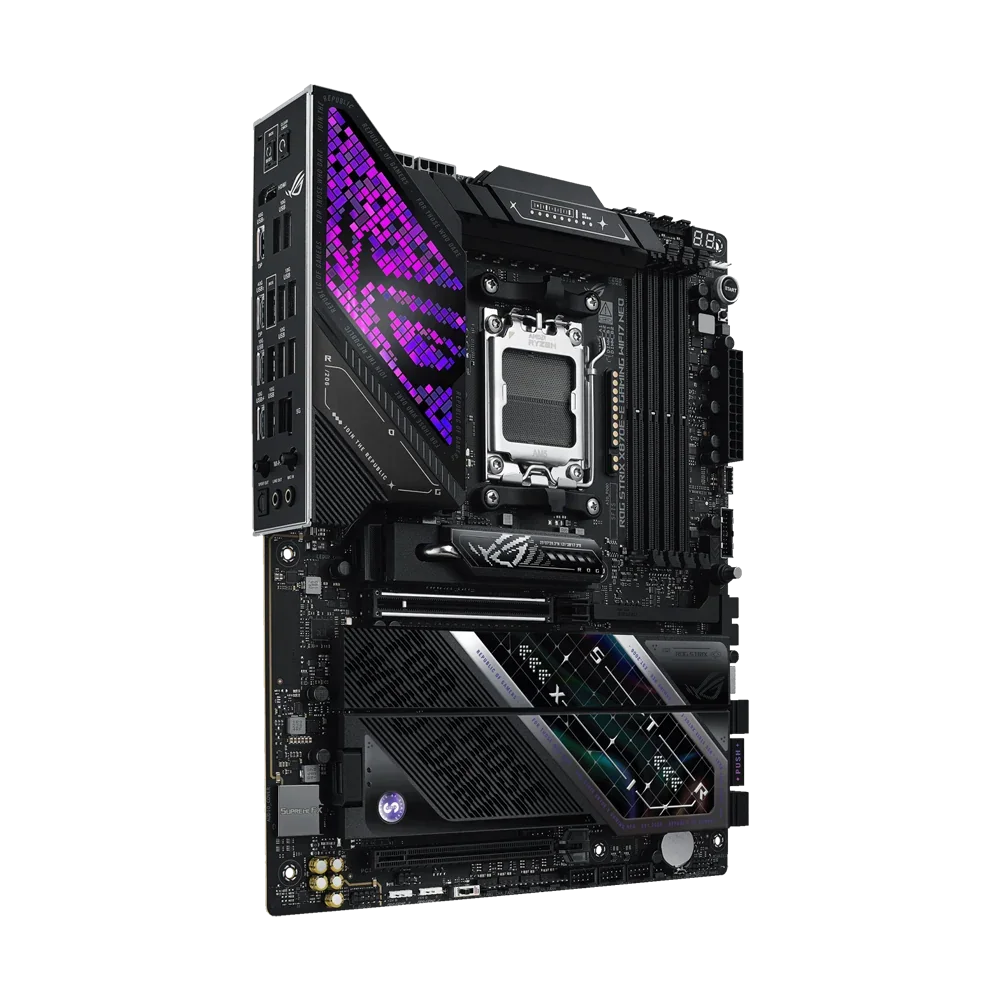
Four DIMM slots provide dual-channel DDR5 memory support, with AMD EXPO, ASUS Enhanced Memory Profile and NitroPath DRAM Technology. DIMM Fit and DIMM Fit Pro add memory-tuning options. Supported speeds vary with the processor, memory kit and number of populated slots: the official specification lists different limits for manual overclocking and EXPO/AEMP profiles. Choose a supported kit and check the CPU and memory compatibility lists before configuring an overclocked profile, rather than treating the highest advertised memory rate as a guaranteed setting.
Five M.2 slots with clear lane planning
Two CPU-connected M.2 slots support PCIe 5.0 x4 with compatible Ryzen 9000 and 7000 processors; three chipset slots support PCIe 4.0 x4. M.2_2 shares bandwidth with the rear USB4 ports, and M.2_3 shares with the secondary PCIe slot.
USB4, Wi-Fi 7 and 5Gb Ethernet
Two rear USB4 Type-C ports provide up to 40 Gbps connectivity, alongside eleven rear USB 10Gbps ports. One Type-C port supports up to 30 W PD/PPS charging. MediaTek Wi-Fi 7 supports 2.4, 5 and 6 GHz bands, complemented by Realtek 5Gb Ethernet.
SupremeFX audio and practical build tools
The SupremeFX ALC4080 codec works with a Savitech SV3H712 headphone amplifier, optical S/PDIF and gold-plated audio jacks. M.2 Q-Latch, Q-Release and Q-Slide simplify supported storage installation, while Q-Code, Q-LED and BIOS FlashBack assist setup and troubleshooting.
Plan storage and expansion together
The ASUS ROG Strix X870E-E Gaming WiFi7 NEO has a primary PCIe 5.0 x16 slot with compatible Ryzen 9000 and 7000 processors. Ryzen 8000 configurations have different lane limits. Installing an SSD in M.2_2 makes that slot and the rear USB4 connection operate at x2; selecting M.2_2 x4 in BIOS disables the rear USB4 ports. Installing an SSD in M.2_3 disables the secondary PCIe 4.0 slot. These details matter when combining several SSDs, expansion cards and high-speed external equipment.
18+2+2 power stages and an eight-layer PCB
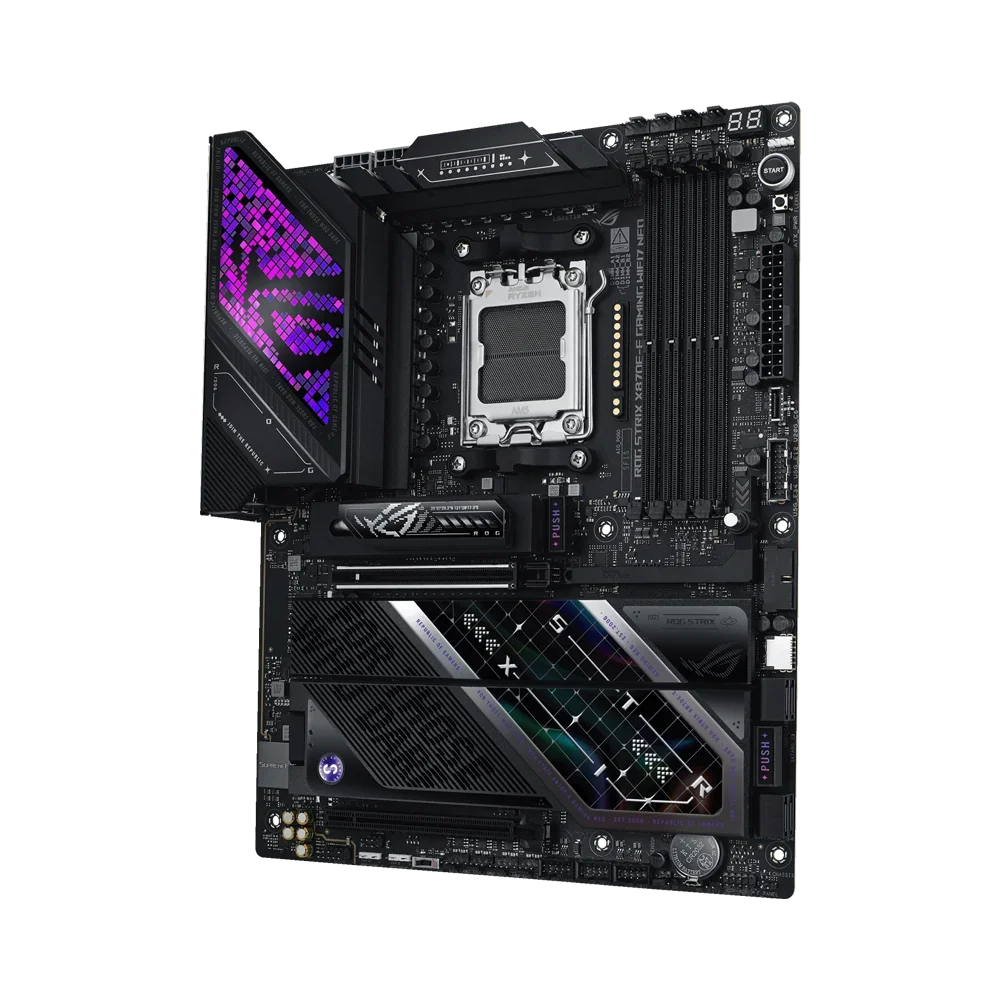
Power delivery combines 18 × 110 A Vcore stages, 2 × 110 A SoC stages and 2 × 80 A auxiliary stages. Dual ProCool II connectors feed the CPU power circuit. The eight-layer PCB uses two-ounce copper power planes.
Heatpipe cooling for the VRM and SSDs
Linked VRM heatsinks, thermal pads, an M.2 Combo-Sink with a U-shaped heatpipe and M.2 backplate handle cooling. Each M.2 slot has a heatsink.
AI Overclocking and AI Cooling II
AI Overclocking assesses the processor and cooling. AI Cooling II adjusts fans. Dynamic OC Switcher, asynchronous BCLK and Core Flex provide further tuning control.
Memory tools and local AI workloads
NitroPath and DIMM Fit/Pro support DDR5 tuning. AI Cache Boost optimizes cache and memory pathways on supported Ryzen 9000 systems. AI Advisor availability varies by region.
USB connections for a fully equipped desk
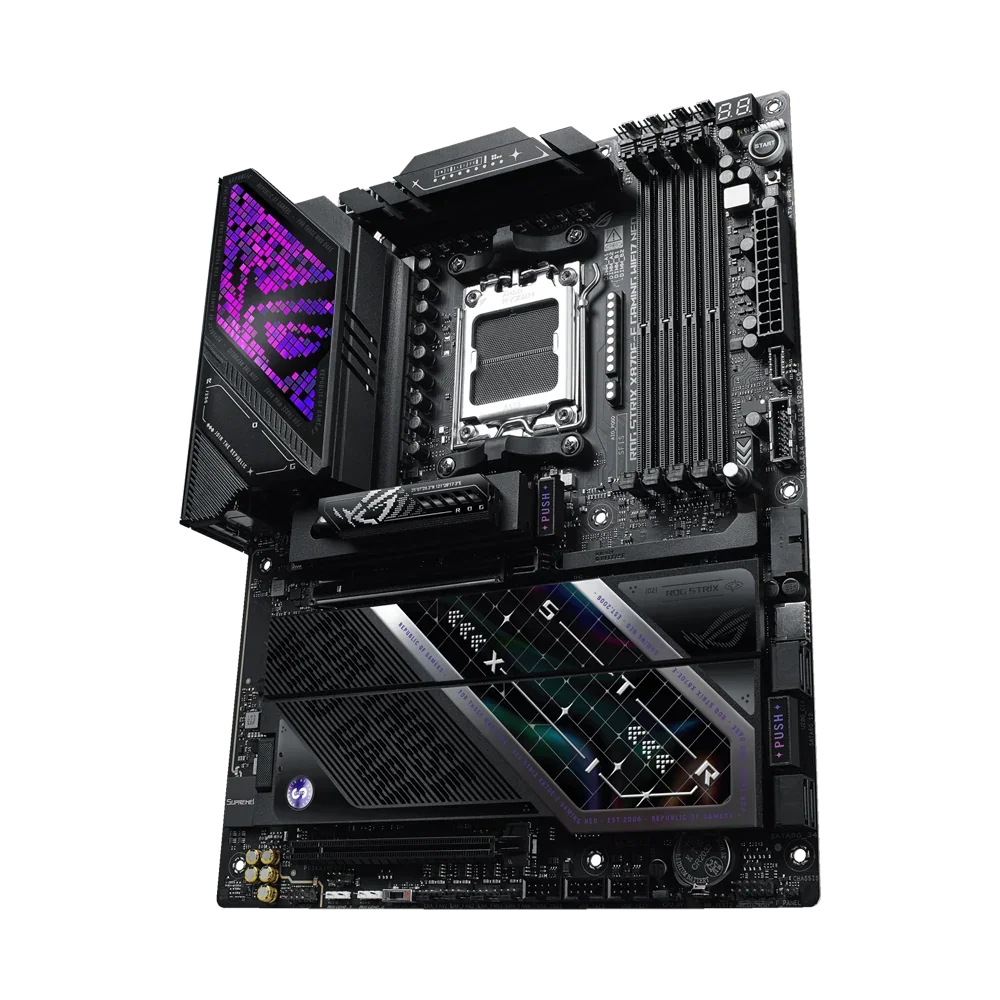
The rear panel provides thirteen USB ports: two USB4 Type-C connections and eleven USB 10Gbps ports, split into nine Type-A and two Type-C. This gives you separate connections for your keyboard, mouse, audio interface, webcam and external drives. One rear USB 10Gbps Type-C port supports up to 30 W PD/PPS charging. Internally, two USB 20Gbps Type-C connectors support compatible case front panels, while two USB 5Gbps headers provide four ports and three USB 2.0 headers provide six. Check your case connectors when planning which front-panel sockets you can use.
Wi-Fi 7 with a wired 5Gb option
The MediaTek MT7927 module supports 2×2 Wi-Fi across 2.4, 5 and 6 GHz, with 320 MHz channel support. Use a compatible router and Windows 11 24H2 or later for the full feature set; regional rules govern 6 GHz availability. The separate Realtek 5Gb Ethernet connection gives you a wired option for a compatible switch or router. Your internet speed still depends on the service and network equipment.
Audio connections for speakers and headphones
SupremeFX ALC4080 audio is paired with a Savitech SV3H712 headphone amplifier. The board provides optical S/PDIF and two rear audio jacks, plus a front-panel audio connector. ASUS specifies 120 dB stereo playback SNR and 110 dB recording SNR. Spatial audio support applies to the front-panel output or USB audio; it does not apply to the rear line-out.
Headers for cooling and lighting
Connect a CPU fan, an optional second CPU fan, an AIO pump and five chassis fans through the dedicated headers. Three Addressable Gen 2 headers connect compatible lighting. Plan the fan layout and lighting connections before installing the board so the finished build has accessible cables and enough connections for its cooling configuration.
Q-Release installation and built-in diagnostics
PCIe Slot Q-Release unlocks the graphics-card latch by button. M.2 Q-Release, Q-Latch and Q-Slide assist SSD fitting. Q-Code and Q-LED aid diagnosis. The Start, Clear CMOS and BIOS FlashBack buttons assist testing and recovery. Compatible coolers can use the AIO Q-Connector.
A BIOS and platform you can configure around your build
The ASUS ROG Strix X870E-E Gaming WiFi7 NEO includes a 64 MB UEFI BIOS and supports Windows 11. Its AM5 socket accepts supported Ryzen 9000, 8000 and 7000 Series desktop processors, but the processor also determines which onboard connections are available and how many lanes they use. With supported Ryzen 9000 and 7000 processors, the main graphics slot runs at PCIe 5.0 x16. Ryzen 8000 processors use different PCIe 4.0 lane arrangements, and some models do not support M.2_2. Match the exact CPU, memory kit and planned expansion cards before assembling the system.
In the box
Motherboard, two SATA cables, DDR5 fan holder, cooling-kit screw package, 60 mm ROG assistant fan, ASUS WiFi Q-Antenna, cable ties, M.2 Q-Latch and Q-Slide packages, ROG key chain, ROG Strix stickers, thank-you card, five M.2 rubber packages and Quick Start Guide.
Complete Your Desk Setup
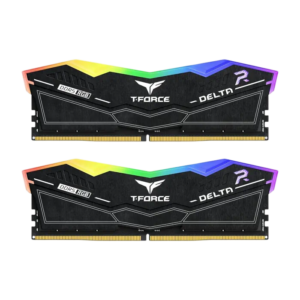
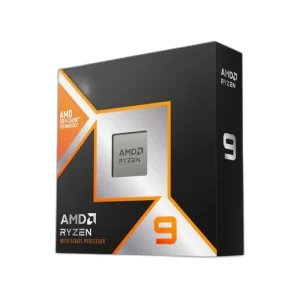
Build around an AM5 processor and DDR5 memory, then choose storage, cooling and power for the full system. Pair it with the AMD Ryzen 9 9950X3D and the TEAMGROUP T-FORCE DELTA RGB 32GB DDR5-6000 CL30, browse more motherboards, or see the full ASUS range at AX Store.
Frequently Asked Questions
Which processors fit the ASUS ROG Strix X870E-E Gaming WiFi7 NEO?
It uses AMD Socket AM5 and supports Ryzen 9000, 8000 and 7000 Series desktop processors. Check the exact processor against the ASUS CPU support list.
Does this motherboard use DDR4 or DDR5?
It uses DDR5 memory, with four DIMM slots, dual-channel operation and a maximum supported capacity of 256 GB. DDR4 modules are not supported.
Can all five M.2 slots be used without sharing bandwidth?
Some connections share resources. M.2_2 shares bandwidth with the rear USB4 ports, and installing an SSD in M.2_3 disables the secondary PCIe 4.0 slot.
What is required for full Wi-Fi 7 functionality?
ASUS specifies Windows 11 24H2 or later for full Wi-Fi 7 functions. Earlier Windows 11 releases are limited to Wi-Fi 6E; 6 GHz availability also depends on local regulations.
Build Your Setup with AX Store Kuwait
Need help choosing the right model or a compatible accessory? Contact AX Store and our team will help you build the right setup.
THE DETAILS
Technical specifications
Product
ASUS
ROG Strix X870E-E Gaming WiFi7 NEO
90MB1P20-M0EAY0
Black
CPU
AMD AM5
AMD Ryzen 9000, 8000 and 7000 Series desktop processors; exact CPU support depends on the ASUS support list
Chipset
AMD X870E
Memory
4 DDR5 DIMM slots; maximum 256 GB
Dual-channel
ECC and non-ECC unbuffered DIMMs; non-ECC DDR5 supports on-die ECC
8600+ MT/s manual OC; 8200+ MT/s EXPO/AEMP OC
9600+ MT/s manual OC; 9000+ MT/s EXPO/AEMP OC
8000+ MT/s manual OC; 8000+ MT/s EXPO/AEMP OC
AMD EXPO, DIMM Fit, DIMM Fit Pro, NitroPath DRAM Technology, ASUS Enhanced Memory Profile (AEMP)
Manual OC requires advanced BIOS settings and may require specialised hardware; listed rates passed AIDA64 bandwidth testing. Profile speeds require enabling the relevant BIOS profile. Results depend on CPU, memory and system configuration, and may be reduced with four DIMMs. Consult the ASUS memory support list.
Graphics
1 HDMI port, up to 4K at 60 Hz, HDMI 2.1
2 USB4 40Gbps Type-C ports; DisplayPort 1.4a, maximum 4K at 60 Hz
Display capabilities depend on the CPU. During OS installation connect the monitor to rear HDMI or a discrete graphics card.
Expansion Slots
1 PCIe 5.0 x16 slot operating at x16
1 PCIe 4.0 x16 slot operating at x8
1 PCIe 4.0 x16 slot operating at x4
1 PCIe 4.0 x16 slot operating at x4
Lane configuration and bifurcation support vary by processor. Consult supported peripheral and PCIe bifurcation lists.
Storage
5 M.2 Key M slots and 4 SATA 6Gb/s ports
2242/2260/2280; PCIe 5.0 x4
2242/2260/2280; PCIe 4.0 x4
2242/2260/2280; PCIe 4.0 x4
Not supported
2280; PCIe 4.0 x4 through chipset
M.2_2 and rear USB4 40Gbps Type-C ports share bandwidth. Both operate at x2 with M.2_2 occupied. Switching M.2_2 to x4 in BIOS disables the rear USB4 ports.
M.2_3 shares bandwidth with PCIEX16(G4). Installing an SSD in M.2_3 disables PCIEX16(G4).
RAID Support
AMD RAIDXpert2
RAID 0/1/5/10 with Ryzen 9000, 8000 and 7000 Series processors
Ethernet
Realtek 5Gb Ethernet
ASUS LANGuard
Wireless and Bluetooth
MediaTek MT7927
2×2 Wi-Fi 7 (802.11be)
2.4 GHz, 5 GHz and 6 GHz
Up to 320 MHz
Bluetooth with LE Audio; version depends on module manufacturer specifications
Full Wi-Fi 7 functionality requires Windows 11 24H2 or later. Windows 11 21H2/22H2/23H2 supports Wi-Fi 6E only. ASUS lists no Windows 10 Wi-Fi driver. 6 GHz availability and channel bandwidth depend on regional regulations.
USB
13 total: 2 USB4 40Gbps Type-C; 11 USB 10Gbps (9 Type-A, 1 Type-C, 1 Type-C with up to 30 W PD/PPS)
12 ports supported: 2 USB 20Gbps Type-C connectors; 2 USB 5Gbps headers for 4 ports; 3 USB 2.0 headers for 6 ports
5 V / 3 A
5 V / 9 V, maximum 3 A; 12 V, maximum 2.5 A; 15 V, maximum 2 A
Audio
ROG SupremeFX ALC4080, 7.1-channel high-definition audio
Savitech SV3H712
120 dB stereo playback; 110 dB recording
Up to 32-bit / 384 kHz
Front and rear headphone impedance sensing, Jack detection, Multistreaming, Front-panel microphone jack retasking, Audio shielding, Gold-plated audio jacks, Optical S/PDIF output, Premium audio capacitors, Audio cover
Rear LINE OUT does not support spatial audio. Use the front-panel audio jack or a USB audio device for spatial audio.
Back Panel I/O Ports
2 Type-C 40Gbps with DP Alt Mode
9 Type-A and 2 Type-C; one Type-C supports up to 30 W PD/PPS
1 HDMI
Wi-Fi module and 1 Realtek 5Gb Ethernet port
2 audio jacks and 1 optical S/PDIF output
BIOS FlashBack and Clear CMOS
Internal I/O Connectors
1 4-pin CPU fan header, 1 4-pin CPU OPT fan header, 1 4-pin AIO pump header, 5 4-pin chassis fan headers, 1 AIO Q-Connector
1 24-pin main power connector; 2 8-pin +12 V CPU power connectors
5 M.2 Key M slots; 4 SATA 6Gb/s ports
2 USB 20Gbps Type-C connectors; 2 USB 5Gbps headers for 4 ports; 3 USB 2.0 headers for 6 ports
3 Addressable RGB Gen 2 headers, Alteration PCIe mode switch, Chassis intrusion header, CPU overvoltage jumper, Front-panel audio header, Start button, 10-1 pin front-panel system header, Thermal sensor header
Special Features
Asynchronous clock; Extreme Engine Digi+; 5K black metallic capacitors
M.2 Q-Latch, M.2 Q-Release, M.2 Q-Slide, PCIe Slot Q-Release, Q-Antenna, Q-Code, Q-Dashboard, Q-LED: CPU red, DRAM yellow, VGA white, boot yellow-green
M.2 heatsink backplate, M.2 heatsinks, VRM heatsinks
BIOS FlashBack button and LED, Clear CMOS button, Dual DIMM clips, ProCool II, Pre-mounted I/O shield, SafeSlot, SafeDIMM
Aura Sync; Addressable RGB Gen 2 headers
Software Features
ROG CPU-Z, Dolby Atmos, Polymo Lighting
Aura Creator, Aura Sync, Fan Xpert 4 with AI Cooling II, GameFirst, WiFi Q-Antenna, MLO Wizard
ASUS MB Manager, ASUS AI Advisor, AIDA64 Extreme 60-day trial, HWiNFO, ASUS GlideX, USB Wattage Watcher, TurboV Core, Norton 360 for Gamers 60-day trial, WinRAR 40-day trial, Adobe Creative Cloud trial, subject to model and regional eligibility
Integrated Wi-Fi driver support, AI Overclocking Guide, AI Cache Boost, ASUS CrashFree BIOS 3, ASUS EZ Flash 3, ASUS UEFI BIOS EZ Mode, ASUS MyHotkey, FlexKey
BIOS
64 MB (512 Mb) Flash ROM; UEFI AMI BIOS
Manageability
Wake on LAN by PME; PXE
Accessories
2 SATA 6Gb/s cables
DDR5 fan holder, Cooling-kit screw package, 60 mm ROG assistant fan
ASUS WiFi Q-Antenna, Cable ties package, M.2 Q-Latch package, M.2 Q-Slide package, ROG key chain, ROG Strix stickers, ROG Strix thank-you card, 5 M.2 rubber packages
Quick Start Guide
Operating System
Windows 11
Form Factor
ATX
305 × 244 mm (12 × 9.6 inches)
COMPLETE YOUR SETUP
Pairs well with