
ASUS
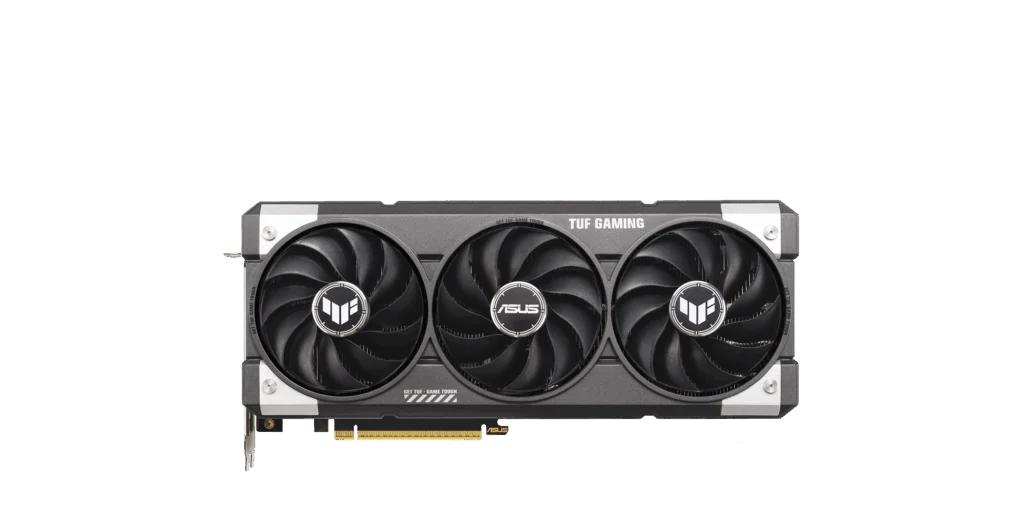
ASUS TUF Gaming GeForce RTX 5060 Ti 16GB GDDR7 OC Edition
The ASUS TUF Gaming GeForce RTX 5060 Ti OC Edition combines 16 GB of GDDR7 memory with triple Axial-tech fans and a vented metal structure. HDMI 2.1b and DisplayPort 2.1a outputs support up to four connected displays.
Regular price
296.000 KWD
or 4 payments of 74.000 KWD with
Pay with card & save


282.000 KWD
Save 14.000 KWD
Overview
ASUS TUF GAMING GEFORCE RTX 5060 TI 16GB GDDR7 OC EDITION

ASUS TUF RTX 5060 Ti 16GB
ASUS TUF RTX 5060 Ti 16GB: Upgrade your PC with the TUF-RTX5060TI-O16G-GAMING: an overclocked RTX 5060 Ti with 16 GB memory and a substantial cooling assembly. Available from AX Store in Kuwait.
16 GB GDDR7
Video Memory
2662 MHz
Default Boost Clock
3.1-slot
Cooler Width
128-bit
Memory Interface
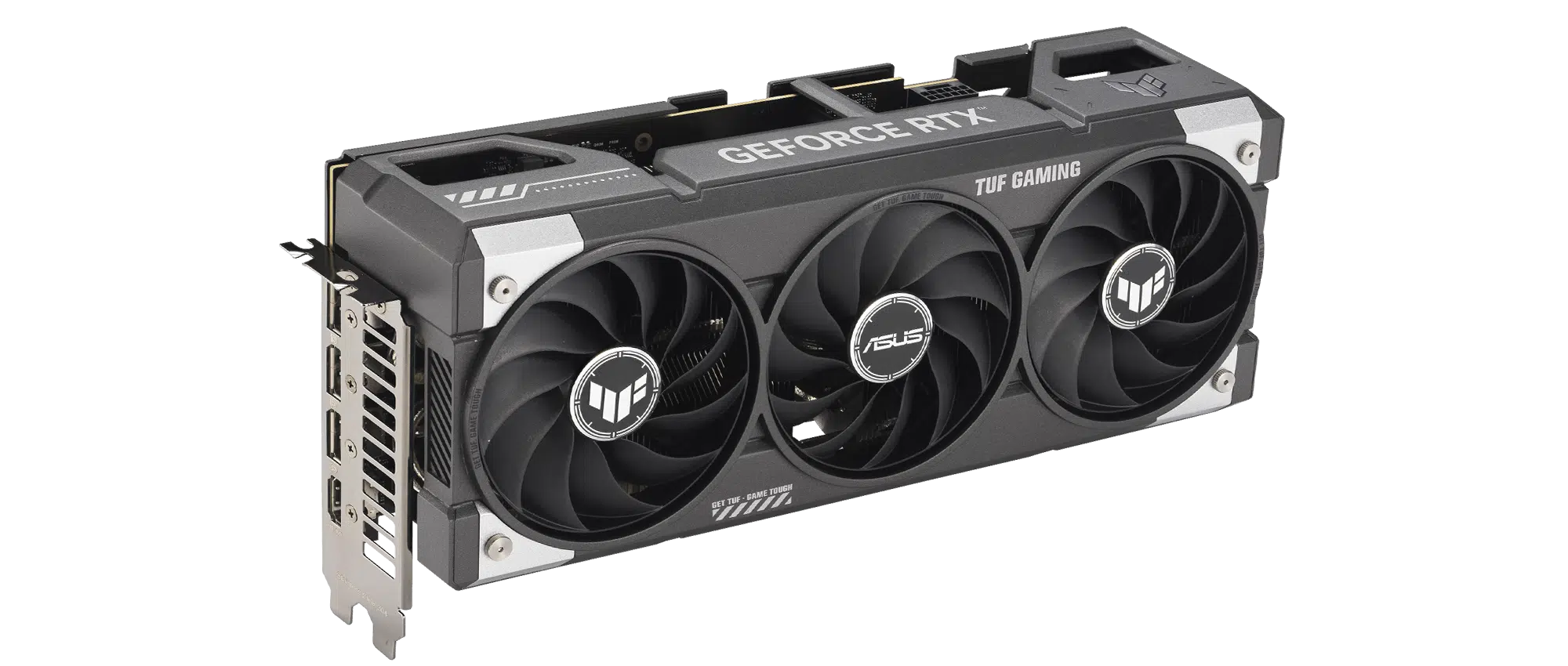
Cooling for sustained workloads
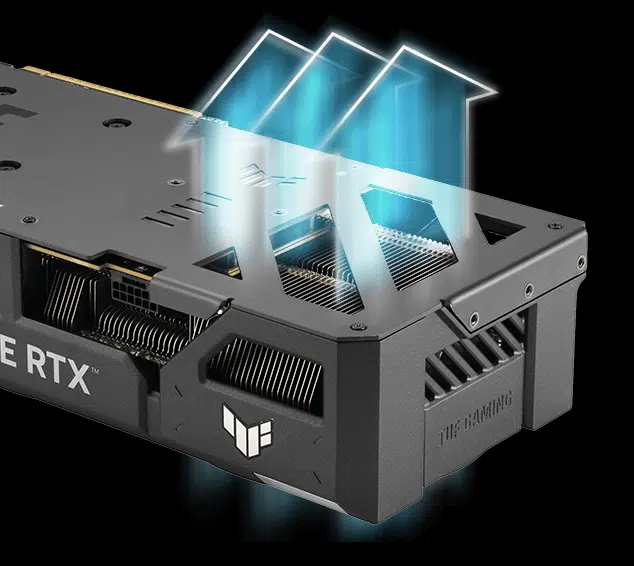
Axial-tech fans, MaxContact and a vented backplate move heat away from the GPU. The fans stop at low temperatures during lighter tasks. Match the installation space and chosen settings to the actual computer and intended workload, keeping the relevant connections and controls accessible.
A reinforced design
The diecast shroud and aluminium backplate help resist flex. A protective circuit-board coating adds protection against moisture, dust and debris. Match the installation space and chosen settings to the actual computer and intended workload, keeping the relevant connections and controls accessible.
Plan your build
Allow space for the 302 mm card and its 3.1-slot cooler. Check power-cable clearance and your system's power needs before installation. Match the installation space and chosen settings to the actual computer and intended workload, keeping the relevant connections and controls accessible.
Choose the Display Connection for Your Monitor
Use the card’s stated HDMI or DisplayPort outputs with a compatible cable and monitor. The highest supported resolution and refresh mode depend on that complete connection; the count of physical outputs does not promise every maximum mode at once.
Plan Power and Clearance Together
The graphics power connection is 1 × 16-pin. The recommended power supply is 550 W; total system requirements vary. Calculate the needs of the complete computer, leaving suitable cable clearance and following the card and PSU installation instructions.
Select Drivers for the Application
ASUS GPU Tweak III provides the stated tuning and monitoring options, with NVIDIA Game Ready and Studio drivers available for suitable workflows. Choose the appropriate driver and application settings for the intended game or creative task.
Check the Card, Power and Display Route
Check case clearance, the power supply and required connectors for the exact card. Match the display connection and target resolution to the complete system; similar GPU names can describe different implementations. Compare related options such as GIGABYTE GeForce RTX 5060 EAGLE OC ICE 8GB GDDR7 – White or ZOTAC GAMING GeForce RTX 5070 Twin Edge OC 12GB GDDR7 – White, keeping the exact model and configuration in the decision. For the wider setup, explore ASUS ProArt PA279CV 27 inch 4K UHD IPS Monitor and check the connection, size or mounting requirements before pairing accessories. Browse the ASUS range at AX for more choices.
ASUS TUF RTX 5060 Ti 16GB Setup Choices
Check case clearance, the power supply and required connectors for the exact card. Match the display connection and target resolution to the complete system; similar GPU names can describe different implementations. Explore ASUS ROG Thor 1200W Platinum III Power Supply Unit, Wooting 60HE v2 60% Gaming Keyboard, Aluminium, Pulsar Pro Series Susanto-X Wireless Gaming Mouse Size 2, 50g.
Frequently Asked Questions
How much case clearance does it need?
302 × 133.5 × 62 mm; 3.1-slot. Allow additional room for the power plug, cable routing, airflow and nearby expansion cards.
What power connection is required?
1 × 16-pin. The recommended PSU is 550 W; total system requirements vary. Choose the supply for the complete system and use the appropriate fully seated graphics cable.
How many displays can it drive?
1 × HDMI 2.1b; 3 × DisplayPort 2.1a. Up to four displays are supported at once; match the monitor, cable, resolution and refresh mode to the selected output.
Are the OC and default boost clocks the same?
2662 MHz is the default boost figure; 2692 MHz is the stated OC-mode clock. Actual operating frequency and game performance depend on software, power and thermal conditions.
Build Your Setup with AX Store
Explore computers, displays and accessories for your workspace at AX Store. For help choosing the right model or checking an accessory, contact AX Store.
THE DETAILS
Technical specifications
Graphics and memory
TUF-RTX5060TI-O16G-GAMING
NVIDIA GeForce RTX 5060 Ti
759 TOPS
PCI Express 5.0
4.6
16 GB GDDR7
2692 MHz
2662 MHz
4608
28 Gbps
128-bit
Display connections
7680 × 4320
1 × HDMI 2.1b
3 × DisplayPort 2.1a
2.3
4
Not supported
Installation and power
302 × 133.5 × 62 mm
3.1-slot
550 W; total system requirements vary
1 × 16-pin
ARGB, Aura Sync
Software and accessories
ASUS GPU Tweak III; MuseTree; NVIDIA Game Ready and Studio drivers (download)
Speed setup manual; TUF graphics card holder; hook-and-loop fastener; TUF certificate; thank-you card; 1-to-2 power adapter cable
COMPLETE YOUR SETUP
Pairs well with




