Products
Gaming PC
Contact
0
Pro Audio Gear
Gaming Gear
Streaming Gear
PC Components
Computers system
Apple Products
Smart Home
Microphones
Microphones stands
Accessories
Recorder Devices
Discounted Bundles
Headphones
AMPs, DACs & Preamps
Audio Interfaces & Mixers
Stands & Mounts
Acoustic Treatment
Cables & Adapters
Pro Audio Gear
Professional audio gear for creators, streamers, and podcasters. Clean sound, precise control, reliable performance.
Upgrade Your Sound
Network
Monitors
Stands & Mounts
Mice
Mice Accessories
Gaming Chairs & Desks
USB Storage & Memory
Keyboards
Keyboards Accessories
Mousepads
Headsets
Speakers
USB Microphones
Controllers & Gamepad
Cables & Adapters
Accessories
Unleash your gaming prowess
with our exceptional gaming mouse, engineered for precision and performance.
Discover Now!
Lighting
Webcames & Camera
Stream Deck & Macro Device
Capture Devices
Accessories
Green Screen
Stands & Mounts
Streaming Gear
Essential streaming gear for live broadcasts, content creation, and professional setups. Reliable performance for every stream.
Explore Streaming Gear
PC Cases
Case Accessories
Storage Devices
Motherboards
Power Supplies
Memory
Processors
Graphics Card
Lighting
Case Fans
Cace Accessories
CPU Cooler
Accessories & Controllers
Gaming PC
Laptops
Unleash the power of gaming
with our impressive selection of pre-built gaming PCs and gaming laptops. Discover the ultimate gaming machines designed to deliver unparalleled performance and immersive experiences.
Discover Gaming PC Now!
MacBook Pro
MacBook Air
Mac Studio
iMac & Display
Apple Accessories
Apple Products
Premium Apple devices delivering powerful performance, seamless integration, and refined design.
Explore Apple Products
Smart Camera
Lighting
Plugs & Outlets
Dimmers & Switches
Assistant Speakers
Controllers
Accessories
Default wishlist
0
My account
All products
Pro Audio Gear
Gaming Gear
Streaming Gear
PC Components
Computers system
Apple Products
Smart Home
Gaming PC
Contact
Pro Audio Gear
Microphones
Microphones stands
Accessories
Recorder Devices
Discounted Bundles
Headphones
AMPs, DACs & Preamps
Audio Interfaces & Mixers
Stands & Mounts
Acoustic Treatment
Cables & Adapters
Gaming Gear
Network
Monitors
Stands & Mounts
Mice
Mice Accessories
Gaming Chairs & Desks
USB Storage & Memory
Keyboards
Keyboards Accessories
Mousepads
Headsets
Speakers
USB Microphones
Controllers & Gamepad
Cables & Adapters
Accessories
Streaming Gear
Lighting
Webcames & Camera
Stream Deck & Macro Device
Capture Devices
Accessories
Green Screen
Stands & Mounts
PC Components
PC Cases
Case Accessories
Storage Devices
Motherboards
Power Supplies
Memory
Processors
Graphics Card
Lighting
Case Fans
Cace Accessories
CPU Cooler
Accessories & Controllers
Computers system
Gaming PC
Laptops
Apple Products
MacBook Pro
MacBook Air
Mac Studio
iMac & Display
Apple Accessories
Smart Home
Smart Camera
Lighting
Plugs & Outlets
Dimmers & Switches
Assistant Speakers
Controllers
Accessories
Login
Signup
E-mail*
PASSWORD*
Forgot password?
FIRST NAME*
LAST NAME*
E-MAIL*
PASSWORD*
CONFIRM PASSWORD*
You have items (0)
No items
Home Products Gaming Gear Monitors ASUS ROG Strix OLED XG27AQDMES 27″ QHD QD-OLED Gaming Monitor – 240Hz / 0.03ms
AUTO-DRAFT - AX Store Kuwait
In stock

ASUS ROG Strix OLED XG27AQDMES 27″ QHD QD-OLED Gaming Monitor – 240Hz / 0.03ms

ASUS
Monitors

ASUS ROG Strix OLED XG27AQDMES QHD Gaming Monitor

  • 27-inch-class gaming display with a 26.5-inch viewable, third-generation QD-OLED panel and 2560 × 1440 QHD resolution.
  • 240Hz maximum refresh rate and 0.03ms GtG response time for fast motion and frequent visual updates.
  • 99% DCI-P3 coverage, true 10-bit color, Delta E < 2 accuracy and a 1,500,000:1 typical contrast ratio.
  • HDR10 support with 400 cd/m² HDR peak brightness and an anti-reflection screen surface.
  • AMD FreeSync Premium, NVIDIA G-SYNC Compatible and ROG OLED Anti-Flicker technology.
  • ASUS OLED Care Pro with Neo Proximity Sensor, pixel maintenance and static-image dimming controls.
  • ELMB motion-blur reduction at 120Hz; VRR and HDR must be disabled in this mode.
  • DisplayPort 1.4 with DSC, two HDMI 2.1 FRL inputs and an earphone output. USB Type-C is for service only.
  • Black finish; height, tilt, swivel and pivot adjustment; 100 × 100 mm VESA mounting and a 1/4-inch tripod socket. 1-year warranty.
Show more
163.000 د.ك
Save 5% with direct online payment
KNET Visa Mastercard
155.000 د.ك Save 8.000 د.ك (5%)
Use KNET / Visa / Mastercard at checkout
Already In Wishlist Add to Wishlist Add to WishlistRemove from Wishlist
Add to Wishlist
Overview
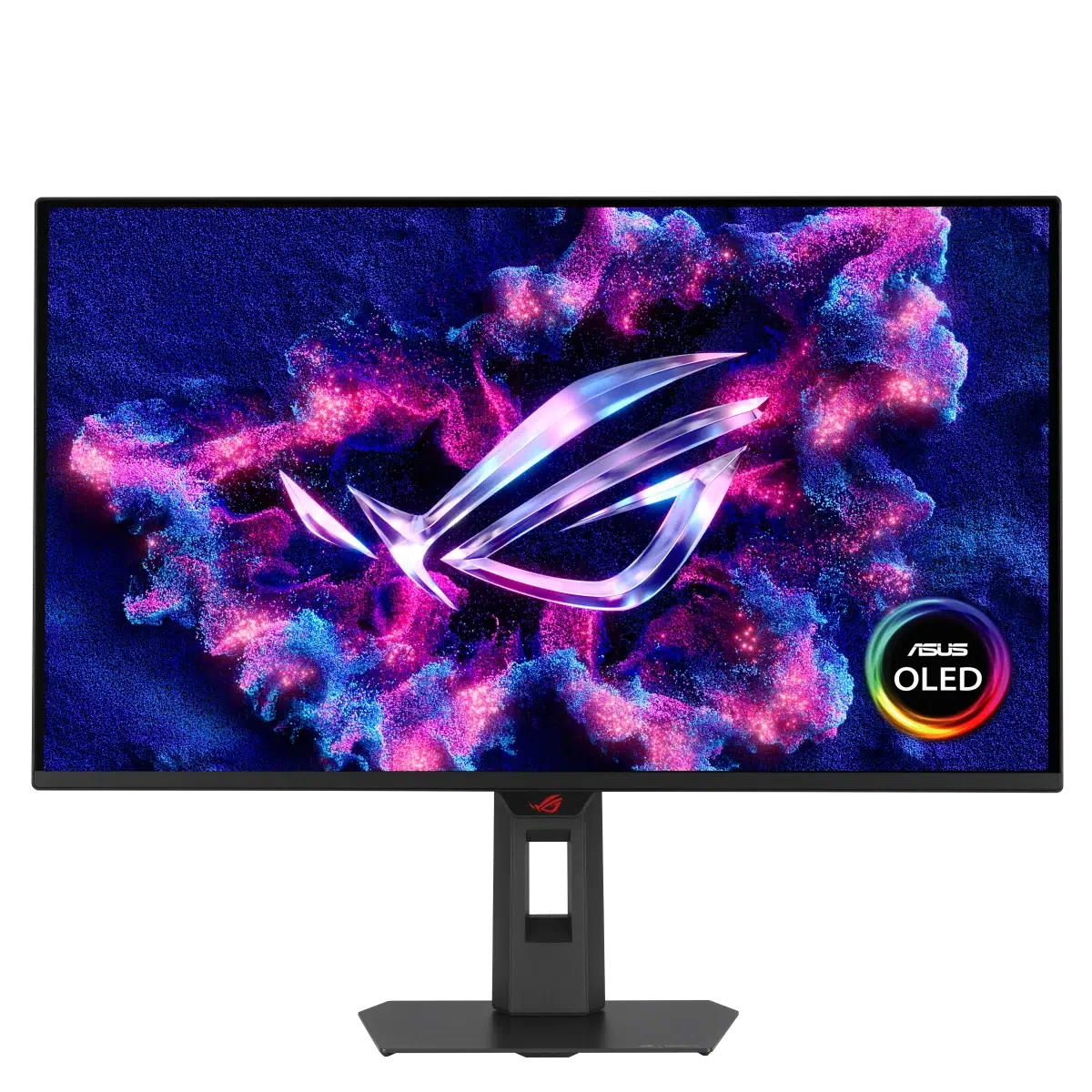
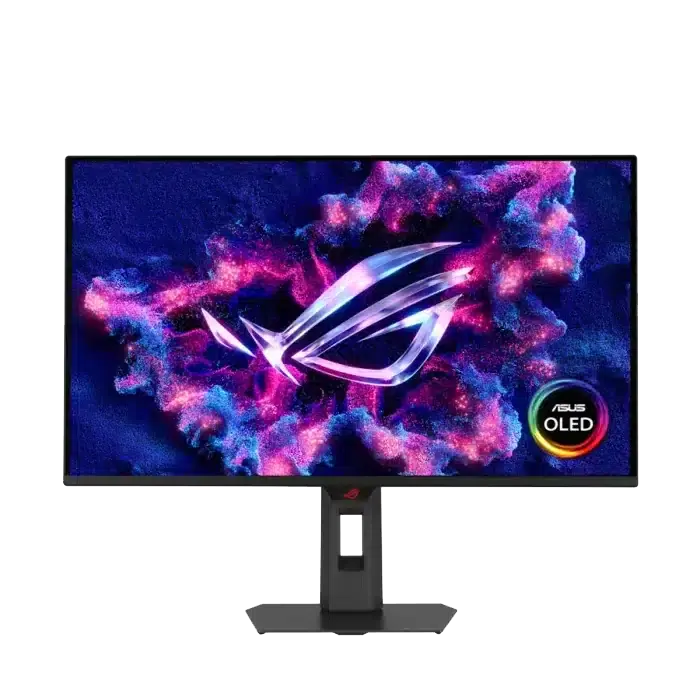
ASUS ROG Strix OLED XG27AQDMES gaming monitor with its original purple ROG screen artwork

ASUS ROG Strix OLED XG27AQDMES: QHD at 240Hz

The ASUS ROG Strix OLED XG27AQDMES combines QHD detail, a 240Hz refresh rate and 0.03ms GtG pixel response in a 27-inch-class desktop monitor. Its third-generation QD-OLED panel delivers deep blacks and a wide color gamut for games, video and everyday creative work.

This black model has a 26.5-inch viewable diagonal, a flat 16:9 screen and part number 90LM0C80-B01171. OLED Care Pro, a Neo Proximity Sensor and a fully adjustable stand add practical controls for daily use.

A Closer Look at the Monitor

Front view of the black ASUS ROG Strix OLED XG27AQDMES monitor on its stand

Flat QHD Display

The 2560 × 1440 resolution gives games and desktop applications a familiar 16:9 workspace, with an anti-reflection surface to reduce reflected light.

Side profile of the ASUS XG27AQDMES showing the slim QD-OLED panel and stand

Slim Panel and Compact Base

The slim display sits on a compact stand that supports height, tilt, swivel and pivot adjustment.

Key Features

240Hz / 0.03ms

Fast display updates with a short GtG pixel-transition rating.

QD-OLED Color

99% DCI-P3 coverage and true 10-bit color.

OLED Care Pro

Pixel maintenance and automatic dimming tools for panel care.

Neo Proximity Sensor

A black image while you are away, with content restored on return.

QD-OLED Contrast and Wide-Gamut Color

ASUS XG27AQDMES OLED color and contrast illustration with a vivid nighttime gaming scene

Each OLED pixel produces its own light, allowing dark areas to sit alongside bright details without a conventional LCD backlight. The panel’s typical contrast ratio is 1,500,000:1, with 99% DCI-P3 coverage and approximately 1.07 billion display colors.

True 10-bit color and Delta E below 2 support smooth color transitions and accurate reproduction. A color calibration e-report is available through ASUS DisplayWidget Center.

HDR10 support enables compatible HDR content. Brightness is specified at 200 cd/m² typical and 400 cd/m² HDR peak; peak brightness can vary with color pre-calibration.

Feature illustrations show the intended visual effect and are not a measurement of actual screen brightness.

240Hz for Fast PC Gaming

A 240Hz display can update the image up to 240 times each second. Pair it with a capable Gaming PC to take advantage of high frame rates in competitive shooters, racing games and other fast-moving titles.

The 0.03ms GtG specification describes pixel response rather than total input latency. GameFast Input technology helps minimize display processing delay. Available refresh modes depend on the graphics source, connection and settings, while actual game frame rates depend on the system and game.

ELMB Motion Clarity at 120Hz

ASUS ELMB comparison illustration for XG27AQDMES showing reduced motion blur on the left

ASUS Extreme Low Motion Blur, or ELMB, is a separate operating mode designed to reduce perceived motion blur and ghosting. The comparison illustration shows the intended difference in a fast action scene.

On this model, ELMB works at 120Hz only. Turn off Variable Refresh Rate before enabling it. HDR is unavailable while ELMB is active.

ELMB also disables Uniform Brightness, Aspect Control, Blue Light Filter and Sniper. Choose 240Hz with compatible adaptive refresh or the supported 120Hz ELMB mode according to your game and preferences.

Adaptive Refresh and OLED Anti-Flicker

ASUS XG27AQDMES variable-refresh illustration comparing intact and torn game frames

AMD FreeSync Premium and NVIDIA G-SYNC Compatible support help the display follow the frame output of a compatible graphics card, reducing tearing and stutter when the frame rate changes. The supported variable-refresh range is 48–240Hz over HDMI and DisplayPort.

For NVIDIA G-SYNC Compatible operation, use DisplayPort with compatible hardware and drivers. ROG OLED Anti-Flicker technology is designed to reduce flicker associated with changing frame rates.

Keep ELMB disabled when using VRR. Feature behavior depends on the selected input and monitor settings.

OLED Care Pro with Neo Proximity Sensor

ASUS Neo Proximity Sensor demonstration with the XG27AQDMES monitor settings open

The Neo Proximity Sensor detects your distance from the monitor. When you step away, the display transitions to a black image; when you return, your content reappears. You can adjust the detection distance to suit your desk and seating position.

OLED Care Pro brings together maintenance and dimming options for static content. Use the monitor controls or supported DisplayWidget Center functions to configure the features that suit your routine.

Panel Maintenance and Cooling

Pixel Maintenance

Pixel Cleaning maintains the panel, Screen Move shifts the image periodically, and Boundary Detection adjusts areas near black-bar boundaries.

Static-Image Detection

Screen Saver, Adjust Logo Brightness and Taskbar Detection reduce the brightness of inactive or persistent screen elements.

Selective Dimming

Outer and Global Dimming controls manage bright areas or the overall image. Target Mode dims the screen around a selected pinned window.

Screen Move illustration from the ASUS XG27AQDMES OLED Care Pro feature guide

Screen Move

Small periodic image shifts help distribute the effect of static content across nearby pixels.

ASUS illustration of the custom heatsink and airflow design used for OLED panel cooling

Custom Heatsink

A custom heatsink and internal airflow design help manage panel heat. The image is a cooling illustration.

OLED care features help reduce burn-in risk. They do not make the panel immune to image retention or burn-in.

Manage Settings with DisplayWidget Center

ASUS DisplayWidget Center interface showing GameVisual and monitor picture controls

ASUS DisplayWidget Center gives you mouse-based access to supported monitor settings and OLED care controls. Adjust picture settings from the desktop, manage supported display configurations and access the color calibration e-report.

Use the monitor’s 5-way joystick and buttons whenever you prefer direct control. DisplayWidget Center is a separate software download, and its interface and available functions may change with updates.

Gaming AI, GamePlus and GameVisual

ASUS AI Visual demonstration showing automatically identified game picture modes

AI Visual and Dynamic Aids

AI Visual recognizes on-screen content and applies default or user-defined picture settings through DisplayWidget Center. Dynamic Crosshair changes the aiming mark’s color for contrast, while Dynamic Shadow Boost adjusts visibility in darker scenes.

ASUS GameVisual racing-mode illustration comparing picture settings

Picture Presets and Overlays

GameVisual provides Racing, MOBA, Cinema, RTS/RPG, FPS, sRGB and Scenery modes. GamePlus adds a stopwatch, crosshair, timer, FPS counter, display-alignment aid and Sniper function.

Uniform Brightness for Desktop Use

ASUS Uniform Brightness illustration showing consistent display brightness as a white window grows

When a bright window grows, an OLED display’s brightness can change with the amount of bright content on screen. Uniform Brightness reduces peak brightness to keep the level more consistent as window sizes change.

This can make browsing, document work and switching between applications feel more consistent. The monitor also carries TÜV Flicker-free and hardware-based Low Blue Light certifications.

Uniform Brightness availability depends on the selected picture settings and it is disabled in ELMB mode.

Choose Your Competitive Image Size

4:3 Aspect Control

Choose a 1280 × 960 or 1024 × 768 4:3 image when a narrower, lower-resolution view suits your game.

24.5-inch Simulation

Use the 24.5-inch display-size simulation at 240Hz when you prefer a smaller visible play area within the full panel.

These settings change the displayed image area; the physical panel remains 26.5 inches. Aspect Control is unavailable while ELMB is enabled.

DisplayPort, HDMI and Headphone Audio

ASUS XG27AQDMES rear underside showing display connections, earphone output, service port and AC input

Connect a PC through DisplayPort 1.4 with Display Stream Compression, or use either of the two HDMI 2.1 FRL inputs for compatible computers, consoles and other video sources.

An earphone output provides a connection for compatible headphones. If you use a gaming headset, check its audio connector and connect its microphone to the PC or console as required by the headset.

USB Type-C is for service only. It is not a USB-C video input or a laptop-docking connection. The monitor uses an AC power connection.

A console uses its own supported resolution and refresh modes. HDMI 2.1 connectivity does not make every console or game output 240Hz.

A Compact Base with ROG Styling

Rear design of the black ASUS ROG Strix OLED XG27AQDMES monitor with ROG graphics
Close-up of the ASUS XG27AQDMES stand base and cable-routing opening

The black rear enclosure carries ROG graphics, while the compact stand leaves room for your gaming keyboard and gaming mouse. A built-in 1/4-inch tripod socket provides a mounting point for compatible camera equipment.

The monitor measures approximately 61.1 × 50.3 × 18.8 cm with the stand and weighs approximately 6.8 kg. Plan the desk layout around both the display width and your preferred input-device placement.

Cameras and other streaming accessories are sold separately.

Adjust Height, Tilt, Swivel and Pivot

ASUS XG27AQDMES illustration showing the stand height adjustment

Set Your Viewing Height

The stand offers 0–110 mm height adjustment, −5° to +20° tilt and ±45° swivel to align the display with your seating position.

ASUS XG27AQDMES illustration showing landscape-to-portrait pivot adjustment

Landscape or Portrait

Pivot the display up to 90° in either direction. A 100 × 100 mm VESA pattern and the included mount kit support a suitable monitor arm or wall mount.

The monitor weighs approximately 4.9 kg without its stand. Select mounting hardware rated for the screen size and weight; arms and wall mounts are sold separately.

What's in the Box

  • ASUS ROG Strix OLED XG27AQDMES monitor with stand
  • DisplayPort cable
  • HDMI cable
  • Power cord
  • Microfiber cloth
  • Quick start guide
  • ROG pouch
  • ROG sticker
  • VESA mount kit
  • Warranty card

Warranty: 1 Year. Computers, consoles, headphones and mounting arms are sold separately.

Complete Your Setup

Gaming PC

Choose a system suited to QHD gaming and the frame rates you want to achieve.

Explore Gaming PC

Gaming Mouse

Pair the high-refresh display with a mouse that fits your grip and preferred games.

Explore Gaming Mouse

Gaming Keyboard

Choose a keyboard layout that leaves enough desk space for mouse movement.

Explore Gaming Keyboard

Gaming Headset

Complete your audio setup with a headset suited to your PC or console and connection requirements.

Explore Gaming Headset

Frequently Asked Questions

What panel does the XG27AQDMES use, and what is its actual size?

It uses a third-generation QD-OLED panel with a flat 16:9 screen and 2560 × 1440 QHD resolution. The monitor is marketed as a 27-inch model, with a 26.5-inch viewable diagonal. This version is black and carries part number 90LM0C80-B01171.

Can I use USB-C for video or laptop docking?

No. The USB Type-C connection on this model is for service only. For display output, use its DisplayPort 1.4 input or either HDMI 2.1 input. It is not a USB-C display or laptop-docking connection.

What do I need to use the 240Hz refresh rate?

Use a graphics source, cable and display settings that support 2560 × 1440 at 240Hz through HDMI or DisplayPort. Select the desired refresh rate in your computer’s display settings. The 240Hz panel rating does not guarantee 240 frames per second in every game, and a console’s output depends on its own supported modes.

Can ELMB run at 240Hz with VRR and HDR?

No. ELMB operates at 120Hz only on the XG27AQDMES. Variable Refresh Rate must be turned off, and HDR is unavailable while ELMB is active. ELMB also disables Uniform Brightness, Aspect Control, Blue Light Filter and the Sniper function. Choose the operating mode that best suits your game.

Does it support both NVIDIA G-SYNC and AMD FreeSync?

Yes. The monitor supports AMD FreeSync Premium and is NVIDIA G-SYNC Compatible. NVIDIA’s compatible connection is DisplayPort. Variable refresh operates within 48–240Hz over supported HDMI and DisplayPort connections, with compatible graphics hardware, drivers and settings. ELMB must be disabled to use VRR.

How do OLED Care Pro and the Neo Proximity Sensor work?

OLED Care Pro combines pixel maintenance, screen movement, static-image detection and dimming controls to help reduce burn-in risk. The Neo Proximity Sensor detects when you leave, switches the display to a black image and restores your content when you return. Its detection distance is adjustable. These features reduce risk but do not make an OLED panel immune to burn-in.

Can I mount it on an arm and adjust it vertically?

Yes. It supports a 100 × 100 mm VESA mount and weighs approximately 4.9 kg without the stand. A VESA mount kit is included. The supplied stand offers 110 mm height adjustment, −5° to +20° tilt, ±45° swivel and ±90° pivot. Select an arm or wall mount rated for the monitor’s size and weight.

What is included, and how long is the warranty?

The package includes the monitor with stand, DisplayPort cable, HDMI cable, power cord, microfiber cloth, quick start guide, ROG pouch, ROG sticker, VESA mount kit and warranty card. The warranty is 1 year. Computers, consoles, headphones, cameras and monitor arms are sold separately.

Why Buy from AX Store Kuwait?

Build your gaming, streaming and work setup with AX Store Kuwait. Available payment methods include KNET, Credit Card, Deema and Taly.

Review the AX Store Return Policy for the applicable terms.

Technical Specifications

Brand ASUS
Series ROG Strix OLED
Model XG27AQDMES
Manufacturer Part Number 90LM0C80-B01171
Product Type Flat QHD gaming monitor
Color Black
Screen Size 27-inch class; 26.5-inch viewable diagonal
Panel Technology Third-generation QD-OLED
Resolution 2560 × 1440, QHD
Aspect Ratio 16:9
Display Viewing Area 590.42 × 333.72 mm, H × V
Display Surface Anti-reflection
Pixel Pitch 0.229 mm
Maximum Refresh Rate 240 Hz
Response Time 0.03 ms GtG
Typical Brightness 200 cd/m²
HDR Peak Brightness 400 cd/m²; may vary with color pre-calibration
Typical Contrast Ratio 1,500,000:1
Color Gamut 99% DCI-P3
Color Depth True 10-bit
Display Colors 1073.7 million, approximately 1.07 billion
Color Accuracy Delta E < 2
Viewing Angles 178° horizontal / 178° vertical, CR ≥ 10
HDR Support HDR10
Adaptive Refresh Adaptive-Sync; AMD FreeSync Premium; NVIDIA G-SYNC Compatible
Variable Refresh Range 48–240 Hz through HDMI and DisplayPort
NVIDIA G-SYNC Compatible Connection DisplayPort
Motion Blur Reduction ASUS Extreme Low Motion Blur, ELMB
ELMB Operating Conditions 120 Hz only; Variable Refresh Rate and HDR must be disabled
Other ELMB Restrictions Uniform Brightness, Aspect Control, Blue Light Filter and Sniper are unavailable while ELMB is active
Input Processing GameFast Input technology
GamePlus Stopwatch; Crosshair; Timer; FPS Counter; Display Alignment; Sniper
GameVisual Presets Racing; MOBA; Cinema; RTS/RPG; FPS; sRGB; Scenery
Gaming AI Features AI Visual; Dynamic Crosshair; Dynamic Shadow Boost
Aspect Ratio Control 4:3 at 1280 × 960 or 1024 × 768; 24.5-inch simulation at 240 Hz
OLED Anti-Flicker ROG OLED Anti-Flicker technology
Panel Care ASUS OLED Care Pro
Presence Detection Neo Proximity Sensor with adjustable detection distance
Sensor Behavior Transitions to a black image when the user leaves; restores content on return
Pixel Maintenance Pixel Cleaning; Screen Move; Boundary Detection
Static-Image Controls Screen Saver; Adjust Logo Brightness; Taskbar Detection
Dimming Controls Outer Dimming Control; Global Dimming Control; Target Mode
Cooling Custom heatsink with internal airflow design
Uniform Brightness Limits peak brightness to keep brightness more consistent as window sizes change
Monitor Software ASUS DisplayWidget Center
Calibration Report Color calibration e-report through DisplayWidget Center
Eye-Care Certifications TÜV Flicker-free; TÜV Low Blue Light, hardware solution
DisplayPort 1 × DisplayPort 1.4 with DSC
HDMI 2 × HDMI 2.1 with FRL
Audio Output Earphone output jack
USB Type-C Service only; not a USB-C display input
Power Input AC-IN
On-Monitor Controls 5-way joystick and control buttons
Tilt Range −5° to +20°
Swivel Range −45° to +45°
Pivot Range −90° to +90°
Height Adjustment 0–110 mm
VESA Mount 100 × 100 mm
Tripod Socket 1/4-inch socket
Security Slot Kensington lock slot
Dimensions with Stand 61.1 × 50.3 × 18.8 cm, W × H × D; approximate
Dimensions without Stand 61.1 × 37.0 × 6.9 cm, W × H × D; approximate
Weight with Stand 6.8 kg, approximate
Weight without Stand 4.9 kg, approximate
Specified Power Consumption Less than 25 W
Power Saving Mode Less than 0.5 W
Power Off Mode Less than 0.3 W
AC Voltage 100–240 V, 50/60 Hz
Included Items Monitor with stand; DisplayPort cable; HDMI cable; power cord; microfiber cloth; quick start guide; ROG pouch; ROG sticker; VESA mount kit; warranty card
Warranty 1 Year
Show More

Shure SM7B

Empower Your Sound with the Legendary Shure SM7B Microphone

Shure SM7B Cardioid Dynamic Microphone

DT 990 Pro

Where Audio Fidelity Meets Unparalleled Comfort

beyerdynamic DT 990 PRO 250 Ohm open Studio Headphone

Join the best gaming community!

Join our Discord server for a community of like-minded individuals, where you can stay up to date with all the offers, new arrivals and much more.

Join the discord server

Our benefits

Secure Payments

K-NET & Credit cards

Fast shipping

Delivery in next day

Live support

Get in touch with us

Easy returns

14 days after purchase (Check Return Policy)

Subscribe to our newsletter

Subscribe to be the first to hear about our exclusive deals, special offers and upcoming products and collections.

    By submitting you agree to the Terms and Conditions of our store.

    Terms of Service Return Policy Privacy Policy
    Contact Live Chat
    +96522204965 [email protected]

    Based in Kuwait

    © Copyright AX STORE. All rights reserved.