Audient
Audient iD14 MKII 10-In/6-Out USB-C Audio Interface
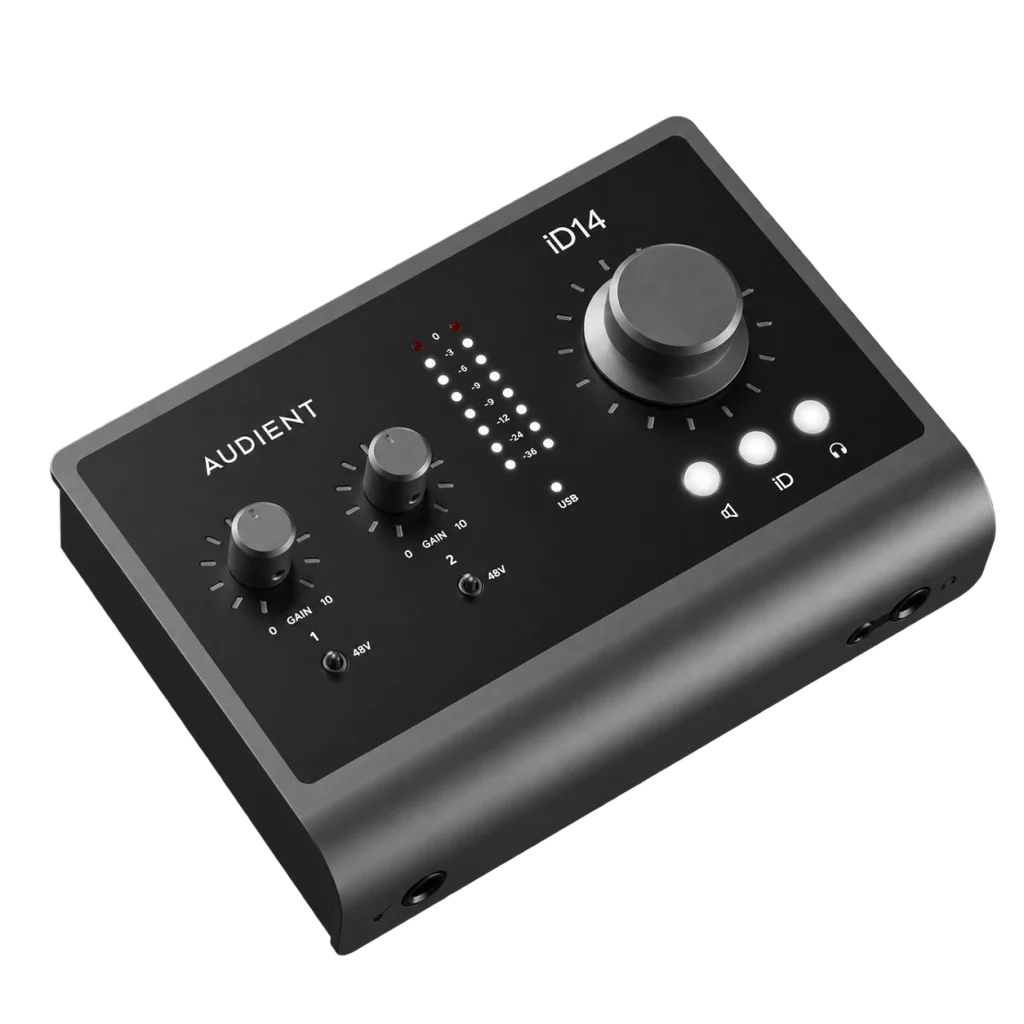
Build an expandable recording setup with the Audient iD14 MKII. Two console mic preamps, a JFET instrument input, four line outputs, dual headphone sockets and optical ADAT expansion combine with 24-bit/96kHz recording in a compact USB-C interface.
Overview
AUDIENT ID14 MKII 10-IN/6-OUT USB-C AUDIO INTERFACE
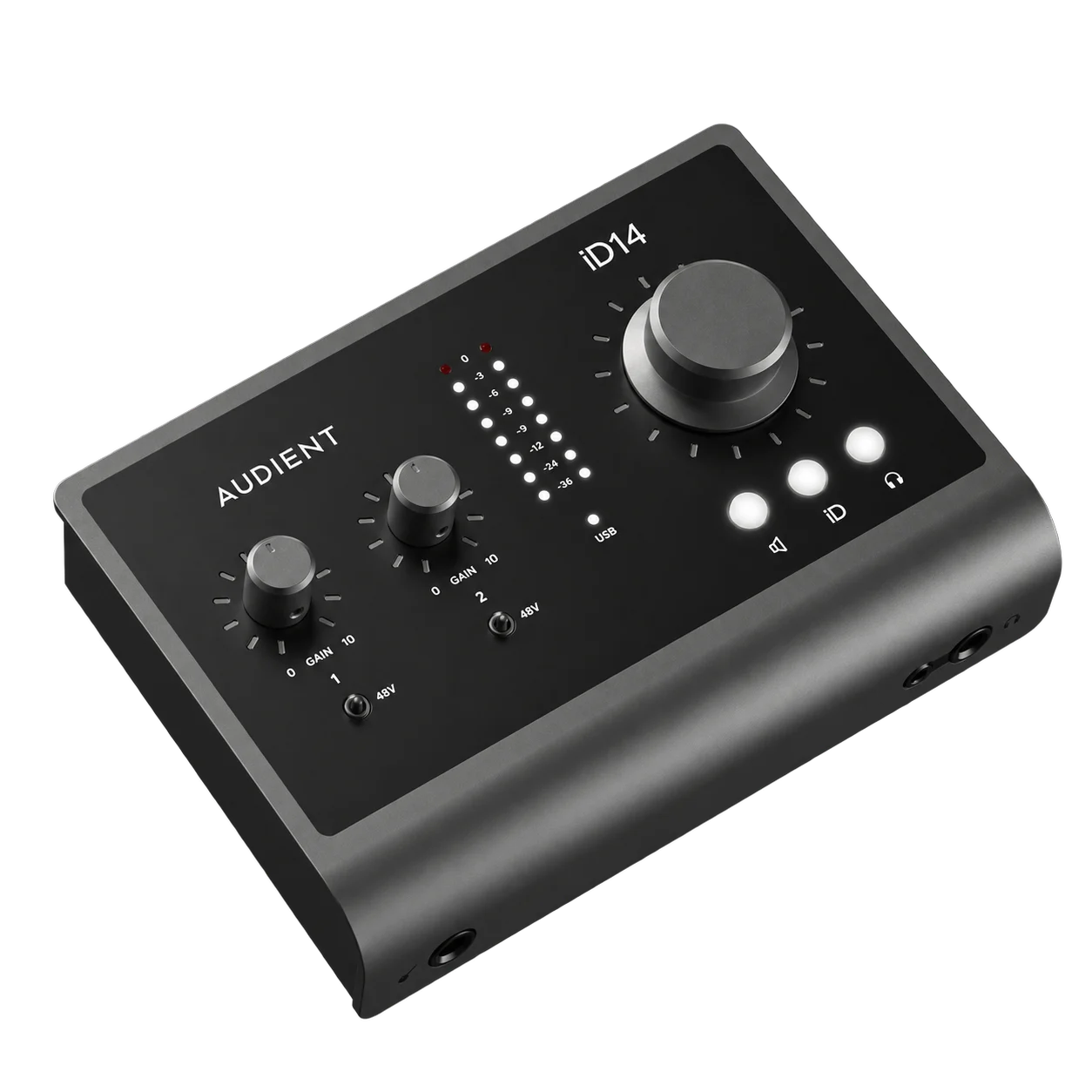
Audient iD14 MKII
Audient iD14 MKII: A desktop interface for musicians and creators building a recording setup around quality analogue inputs and practical expansion. Keep your everyday controls within reach, with space to add digital inputs later. Available from AX Store in Kuwait.
2
Analogue Recording Channels
2
Microphone Preamps
Up to 24-bit / 96 kHz
Maximum Recording Format
USB-C
Interface USB Connector
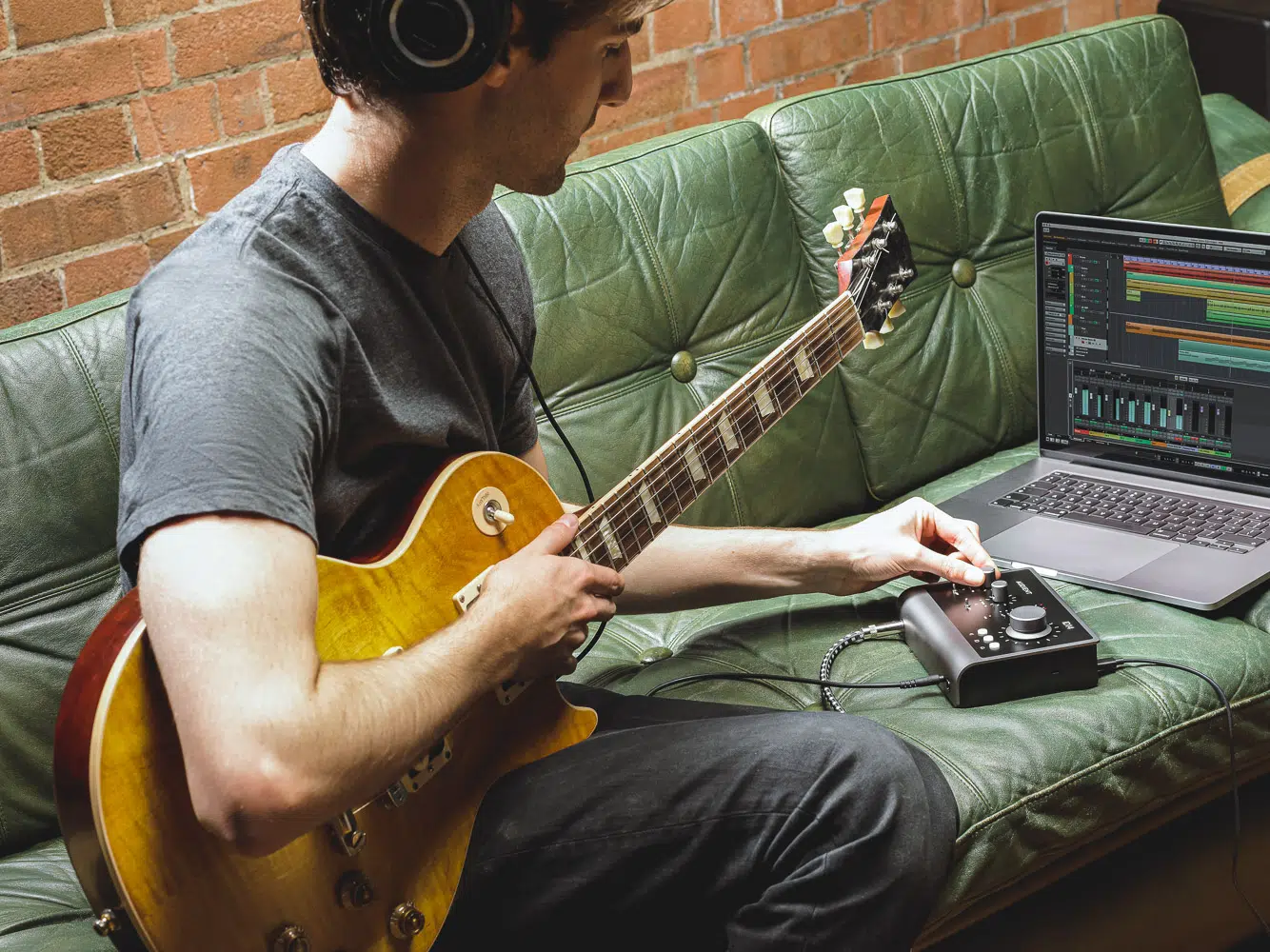
Two preamps. One instrument-ready desk.
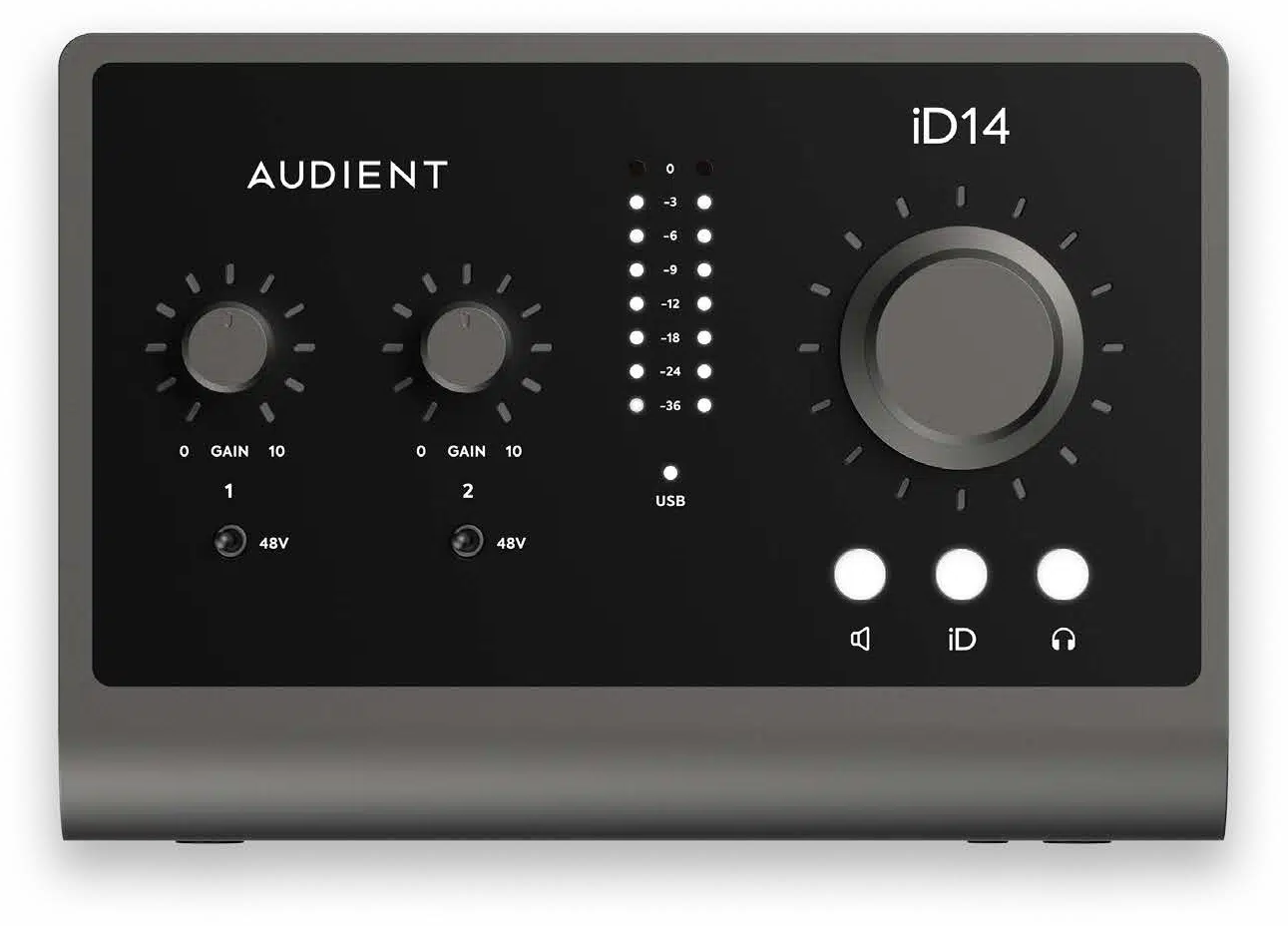
Connect microphones to the two Audient Console Mic Preamps or plug a guitar into the front JFET instrument input. Switchable 48V phantom power supports microphones that require it.
Make monitoring part of the workflow.
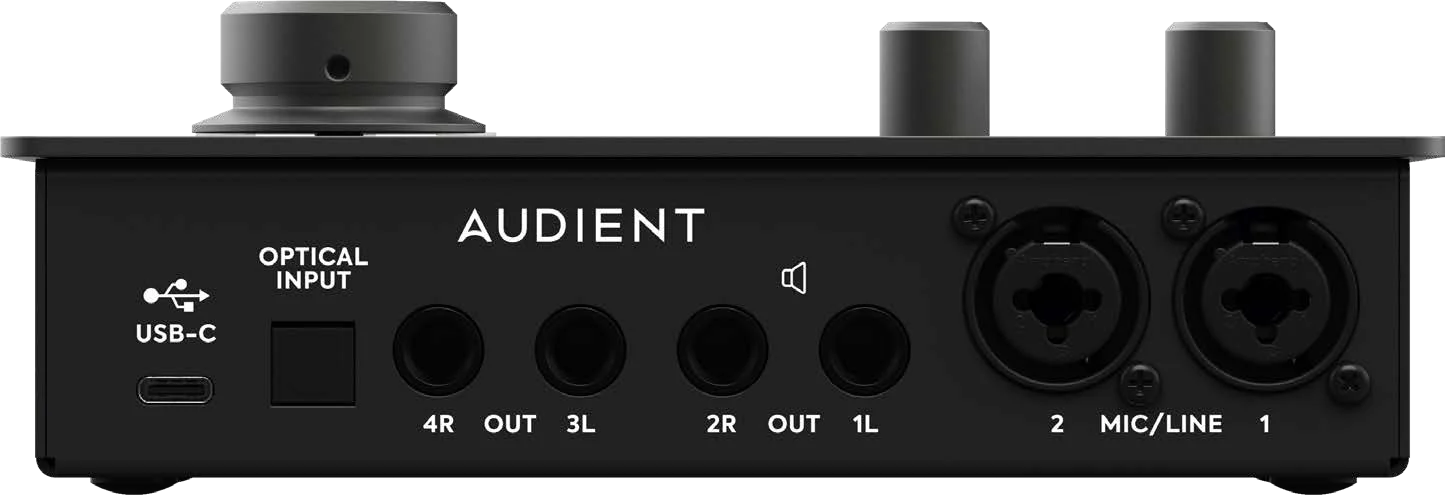
Use the large encoder and iD controls to manage monitoring. Four line outputs and 3.5mm/6.35mm headphone sockets give you practical connections for speakers and headphones.
Expand when the session gets bigger.
The optical input accepts ADAT or optical S/PDIF. With an external ADAT preamp, add up to eight inputs at 44.1/48kHz, or four at 88.2/96kHz. Loopback supports capturing computer audio.
Plan the Session Around the Actual Inputs
Two analogue channels are available. The 10-input maximum includes eight ADAT inputs at 44.1/48 kHz; ADAT provides four at 88.2/96 kHz. The front JFET input replaces analogue input 1. Assign the live sources before recording and choose the appropriate microphone, instrument or line setting for the connection you use.
Supply the Host Power the Interface Needs
The power arrangement is USB bus power; minimum 0.9 A at 5 V from USB 3.0 or higher. Use the specified cable and adequate host or external power. Check a mobile setup separately, as a matching USB connector does not guarantee the connected device supplies the required current.
Connect a Microphone for the Analogue Signal Path
Use a suitable XLR microphone and cable for the interface’s analogue microphone input. Check whether the microphone requires 48 V phantom power, set the gain for the actual performance and keep USB microphone connections on their supported host route.
Audient iD14 MKII Setup Choices
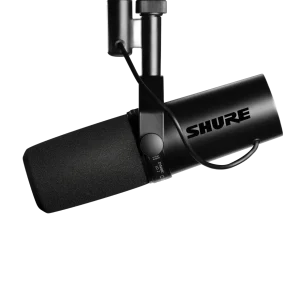
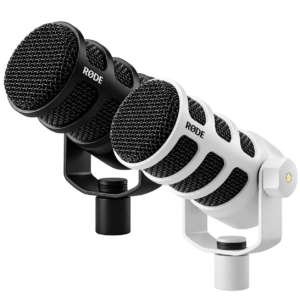
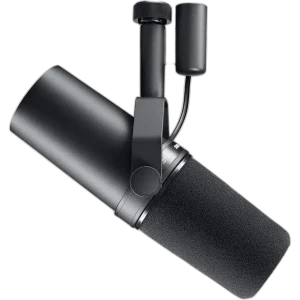
Count the microphone and instrument inputs you need, then plan headphone monitoring, computer connections and any recording destination. Choose one deliberate audio route so playback and commentary reach the intended outputs. Explore Shure SM7B Dynamic Microphone, XLR, Shure SM7dB Dynamic Vocal Microphone with Built-in Preamp, RØDE PodMic USB Dynamic Microphone – USB-C & XLR – Black / White. Browse the Audient range at AX.
Frequently Asked Questions
How many physical recording channels does it provide?
Two analogue channels are available. The 10-input maximum includes eight ADAT inputs at 44.1/48 kHz; ADAT provides four at 88.2/96 kHz. The front JFET input replaces analogue input 1.
Which USB format and power should I plan for?
USB-C is the physical connector; this model’s host power requirement is USB bus power; minimum 0.9 A at 5 V from USB 3.0 or higher.
Which microphone connection should I use?
Connect an analogue XLR microphone to the supported microphone input. Use switchable 48 V phantom power only for a microphone or active accessory that requires it. USB microphones connect to their supported host separately.
Which recording format is supported?
Up to 24-bit / 96 kHz. Select a compatible sample rate and bit depth in the application; the stated maximum does not replace input-gain setup or guarantee an unclippable recording.
Are the two headphone sockets separate mixes?
The 3.5 mm and 6.35 mm sockets carry the same stereo headphone signal. Available output power also depends on the supported USB power supply.
Is iD14 MKII supported as an iOS or standalone interface?
Audient does not list iD14 MKII as supported for iOS or standalone use. Its desktop operation and optical expansion differ from iD4 MKII’s mobile support.
Does 10-in mean ten microphone sockets?
No. There are two analogue input channels; the maximum count includes eight digital ADAT inputs at 44.1/48kHz.
Are the two headphone sockets separate mixes?
No. The 3.5mm and 6.35mm sockets share the same stereo headphone output.
Build Your Setup with AX Store
Explore computers, displays and accessories for your workspace at AX Store. For help choosing the right model or checking an accessory, contact AX Store.
THE DETAILS
Technical specifications
Interface and connections
Audient iD14 MKII
10 inputs / 6 outputs with optical expansion
2 × XLR / TRS combo
2 × Audient Console Mic Preamps
JFET D.I.; replaces analogue input 1
4 × 6.35 mm TRS
6.35 mm and 3.5 mm; shared stereo signal
Up to 24-bit / 96 kHz
44.1 / 48 / 88.2 / 96 kHz
ADAT / optical S/PDIF
8 channels at 44.1/48 kHz; 4 at 88.2/96 kHz
2 input channels
USB-C
USB bus power; minimum 0.9 A at 5 V from USB 3.0 or higher
1.5 A at 5 V USB-C supply
Yes
Yes
All metal
Microphone and line preamplifier
58 dB
+12 dBu
+21 dBu
2.8 kΩ
>8 kΩ
48 V ±4 V at 10 mA per channel
0.00170%
<0.04%
10 Hz–40 kHz ±0.5 dB
JFET instrument input
40 dB
+12 dBu = 0 dBFS
0.1%
10 Hz–20 kHz ±0.5 dB
Conversion and monitor output
120 dB A-weighted
0.001%
10 Hz–40 kHz ±0.5 dB
125.5 dB A-weighted
+12 dBu = 0 dBFS
0.0006%
10 Hz–40 kHz ±0.1 dB
Headphone performance
125.5 dB A-weighted
+18 dBu = 0 dBFS
0.0009%
223 mW; 1.827 V RMS
280 mW; 2.95 V RMS
100 mW; 5.46 V RMS
COMPLETE YOUR SETUP