EVE Spectrum
Same-day delivery · Official warranty · Taly & Deema
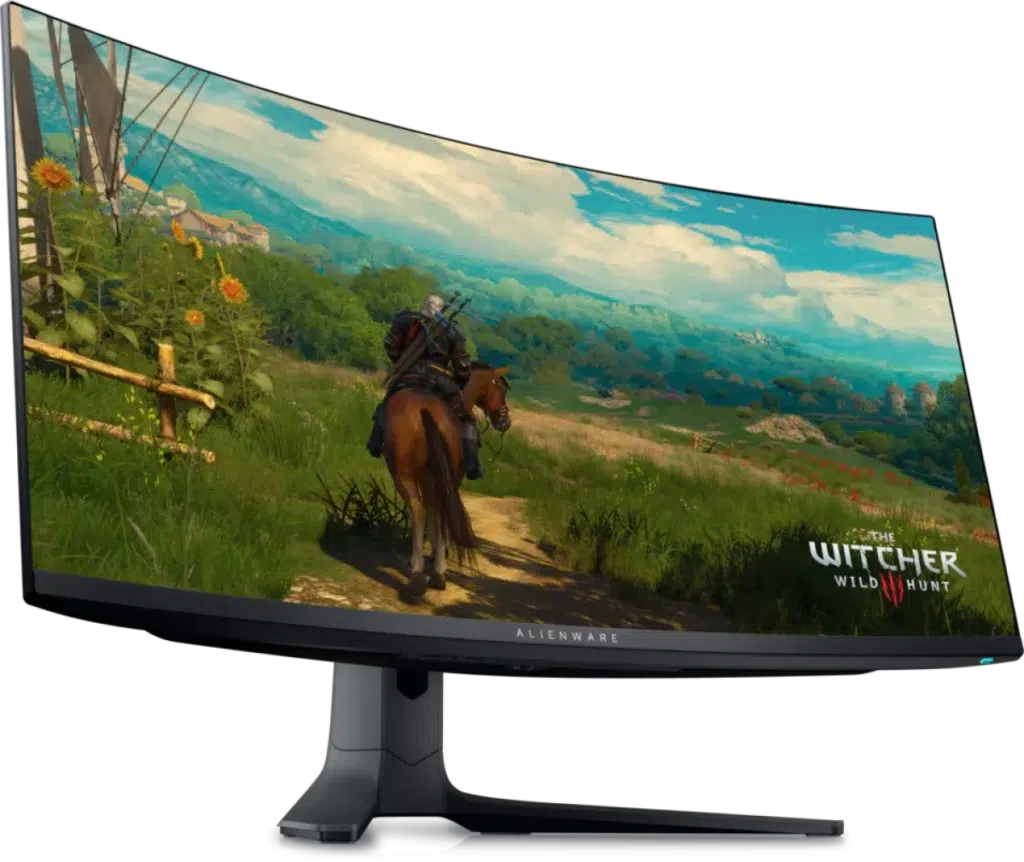
Dell Alienware AW3423DWF features a 34.18-inch curved QD-OLED panel, 3440 × 1440 resolution and up to 165 Hz over DisplayPort. Supports 0.1 ms GTG, FreeSync Premium Pro and DisplayHDR True Black 400, with a four-port USB hub and adjustable stand. HDMI reaches 100 Hz at native resolution.
or 4 payments of 77.500 KWD with
Pay with card & save


DELL ALIENWARE AW3423DWF

The Dell Alienware AW3423DWF combines a 34.18-inch QD-OLED panel with 3440 × 1440 resolution, an 1800R curve and up to 165 Hz over DisplayPort. Its 0.1 ms GTG response, wide colour gamut and DisplayHDR True Black 400 certification make it a focused option for an ultrawide gaming desk. The finish is Alienware’s Dark Side of the Moon. Explore this model at AX Store in Kuwait.
Display Diagonal
Resolution
DisplayPort Maximum
Panel Technology
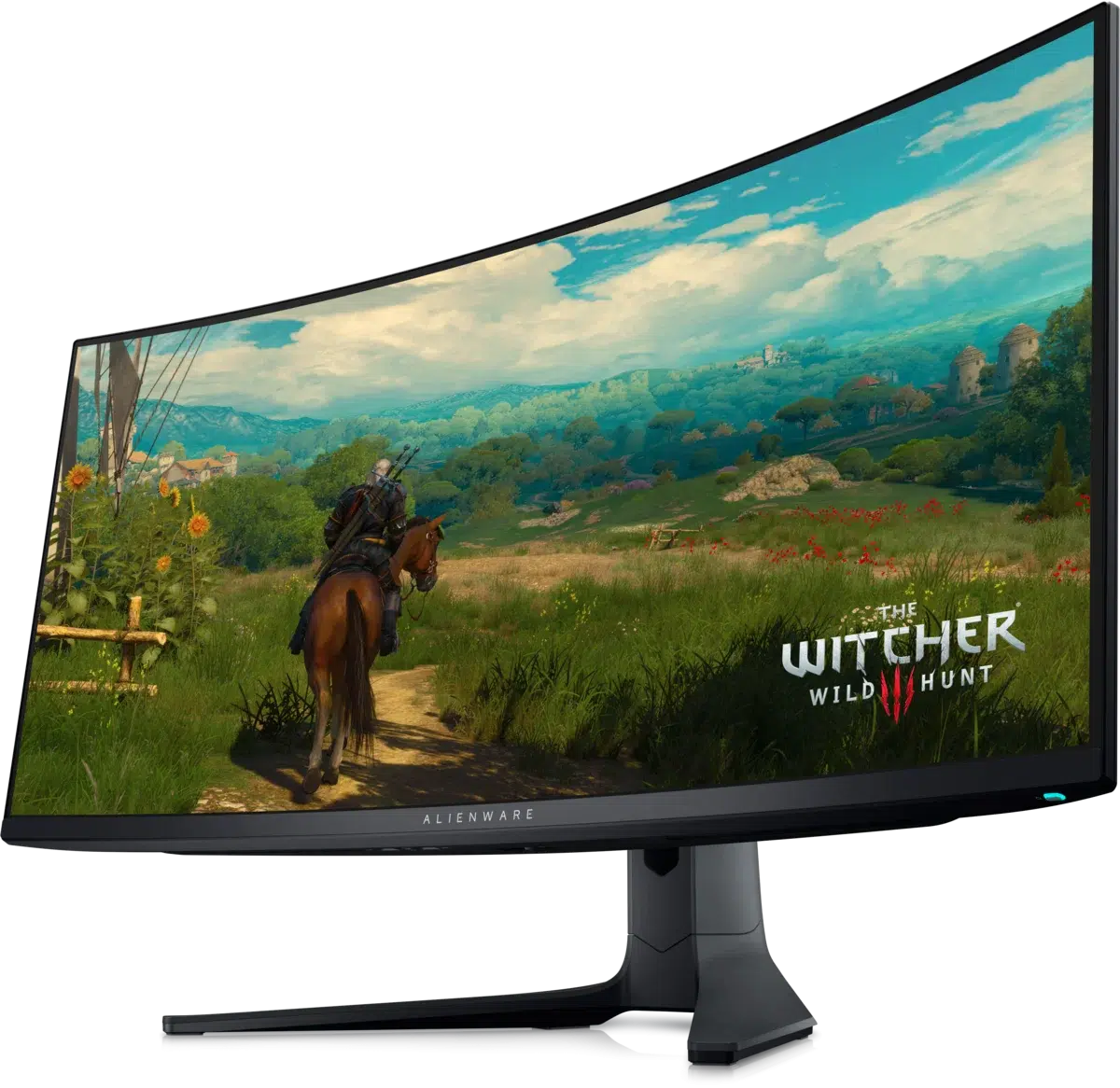
The 3440 × 1440 panel provides an ultrawide desktop across a 34-inch-class screen. Use the additional horizontal space for compatible wide-format games or place applications alongside one another. The 1800R curve shapes the view without changing the pixel count, so consider both the 21:9 format and your intended viewing position when planning the desk.
The panel combines OLED technology with Quantum Dots, with a typical contrast specification of 1,000,000:1. Dell lists 99.3% DCI-P3 and 149% sRGB colour gamut, plus 1.07 billion displayable colours. An anti-reflective surface and factory calibration with Delta E below 2 are part of the published display specification.
The native-resolution specification is 3440 × 1440 at up to 165 Hz through DisplayPort, or 100 Hz through HDMI. The 0.1 ms grey-to-grey response and AMD FreeSync Premium Pro support complement the high-refresh connection, with VESA AdaptiveSync Display certification also listed. Choose the port that supports the refresh target you intend to use.
The monitor is certified for DisplayHDR True Black 400. Dell publishes 250 cd/m² typical brightness and a 1000 cd/m² peak figure, so the peak should be understood as a highlight capability rather than a continuous full-screen brightness promise. Use the monitor’s picture settings around the SDR or HDR content you are viewing.
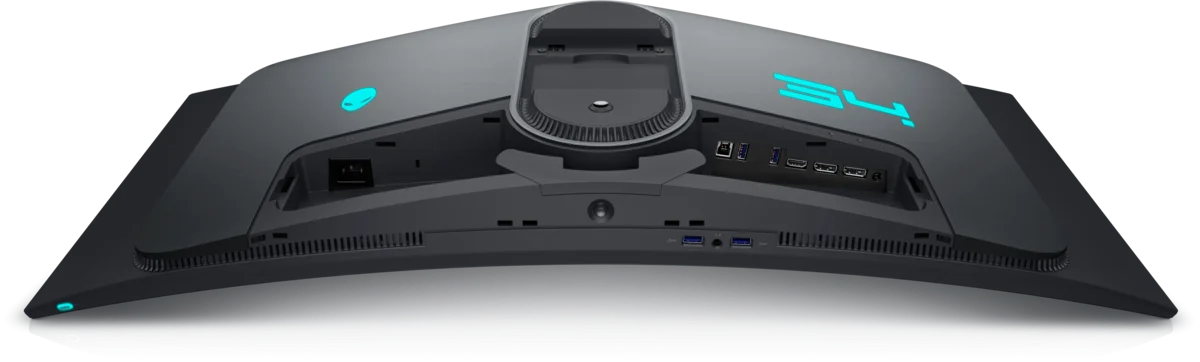
Two DisplayPort 1.4 inputs and one HDMI 2.0 input connect video sources. Four USB 3.2 Gen 1 downstream ports support peripherals, with one front-bottom port offering BC1.2 charging. Connect the USB upstream cable to enable the hub. Separate headphone and line-out connections handle audio; the monitor has no built-in speakers.
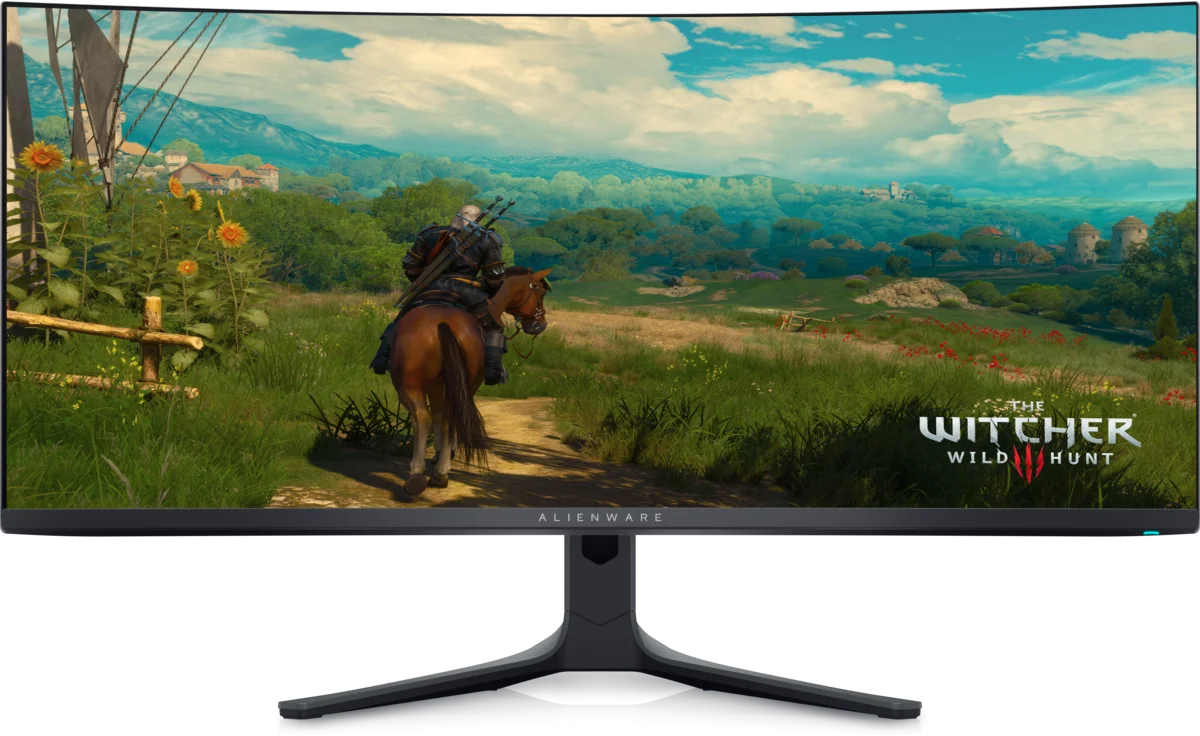
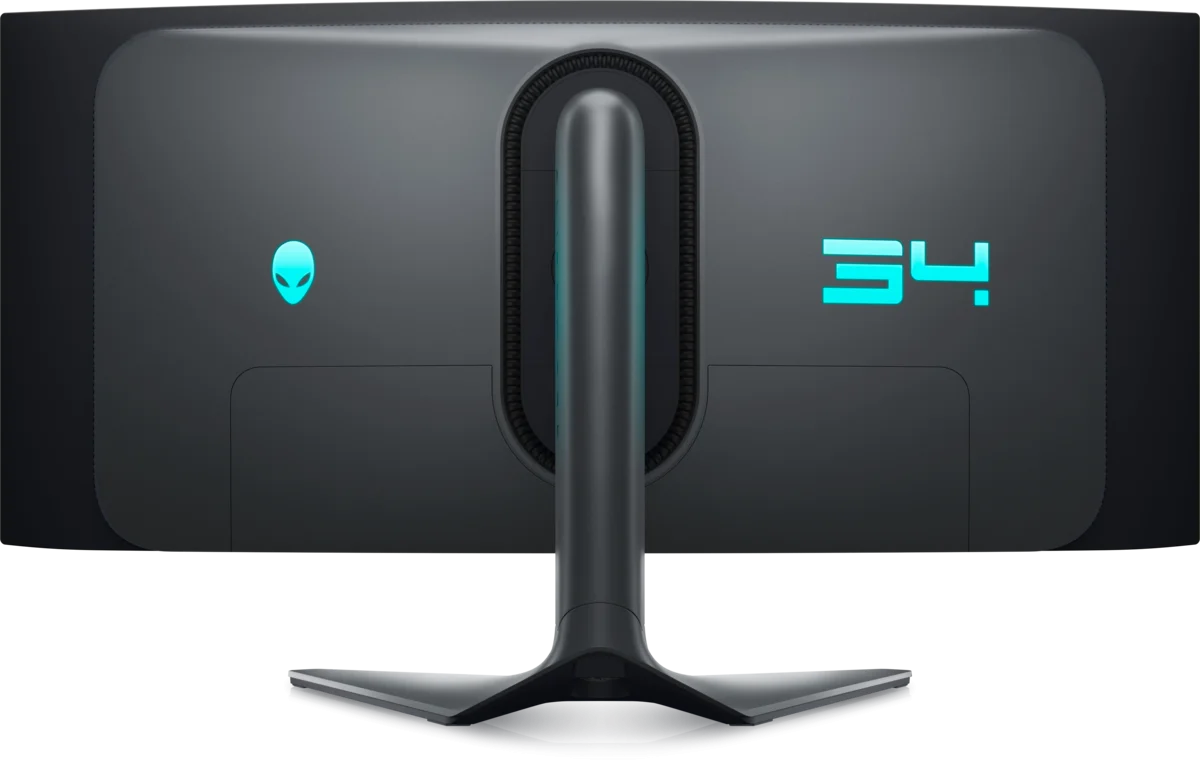
The stand supports height, swivel and tilt adjustment, with integrated cable management. A 100 × 100 mm VESA interface provides an alternative mounting route. Picture-in-picture and picture-by-picture modes add options for viewing sources, while the included DisplayPort, USB-C-to-DisplayPort and USB upstream cables cover the manufacturer’s listed connection package.
Compare resolution, refresh rate, screen size and the input you will actually use. Match the computer or console output to the chosen display mode, and leave room for the monitor stand and mouse movement. Compare related options such as LG 29WQ600-W 29 inch UltraWide IPS 100Hz Monitor or ASUS ROG Swift OLED PG27AQWP-W 27 inch 540Hz Gaming Monitor, keeping the exact model and configuration in the decision. For the wider setup, explore Pulsar Pro Series Susanto-X Wireless Gaming Mouse Size 2, 50g and check the connection, size or mounting requirements before pairing accessories. Browse the Dell range at AX for more choices.
Compare resolution, refresh rate, screen size and the input you will actually use. Match the computer or console output to the chosen display mode, and leave room for the monitor stand and mouse movement.
34.18 inches, 34-inch class. Quantum Dot OLED / QD-OLED. Native resolution: 3440 × 1440.
Maximum native refresh over DisplayPort: 165 Hz. Maximum native refresh over HDMI: 100 Hz.
DisplayPort: Two DisplayPort 1.4. HDMI: One HDMI 2.0.
Tilt: -5° to +21°. Swivel: -20° to +20°. Height adjustment: 4.3 inches, as listed on official product page. VESA: 100 × 100 mm.
Explore computers, displays and accessories for your workspace at AX Store. For help choosing the right model or checking an accessory, contact AX Store.
Compare Dell S2722DGM 27 inch QHD VA 165Hz Curved Gaming Monitor. Match the exact model, connection and configuration to your setup.
THE DETAILS
Alienware AW3423DWF
Quantum Dot OLED / QD-OLED
34.18 inches, 34-inch class
3440 × 1440
21:9
1800R
Anti-reflective
165 Hz
100 Hz
0.1 ms GTG
AMD FreeSync Premium Pro; VESA AdaptiveSync Display certification
0.23 mm
110 ppi
250 cd/m²
1000 cd/m²
1,000,000:1
DisplayHDR True Black 400
99.3% DCI-P3; 149% sRGB
1.07 billion
Delta E <2
178° horizontal / 178° vertical
Picture-in-picture, picture-by-picture, FPS, RTS, RPG, Sports and three custom gaming modes
Flicker-free and Dell ComfortView Plus
Two DisplayPort 1.4
One HDMI 2.0
Four USB 3.2 Gen 1 / SuperSpeed 5 Gbps ports; two front-bottom and two rear
One front-bottom downstream port with BC1.2 charging up to 2 A
One USB 3.2 Gen 1 / SuperSpeed 5 Gbps upstream port
One rear line-out and one bottom headphone output
No
Power, DisplayPort-to-DisplayPort, USB-C-to-DisplayPort and USB 3.2 Gen 1 upstream
Dark Side of the Moon
Height, swivel and tilt
-5° to +21°
-20° to +20°
4.3 inches, as listed on official product page
100 × 100 mm
Integrated
100–240 V, 50/60 Hz
34 W
200 W
0.5 W
0.3 W
0–40°C
10–80%, non-condensing
COMPLETE YOUR SETUP
Added to cart
Subscribed
We'll email you as soon as it's back in stock.
Saved to wishlist