
Brand
Dell
8 PRODUCTS
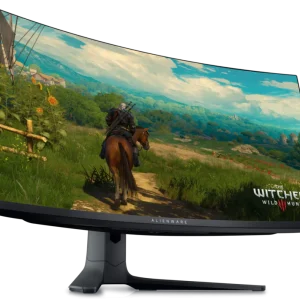
Dell Alienware AW3423DWF and AW2723DF gaming monitors, S2722DGM and S2421HN S series monitors, the OptiPlex 7000 desktop and a DisplayPort cable. Monitors for gaming and everyday work.


OUT OF STOCK
73.500 KWD
or 4 × 18.375 KWD with


WITH CARD

OUT OF STOCK
136.500 KWD
or 4 × 34.125 KWD with
WITH CARD
OUT OF STOCK
310.000 KWD
or 4 × 77.500 KWD with
WITH CARD
OUT OF STOCK
6.500 KWD
or 4 × 1.625 KWD with
WITH CARD

OUT OF STOCK
219.500 KWD
or 4 × 54.875 KWD with
WITH CARD

OUT OF STOCK
47.500 KWD
or 4 × 11.875 KWD with
WITH CARD
OUT OF STOCK
373.000 KWD
or 4 × 93.250 KWD with
WITH CARD
Showing 8 of 8 products
DELL AT AX
From Alienware to everyday screens.
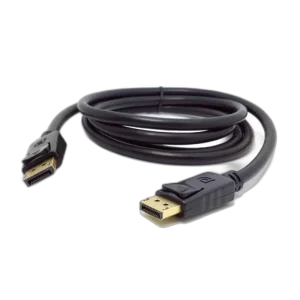
Shop Dell in Kuwait: Alienware gaming monitors including the AW3423DWF 34 inch QD-OLED 165Hz, AW3420DW 34 inch WQHD curved and AW2723DF 27 inch QHD 240Hz, the S2722DGM 27 inch QHD 165Hz curved VA and S2421HN 24 inch FHD IPS monitors, the OptiPlex 7000 desktop with Intel Core i7-12700, and a 2 meter Dell DisplayPort cable. Connect over DisplayPort to reach full refresh rates on PC.
Choose the AW3423DWF for immersive games with deep OLED blacks, or the AW2723DF for fast competitive play at 240Hz. The S2722DGM brings curved VA contrast for games and movies, and the S2421HN suits work and everyday use.
See the Dell Alienware AW3423DWF, the Dell Alienware AW2723DF and the Dell OptiPlex 7000.
QD-OLED · 34 inch
Alienware ultrawide
240Hz QHD
AW2723DF for fast play
VA · IPS
S series panel choices
DELL FAQ
Before you buy.
Straight answers to the questions we hear most about Dell and Alienware monitors.
What is the difference between Dell Alienware and Dell S series monitors?
Alienware is Dell's premium gaming line, with models like the AW3423DWF QD-OLED ultrawide and the AW2723DF 240Hz QHD monitor. S series models such as the S2722DGM and S2421HN focus on value, covering everyday gaming as well as home and office use.
Is a QD-OLED ultrawide like the Alienware AW3423DWF right for me?
QD-OLED gives true blacks, vivid color and near-instant response, and the 34 inch ultrawide format widens your view in games that support it. It suits immersive single-player games and darker rooms; for long hours of static desktop work, an IPS model like the S2421HN is a practical alternative.
Curved VA or flat IPS: which Dell monitor should I choose?
Curved VA panels like the S2722DGM offer deep contrast and a more immersive view, which suits games and movies. Flat IPS panels like the S2421HN give more consistent color and wider viewing angles, which helps with work and shared viewing.
Which cable should I use with a Dell gaming monitor?
For high refresh rates on a PC, use DisplayPort, either the cable that comes with the monitor or one like the Dell DisplayPort Male to Male Cable. Some HDMI ports and older cables cap the refresh rate below what the monitor supports.