Dell
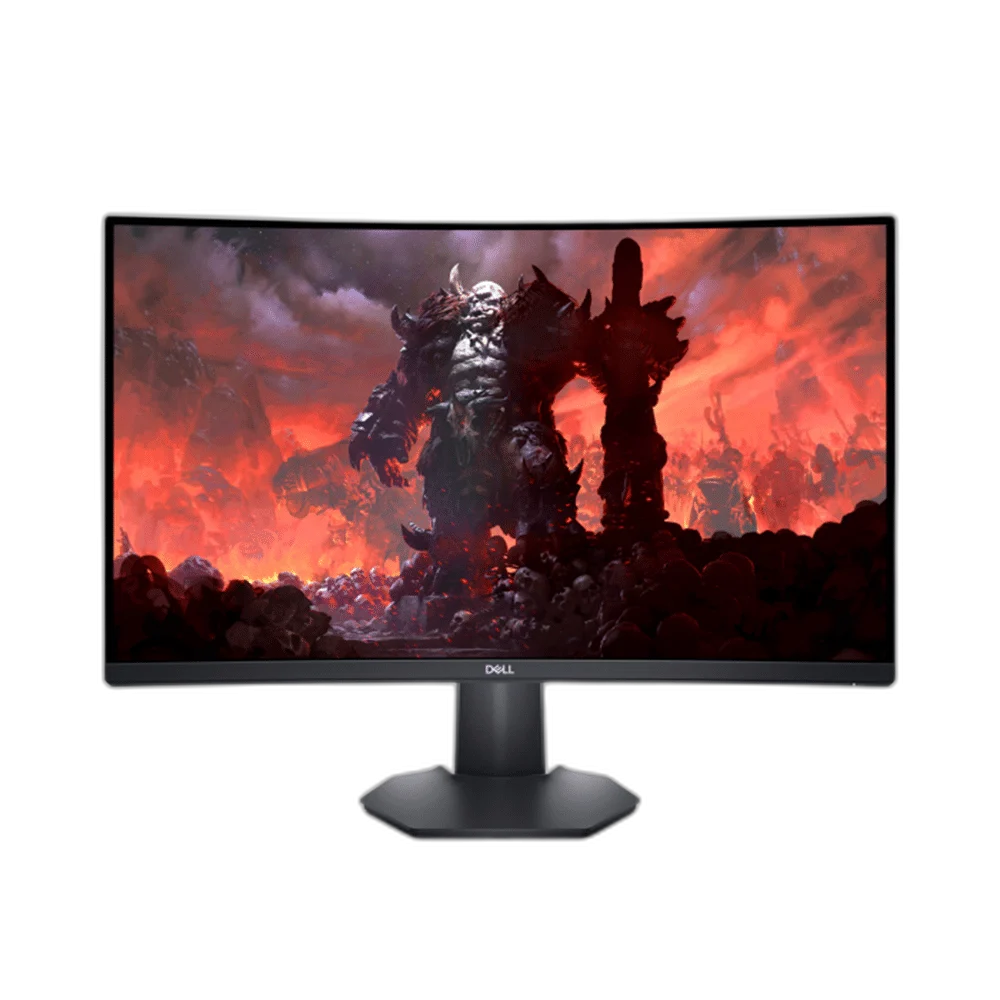
Dell S2722DGM 27 inch QHD VA 165Hz Curved Gaming Monitor
Dell S2722DGM 27-inch QHD VA monitor with 1500R curve, up to 165Hz over DisplayPort or 144Hz over HDMI, FreeSync Premium and height/tilt adjustment. GtG response is 2ms in Extreme mode; separate 1ms MPRT mode requires 120Hz+ and disables FreeSync.
Regular price
73.500 KWD
or 4 payments of 18.375 KWD with
Pay with card & save


69.900 KWD
Save 3.600 KWD
Overview
DELL S2722DGM 27 INCH CURVED QHD MONITOR
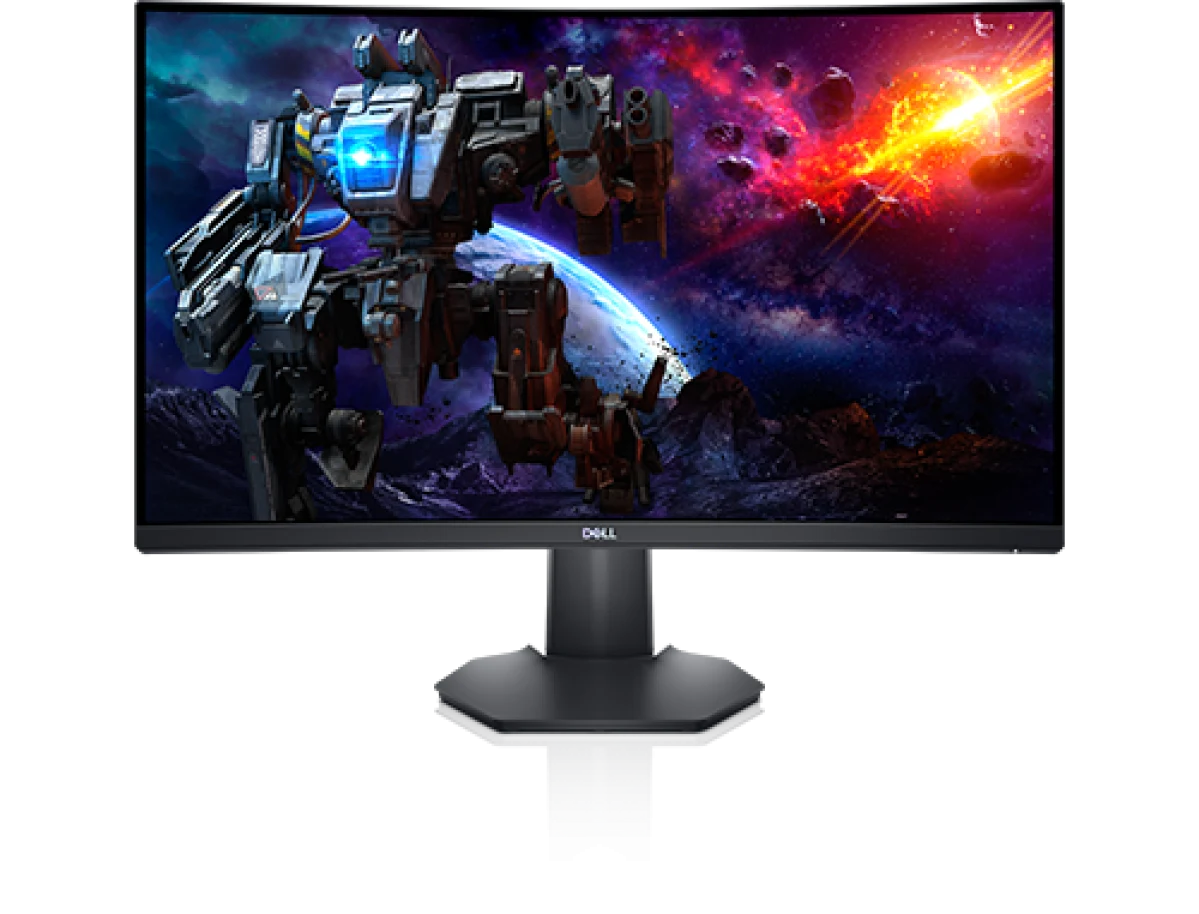
A 1500R VA Display with up to 165Hz over DisplayPort
Dell S2722DGM combines a 27-inch VA panel, a 1500R curve and QHD resolution for a desktop gaming setup. DisplayPort supports up to 165Hz, while HDMI supports up to 144Hz. AMD FreeSync Premium, selectable response modes and an adjustable stand provide options for configuring the display around the computer, games and desk arrangement you use.
27 inch
Display Diagonal
2560 × 1440
Resolution
165 Hz DP
Listed Refresh Rate
VA
Panel Type
27-Inch QHD with a 1500R Curve
The 16:9 VA screen provides 2560 × 1440 resolution on a 27-inch diagonal, with a published pixel density of 108.79ppi. Its 1500R curve forms the display around the viewing position, while the anti-glare surface includes a 3H coating. Compare the screen size and desktop space when arranging the monitor for gaming and everyday applications.
165Hz DisplayPort or 144Hz HDMI
The maximum QHD refresh rate depends on the input: DisplayPort1.2 supports up to 165Hz, and HDMI2.0 supports up to 144Hz. Choose the connection around the graphics hardware and cable, then select the supported display mode in the source settings. Actual game frame rates depend on the computer and software driving the display.
Distinct GtG and MPRT Response Modes
The grey-to-grey response modes are 6ms Fast, 4ms Super Fast and 2ms Extreme. A separate MPRT mode provides the listed 1ms motion-response figure and requires a source refresh rate of at least 120Hz. MPRT and FreeSync cannot operate together, so select the response and synchronization arrangement that suits the content and supported source.
VA Contrast and sRGB Color Coverage
Dell lists typical brightness of 350cd/m², a typical 3000:1 contrast ratio and 99% sRGB coverage. The panel supports 16.7 million colors with typical viewing angles of 178 degrees horizontally and vertically. Configure the picture settings around the application or game, then use the supported ComfortView and display controls according to the viewing setup you prefer.
FreeSync Premium and Practical Connections
AMD FreeSync Premium supports a compatible variable-refresh gaming connection when that mode is selected. The monitor provides two HDMI2.0 inputs, one DisplayPort1.2 input and a 3.5mm headphone connection. Plan any audio equipment separately, as the monitor has no built-in speakers, and arrange the display cables through the stand’s integrated cable-management area.
Height, Tilt and Alternative Mounting
The stand provides 100mm of height adjustment and tilt from −5 to 21 degrees. A 100 × 100mm VESA pattern supports compatible mounting hardware, with a display-only weight of 4.24kg without stand or cables. Check the size, weight and clearance requirements of the chosen mount, then position the screen around the desk and normal sitting position.
Complete Your Workspace
Explore Monitors at AX Store and choose the configuration or accessories that fit your setup.
Frequently Asked Questions
What size and resolution does this display have?
Screen size: 27 inches / 684.70mm. Resolution: 2560 × 1440.
What refresh rate is supported, and does the input matter?
Maximum refresh by input: DisplayPort165Hz; HDMI144Hz.
What panel technology does it use?
Active matrix TFT LCD; VA.
How is the response time specified?
GtG response: 6ms Fast; 4ms Super Fast; 2ms Extreme. MPRT response: 1ms in MPRT mode. MPRT operating conditions: Source refresh120Hz or above; MPRT and FreeSync cannot operate simultaneously.
Which display inputs and mounting standard are available?
Display inputs: 1 × DisplayPort1.2; 2 × HDMI2.0. VESA mount: 100 × 100mm.
Build Your Setup with AX Store Kuwait
Explore computers, displays and accessories for your workspace at AX Store Kuwait. For help choosing the right model or checking an accessory, contact AX Store.
Compare Dell Alienware AW2723DF 27 inch QHD 240Hz Gaming Monitor. Match the exact model, connection and configuration to your setup.
THE DETAILS
Technical specifications
Display
S2722DGM
Active matrix TFT LCD; VA
27 inches / 684.70mm
1500R
16:9
596.73 × 335.66mm
0.2331 × 0.2331mm
108.79ppi
2560 × 1440
DisplayPort165Hz; HDMI144Hz
DisplayPort48–165Hz; HDMI48–144Hz
DisplayPort30–250kHz; HDMI30–230kHz
350cd/m² typical
3000:1 typical
178° horizontal / 178° vertical, typical
16.7 million colors
99% sRGB typical
Anti-glare front polarizer; 3H hard coating
LED edge-light
6ms Fast; 4ms Super Fast; 2ms Extreme
1ms in MPRT mode
Source refresh120Hz or above; MPRT and FreeSync cannot operate simultaneously
AMD FreeSync Premium
Flicker Free; Dell ComfortView; low-blue-light mode
Connections and Stand
1 × DisplayPort1.2; 2 × HDMI2.0
3.5mm headphone jack, as identified by the user guide
No
100mm
−5° to +21°
100 × 100mm
Integrated
Easy Arrange and other supported features
Security-lock slot
HDMI1.8m; DisplayPort1.8m
Physical Characteristics
608.38 × 190.37 × 393.21–493.21mm
608.38 × 96.28 × 364.14mm
230.25 × 190.37 × 337–386mm
6.17kg
4.24kg
1.59kg
9.12kg
Top7.68mm; left/right7.73mm; bottom20.94mm
Electrical and Operating Conditions
100–240VAC; 50/60Hz; 1.50A maximum
25.3W on; 56W maximum; 0.21W standby; 0.20W off
20.97W Pon; 65.55kWh TEC, manufacturer test-method reference
30A at120V; 60A at240V maximum
191.08BTU/h maximum; 86.33BTU/h on-mode
0–40°C
−20–60°C
10–80%; non-condensing
5–90%; non-condensing
5000m
12192m
COMPLETE YOUR SETUP