EVE Spectrum
Same-day delivery · Official warranty · Taly & Deema
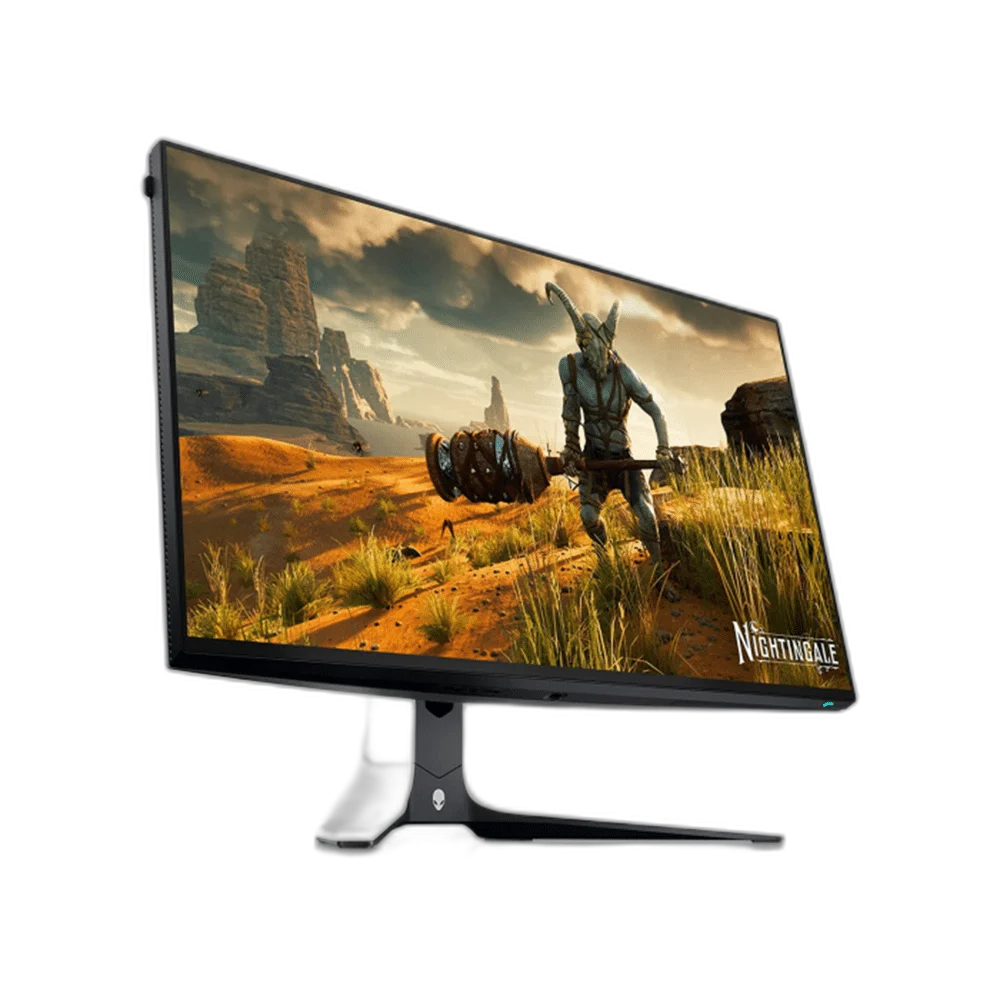
Alienware AW2723DF 27-inch flat Fast IPS QHD monitor with 240Hz native refresh and up to 280Hz overclock through DisplayPort, DisplayHDR600 and G-SYNC Compatible/FreeSync Premium Pro. Includes an adjustable stand and four-port USB hub. 1ms GtG requires Extreme mode.
or 4 payments of 34.125 KWD with
Pay with card & save


DELL ALIENWARE AW2723DF 27 INCH QHD MONITOR
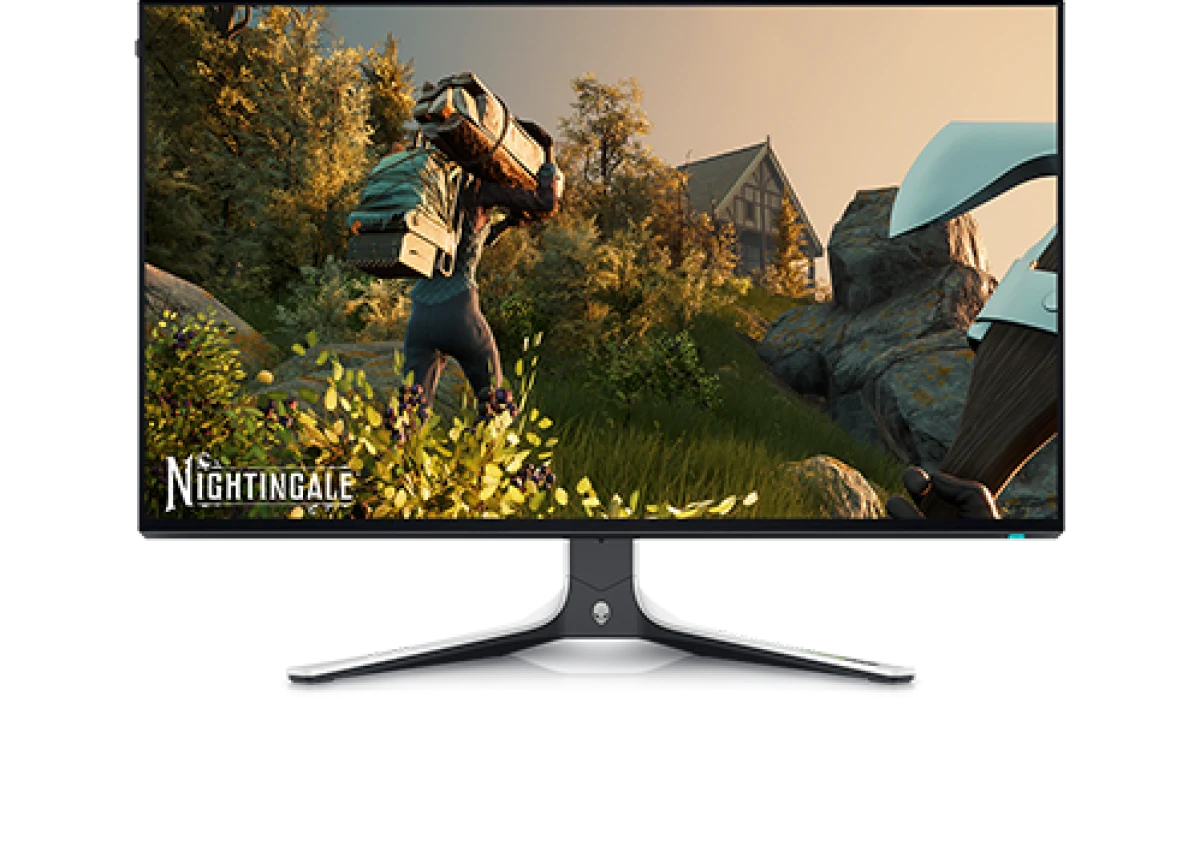
Alienware AW2723DF combines a 27-inch Fast IPS panel with 2560 × 1440 resolution and a flat 16:9 screen. DisplayPort supports a native 240Hz refresh rate and an overclocked 280Hz mode, with DisplayHDR600, wide color coverage and compatible adaptive-sync options. Arrange its adjustable stand, display inputs and USB hub around the computer and accessories used at the gaming desk. Explore this model at AX Store in Kuwait.
Display Diagonal
Resolution
Listed Refresh Rate
Panel Type
The 27-inch panel provides a 2560 × 1440 workspace with 108.96ppi pixel density and 178-degree horizontal and vertical viewing angles. The anti-glare polarizer has a 3H coating and a listed haze value of 25%. Position the flat display around the desk and viewing distance used for games, creative tasks or everyday desktop applications.
DisplayPort1.4 supports 240Hz natively and up to 280Hz when overclocking is enabled, with DSC used for the published maximum QHD modes. HDMI2.0 supports QHD up to 144Hz. Match the graphics hardware, cable and monitor settings to the required mode, keeping the input-specific limits in mind when choosing the connection for the computer.
The listed grey-to-grey response is 1ms in Extreme mode, 2ms in Super Fast and 4ms in Fast. Dell notes that Extreme mode can introduce visible overdrive artifacts, so choose the mode around the content and setup. NVIDIA G-SYNC Compatible and AMD FreeSync Premium Pro support suitable adaptive-refresh configurations with compatible graphics equipment.
The manufacturer specifies 450cd/m² typical brightness and 600cd/m² HDR peak brightness, alongside VESA DisplayHDR600 support. Color coverage is listed at 100% sRGB and 95% DCI-P3, with 1.07 billion colors through an 8-bit-plus-FRC panel arrangement. Select suitable color and HDR settings around the source, application and content you intend to view.
The monitor provides one DisplayPort1.4 input and two HDMI2.0 inputs. A USB3.2 Gen1 upstream connection enables four 5Gbps downstream ports, including one charging-capable port, for compatible accessories. Separate headphone and line-out connections provide audio options. Plan the computer, accessory and audio cable routes together to keep the desktop connections accessible.
The stand adjusts through 110mm in height, with tilt from −5 to 21 degrees, swivel through ±20 degrees and pivot through ±90 degrees. A 100 × 100mm VESA pattern supports a suitable alternative mount. The display weighs 5.71kg without the stand or cables; compare that figure with the chosen mounting hardware and desk arrangement.
Compare resolution, refresh rate, screen size and the input you will actually use. Match the computer or console output to the chosen display mode, and leave room for the monitor stand and mouse movement. Compare related options such as ASUS ProArt PA328QV 31.5 Inch 75Hz WQHD IPS Monitor or Dell Alienware AW2725DF 27 inch QD-OLED QHD 360Hz Monitor, keeping the exact model and configuration in the decision. For the wider setup, explore Logitech G PRO X3 SUPERSTRIKE Wireless Mouse and check the connection, size or mounting requirements before pairing accessories. Browse the Dell range at AX for more choices.
Compare resolution, refresh rate, screen size and the input you will actually use. Match the computer or console output to the chosen display mode, and leave room for the monitor stand and mouse movement.
Screen size: 27 inches / 684.70mm. Resolution: 2560 × 1440.
DisplayPort maximum nominal refresh: 240Hz native; 280Hz overclock. DisplayPort exact maximum preset modes: 2560 × 1440 at 239.97Hz; 279.96Hz overclock; DSC enabled. HDMI maximum mode: 2560 × 1440 at 144Hz.
Active matrix TFT LCD; Fast IPS.
GtG response: 1ms Extreme; 2ms Super Fast; 4ms Fast. Response-time condition: Extreme mode may introduce visible overdrive artifacts; select the mode around the content and setup.
Display inputs: 1 × DisplayPort1.4; 2 × HDMI2.0; HDCP2.2. VESA mount: 100 × 100mm.
Explore computers, displays and accessories for your workspace at AX Store. For help choosing the right model or checking an accessory, contact AX Store.
Compare Dell Alienware AW3423DWF 34 inch QD OLED 165Hz Gaming Monitor. Match the exact model, connection and configuration to your setup.
THE DETAILS
AW2723DF
Active matrix TFT LCD; Fast IPS
Flat
27 inches / 684.70mm
16:9
596.74 × 335.66mm
0.23 × 0.23mm
108.96ppi
2560 × 1440
240Hz native; 280Hz overclock
2560 × 1440 at 239.97Hz; 279.96Hz overclock; DSC enabled
2560 × 1440 at 144Hz
450cd/m² typical; 600cd/m² HDR peak
1000:1
178° horizontal / 178° vertical, typical
1.07 billion colors; 10-bit (8-bit + AFRC)
100% sRGB; 95% DCI-P3, typical
Anti-glare polarizer; haze25%; 3H
White LED edge-light
1ms Extreme; 2ms Super Fast; 4ms Fast
Extreme mode may introduce visible overdrive artifacts; select the mode around the content and setup
VESA DisplayHDR600
NVIDIA G-SYNC Compatible; AMD FreeSync Premium Pro
1 × DisplayPort1.4; 2 × HDMI2.0; HDCP2.2
1 × USB3.2 Gen1 5Gbps
4 × USB3.2 Gen1 5Gbps; 2 bottom and 2 rear; one charging-capable port
Headphone output on bottom; line-out on rear
110mm
−5° to +21°
−20° to +20°
−90° to +90°
100 × 100mm
Easy Arrange and other supported features
Security-lock slot
606.60 × 268.02 × 406.25–516.25mm
606.60 × 67.00 × 354.29mm
399.53 × 268.02 × 382.13–411.80mm
9.34kg
5.71kg
3.20kg
12.64kg
Top4.92mm; left/right4.93mm; bottom13.70mm
100–240VAC; 50/60Hz; 1.5A typical
22.1W on; 105W maximum; 0.4W standby; 0.3W off
22.4W Pon; 70.7kWh TEC, manufacturer test-method reference
40A at120V; 80A at240V; maximum cold start at0°C
359.10BTU/h maximum; 75.58BTU/h typical
0–40°C
−20–60°C
10–80%; non-condensing
5–90%; non-condensing
5000m
12192m
COMPLETE YOUR SETUP
Added to cart
Subscribed
We'll email you as soon as it's back in stock.
Saved to wishlist