DXRacer
DXRacer Craft Pro Classic Unique Ergonomic Support Gaming Chair
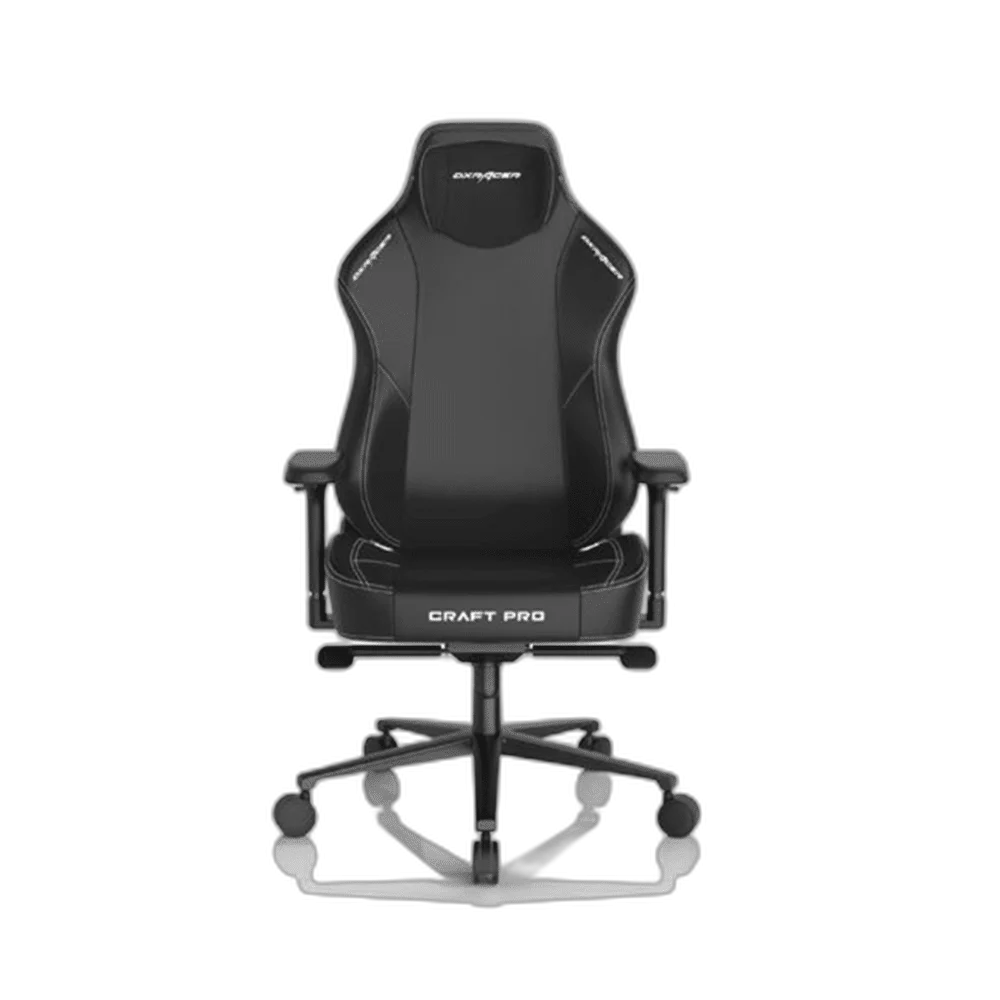
Bring the Classic design into a gaming or working space with the DXRacer Craft Pro. The Craft Pro design combines PU upholstery, a memory-foam headrest, built-in lumbar adjustment and 4D armrests. Its reclining backrest and seat adjustments let you arrange the chair around your own desk position.
Color
Regular price
114.500 KWD
or 4 payments of 28.625 KWD with
Pay with card & save


109.000 KWD
Save 5.500 KWD
Overview
DXRACER CRAFT PRO CLASSIC GAMING CHAIR
DXRacer Craft Pro Classic Gaming Chair
DXRacer Craft Pro Classic Gaming Chair: Bring the Classic design into a gaming or working space with the DXRacer Craft Pro. The Craft Pro design combines PU upholstery, a memory-foam headrest, built-in lumbar adjustment and 4D armrests. Its reclining backrest and seat adjustments let you arrange the chair around your own desk position. Explore this model at AX Store in Kuwait.
Craft Pro
Chair family
4D
Armrest adjustment
Memory foam
Headrest
PU
Upholstery
The Classic Edition
The Classic listing gives you this named Craft Pro design for the setup. Choose the listed finish when coordinating the chair with the desk and peripherals. The chair remains a practical part of the workspace, with its seating adjustments available alongside the edition’s presentation.
4D Armrest Adjustment
The 4D armrests provide several ways to position forearm support around the desk. Adjust their height and orientation to suit your working position, then check the space beside the keyboard and mouse. A comfortable arrangement should suit the user’s own reach and the surrounding equipment.
Memory-Foam Headrest
The adjustable headrest uses slow-rebound memory foam to provide a padded support point. Position it around your own seated height before beginning a longer session. Recheck the headrest after changing the seat or backrest position so the support remains in the intended place.
Built-In Lumbar Adjustment
Lumbar support is integrated into the backrest and can be adjusted around the user’s preferred seating position. Set the chair at the desk first, then make small changes to the support. This gives the backrest a role in the overall seated arrangement without adding a separate loose support cushion.
PU Upholstery Around the Seat
PU upholstery gives the Craft Pro its covered seating surface, with foam padding beneath. Arrange the chair so it can move without rubbing against the desk or nearby furniture. Follow the care guidance appropriate to the covering, keeping the surface and adjustment controls ready for everyday use.
Brand
DXRacer
Family
Craft Pro
Edition
Classic
Recline, Tilt and Seat Position
The adjustable backrest and tilt mechanism let you change the seating position around the task. Set the seat height, check the position of the armrests and keep enough room behind the chair for movement. Make adjustments around the complete desk arrangement rather than treating each control in isolation.
Match the Furniture to Your Working Space
Measure the available floor and desk space, adjustment range and the position of your keyboard and mouse. Check the exact size, mounting or assembly requirements before ordering. Compare related options such as Cooler Master Caliber X2 - Gaming Chair or ASUS ROG Destrier Core Ergo Gaming Chair - White Mesh Adjustable, keeping the exact model and configuration in the decision. For the wider setup, explore SADES Viper SA-MS01 Dual Monitor Arm - 32-inch / 9kg Per Arm and check the connection, size or mounting requirements before pairing accessories. Browse the DXRacer range at AX for more choices.
DXRacer Craft Pro Classic Gaming Chair Setup Choices
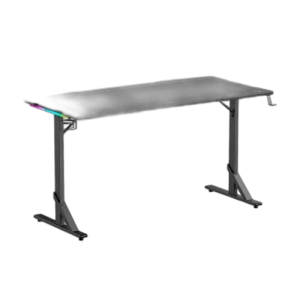
Measure the available floor and desk space, adjustment range and the position of your keyboard and mouse. Check the exact size, mounting or assembly requirements before ordering. Explore Gamertek Alpha RGB Gaming Desk Pro - Black 140x70cm Design.
Frequently Asked Questions
What upholstery does the Craft Pro use?
The Craft Pro design uses PU upholstery over a padded seating structure.
Can I adjust the armrests?
The 4D armrests let you position their support around your own desk and seating arrangement.
Is lumbar support built into the backrest?
The Craft Pro design incorporates adjustable lumbar support in the backrest.
What kind of headrest does it have?
An adjustable slow-rebound memory-foam headrest provides a padded support point.
How should I choose modular accessories?
Choose accessories listed for the particular chair version, and check each accessory’s model compatibility when completing the setup.
Build Your Setup with AX Store
Explore computers, displays and accessories for your workspace at AX Store. For help choosing the right model or checking an accessory, contact AX Store.
Compare DXRacer MARTIAN Series Electric Gaming Chair - Smart Support Design. Match the exact model, connection and configuration to your setup.
THE DETAILS
Technical specifications
Product Specifications
DXRacer
Craft Pro
Classic
Adjustable gaming and desk chair
PU leather
4D adjustable
Adjustable; slow-rebound memory foam
Integrated and adjustable
Reclining
Height and tilt adjustment
Metal frame
Foam cushioning
COMPLETE YOUR SETUP
Pairs well with