
GravaStar
GravaStar Delta 35 GaN Fast Charger, 35W Power
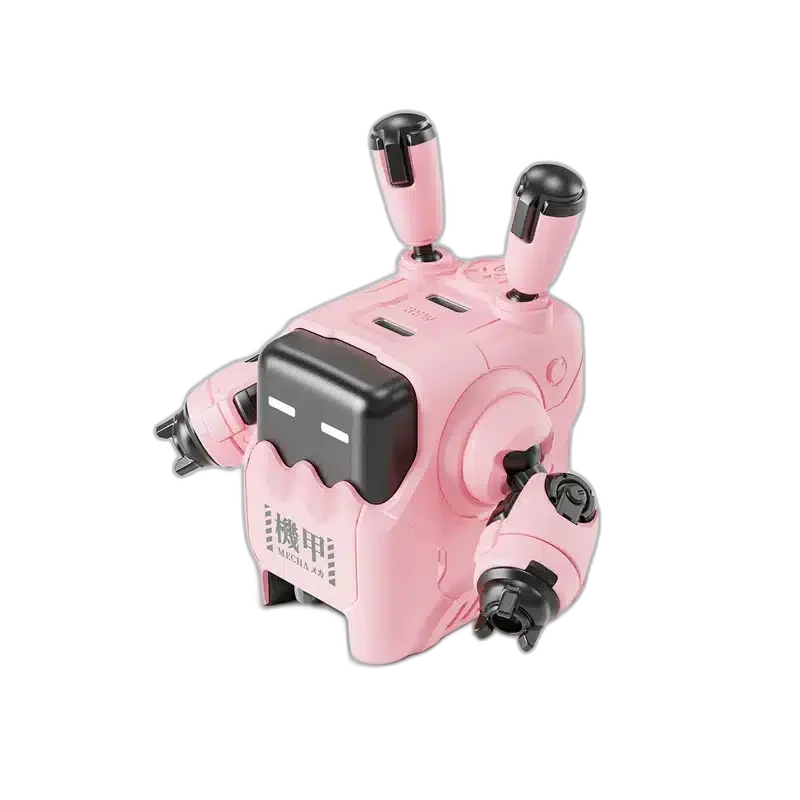
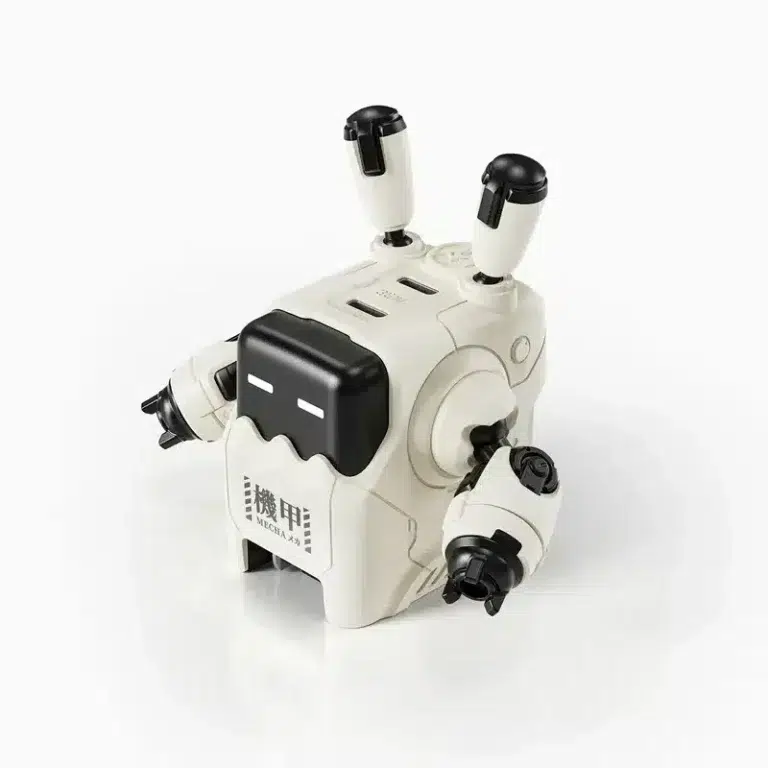
GravaStar Delta35 35W GaN fast charger with two USB-C ports and a compact robot-inspired design. Explore it at AX Store Kuwait.
Color
Overview
GRAVASTAR DELTA 35 GAN FAST CHARGER, 35W POWER
GravaStar Delta35 35W charger
GravaStar Delta35 35W charger: Bring compact GaN charging and a robot-inspired look to your desk. Delta35 provides up to 35W with two USB-C ports for compatible USB-powered devices. Available from AX Store in Kuwait.
Up to 35 W
Maximum Shared Output
2 × USB-C
Charging Ports
GaN
Charger Technology
Delta35
Model
Two USB-C connections
Connect a phone, tablet or another compatible USB-C device. Output is shared when both ports are in use; the maximum charging rate depends on the connected devices and cables.
Compact GaN construction
Gallium nitride technology supports a smaller charger design. Choose the available finish that suits your desk, with a distinctive robot-shaped body. Plan the position and connections around your normal equipment, checking the relevant host requirements before completing the setup.
Maximum Output Belongs to the Charger
The published wattage describes the charger’s maximum output, not that output at every port simultaneously. Match the active connections to the manufacturer’s allocation guidance, and check the power requirement of each connected device.
Choose Suitable Charging Cables
Use cables appropriate to the intended connector and charging power. A device’s supported charging protocol and cable capability affect the negotiated rate, so the charger’s headline wattage alone does not establish how quickly every device charges.
Plan around the Supplied Port Types
Count the USB ports supplied on this exact model before connecting several devices. A USB-C or USB-A connector describes the port shape; the charging rate still depends on the compatible device, protocol and shared power arrangement.
A Separate Charger for Compatible Devices
The robot-inspired shell adds a visual accent to a charging position. Keep the power outlet and cables accessible and follow the product instructions, choosing the correct regional connection for the location where it will be used.
Check the Ports and Signal Before Choosing a Cable
Match both devices, the connector type and the signal or data mode you intend to use. Physical fit alone does not establish supported resolution, charging or data capability. Compare related options such as RØDE SC6-L Dual TRRS Input Lightning Mobile Adapter or Sabrent USB 3.0 Extension Cable, 3m, keeping the exact model and configuration in the decision. For the wider setup, explore Wooting Wrist Rest 60 v2 - Just Black / Just White and check the connection, size or mounting requirements before pairing accessories. Browse the GravaStar range at AX for more choices.
GravaStar Delta35 35W charger Setup Choices
Match both devices, the connector type and the signal or data mode you intend to use. Physical fit alone does not establish supported resolution, charging or data capability. Explore Wooting 60HE v2 60% Gaming Keyboard, Aluminium, Pulsar Pro Series Susanto-X Wireless Gaming Mouse Size 2, 50g, ARTISAN NINJA FX ZERO Gaming Mousepad – SOFT/XSOFT, XL/XXL.
Frequently Asked Questions
What is the maximum output?
35W.
Which ports are supplied?
2 × USB-C.
What technology is used?
GaN.
What compatible devices are listed?
Compatible USB-C charging devices.
Is maximum power available at every port simultaneously?
No. The charger’s stated maximum is not a promise of that wattage at each active port. Connected devices, cables and multi-port power sharing determine the charging rate.
Build Your Setup with AX Store
Explore computers, displays and accessories for your workspace at AX Store. For help choosing the right model or checking an accessory, contact AX Store.
Compare GravaStar Alpha65 GaN Fast Charger, 65W Power. Match the exact model, connection and configuration to your setup.
THE DETAILS
Technical specifications
Charging specifications
GravaStar
Delta35
GaN
35W
2 × USB-C
9 fast-charging protocols, as specified by GravaStar
Compatible USB-C charging devices
Pink / White; selected separately
COMPLETE YOUR SETUP
Pairs well with





