
NZXT
NZXT Internal USB Hub, 5 USB 2.0 Ports
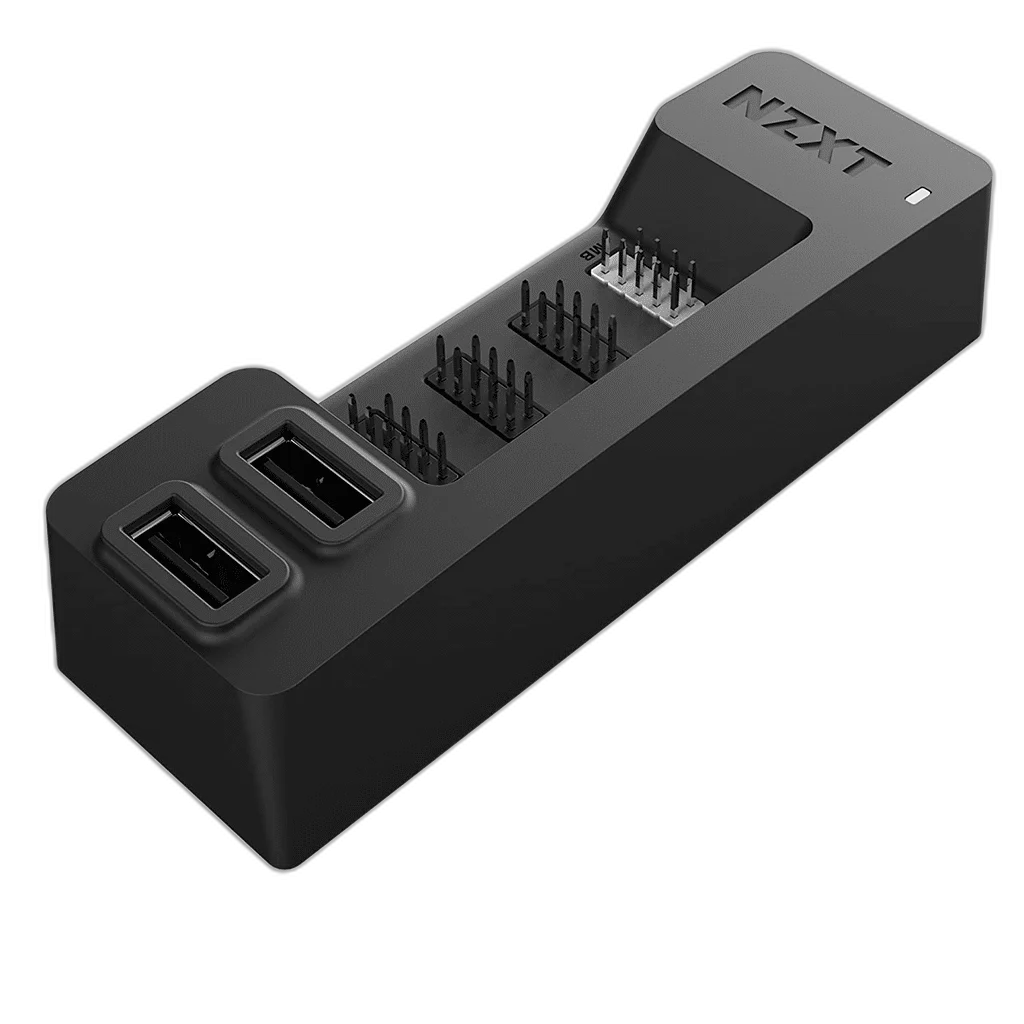
The AC-IUSBH-M1 expands an internal motherboard USB 2.0 connection into five connection positions: three internal USB 2.0 connectors and two USB-A ports. This older NZXT Internal USB Expansion uses dedicated Molex power and a direct motherboard USB connection.
Regular price
7.000 KWD
or 4 payments of 1.750 KWD with
Pay with card & save


6.500 KWD
Save 0.500 KWD
Overview
NZXT INTERNAL USB HUB AC-IUSBH-M1
NZXT Internal USB Hub AC-IUSBH-M1
NZXT Internal USB Hub AC-IUSBH-M1: The AC-IUSBH-M1 expands an internal motherboard USB 2.0 connection into five connection positions: three internal USB 2.0 connectors and two USB-A ports. This older NZXT Internal USB Expansion uses dedicated Molex power and a direct motherboard USB connection. Explore this model at AX Store in Kuwait.
3 internal
USB 2.0 connection positions
2 USB-A
Additional connections
Molex
Dedicated power input
480 Mbps
Shared USB 2.0 maximum
Expand the Internal USB Arrangement
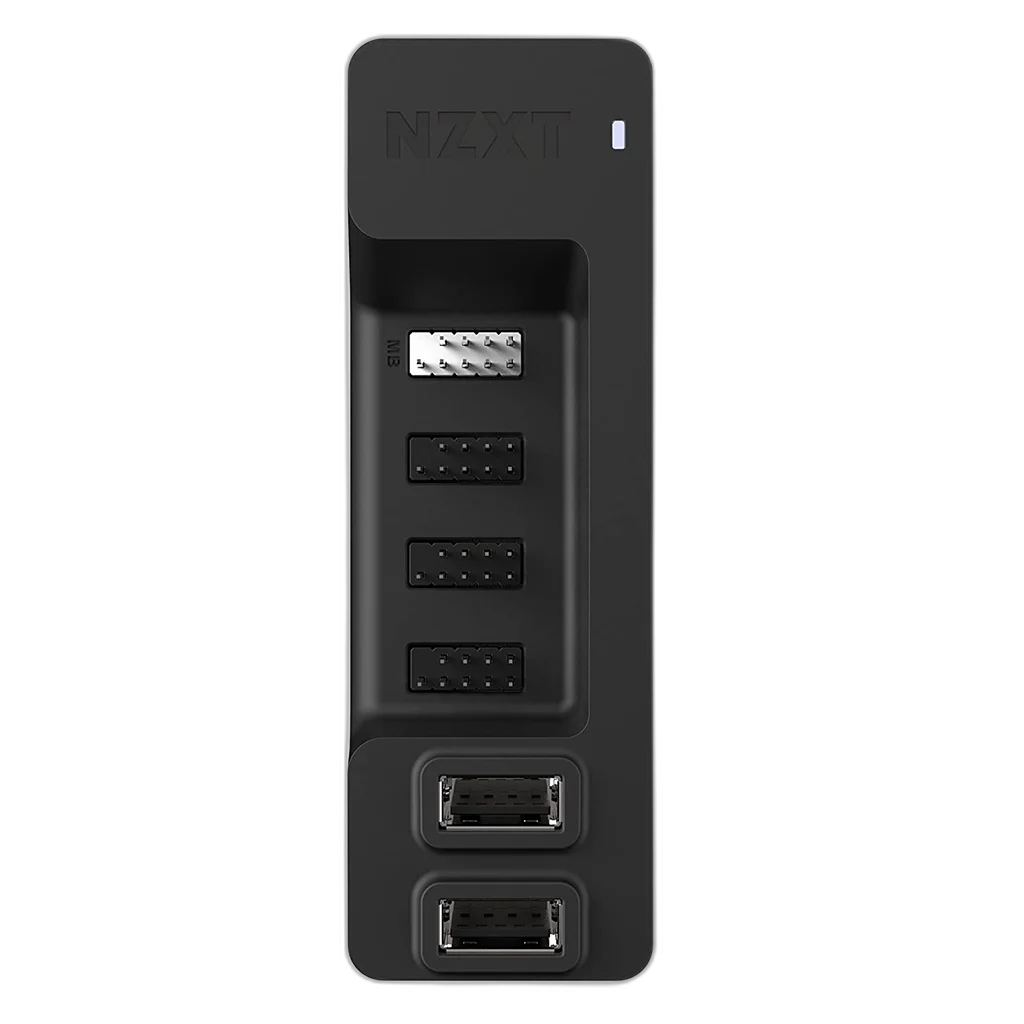
The hub provides three internal USB 2.0 connection positions for compatible devices such as supported liquid-cooler interfaces, fan controllers and lighting accessories. It allows those devices to be organised around one internal expansion component. Check the device’s own USB connection guidance before choosing a hub-based arrangement for the complete build.
Two USB-A Ports Inside the Case
Two USB-A connections are also part of the five-connector layout. They can be used for suitable USB devices such as an internal flash drive or a supported wireless receiver. Placing a wireless receiver inside a metal computer enclosure can reduce signal quality, so choose its location around the actual desk setup.
Dedicated Molex Power
The AC-IUSBH-M1 uses a Molex power connection through its dedicated power cable. That distinguishes this version from the later SATA-powered Gen 3 hub. Connect the correct power lead as well as the motherboard USB cable, and check the hub’s power-indicator LED when confirming a completed installation.
Connect Directly to the Motherboard
Use the white motherboard connection marked MB on this Internal USB Expansion version. NZXT directs its internal USB hubs to connect directly to an available motherboard USB 2.0 header, rather than daisy-chaining another hub or splitter. Reserve that direct header as part of the full device and cable layout.
USB 2.0 Bandwidth Is Shared
The hub uses USB 2.0 and shares the bandwidth of its upstream motherboard connection. NZXT specifies a total USB 2.0 bandwidth limit of 480 Mbps for the hub arrangement. Adding connection positions does not create an independent full-bandwidth host interface for every connected device or convert it into USB 3.0.
Model
NZXT Internal USB Hub AC-IUSBH-M1
Manufacturer part
AC-IUSBH-M1
Product generation
Original Internal USB Expansion; not Gen 3
Match the Hub to the Actual Device
The original hub is intended for compatible internal USB equipment and supported USB-A devices. Follow any device-specific requirement for a direct motherboard header; a general USB hub does not override that requirement. Route the power and data leads with access for maintenance and confirm device detection after completing the connections.
Check the Ports and Signal Before Choosing a Cable
Match both devices, the connector type and the signal or data mode you intend to use. Physical fit alone does not establish supported resolution, charging or data capability. Compare related options such as BENFEI USB Type C to HDMI 4K UHD Cable, 1.8M or nonda USB-C to USB Adapter, 2 Pack, keeping the exact model and configuration in the decision. For the wider setup, explore Razer Rogue 15 Backpack V3 Chromatic, Tear and Water Resistant and check the connection, size or mounting requirements before pairing accessories. Browse the NZXT range at AX for more choices.
NZXT Internal USB Hub AC-IUSBH-M1 Setup Choices
Match both devices, the connector type and the signal or data mode you intend to use. Physical fit alone does not establish supported resolution, charging or data capability. Explore NZXT Kraken X53 RGB 240mm Liquid Cooler, White.
Frequently Asked Questions
Is this the SATA-powered Gen 3 model?
No. AC-IUSBH-M1 is the older Molex-powered Internal USB Expansion.
How many connection positions are provided?
Three internal USB 2.0 connectors and two USB-A ports.
Can it be connected to another hub?
NZXT directs it to a motherboard USB 2.0 header directly, without hub daisy-chaining.
Does it provide USB 3.0 speed?
No. It uses USB 2.0, sharing up to 480 Mbps upstream bandwidth.
Can every internal USB device use a hub?
Follow the individual device’s connection requirements; some equipment requires a direct motherboard header.
Build Your Setup with AX Store
Explore computers, displays and accessories for your workspace at AX Store. For help choosing the right model or checking an accessory, contact AX Store.
THE DETAILS
Technical specifications
Product Specifications
NZXT Internal USB Hub AC-IUSBH-M1
AC-IUSBH-M1
Original Internal USB Expansion; not Gen 3
USB 2.0
5 total: 3 internal USB connectors + 2 USB-A
Motherboard internal USB 2.0 header
White MB header
Dedicated Molex power cable
Up to 480 Mbps shared upstream USB 2.0 bandwidth
Connect directly to motherboard; do not daisy-chain hubs
LED to the right of NZXT logo
COMPLETE YOUR SETUP
Pairs well with