RAZER
Razer Seiren BT Bluetooth Wireless Microphone
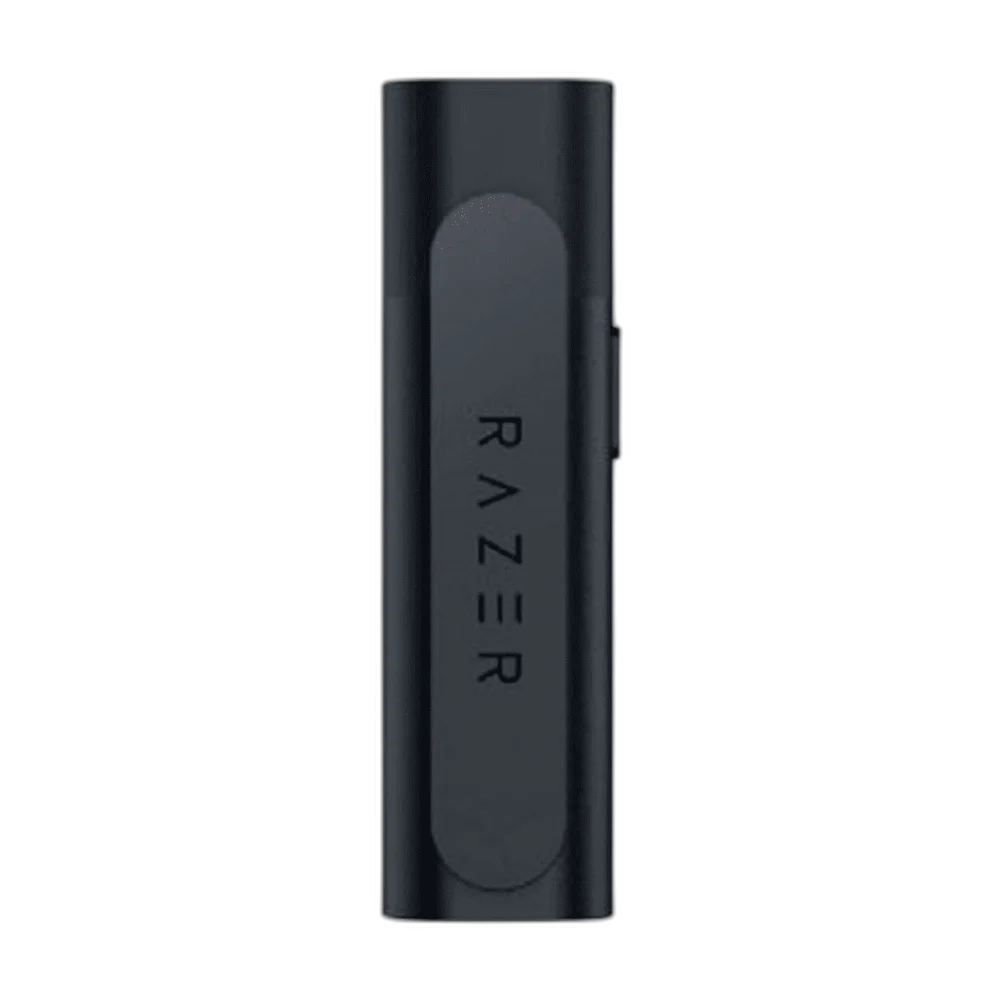
Take your microphone beyond the desk with the Razer Seiren BT. This compact clip-on Bluetooth microphone captures your voice for mobile streaming and vlogging, with noise suppression settings and included windsocks for different environments.
Regular price
34.500 KWD
or 4 payments of 8.625 KWD with
Pay with card & save


33.000 KWD
Save 1.500 KWD
Overview
RAZER SEIREN BT BLUETOOTH WIRELESS MICROPHONE
Razer Seiren BT
Take your microphone beyond the desk with the Razer Seiren BT. This compact clip-on Bluetooth microphone captures your voice for mobile streaming and vlogging, with noise suppression settings and included windsocks for different environments. Available from AX Store in Kuwait.
6 mm
Electret Condenser Capsule
Omnidirectional
Pickup Pattern
Bluetooth
Wireless Recording Route
About 6 h
Bypass Recording Mode
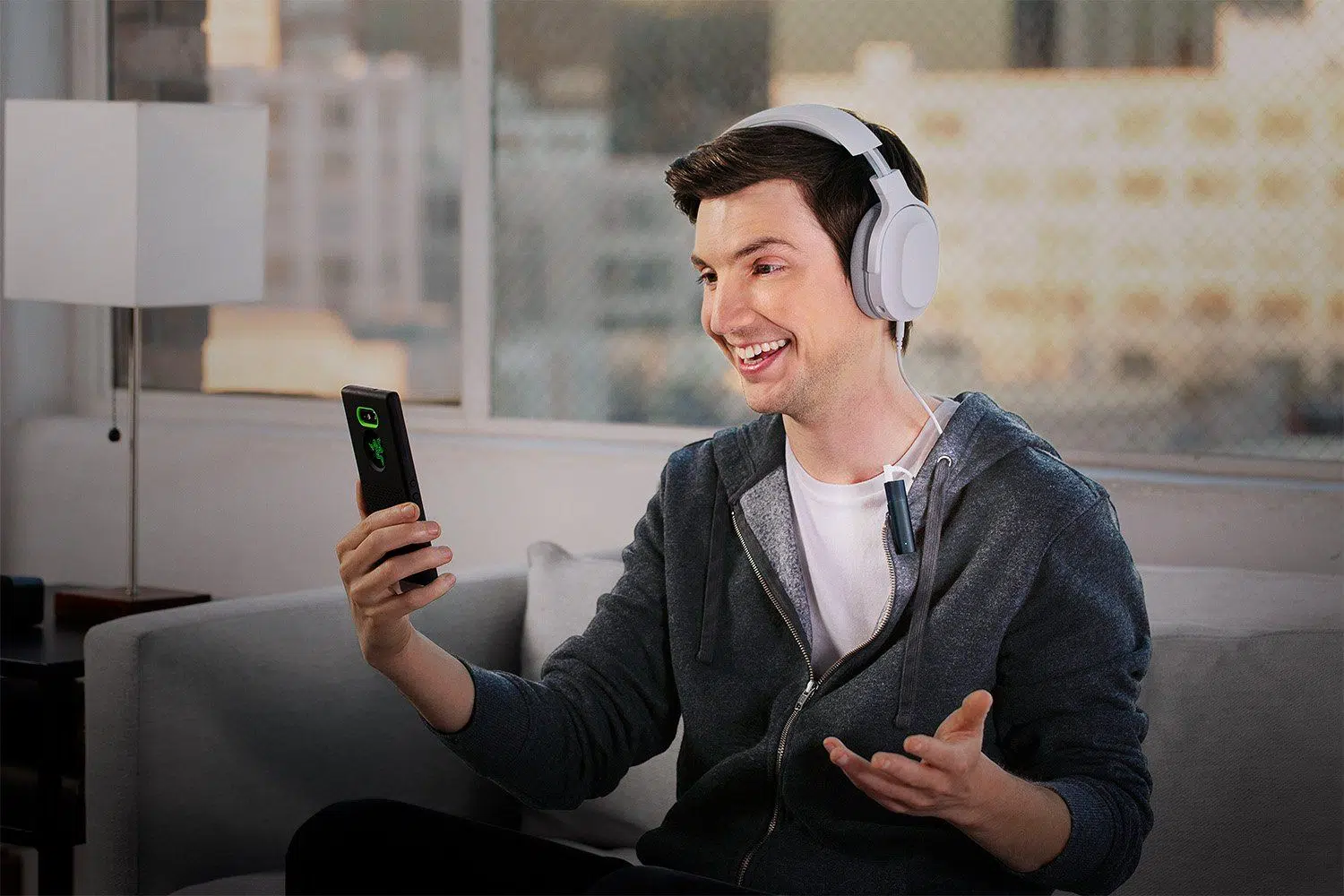
Clip on and move freely
An omnidirectional capsule captures sound around the microphone, while the integrated clip attaches it to your clothing for mobile recording. Check the selected connection and host settings before starting the session, keeping the appropriate controls and the intended listening route available.
Adjust the noise suppression
Use the Razer Streaming app to adjust microphone gain and AI noise suppression. Battery life varies with the recording mode you select. Check the selected connection and host settings before starting the session, keeping the appropriate controls and the intended listening route available.
Choose the right windsock
Fit the foam windsock for indoor use or the furry windsock for outdoor recording to help reduce unwanted airflow noise. Check the selected connection and host settings before starting the session, keeping the appropriate controls and the intended listening route available.
Check your recording app first
Use a third-party app that supports an external Bluetooth microphone. Razer notes that the native camera app is not supported; compatibility depends on the app and device.
Choose an App That Accepts Bluetooth Microphone Audio
Seiren BT needs a third-party recording app that supports an external Bluetooth microphone input. Check that the app selects this microphone on the actual device before a session, because the native camera app is not the supported recording route.
Plan Runtime Around the Recording Mode
The recording examples are about six hours in bypass mode and four hours in the default AI mode. The eleven-hour A2DP figure describes audio playback rather than microphone recording, so choose the appropriate rating when planning the session.
Plan the Recording Path for This Microphone
Use the output and power requirements of this exact microphone to choose the recording route. Match the microphone input, monitoring arrangement and mount before selecting an interface or mixer; accessories are separate choices. Compare related options such as RODE Wireless ME Compact Wireless Microphone System or RØDE PodMic Dynamic Podcasting Microphone, XLR, keeping the exact model and configuration in the decision. For the wider setup, explore Audient iD14 MKII 10-In/6-Out USB-C Audio Interface and check the connection, size or mounting requirements before pairing accessories. Browse the RAZER range at AX for more choices.
Razer Seiren BT Setup Choices
Use the output and power requirements of this exact microphone to choose the recording route. Match the microphone input, monitoring arrangement and mount before selecting an interface or mixer; accessories are separate choices. Explore Elgato Mini Mount Desktop Stand | Compact & Versatile, Elgato Cold Shoe - Microphone Mounting Solution, Elgato Stream Deck MK.2, 15-Key Customizable Controller.
Frequently Asked Questions
Does it work with the native camera app?
Third-party app supporting external Bluetooth microphone input; native camera app not supported. Check the exact app and device before planning a recording.
Are recording and playback runtimes the same?
Recording is about six hours in bypass mode or four hours in the default AI mode. The approximately eleven-hour A2DP figure is playback runtime, not eleven hours of microphone recording.
Does the USB-C charging port provide USB microphone recording?
USB-C is the listed charging connection. The stated recording transport is mSBC Bluetooth Wideband Voice; use an app supporting the external Bluetooth microphone.
Which wind protection is included?
Foam and furry windsocks. Choose the appropriate windsock and clothing-clip position for the environment.
Build Your Setup with AX Store
Explore computers, displays and accessories for your workspace at AX Store. For help choosing the right model or checking an accessory, contact AX Store.
THE DETAILS
Technical specifications
Microphone and recording
6 mm electret condenser
Omnidirectional
Bluetooth wireless
A2DP and HFP
mSBC; Bluetooth Wideband Voice
AI Clarity noise suppression
3.5 mm combo port; TRS/TRRS auto detection
USB-C
1.5 hours
About 6 hours
About 4 hours
About 11 hours
62 × 17.8 × 15.6 mm
Integrated clothing clip
Razer Streaming mobile app
Foam and furry windsocks
Third-party app supporting external Bluetooth microphone input; native camera app not supported
COMPLETE YOUR SETUP
Pairs well with