ASUS
ROG Kithara Gaming Headset Powered by HIFIMAN
ASUS ROG Kithara pairs ROG-tuned 100 mm HIFIMAN planar magnetic drivers with an open-back design. A full-band MEMS boom microphone, interchangeable cable plugs and two cushion styles make it a flexible wired listening system.
Overview
ROG KITHARA GAMING HEADSET POWERED BY HIFIMAN

ASUS ROG Kithara
ASUS ROG Kithara pairs ROG-tuned 100 mm HIFIMAN planar magnetic drivers with an open-back design. A full-band MEMS boom microphone, interchangeable cable plugs and two cushion styles make it a flexible wired listening system. Available from AX Store in Kuwait.
100 mm
HIFIMAN Planar Magnetic Drivers
Open-Back
Acoustic Design
4.4 mm
Balanced Headphone Connection
MEMS Boom
Separate Microphone Path
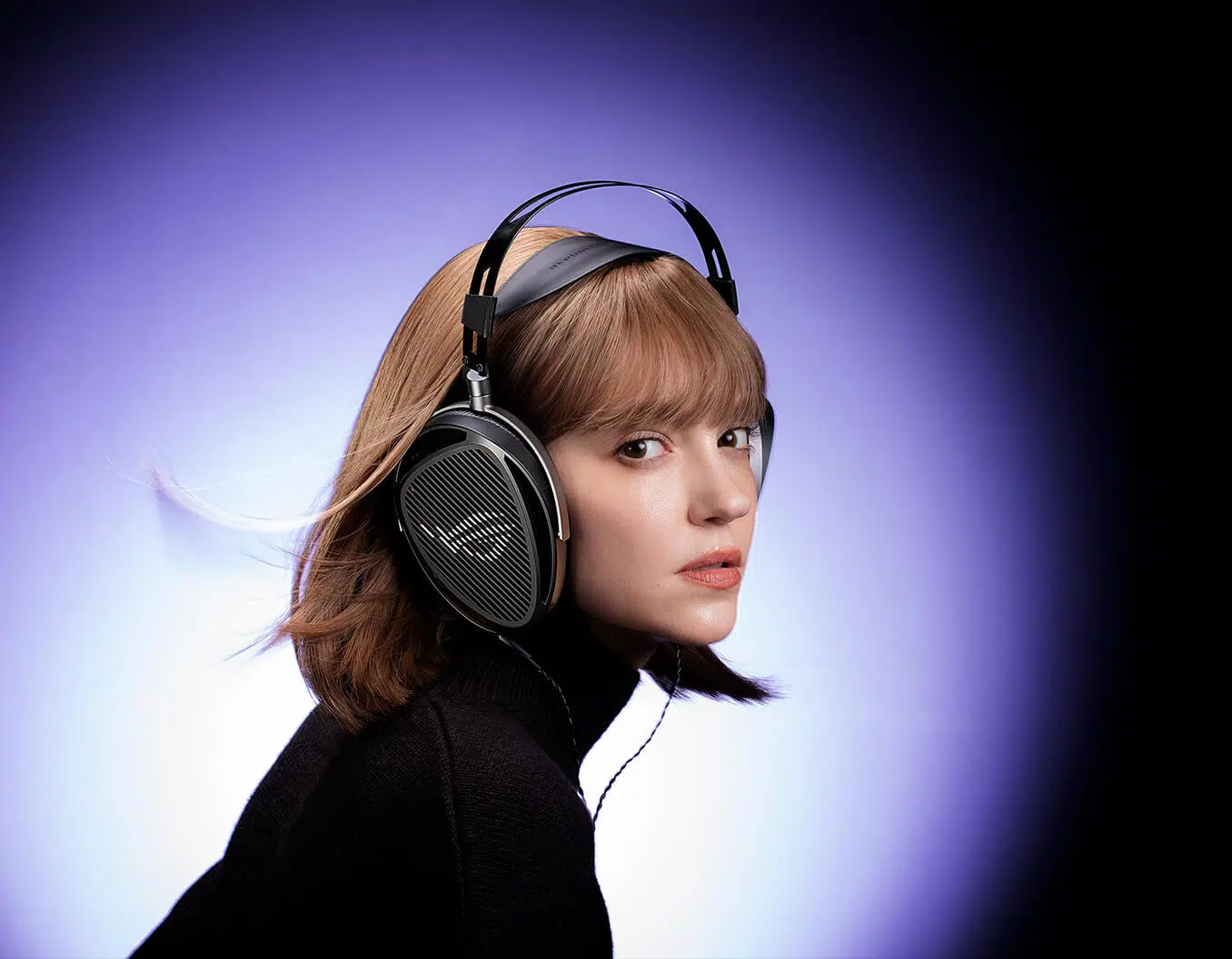
Hear an open soundstage
The large planar magnetic drivers reproduce a wide frequency range, while open earcups support spacious separation. Choose a quieter room because the open design lets sound pass in and out.
Full-band voice pickup
The on-cable MEMS boom microphone captures a 20 Hz to 20 kHz range. Separate audio and microphone plugs keep the two signal paths apart. Check the connection and supported host requirements for the exact headset model before completing the audio setup for your usual sessions.
Choose the right connection
The headphone cable includes 3.5 mm and 6.3 mm single-ended plugs plus a 4.4 mm balanced plug. A USB-C to dual-3.5 mm adapter supports audio and microphone on compatible devices.
Know your console connection
PlayStation controllers and Xbox controllers provide audio only through a single 3.5 mm jack. Use USB-C for microphone support on compatible PlayStation and Switch consoles; Xbox microphone use is not supported by the supplied connection setup.
Adjust the listening feel
The metal frame, adjustable padded headband and interchangeable velour or leatherette-with-fabric cushions let you tailor the fit. Check the connection and supported host requirements for the exact headset model before completing the audio setup for your usual sessions.
Keep the Balanced and Microphone Paths Separate
The included headphone connection options and the separate microphone path serve different jobs. Match the listening plug to an appropriate output, and use the listed USB-C or dual-jack microphone route rather than assuming one audio plug carries both signals.
Plan the Platform and Chat Connection
Choose the exact platform version and check whether its connection uses USB, a wireless receiver or an analogue headset socket. Set the playback and microphone devices deliberately in your game or chat application. Compare related options such as ASUS ROG Delta S RGB 7.1 Wired Gaming Headset or ASUS ROG DELTA II Gaming Headset - White, keeping the exact model and configuration in the decision. For the wider setup, explore Shure SM7B Dynamic Microphone, XLR and check the connection, size or mounting requirements before pairing accessories. Browse the ASUS range at AX for more choices.
ASUS ROG Kithara Setup Choices
Choose the exact platform version and check whether its connection uses USB, a wireless receiver or an analogue headset socket. Set the playback and microphone devices deliberately in your game or chat application. Explore Wooting 60HE v2 60% Gaming Keyboard, Aluminium, ARTISAN NINJA FX ZERO Gaming Mousepad – SOFT/XSOFT, XL/XXL, Logitech G PRO X2 SUPERSTRIKE Wireless Gaming Mouse.
Frequently Asked Questions
How does the microphone connect on PC?
Dual 3.5 mm or USB-C.
How does the microphone connect on PlayStation?
USB-C; controller 3.5 mm is audio only.
What is the Xbox connection limitation?
Controller 3.5 mm audio only; microphone not supported.
What is the Switch microphone route?
USB-C.
Does a headphone plug automatically carry the separate microphone signal?
No. Use the listed separate microphone route and supported adapter. The supplied Xbox controller connection is listening audio only; it does not provide microphone support.
Build Your Setup with AX Store
Explore computers, displays and accessories for your workspace at AX Store. For help choosing the right model or checking an accessory, contact AX Store.
THE DETAILS
Technical specifications
Audio, connections and features
ASUS ROG Kithara
Wired
16 ohms
Open-back
ROG-tuned HIFIMAN planar magnetic
100 mm
8 Hz - 55,000 Hz
On-cable full-band MEMS boom microphone
-36 dB
20 Hz - 20,000 Hz
Stereo
No
420 g
1.8 m dual-3.5 mm to dual-3.5 mm
1.8 m with interchangeable 3.5 mm, 6.3 mm and 4.4 mm plugs
4.4 mm
USB-C to dual-3.5 mm
Velour and leatherette with mesh fabric
Dual 3.5 mm or USB-C
USB-C; controller 3.5 mm is audio only
Controller 3.5 mm audio only; microphone not supported
USB-C
No Aura lighting
No
COMPLETE YOUR SETUP
Pairs well with