Skip to content

Brand

AORUS

8 PRODUCTS

AORUS FO27Q2, FO27Q3, FO32U2P and CO49DQ OLED gaming monitors, the KD25F 240Hz screen and Z790 PRO X, ELITE X and MASTER X motherboards. GIGABYTE's premium gaming line.

AORUS

Showing 8 of 8 products

AORUS AT AX

OLED screens and Z790 power.

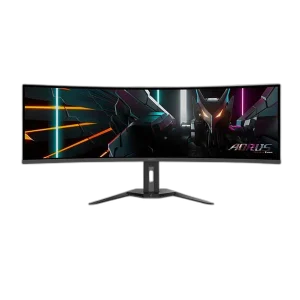
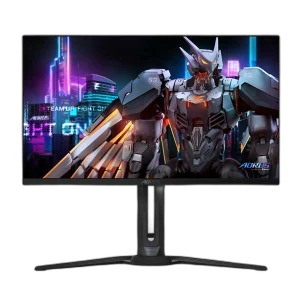
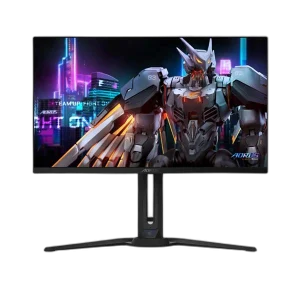
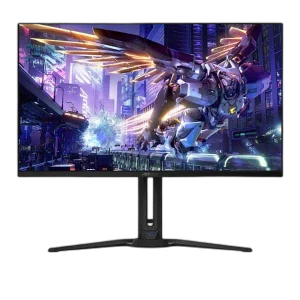
Shop AORUS in Kuwait: GIGABYTE’s premium gaming line, with the FO27Q2 and FO27Q3 27 inch QHD OLED monitors, the FO32U2P 31.5 inch 4K QD-OLED, the CO49DQ 49 inch curved Dual QHD QD-OLED and the KD25F 25 inch 240Hz TN, plus Z790 PRO X, ELITE X and MASTER X motherboards with DDR5 and Wi-Fi 7.

For fast competitive games, the FO27Q3 reaches 360Hz at QHD; the FO27Q2 is a 240Hz all-rounder. The FO32U2P suits players who want 4K detail at 240Hz, and the CO49DQ fits racing, simulation and wide multitasking. On boards, the ELITE X and PRO X are ATX; the MASTER X is E-ATX for enthusiast builds.

QD-OLED · OLED

27 to 49 inch screens

Up to 360Hz

fast QHD OLED refresh

Z790 · DDR5 · Wi-Fi 7

Intel enthusiast motherboards

AORUS FAQ

Before you buy.

Straight answers to the questions we hear most about AORUS monitors and motherboards.

Which AORUS OLED monitor should I choose?

The 27 inch FO27Q2 and FO27Q3 are QHD models for fast gaming, with the FO27Q3 pushing to 360Hz. The 31.5 inch FO32U2P moves to 4K at 240Hz for sharper detail, and the 49 inch CO49DQ is a curved Dual QHD screen for racing, simulation and wide multitasking.

AORUS Z790 PRO X, ELITE X or MASTER X: what is the difference?

All three are Intel Z790 boards with DDR5 and Wi-Fi 7. The ELITE X in black and PRO X in white are ATX boards for most high-end builds, while the MASTER X is a larger E-ATX board aimed at enthusiast builds, so check that your case supports E-ATX.

Which processors work with AORUS Z790 motherboards?

Z790 boards use Intel's LGA 1700 socket, which supports 12th, 13th and 14th Gen Intel Core processors. These AORUS models take DDR5 memory only, so DDR4 kits will not fit.

Do AORUS OLED monitors need special care?

OLED panels can retain static images shown for very long periods. Use the monitor's built-in panel protection features, set a screen saver, and hide static elements like the taskbar where you can, especially if you mix gaming with long work sessions.

Added to cart

View cart

Subscribed

We'll email you as soon as it's back in stock.

Saved to wishlist

View wishlist