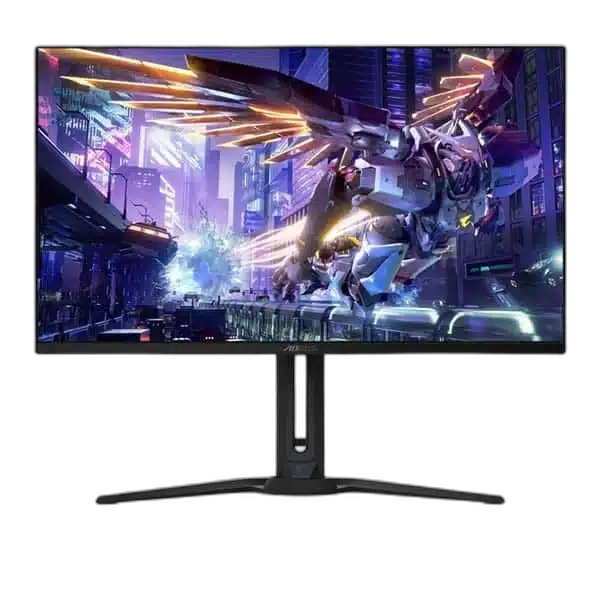
AORUS
GIGABYTE AORUS FO32U2P 31.5 inch UHD 240Hz QD-OLED Gaming Monitor
The GIGABYTE AORUS FO32U2P brings 3840 × 2160 resolution, a 240Hz refresh rate and 0.03ms GtG response to a 31.5-inch OLED display. DisplayPort 2.1 UHBR20 connectivity, precise colour and flexible device control make it a capable centrepiece for a high-performance gaming setup.
Regular price
387.500 KWD
or 4 payments of 96.875 KWD with
Pay with card & save


369.000 KWD
Save 18.500 KWD
Overview
GIGABYTE AORUS FO32U2P 31.5 INCH UHD 240HZ QD-OLED GAMING MONITOR
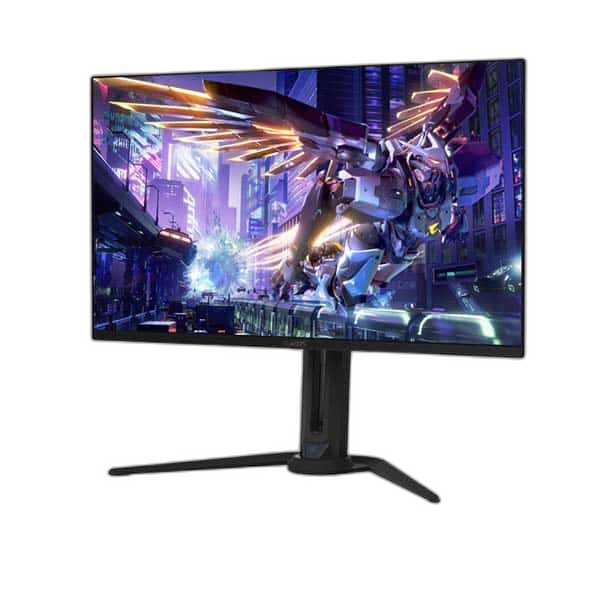
AORUS FO32U2P
The GIGABYTE AORUS FO32U2P brings 3840 × 2160 resolution, a 240Hz refresh rate and 0.03ms GtG response to a 31.5-inch OLED display. DisplayPort 2.1 UHBR20 connectivity, precise colour and flexible device control make it a capable centrepiece for a high-performance gaming setup. Explore this model at AX Store in Kuwait.
31.5 inch
Viewable Display Diagonal
3840 × 2160
Native Resolution
240Hz
Listed Refresh and Input Conditions
OLED
Panel Technology
Sharp 4K images with responsive OLED motion
The display covers 99% DCI-P3 and is factory calibrated to Delta E below 2. VESA DisplayHDR True Black 400 and ClearMR 13000 certifications support its combination of contrast, colour and motion clarity.
A display built for a connected desk
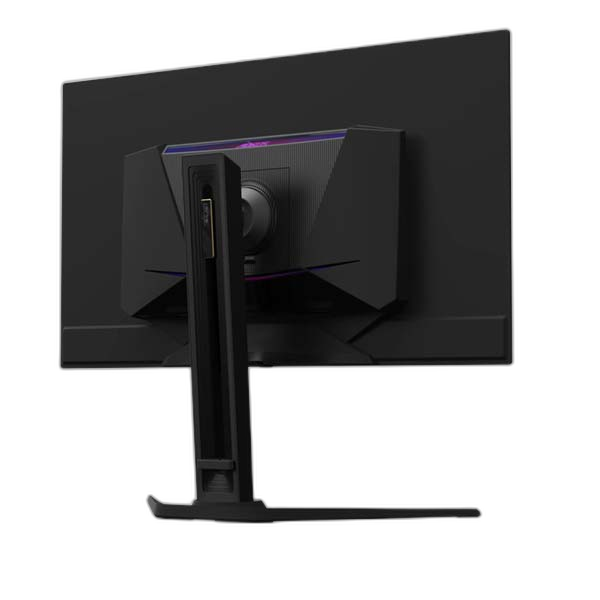
DisplayPort 2.1 UHBR20 and Mini DisplayPort 2.1 sit alongside dual HDMI 2.1 inputs. USB-C supplies up to 65W power delivery, while a built-in KVM and DisplayPort output support flexible workstation layouts. Adjust height, swivel, tilt and pivot to suit your position.
Plan Your Screen Area
The display specification is 31.5-inch OLED, with 3840 × 2160 (UHD) resolution. Compare the screen area and aspect ratio with your usual games and desktop work, leaving room on the desk for a comfortable viewing position.
Colour and HDR with Clear Qualifications
Colour coverage: 99% DCI-P3. HDR support: VESA DisplayHDR True Black 400. Keep the stated colour space, HDR format and brightness conditions with this model when comparing display performance. Content, input settings and the selected picture mode also affect the image you see.
Check the Audio Arrangement
The listed audio arrangement is Headphone and microphone jacks; 2 × 5W speakers. Plan speakers or headphones around those connections and the audio path of your source device, keeping the monitor’s built-in playback capabilities separate from any external sound equipment you add.
Match the Refresh Mode to Your Setup
Refresh rate: 240Hz. The available refresh mode depends on the resolution, input, source device and supported settings. Check those conditions together before choosing a cable or expecting the highest listed refresh mode from your system.
Plan the Display and the Rest of Your Desk
Compare resolution, refresh rate, screen size and the input you will actually use. Match the computer or console output to the chosen display mode, and leave room for the monitor stand and mouse movement. Compare related options such as AOC CQ27G3Z 27 Inch 240Hz QHD Curved Gaming Monitor or ASUS ROG Strix XG27ACDMS 27 inch QHD 280Hz Gaming Monitor, keeping the exact model and configuration in the decision. For the wider setup, explore Logitech G PRO X SUPERLIGHT 2 LIGHTSPEED Wireless Gaming Mouse - Black and check the connection, size or mounting requirements before pairing accessories. Browse the AORUS range at AX for more choices.
AORUS FO32U2P Setup Choices
Compare resolution, refresh rate, screen size and the input you will actually use. Match the computer or console output to the chosen display mode, and leave room for the monitor stand and mouse movement.
Frequently Asked Questions
What size, panel and resolution does this display use?
31.5-inch OLED. OLED panel technology. Native resolution: 3840 × 2160 (UHD).
What refresh modes and input limits apply?
Refresh rate: 240Hz. Available modes also depend on your source, input, cable and supported settings.
Which video and USB connections are listed?
Video inputs: 2 × HDMI 2.1; DisplayPort 2.1 UHBR20; Mini DisplayPort 2.1 UHBR20; USB-C DisplayPort Alt Mode. DisplayPort output: DisplayPort 1.4 HBR3. USB-C power delivery: Up to 65W. USB hub: 2 × USB 3.2 downstream; 1 × USB 3.2 upstream.
What stand adjustment and mounting options are specified?
VESA mounting: 100 × 100mm.
How is response time specified?
0.03ms GtG.
What HDR support is listed?
VESA DisplayHDR True Black 400.
Build Your Setup with AX Store
Explore computers, displays and accessories for your workspace at AX Store. For help choosing the right model or checking an accessory, contact AX Store.
Compare GIGABYTE AORUS FO27Q2 27 inch QHD 240Hz QD-OLED Gaming Monitor and AORUS KD25F 25 Inch FHD 240Hz TN Gaming Monitor. Match the exact model, connection and configuration to your setup.
THE DETAILS
Technical specifications
Display specifications
31.5-inch OLED
3840 × 2160 (UHD)
240Hz
0.03ms GtG
99% DCI-P3
Factory calibrated; Delta E < 2
10-bit; 1.07 billion colours
250 cd/m² SDR at 100% APL; 1000 cd/m² HDR at 3% APL
1,500,000:1
Anti-reflection
VESA DisplayHDR True Black 400
VESA ClearMR 13000
2 × HDMI 2.1; DisplayPort 2.1 UHBR20; Mini DisplayPort 2.1 UHBR20; USB-C DisplayPort Alt Mode
DisplayPort 1.4 HBR3
Up to 65W
2 × USB 3.2 downstream; 1 × USB 3.2 upstream
Headphone and microphone jacks; 2 × 5W speakers
KVM; daisy chain; Picture-in-Picture; Picture-by-Picture
Tilt −5° to +20°; swivel ±20°; pivot 0° to 90°; 130mm height adjustment
100 × 100mm
8.53kg
COMPLETE YOUR SETUP
Pairs well with