ASUS
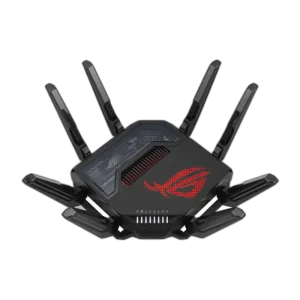
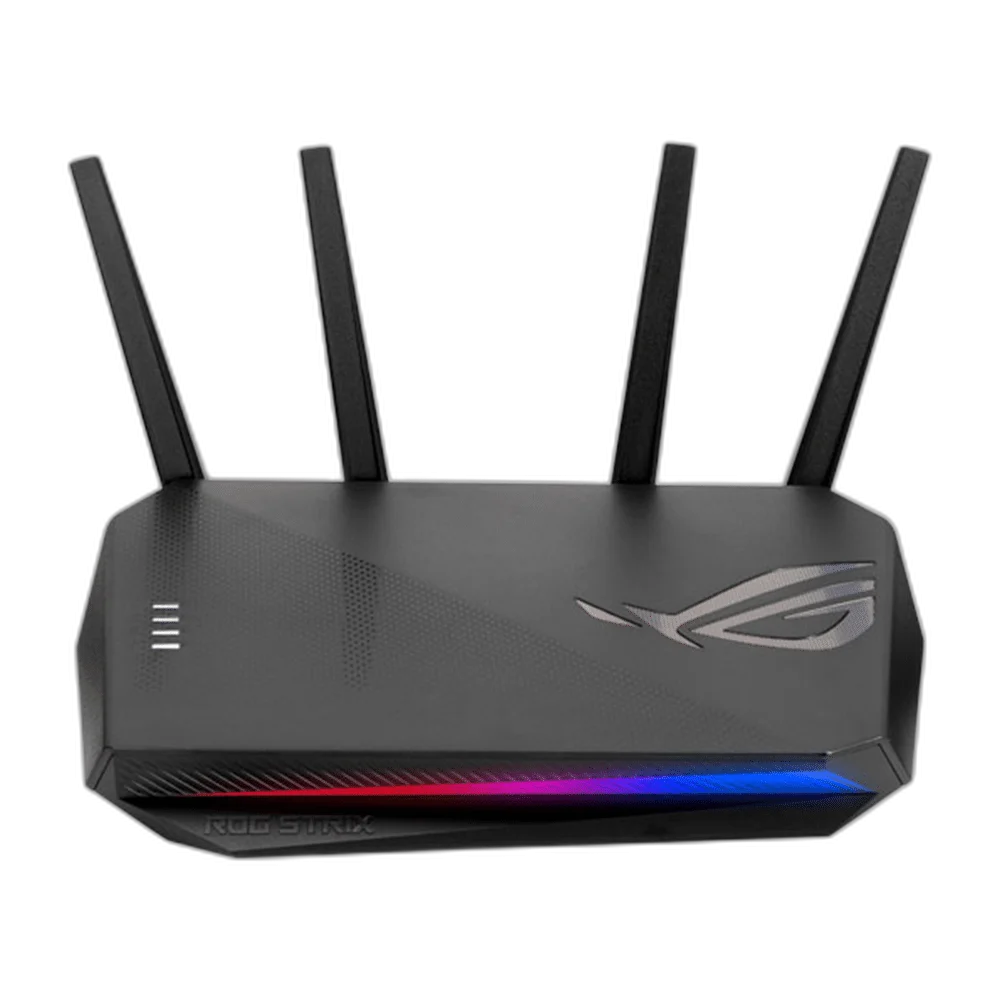
ASUS ROG Strix GS-AX5400 Wi-Fi 6 Gaming Router
ASUS ROG Strix GS-AX5400 AX5400 Wi-Fi 6 gaming router with AiMesh support, wired Ethernet connections, Adaptive QoS and AiProtection Pro. See the specifications for the exact band layout, maximum link rates and port configuration.
Regular price
80.000 KWD
or 4 payments of 20.000 KWD with
Pay with card & save


76.000 KWD
Save 4.000 KWD
Overview
ASUS ROG STRIX GS-AX5400
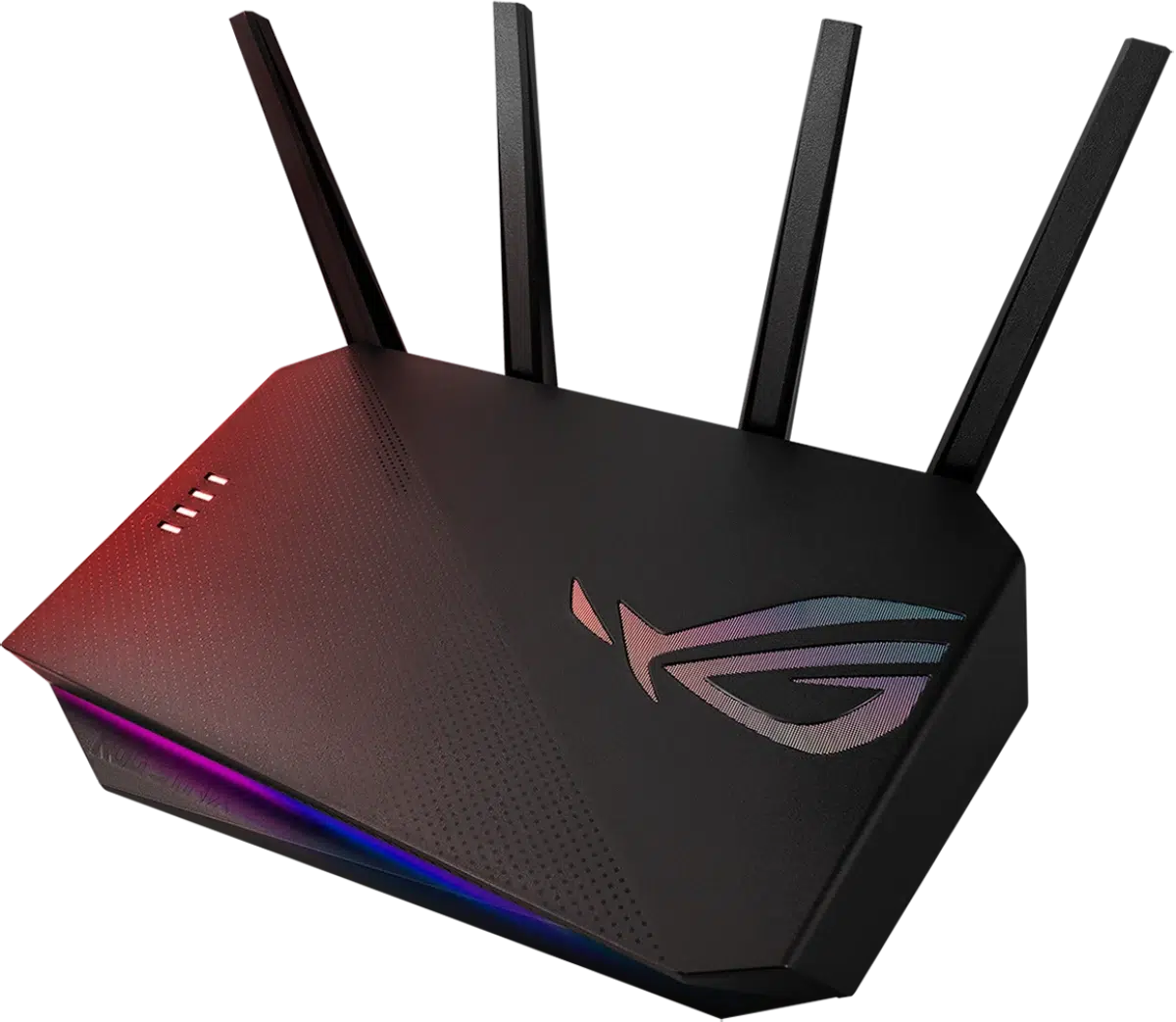
Dual-Band Wi-Fi 6 for a Connected Gaming Desk
ASUS ROG Strix GS-AX5400 combines Wi-Fi 6 wireless networking with AX5400-class radio specifications and gaming-focused management tools. Its wired interfaces, processor and AiMesh support give you several ways to arrange a home network around compatible devices. Choose the model by its band layout and port speeds, then configure the connection around your own internet service and local equipment.
Wi-Fi 6
Wireless Generation
AX5400
Wireless Speed Class
1.5 GHz Tri Core
Processor
Gigabit
Fastest Ethernet Port
Wireless Bands for Compatible Devices
GS-AX5400 pairs a 2×2 2.4 GHz radio with a 4×4 5 GHz radio. The listed Wi-Fi 6 link rates reach 574 Mbps and 4804 Mbps respectively, with support for channels up to 160 MHz. Compatible devices can use the higher-band connection, while the 2.4 GHz band remains available for other supported devices in the home.
Wired Connections Around Your Setup
One Gigabit WAN port connects the router to an upstream network, while four Gigabit LAN ports serve wired devices. A USB 3.2 Gen 1 port is also provided for supported USB applications. This arrangement gives a gaming desk several direct connection points, so you can choose which computers, consoles or other equipment use Ethernet rather than wireless.
Hardware and Physical Design
A 1.5 GHz tri-core processor is paired with 512 MB of RAM and 256 MB of flash. Four external antennas form part of the dual-band design. The router measures 268 × 180 × 166 mm and weighs 701.3 g, providing specific dimensions to check against the space available beside your modem and other network equipment.
Gaming and Traffic Management
A dedicated gaming port, Game Boost and OpenNAT provide gaming-focused configuration options. Adaptive QoS adds traffic prioritization, with bandwidth monitoring and traffic analysis available in the router’s management tools. Configure the features around your regular devices and applications, especially when a gaming system shares the connection with streaming, downloads or other activity elsewhere in the home.
Expand with Compatible AiMesh Equipment
AiMesh support allows the router to work as a primary AiMesh router or a node in a compatible ASUS mesh network. It also supports access point operation. Choose the mode that matches your existing equipment and intended layout, then place the router where the wireless connection and wired uplink can serve the devices you want to connect.
Network Controls in One Place
AiProtection Pro, parental controls and guest-network settings are listed in the router’s features. VPN client and server options add ways to configure supported remote connections. Wireless figures are maximum link rates; actual throughput depends on clients and network conditions. Available bands and channel widths also depend on regional settings, so select the supported options during setup.
Complete Your Workspace
Explore Network at AX Store and choose the configuration or accessories that fit your setup.
Frequently Asked Questions
Which wireless standards and bands are supported?
Network Standard: IEEE 802.11a; IEEE 802.11b; IEEE 802.11g; IEEE 802.11n; IEEE 802.11ac; IEEE 802.11ax; IPv4; IPv6. Operating Frequency: 2.4G Hz / 5 GHz. Band availability depends on local regulations and compatible client devices.
What do the wireless speed-class figures mean?
This model is listed in the AX5400 wireless class. 2.4GHz N: 2x2 (Tx/Rx) 1024 QAM 20/40MHz, up to 500Mbps; 2.4GHz AX: 2x2 (Tx/Rx) 1024 QAM 20/40MHz, up to 574Mbps; 5GHz AC: 4x4 (Tx/Rx) 1024 QAM 20/40/80MHz, up to 2167Mbps; 5GHz AX: 4x4 (Tx/Rx) 1024 QAM 20/40/80/160MHz, up to 4804Mbps. These are wireless link-rate figures, rather than a guaranteed internet download rate.
Which Ethernet and USB ports are available?
RJ45 for Gigabits BaseT for WAN x 1 RJ45 for Gigabits BaseT for LAN x 4 USB 3.2 Gen 1 x 1.
Which operating modes and mesh functions are listed?
Operating Mode: Wireless router mode Access point mode Media bridge mode Repeater mode AiMesh node mode. AiMesh: AiMesh; • Primary AiMesh Router; • AiMesh Node.
What processor and memory are specified?
Processor: 1.5 GHz tri-core processor. Memory: 256 MB Flash 512 MB RAM.
Build Your Setup with AX Store Kuwait
Explore computers, displays and accessories for your workspace at AX Store Kuwait. For help choosing the right model or checking an accessory, contact AX Store.
THE DETAILS
Technical specifications
Wireless and Hardware
GS-AX5400
IEEE 802.11a, IEEE 802.11b, IEEE 802.11g, IEEE 802.11n, IEEE 802.11ac, IEEE 802.11ax, IPv4, IPv6
AX5400 ultimate AX performance : 4804 Mbps+ 574 Mbps
2.4GHz N: 2x2 (Tx/Rx) 1024 QAM 20/40MHz, up to 500Mbps, 2.4GHz AX: 2x2 (Tx/Rx) 1024 QAM 20/40MHz, up to 574Mbps, 5GHz AC: 4x4 (Tx/Rx) 1024 QAM 20/40/80MHz, up to 2167Mbps, 5GHz AX: 4x4 (Tx/Rx) 1024 QAM 20/40/80/160MHz, up to 4804Mbps
External antenna x 4
2.4GHz 2x2, 5GHz 4x4
1.5 GHz tri-core processor
256 MB Flash 512 MB RAM
OFDMA (Orthogonal Frequency Division Multiple Access) Beamforming: standard-based and universal 1024-QAM high data rate 20/40/80/160 MHz bandwidth
2.4G Hz / 5 GHz
Wireless router mode Access point mode Media bridge mode Repeater mode AiMesh node mode
Connections and Physical Specifications
RJ45 for Gigabits BaseT for WAN x 1 RJ45 for Gigabits BaseT for LAN x 4 USB 3.2 Gen 1 x 1
WPS Button Reset Button Power Switch
Power x 1 2.4G x 1 5G x 1 WAN x 1
AC Input : 110V~240V(50~60Hz) DC Output : 19 V with max. 1.75 A current
GS-AX5400 Router RJ-45 cable Power adapter Warranty card Quick start guide
701.3 g
268 x 180 x 166 mm
Network Features
AiMesh, • Primary AiMesh Router, • AiMesh Node
Game Boost / Acceleration, ROG_First, OpenNAT (Game Profile), Gaming Port
"Allow you to block access to unwanted websites and apps.", Parental Control Customized Internet Schedule
"The Guest Network provides Internet connection for guests but restricts access to your local network.", 2.4GHz x3, 5GHz x3, Guest Network Connection time limit
WPA3-Personal, WPA2-Personal, WPA-Personal, WPA-Enterprise , WPA2-Enterprise , WPS support, WPS, SSH, Firewall, 64, 32, 64
AiProtection Pro, • Router Security Assessment, • Malicious Site Blocking, • Two-Way IPS, • Infected Device Prevention and Blocking
VPN Client L2TP, VPN Client Open VPN, VPN Client PPTP, VPN Server IPSec, VPN Server Open VPN, VPN Server PPTP, VPN Fusion
Adaptive QoS, • Bandwidth Monitor, • Bandwidth Limiter, 32, Traditional QoS, 32, Traffic Monitor, • Real-time Traffic Monitor, • Wired Traffic Monitor, • Wireless Traffic Monitor, Traffic Analyzer, Daily, Weekly, Monthly, • Website History
PPPoE, PPTP, L2TP, Automatic IP, Static IP, Dual WAN, WAN Aggregation, 3G / 4G LTE Dongle, 4G / 5G Auto Mobile Tethering, Port Forwarding, 64, Port Triggering, 32, DMZ, DDNS, PPTP Pass-Through, L2TP Pass-Through, IPSec Pass-Through, RTSP Pass-Through, H.323 Pass-Through, PPPoE relay
DHCP Server, IGMP Snooping, IPTV, LAN Link Aggregation, Manually Assign IP Address, 64, Wake on LAN (WOL)
MU-MIMO, UTF-8 SSID, WiFi MAC Address Filter, 64, Wireless Scheduler, Airtime Fairness, Universal Beamforming, Explicit Beamforming
4G / 5G Auto Mobile Tethering, HFS+, NTFS, vFAT, ext2, ext3, ext4, Safely Remove Disk, AiCloud, Download Master, AiDisk, Media Server, Time Machine, Samba Server, FTP Server, Shared Folder Privileges
ASUSWRT
Configuration Backup and Restore, Diagnosis Tools, Feedback System, System Log
COMPLETE YOUR SETUP
Pairs well with