
ASUS
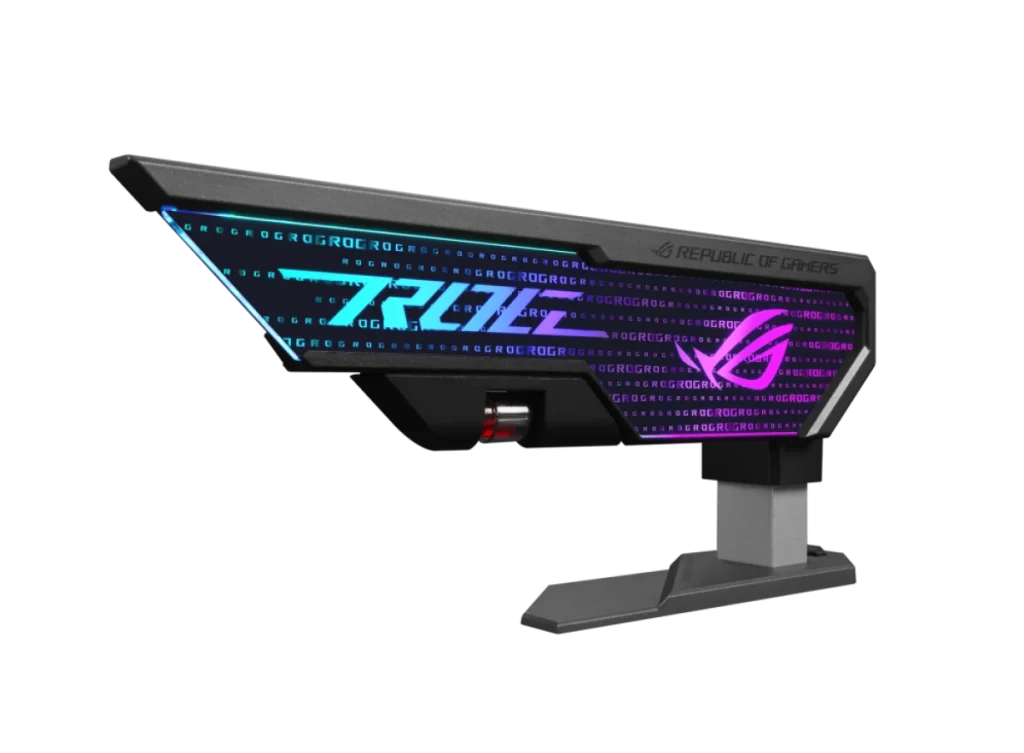
ASUS Rog XH01 Herculx Graphics Card Holder with RGB Lighting
ASUS ROG Herculx XH01 supports a graphics card with a tool-free stand and a 72–128 mm height range. Fine adjustment, a release button and the included magnetic spirit level help with positioning. Its 3D ARGB element supports Aura Sync, with a 50 cm ARGB cable included. No PCIe slot required.
Regular price
13.000 KWD
or 4 payments of 3.250 KWD with
Pay with card & save


12.300 KWD
Save 0.700 KWD
Overview
ASUS ROG XH01 HERCULX GRAPHICS CARD HOLDER WITH RGB LIGHTING
ASUS ROG Herculx graphics card holder
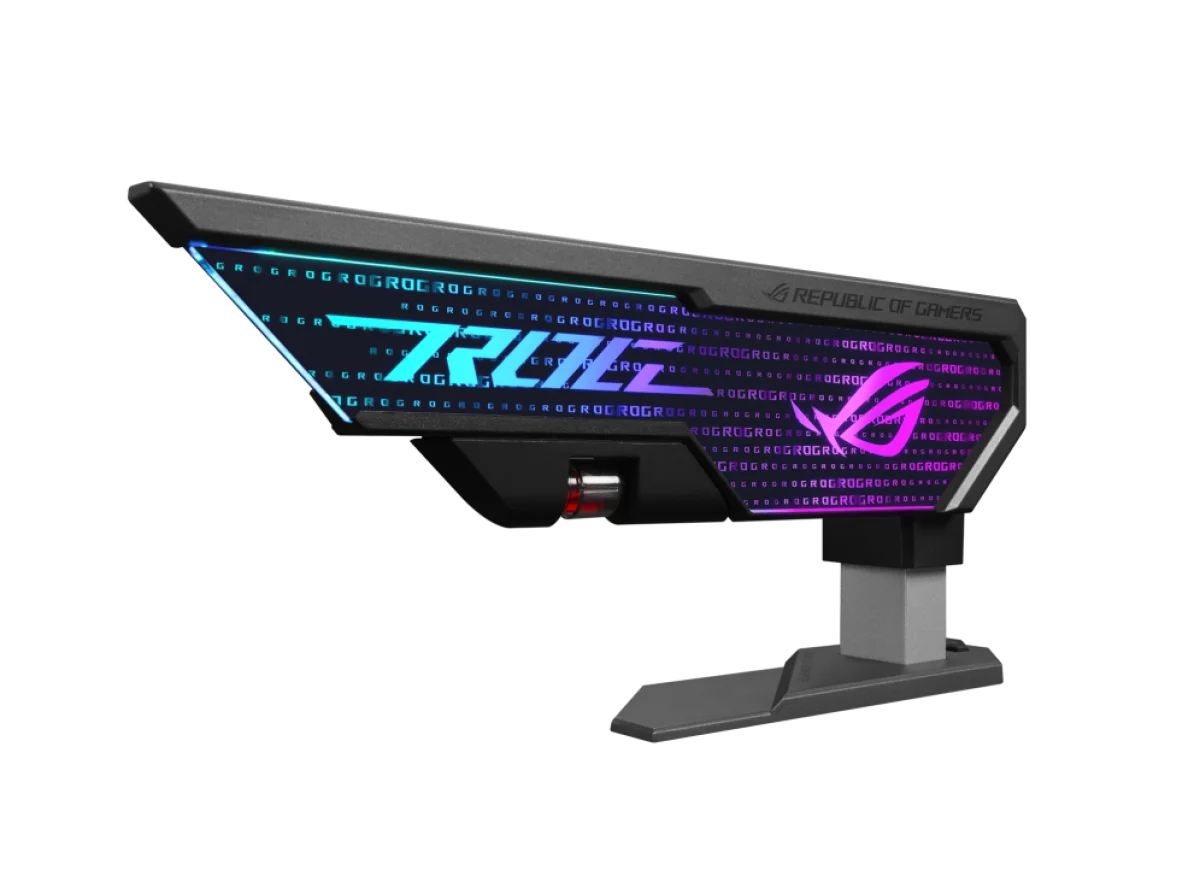
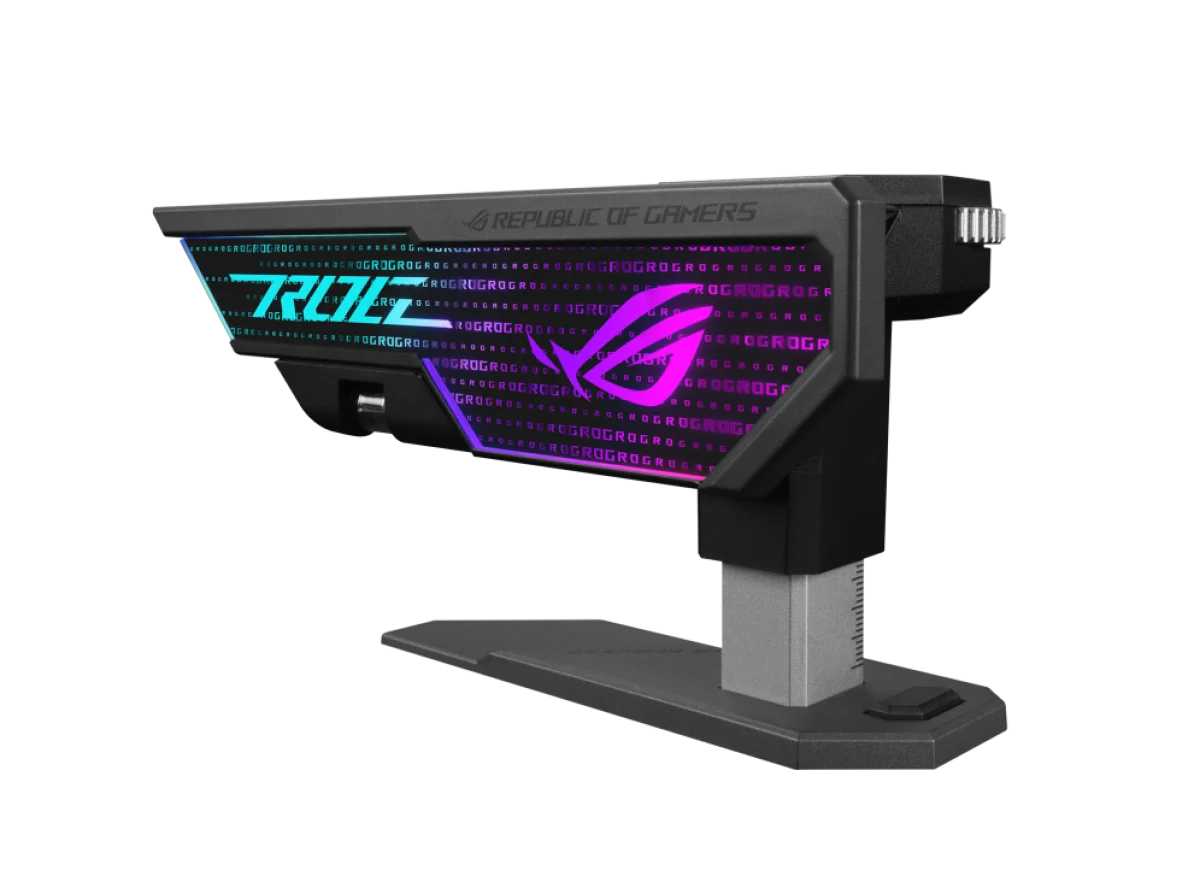
ASUS ROG Herculx graphics card holder: Support your graphics card with the ASUS ROG Herculx XH01. Its upright stand adjusts through a 72–128 mm support-height range, using a fine-adjustment wheel and release button for tool-free positioning. A magnetic spirit level helps align the card, while the 3D ARGB element connects the holder to an Aura Sync lighting setup. Available from AX Store in Kuwait.
72–128 mm
Support Height Range
Tool-Free
Fine Adjustment
Spirit Level
Magnetic Alignment Accessory
3-pin ARGB
Lighting Connection
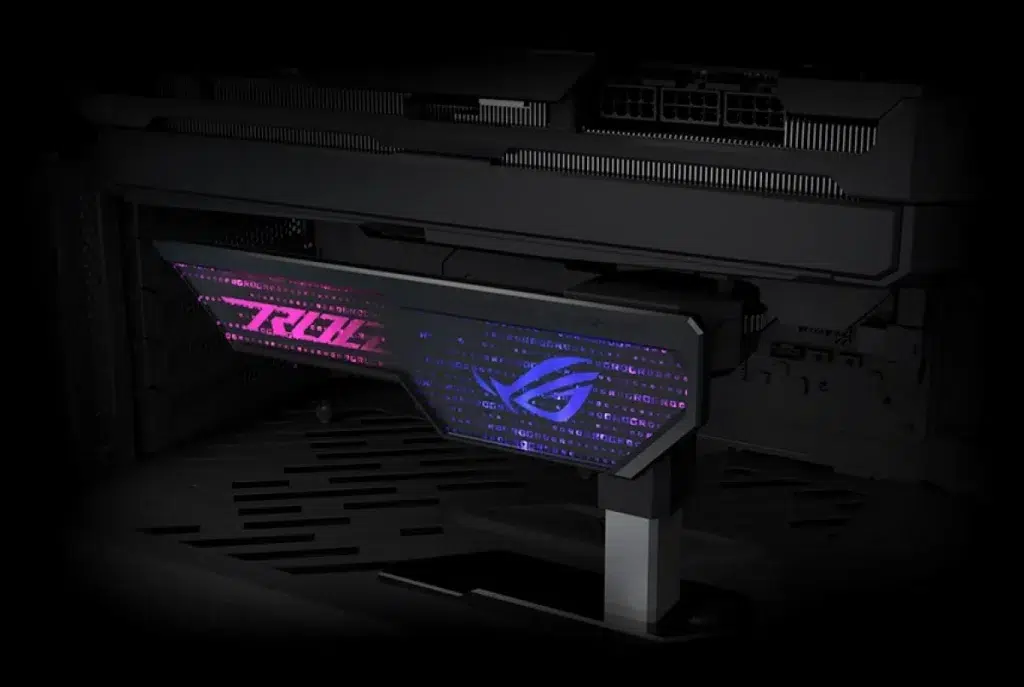
Support the card without taking a PCIe slot
The Herculx uses a stand design rather than a bracket that occupies an expansion slot. That makes it an option for a range of chassis layouts where there is a suitable support surface beneath the graphics card. Its purpose is mechanical support for the card; choose it around the space and mounting position available inside your build.
A 72–128 mm support-height range
The adjustable platform gives you a support range from 72 mm to 128 mm. Measure the intended support position in your case and compare it with that range before selecting the holder. ASUS also publishes overall dimensions of 208 × 71 × 46 mm, which help you account for the space needed around the stand itself.
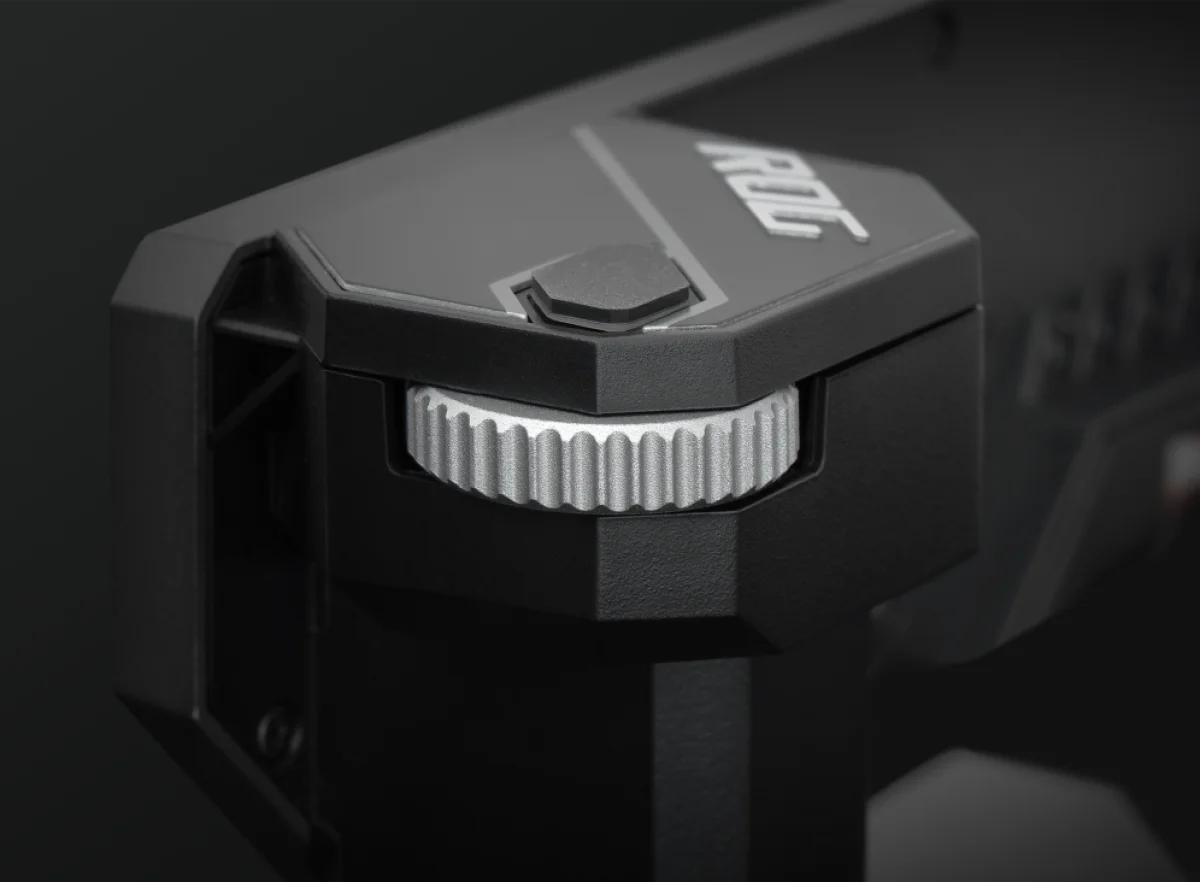
Make fine adjustments without tools
Lift the extending platform into position, then use the adjustment wheel to refine the support height. This lets you work through small changes while setting the contact position. When you need to remove or reposition the holder, the release button allows the platform to move again without reaching for a separate adjustment tool.
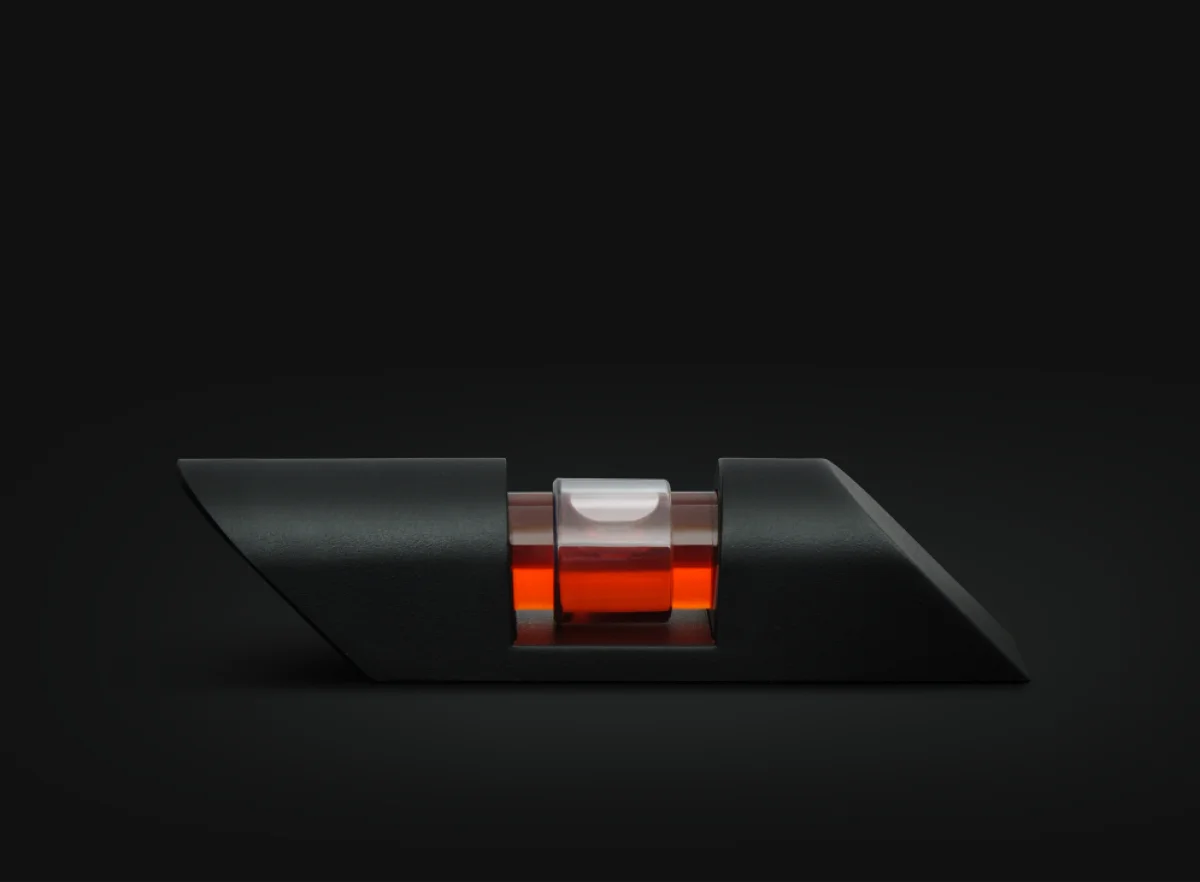
Use the included magnetic spirit level
The supplied spirit level gives you a reference while aligning the graphics card. Its magnetic design makes it part of the setup process rather than a tool you need to source separately. Combine the level with the fine-adjustment wheel to set the support position, while checking the graphics card and the case layout as you work.
Coordinate the ARGB accent with your build
An embedded 3D ARGB element adds lighting to the holder, with Aura Sync compatibility for a coordinated appearance alongside supported ASUS components. Lighting control uses a three-pin addressable RGB connection, and a 50 cm ARGB cable is included. Use the compatible addressable-RGB connection rather than treating every RGB connector as interchangeable.
Plan the fit around your hardware
ASUS lists support for NVIDIA GeForce RTX 40-series graphics cards and compatibility with a variety of chassis through the stand design. Fit still depends on the available height and position inside your own build. Use the published support range and dimensions to choose the location, and keep the holder clear of parts that need unobstructed movement or access.
Match the Accessory to the Actual System
Check the device connection, mounting or control requirements against your computer and applications. Use the exact model information when choosing another component or accessory. Compare related options such as Lian Li STRIMER L-Connect 3 Controller, keeping the exact model and configuration in the decision. For the wider setup, explore ASUS ROG Azoth 75% Wireless DIY Mechanical Gaming Keyboard, Black and check the connection, size or mounting requirements before pairing accessories. Browse the ASUS range at AX for more choices.
ASUS ROG Herculx graphics card holder Setup Choices
Check the device connection, mounting or control requirements against your computer and applications. Use the exact model information when choosing another component or accessory. Explore Wooting 60HE v2 60% Gaming Keyboard, Aluminium, Pulsar Pro Series Susanto-X Wireless Gaming Mouse Size 2, 50g, ARTISAN NINJA FX ZERO Gaming Mousepad – SOFT/XSOFT, XL/XXL.
Frequently Asked Questions
What support-height range is available?
72–128 mm.
Does it occupy an expansion slot?
Does not occupy a PCIe slot.
Which alignment accessory is included?
Included magnetic spirit level.
How is lighting controlled?
Three-pin addressable RGB; Aura Sync compatible.
Build Your Setup with AX Store
Explore computers, displays and accessories for your workspace at AX Store. For help choosing the right model or checking an accessory, contact AX Store.
THE DETAILS
Technical specifications
Product and fit
ASUS ROG Herculx XH01
90DA0020-B09000
Adjustable graphics-card support stand
72–128 mm
Does not occupy a PCIe slot
Supports NVIDIA GeForce RTX 40 series
208 × 71 × 46 mm
171 g
Adjustment and lighting
Tool-free extending platform and fine-adjustment wheel
Push-button platform release
Included magnetic spirit level
Embedded 3D ARGB element
Three-pin addressable RGB; Aura Sync compatible
50 cm
COMPLETE YOUR SETUP
Pairs well with



