BOYA
BOYA XLR Microphone Cable
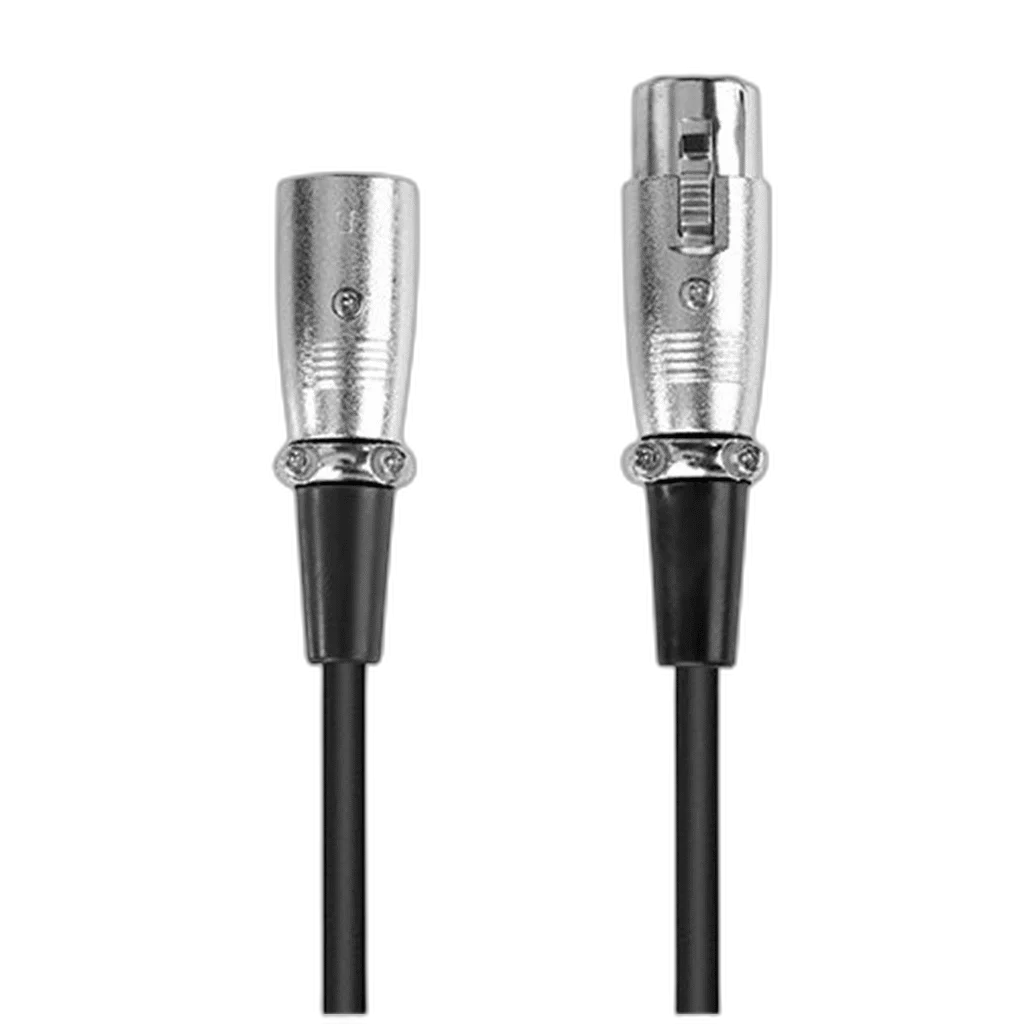
BOYA XLR Male to Female Microphone Cable provides the XLR male-to-female connection used between a suitable microphone and an XLR audio input. The existing length choices are 3 m, 5 m and 8 m; select the option needed for the actual route.
Size
Regular price
5.000 KWD
or 4 payments of 1.250 KWD with
Pay with card & save


4.950 KWD
Save 0.050 KWD
Overview
BOYA XLR MALE TO FEMALE MICROPHONE CABLE
BOYA XLR Male to Female Microphone Cable
BOYA XLR Male to Female Microphone Cable provides the XLR male-to-female connection used between a suitable microphone and an XLR audio input. The existing length choices are 3 m, 5 m and 8 m; select the option needed for the actual route. Explore this model at AX Store in Kuwait.
XLR
Audio connector
Male / female
End arrangement
3 / 5 / 8 m
Length listing
Microphone
Signal role
XLR Male and Female Ends
Match the female cable end to a suitable microphone’s male XLR output and the male cable end to the receiving XLR input. Check the actual socket arrangement before connecting. This lead provides the physical audio connection between the equipment; it does not turn an XLR microphone into a USB device.
A Microphone Signal Connection
The cable is intended for a compatible XLR microphone and an audio interface, preamp, mixer or recorder with the appropriate input. Select the microphone input and follow the connected equipment’s instructions for gain. The receiving device supplies the microphone preamplification and any supported processing required by the recording setup.
Choose the Cable Route
The existing length choices are 3 m, 5 m and 8 m; select the option needed for the actual route. Measure the complete path around the microphone arm, desk and audio interface rather than only the distance between them. Leave slack at the microphone and input sockets so movement does not pull on a connector or place tension on the microphone mount.
Microphone Power Comes from the Equipment
A microphone cable does not create phantom power or change a microphone’s power requirements. Check the microphone’s instructions and the audio input’s supported functions before enabling power. A dynamic microphone and a condenser microphone can have different requirements even when both use a similar XLR connector arrangement.
Use the Connector Release Correctly
Seat the XLR connectors securely and use their release mechanism when disconnecting, where fitted. Hold the connector housing rather than pulling on the cable. Keep the lead clear of chair wheels and sharp edges, and leave enough access at the interface or mixer to remove the plug without twisting the socket.
Model
BOYA XLR Male to Female Microphone Cable
Connector arrangement
XLR male to XLR female
Signal role
Microphone audio connection
Check the Recording Path
Once connected, select the intended microphone channel and confirm that the input meter responds. Start with an appropriate gain setting, monitor the recording and avoid clipping the preamp. A USB audio interface still needs its separate computer connection; the XLR cable carries the microphone signal into that interface.
Match Both Ends of the Signal Route
Choose the connectors, signal type and cable length for the equipment at both ends. A passive lead does not add an audio interface, power supply or a different signal protocol; confirm the input function before ordering. Compare related options such as Klotz GRG1FP03.0 Microphone Cable, XLR to Jack, 3M or RØDE XLR3M Premium XLR Cable, 3M Length, keeping the exact model and configuration in the decision. For the wider setup, explore RODE Wireless ME Compact Wireless Microphone System and check the connection, size or mounting requirements before pairing accessories.
BOYA XLR Male to Female Microphone Cable Setup Choices
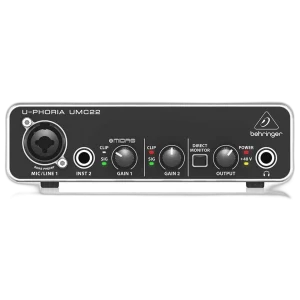
Choose the connectors, signal type and cable length for the equipment at both ends. A passive lead does not add an audio interface, power supply or a different signal protocol; confirm the input function before ordering. Explore Behringer U-PHORIA UMC22 USB Audio Interface.
Frequently Asked Questions
Does this connect directly to USB?
No. Use a suitable audio interface if the computer has no matching microphone input.
Which ends are provided?
XLR male and XLR female.
Does it generate phantom power?
No. Power is provided by suitable connected equipment when required.
How is the length chosen?
The existing length choices are 3 m, 5 m and 8 m; select the option needed for the actual route.
Does a USB interface still need its host cable?
Yes. The XLR cable is the microphone-to-interface audio path.
Build Your Setup with AX Store
Explore computers, displays and accessories for your workspace at AX Store. For help choosing the right model or checking an accessory, contact AX Store.
Compare CORDIAL EM FM XLR Microphone Cable - 3M. Match the exact model, connection and configuration to your setup.
THE DETAILS
Technical specifications
Product Specifications
BOYA XLR Male to Female Microphone Cable
XLR male to XLR female
Microphone audio connection
Compatible audio interface, mixer, preamp or recorder
Matching XLR microphone output and receiving input
Requires separate suitable audio interface
Determined by microphone and connected equipment
3 m; 5 m; 8 m
COMPLETE YOUR SETUP
Pairs well with