Products
Gaming PC
Contact
0
Pro Audio Gear
Gaming Gear
Streaming Gear
PC Components
Computers system
Apple Products
Smart Home
Headphones
AMPs, DACs & Preamps
Microphones
Microphones stands
Accessories
Recorder Devices
Discounted Bundles
Audio Interfaces & Mixers
Stands & Mounts
Cables & Adapters
Acoustic Treatment
Pro Audio Gear
Professional audio gear for creators, streamers, and podcasters. Clean sound, precise control, reliable performance.
Upgrade Your Sound
Network
Monitors
Stands & Mounts
Mice
Mice Accessories
Gaming Chairs & Desks
USB Storage & Memory
Keyboards
Keyboards Accessories
Mousepads
Headsets
Speakers
USB Microphones
Controllers & Gamepad
Cables & Adapters
Accessories
Unleash your gaming prowess
with our exceptional gaming mouse, engineered for precision and performance.
Discover Now!
Webcames & Camera
Stream Deck & Macro Device
Lighting
Capture Devices
Accessories
Green Screen
Stands & Mounts
Streaming Gear
Essential streaming gear for live broadcasts, content creation, and professional setups. Reliable performance for every stream.
Explore Streaming Gear
Memory
Processors
Graphics Card
Lighting
Case Fans
Cace Accessories
CPU Cooler
PC Cases
Case Accessories
Storage Devices
Motherboards
Power Supplies
Accessories & Controllers
Gaming PC
Laptops
Unleash the power of gaming
with our impressive selection of pre-built gaming PCs and gaming laptops. Discover the ultimate gaming machines designed to deliver unparalleled performance and immersive experiences.
Discover Gaming PC Now!
MacBook Pro
MacBook Air
Mac Studio
iMac & Display
Apple Accessories
Apple Products
Premium Apple devices delivering powerful performance, seamless integration, and refined design.
Explore Apple Products
Lighting
Smart Camera
Plugs & Outlets
Dimmers & Switches
Assistant Speakers
Controllers
Accessories
Default wishlist
0
My account
All products
Pro Audio Gear
Gaming Gear
Streaming Gear
PC Components
Computers system
Apple Products
Smart Home
Gaming PC
Contact
Pro Audio Gear
Headphones
AMPs, DACs & Preamps
Microphones
Microphones stands
Accessories
Recorder Devices
Discounted Bundles
Audio Interfaces & Mixers
Stands & Mounts
Cables & Adapters
Acoustic Treatment
Gaming Gear
Network
Monitors
Stands & Mounts
Mice
Mice Accessories
Gaming Chairs & Desks
USB Storage & Memory
Keyboards
Keyboards Accessories
Mousepads
Headsets
Speakers
USB Microphones
Controllers & Gamepad
Cables & Adapters
Accessories
Streaming Gear
Webcames & Camera
Stream Deck & Macro Device
Lighting
Capture Devices
Accessories
Green Screen
Stands & Mounts
PC Components
Memory
Processors
Graphics Card
Lighting
Case Fans
Cace Accessories
CPU Cooler
PC Cases
Case Accessories
Storage Devices
Motherboards
Power Supplies
Accessories & Controllers
Computers system
Gaming PC
Laptops
Apple Products
MacBook Pro
MacBook Air
Mac Studio
iMac & Display
Apple Accessories
Smart Home
Lighting
Smart Camera
Plugs & Outlets
Dimmers & Switches
Assistant Speakers
Controllers
Accessories
Login
Signup
E-mail*
PASSWORD*
Forgot password?
FIRST NAME*
LAST NAME*
E-MAIL*
PASSWORD*
CONFIRM PASSWORD*
You have items (0)
No items
Home Products Gaming Gear Cables & Adapters Elgato Chat Link Pro Audio Adapter Cable – 2.5m / Ground Loop Isolator
Elgato Chat Link Pro - AX Store Kuwait
In stock

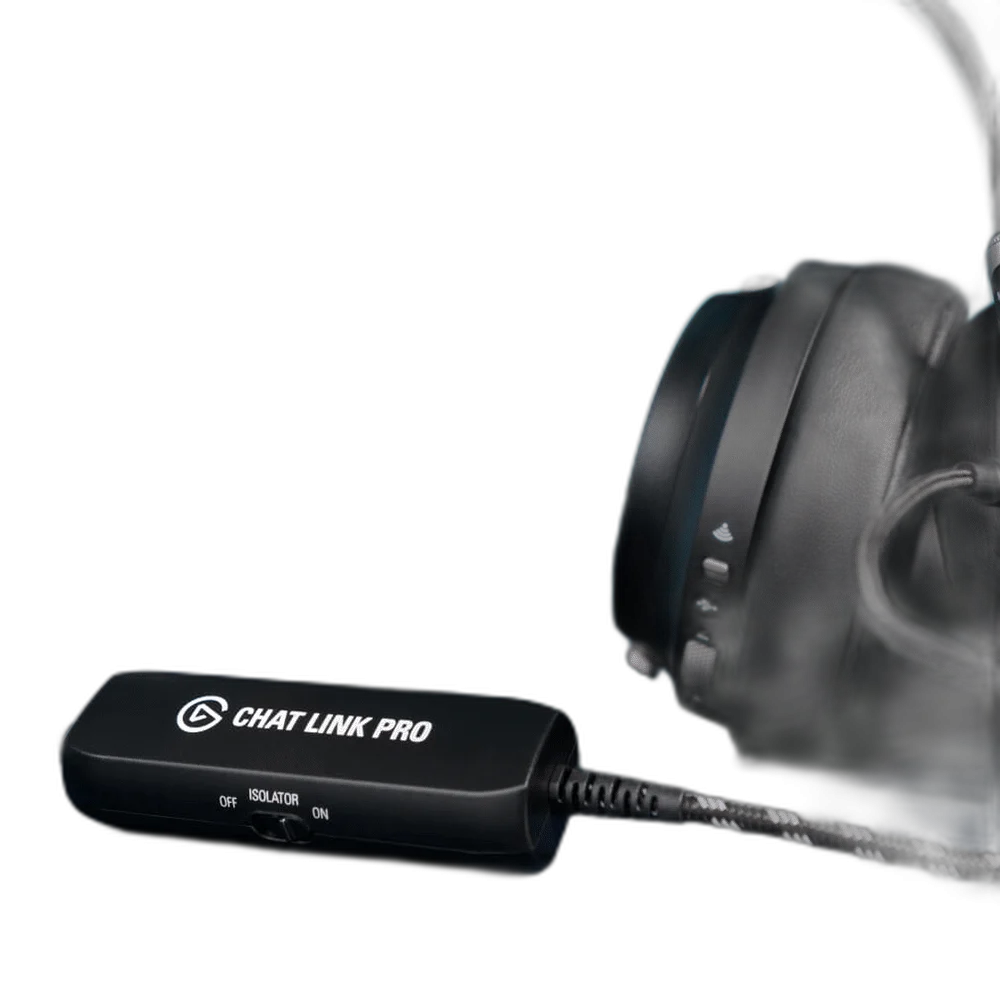
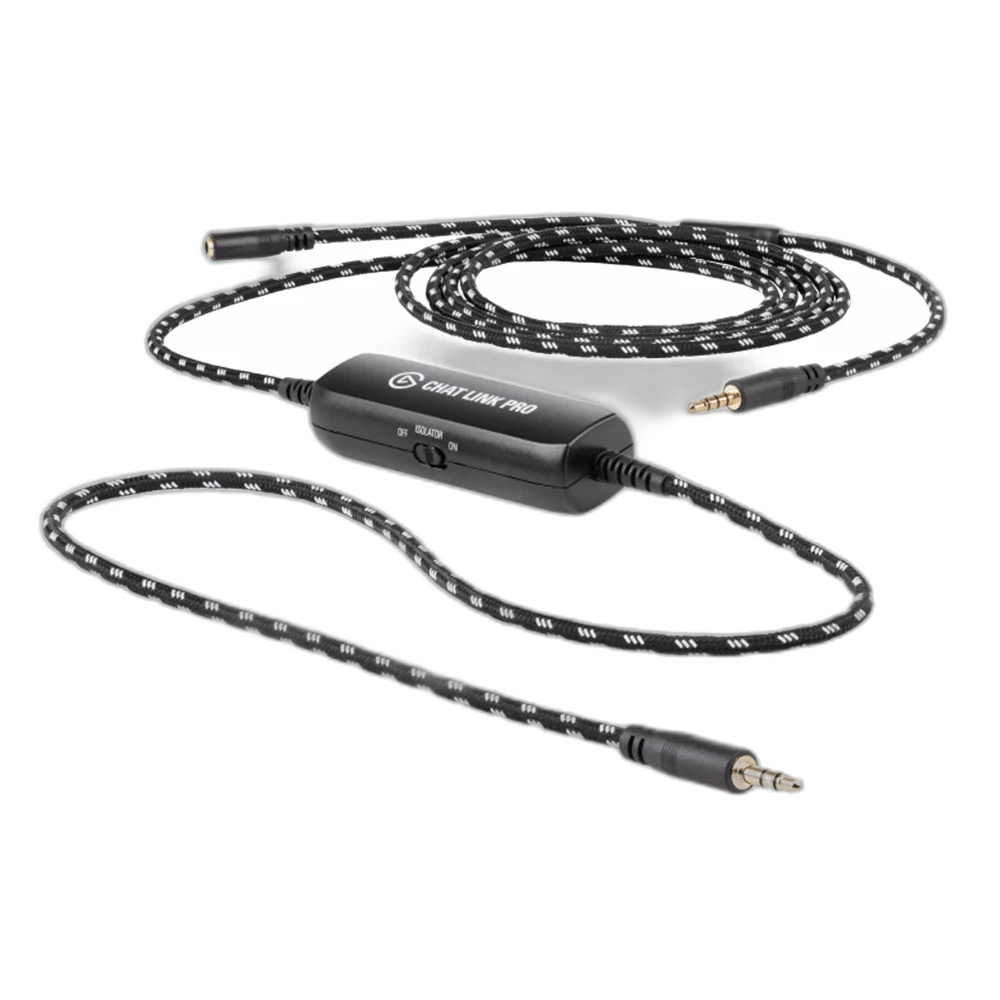
Elgato Chat Link Pro Audio Adapter Cable – 2.5m / Ground Loop Isolator

Elgato
Cables & Adapters

Elgato Chat Link Pro Audio Adapter Cable

  • Routes console game and incoming chat audio to both your headset and recording input in analog stereo.
  • Works with PS5 and PS4 controller audio, plus Nintendo Switch and Switch 2 through the console 3.5 mm jack.
  • Connects wired analog headsets with a single 3.5 mm TRRS headphone-and-microphone plug.
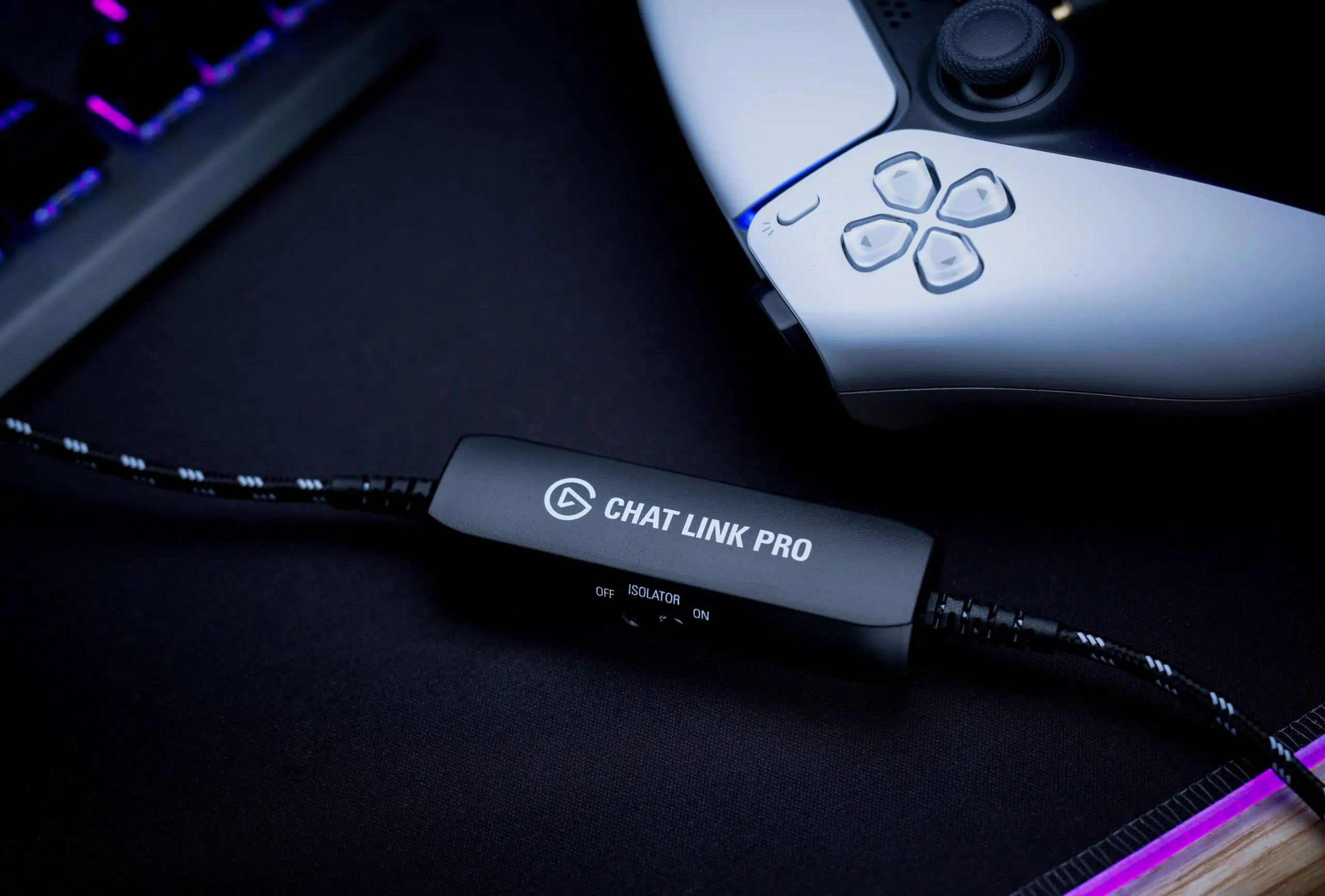
  • Switchable ground loop isolator helps remove hum or buzzing caused by controller charging.
  • 2.5 m black cable with a high-tensile braided jacket for protection and flexible setup placement.
  • Gold-plated 3.5 mm connectors for the controller or console, headset and recording input.
  • Headset microphone audio goes to the console, not directly to the capture output; use a separate computer microphone for your commentary.
  • Requires a compatible capture device analog audio input or a computer Line-In port. Headset, microphone and capture hardware are sold separately.
Show more

In stock

7.500 د.ك
Save 7% with direct online payment
KNET Visa Mastercard
7.000 د.ك Save 0.500 د.ك (7%)
Use KNET / Visa / Mastercard at checkout
Already In Wishlist Add to Wishlist Add to WishlistRemove from Wishlist
Add to Wishlist
Overview
Elgato Chat Link Pro with switchable line isolator and gold-plated 3.5 mm connectors

Elgato Chat Link Pro: Bring Console Audio into Your Capture Setup

Keep game sound and incoming party chat in your recordings while listening through a wired headset. Elgato Chat Link Pro splits the console headphone output between your headset and a compatible recording input, with a built-in isolator to tackle ground loop noise.

Its 2.5 m braided cable connects to a PS5 or PS4 controller, or directly to the 3.5 mm audio jack on Nintendo Switch and Switch 2. Pair it with suitable capture hardware to complete the recording path.

Understand What Your Audience Hears

Elgato Chat Link Pro audio flow showing game and chat audio to the headset and capture device, and microphone audio to the console

Game and Incoming Chat

Audio from the console reaches both your headset and the capture or Line-In connection, so the recording can include the game and other players heard through that output.

Your Own Commentary

Your headset microphone stays connected to the console. It is not directly split to the capture output. Add a separate USB microphone to your computer to record your voice.

Three Connections, One Audio Route

Connecting the Elgato Chat Link Pro 4-pole plug to a PS5 controller

1. Connect the Console

Plug the 4-pole male TRRS connector into your PS5 or PS4 controller. On Nintendo Switch or Switch 2, use the console audio jack.

Connecting a wired headset to the Elgato Chat Link Pro female 3.5 mm socket

2. Connect the Headset

Insert your headset plug into the female 3.5 mm socket. A single TRRS plug carries the headphone and microphone connections.

Connecting Elgato Chat Link Pro to the analog audio input of an Elgato capture device

3. Connect the Recording Input

Connect the 3-pole male TRS plug to a compatible capture device analog input or computer Line-In port. The isolator sits on this cable branch.

Controller, headset and capture device shown for connection guidance; sold separately.

Ground Loop Isolation and a Braided Cable

Complete black Elgato Chat Link Pro braided cable with three 3.5 mm connections

Reduce Charging Hum

Charging a controller can introduce a ground loop that causes hum or buzzing in the recording. Switch on the built-in line isolation transformer when this noise appears.

Reach Your Recording Gear

The 2.5 m cable gives you room between the controller, headset and recording input. A high-tensile braided jacket protects the cable, while gold-plated connectors complete the three analog connections.

Match Your Headset and Capture Input

Elgato Chat Link Pro connected to a PS5 controller and wired gaming headset on a desk

Choose a compatible wired gaming headset with a single 3.5 mm TRRS plug. Headsets with separate headphone and microphone plugs need a PC-to-4-pole adapter. USB-only or wireless-only connections cannot plug directly into Chat Link Pro.

Elgato HD60 S+, HD60 X, 4K X and 4K S accept the cable through their analog input. Game Capture Neo and Elgato PCIe capture cards require the computer Line-In route. Chat must reach the console audio jack to be included; audio playing only on a separate phone is outside this connection.

Select the Analog Audio Source

In supported Elgato device software, select Analog Audio. For the computer route, add the Line-In input in your recording software. Use stereo console audio where applicable.

Connect to Line-In, not the computer microphone port. Chat Link Pro carries analog stereo audio; video capture uses separate hardware and a separate video connection.

Elgato Studio audio input menu with the Analog audio option for Chat Link Pro

What's in the Box

  • 1 × Elgato Chat Link Pro cable

Complete Your Setup

Capture Cards

Choose a model with analog audio input, or plan a computer Line-In route.

Browse Capture Cards

Gaming Headsets

Look for a wired 3.5 mm TRRS connection.

Browse Gaming Headsets

USB Microphones

Record your own commentary directly on the computer.

Browse USB Microphones

Frequently Asked Questions

Does Elgato Chat Link Pro record my headset microphone?

It does not directly send the headset microphone to the capture output. The microphone signal goes to the console, while game and incoming chat audio go to the headset and recording input. Use a separate microphone connected to your computer to record your own commentary.

Does it work with PS5, PS4, Nintendo Switch and Switch 2?

Yes. Connect it to the 3.5 mm jack on a PS5 or PS4 controller, or the console jack on Nintendo Switch or Switch 2. Chat must be available through that audio output; chat playing only on a separate phone is not captured.

Which headsets can I connect?

Use an analog stereo headset with a single 3.5 mm TRRS plug for headphone and microphone signals. PC headsets with separate headphone and microphone plugs need a PC-to-4-pole adapter. USB-only and wireless-only headsets cannot connect directly.

Which capture devices can use Chat Link Pro?

It connects to the analog audio input on compatible capture devices, including Elgato HD60 S+, HD60 X, 4K X and 4K S. For Game Capture Neo or Elgato PCIe capture cards, connect the cable to a computer Line-In port instead.

How does the ground loop isolator help?

The switchable line isolator helps remove hum or buzzing caused by a ground loop, such as when a controller is charging. Turn it on if that noise appears. It does not remove every possible source of audio noise.

Can I connect it to the microphone port on my computer?

Use the computer Line-In port. A microphone input is designed for a different signal level and can cause recording issues. If your computer has no Line-In port, use a compatible capture device with an analog audio input.

Which audio setting should I select?

For supported Elgato capture devices, select Analog Audio in the device software. When using the computer Line-In port, add that input as an audio source in your recording software. Set the console audio to stereo where applicable.

Does Chat Link Pro capture video or surround sound?

No. It carries analog stereo audio and does not capture video or support surround sound. Video capture requires separate capture hardware and its own video connection.

Why Buy from AX Store Kuwait?

Build your gaming and streaming setup with AX Store Kuwait. Available payment methods include KNET, Credit Card, Deema and Taly.

Review the AX Store Return Policy for the applicable terms.

Technical Specifications

Brand Elgato
Model Chat Link Pro
Manufacturer Part Number 10GBC9901
Product Type Analog audio adapter cable for console capture setups
Color Black
Cable Length 2.5 m / 250 cm / 98 in, end to end
Controller / Console Connector 3.5 mm male TRRS, 4-pole
Headset Connector 3.5 mm female TRRS, 4-pole
Capture / Line-In Connector 3.5 mm male TRS, 3-pole
Audio Format Analog stereo; surround sound is not supported
Headset Microphone Routing Passes to the console; not directly routed to the capture output
Recording Your Own Voice Separate microphone connected to the recording computer
Line Isolator Built-in, switchable line isolation transformer for ground loop noise
Cable Jacket High-tensile braided jacket
Connector Plating Gold-plated connectors
Compatible Consoles PlayStation 5; PlayStation 4; Nintendo Switch; Nintendo Switch 2
Console Connection PS5 / PS4 controller 3.5 mm jack; Nintendo Switch / Switch 2 console 3.5 mm jack
Headset Compatibility Analog stereo headsets; single 4-pole 3.5 mm TRRS connection for headsets with a microphone
Dual-Plug PC Headsets Require a separate PC-to-4-pole headset adapter
Recording Input Compatible capture device 3.5 mm analog audio input or computer Line-In port
Direct Elgato Capture Connections HD60 S+; HD60 X; 4K X; 4K S, using their analog audio input
Game Capture Neo / PCIe Setup Use a computer Line-In port; these capture devices have no analog audio input
Audio Input Selection Analog Audio for a compatible Elgato capture device; Line-In when recording through the computer input
Included Item 1 × Elgato Chat Link Pro cable
Show More

Recommended products

Already In Wishlist Add to Wishlist Add to WishlistRemove from Wishlist
Add to Wishlist
Stagg High Quality XLR to XLR Plug Microphone Cable - 3m - AX Store Kuwait Cables & Adapters Stagg XLR Microphone Cable – Male-to-Female Audio Lead
9.900 د.ك
Already In Wishlist Add to Wishlist Add to WishlistRemove from Wishlist
Add to Wishlist
BESIGN Ground Loop Noise Isolator with 3.5mm Audio Cable - AX Store Kuwait Cables & Adapters BESIGN GLNI01 3.5mm Ground Loop Noise Isolator
9.900 د.ك
Already In Wishlist Add to Wishlist Add to WishlistRemove from Wishlist
Add to Wishlist
Monoprice Onyx Series Auxiliary 3.5mm TRS AUX Cable, 1.8m - AX Store Kuwait Cables & Adapters Monoprice Onyx 18630 – 1.8m 3.5mm Stereo AUX Cable
6.900 د.ك

Shure SM7B

Empower Your Sound with the Legendary Shure SM7B Microphone

Shure SM7B Cardioid Dynamic Microphone

DT 990 Pro

Where Audio Fidelity Meets Unparalleled Comfort

beyerdynamic DT 990 PRO 250 Ohm open Studio Headphone

Join the best gaming community!

Join our Discord server for a community of like-minded individuals, where you can stay up to date with all the offers, new arrivals and much more.

Join the discord server

Our benefits

Secure Payments

K-NET & Credit cards

Fast shipping

Delivery in next day

Live support

Get in touch with us

Easy returns

14 days after purchase (Check Return Policy)

Subscribe to our newsletter

Subscribe to be the first to hear about our exclusive deals, special offers and upcoming products and collections.

    By submitting you agree to the Terms and Conditions of our store.

    Terms of Service Return Policy Privacy Policy
    Contact Live Chat
    +96522204965 [email protected]

    Based in Kuwait

    © Copyright AX STORE. All rights reserved.