Elgato
Elgato Solid Arm for Master Mount - Durable Mounting Solution
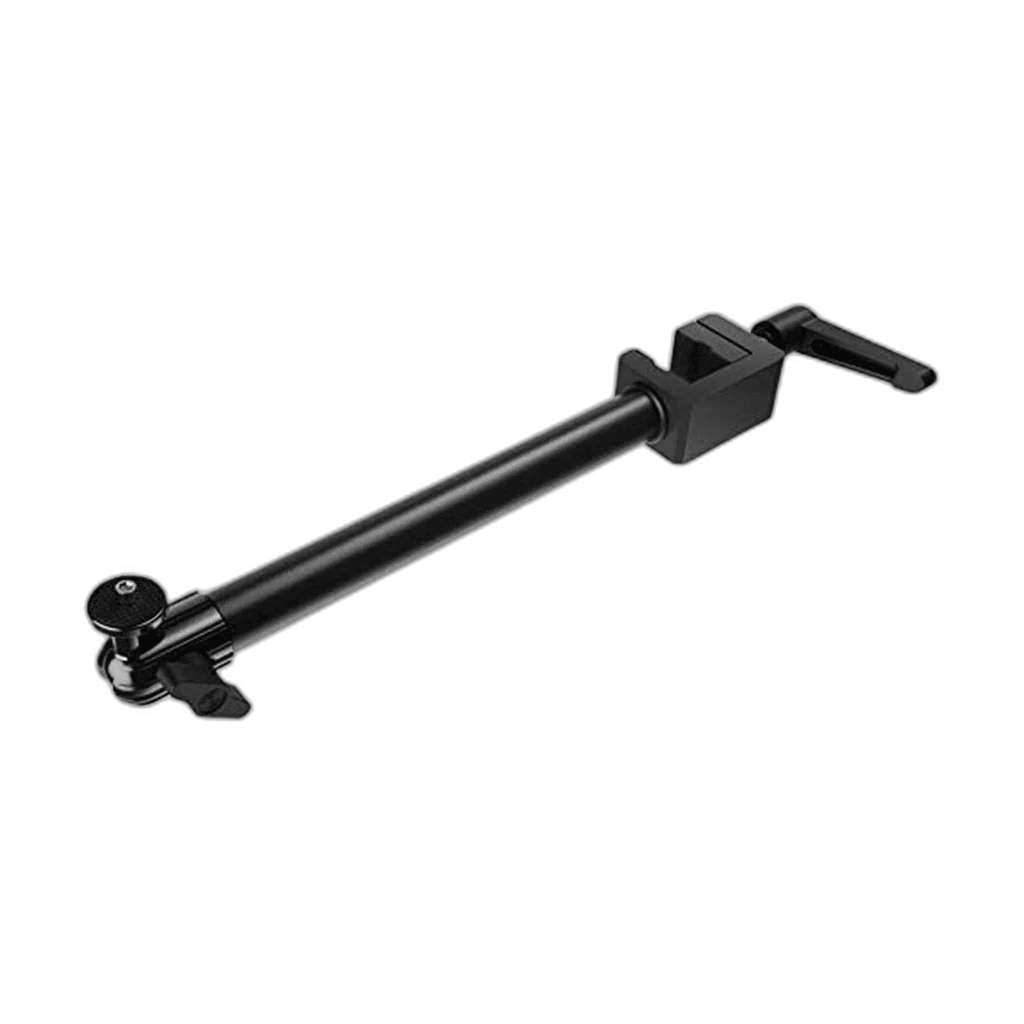
Elgato Solid Arm. Solid Arm expands an Elgato Master Mount setup with a horizontal arm for a camera, light or other compatible device. Its ball head lets you aim the attached gear while keeping the desk clear.
Regular price
12.000 KWD
or 4 payments of 3.000 KWD with
Pay with card & save


11.250 KWD
Save 0.750 KWD
Overview
ELGATO SOLID ARM
Add another mounting point to your rig
Solid Arm expands an Elgato Master Mount setup with a horizontal arm for a camera, light or other compatible device. Its ball head lets you aim the attached gear while keeping the desk clear.
26 cm
Approximate arm length
2 kg
Maximum payload
1/4-inch
Equipment screw
2.5 cm
Maximum clamp opening
A separate position for your gear
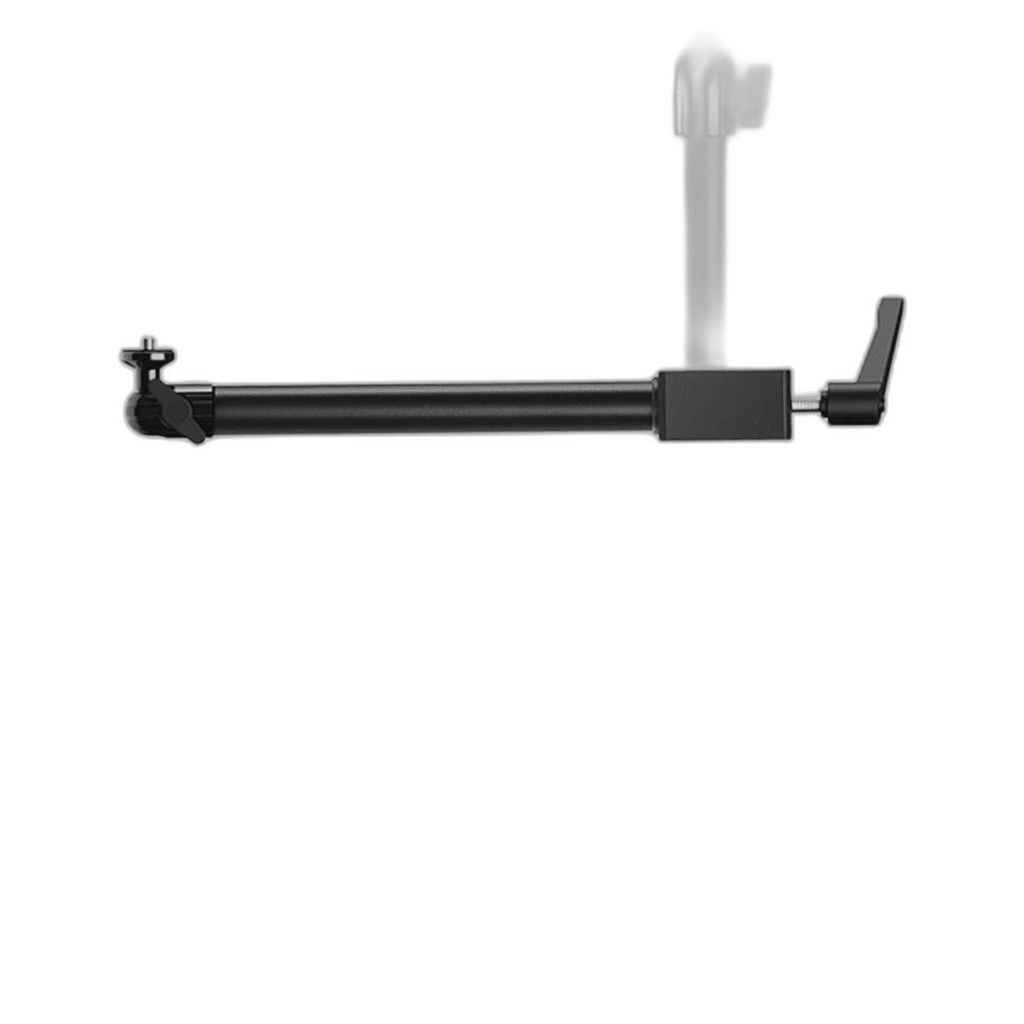
The approximately 26 cm steel arm places an additional device beside your main mount. A quarter-inch screw connects compatible cameras and accessories. Check the intended equipment position and connections before the session, keeping the controls and cable route accessible from the normal working position.
Clamp, adjust and position
The padded clamp opens up to 2.5 cm. Use the adjustable ball head to frame your shot, keeping the attached load within the 2 kg rating. Master Mount is sold separately.
Build on the Correct Supporting Mount
This is an accessory for an Elgato Multi Mount arrangement, rather than a complete freestanding support. Use the specified compatible foundation and check the equipment connection before loading the assembly. Cameras, lights and the supporting Master Mount shown in demonstrations are separate purchases.
Calculate the Whole Attached Load
Count the camera, lens and attached accessory together when checking the permitted equipment load. Solid Arm has its own stated capacity; do not copy that rating to a different Flex Arm arrangement. The complete foundation and extension configuration also matters when positioning the equipment.
Check the Shot as You Adjust
Move the connected sections or ball head around the framing the production actually needs, then secure the joints before recording. Keep cable slack through the movement and clear of the desk edge. Camera angle and support reach should be checked together at the intended working position.
Choose an Extension for the Actual Task
Solid Arm creates an additional horizontal equipment position with a ball head. Choose around the space, working distance and foundation already used at the desk. A different accessory can offer a different mounting arrangement without being a direct replacement for the same connection or required reach.
Complete Your Workspace
Choose a microphone for the recording path and suitable monitoring headphones. Stream Decks and mounting accessories add optional control and positioning. The recommendations are alternative setup choices; check the exact generation, connection and supporting mount.
Frequently Asked Questions
Is Master Mount included?
The supporting Master Mount or compatible foundation is sold separately. This listing supplies the specified extension accessory.
What equipment connection should I check?
Check the camera or accessory mounting connection, the supporting Multi Mount arrangement and the complete attached weight before fitting equipment.
Is the load rating interchangeable between accessories?
No. Use the rating for the exact arm and assembled configuration. Solid Arm’s 2 kg specification should not be copied to Flex Arm or another support.
Are cameras and lights included?
Equipment shown mounted in use photographs is separate unless expressly listed in this product’s package.
How do the recommended mounting products work together?
They are optional pieces or alternative arrangements. Confirm the foundation and connections rather than assuming every suggested accessory is required at once.
How should cables be routed?
Allow slack around moving joints and keep plugs free of tension. Recheck the framing and support after fitting the actual equipment and cables.
Build Your Setup with AX Store Kuwait
Explore computers, displays and accessories for your workspace at AX Store Kuwait. For help choosing the right model or checking an accessory, contact AX Store.
THE DETAILS
Technical specifications
Product specifications
Elgato
Solid Arm
Approximately 26 cm
2 kg
1/4-inch screw
Up to 2.5 cm
Steel and hard composite
Elgato Multi Mount system
Solid Arm and ball head with 1/4-inch screw
Master Mount sold separately
COMPLETE YOUR SETUP
Pairs well with