Elgato
Elgato Heavy Clamp - Secure Mounting Solution
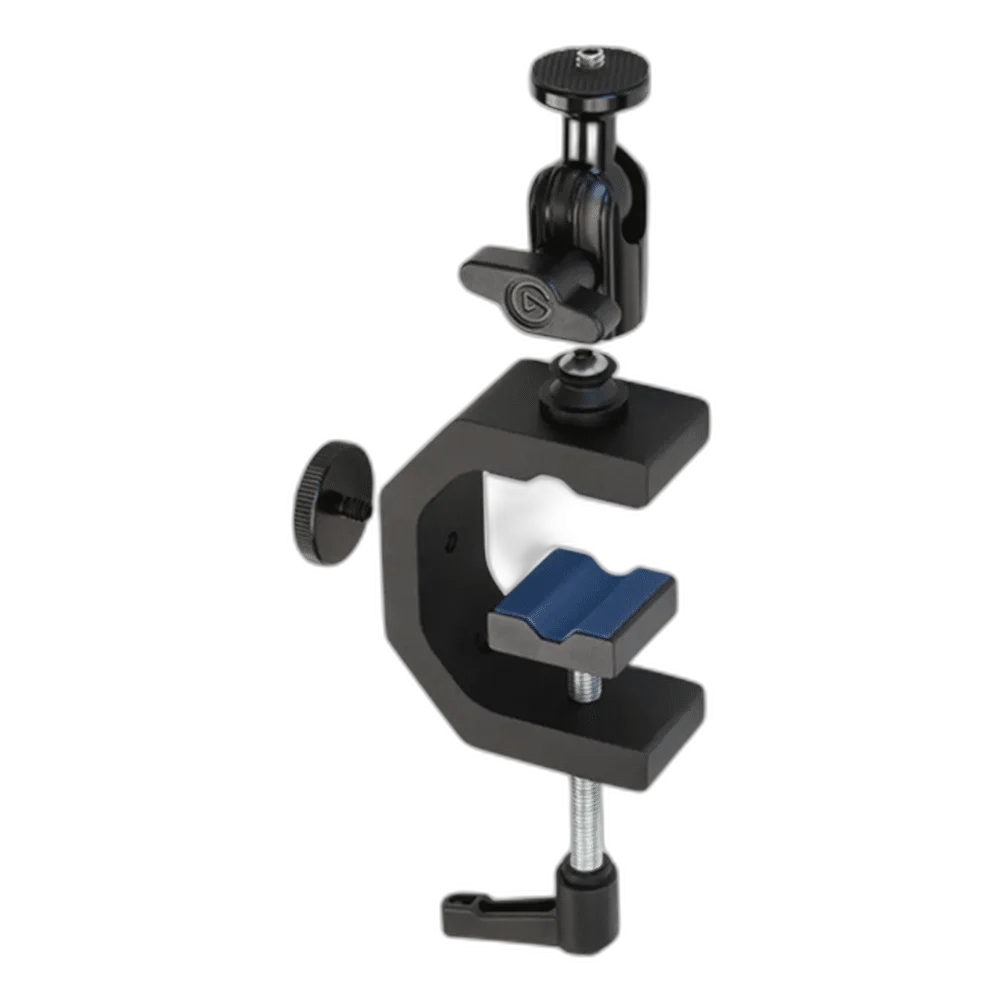
Elgato Heavy Clamp. Heavy Clamp turns a suitable desk, shelf or pole into a position for your streaming gear. Its adjustable jaw, ball head and threaded mounting points support flexible camera and lighting arrangements.
Regular price
17.000 KWD
or 4 payments of 4.250 KWD with
Pay with card & save


16.000 KWD
Save 1.000 KWD
Overview
ELGATO HEAVY CLAMP
Create a mounting point where you need it
Heavy Clamp turns a suitable desk, shelf or pole into a position for your streaming gear. Its adjustable jaw, ball head and threaded mounting points support flexible camera and lighting arrangements.
0–53 mm
Clamp opening range
1.5 kg
Ball-head maximum load
1/4-inch
Equipment screw
4 threads
Additional mounting points
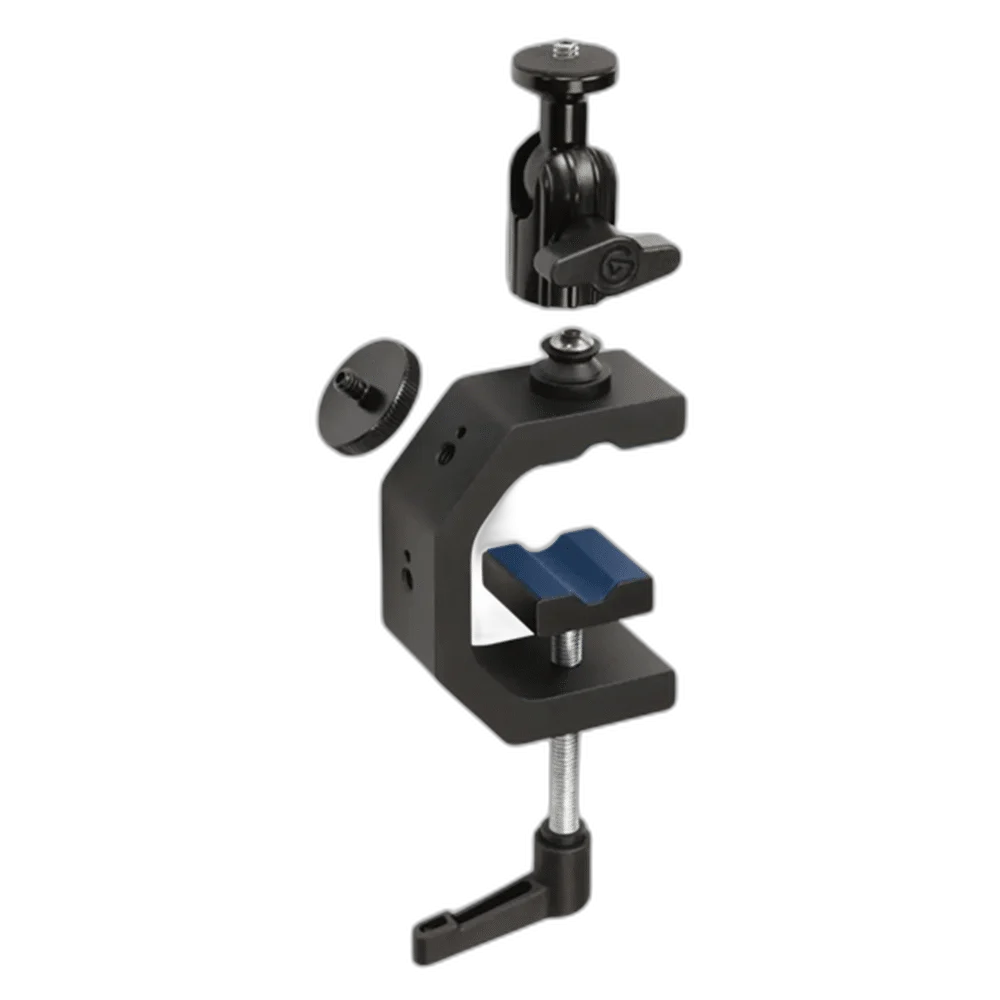
Grip flat or round surfaces
The jaw opens from 0 to 53 mm, with protective rubber and a tube groove to help grip suitable surfaces. The aluminum frame and steel screw form a compact mounting base.
Aim your camera or light
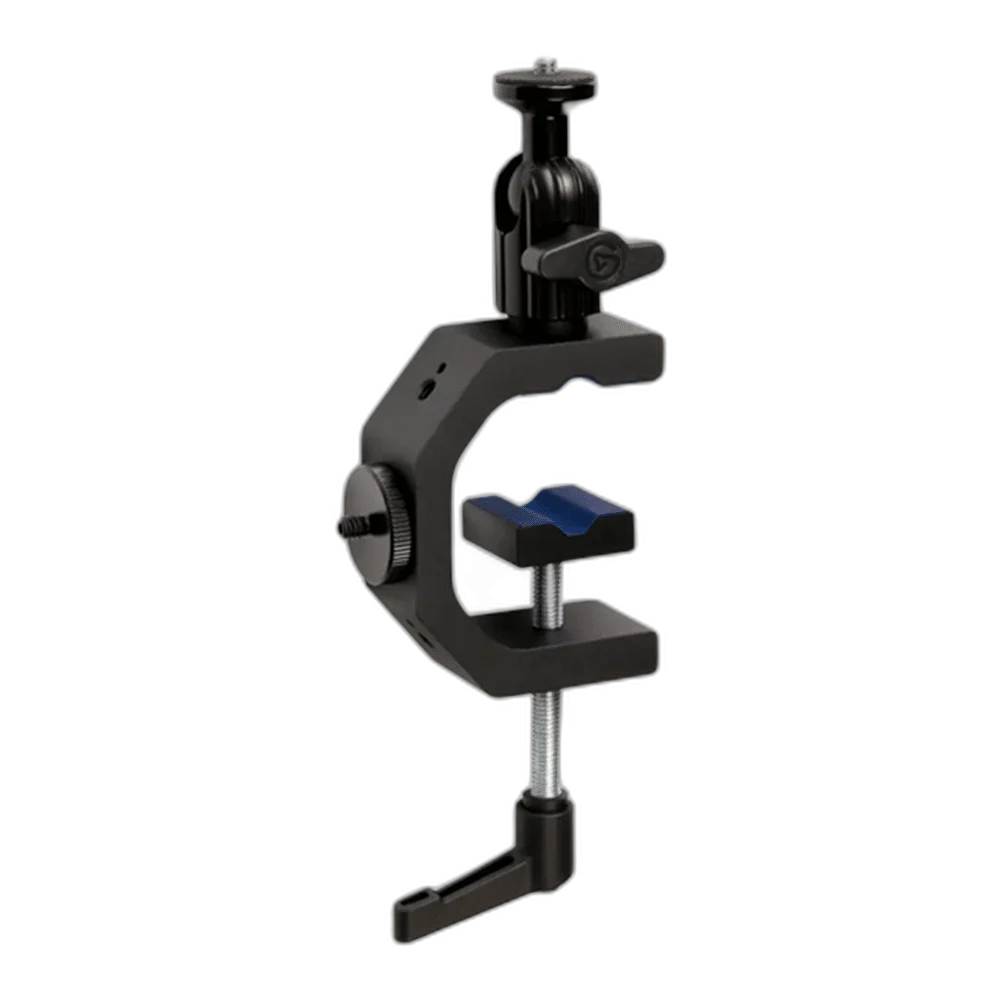
The ball head carries a quarter-inch screw and supports up to 1.5 kg. Four additional quarter-inch threads give you more ways to integrate the clamp into a setup.
Choose the Foundation for the Actual Equipment
Heavy Clamp grips a suitable surface and provides the listed ball-head and additional threaded connections. Match the camera, light or accessory connection to the support and keep the complete assembly within the appropriate load rating. Similar-looking mounting products can have different foundations, threads and placement requirements.
Calculate the Complete Mounted Assembly
Count the camera, lens, adapter and any attached light or other accessory when checking the support’s load. A mounting adapter’s own capacity does not increase the rating of the foundation beneath it. Use the limiting rating of the actual assembled arrangement and keep its cable route clear.
Aim the Equipment Before Recording
Adjust the available joints or ball head around the framing and direction the production needs, then secure the actual position. Check the view through the camera or the light direction after attaching the cables. Equipment shown in demonstration photographs is separate unless expressly included in this package.
Keep the Connection Mechanical
A mounting accessory positions the device rather than carrying its audio, video or charging signal. Keep the camera’s data cable, microphone connection and light power arrangement with their own equipment. Route them with enough slack so a cable does not pull against the mount during a normal adjustment.
Check Mounting, Reach and Supported Load
Check the device weight, mounting thread and the complete mounting arrangement. Measure desk-edge clearance and reach before adding arms, clamps or extensions from another system. Compare related options such as Elgato Flex Arm for Elgato Master Mount - Adjustable Reach or Elgato Cold Shoe - Microphone Mounting Solution, keeping the exact model and configuration in the decision. For the wider setup, explore Logitech HD Pro Webcam C920 for Streaming and check the connection, size or mounting requirements before pairing accessories. Browse the Elgato range at AX for more choices.
Frequently Asked Questions
What is this product’s supporting arrangement?
Heavy Clamp grips a suitable surface and provides the listed ball-head and additional threaded connections.
What capacity applies?
Heavy Clamp’s ball head has a 1.5 kg maximum load; check the actual attached configuration.
Are cameras or lights included?
The listing supplies the mounting product and its stated accessories. Devices shown mounted in demonstrations are separate purchases.
Which connection should I check?
Match the actual device thread, shoe or holder arrangement with the mount. A connector match and a suitable complete support load are both required.
Does it carry a microphone or video signal?
No. It is mechanical positioning hardware. Keep the device’s own recording, data and power connections separate from the mounting connection.
How should cables be routed?
Leave enough slack around adjustment points and keep plugs free of tension. Check the final camera or light position with the actual cables attached.
Build Your Setup with AX Store Kuwait
Explore computers, displays and accessories for your workspace at AX Store Kuwait. For help choosing the right model or checking an accessory, contact AX Store.
THE DETAILS
Technical specifications
Product specifications
Elgato
Heavy Clamp
0–53 mm
1/4-inch screw
1.5 kg
4 × 1/4-inch threads
Aluminum, steel, hard composite and protective rubber
Rubber pads with tube grooves
Clamp base and screw, ball head and clamp, H4 hex key, 1/4-inch to 1/4-inch adapter, quick start guide
COMPLETE YOUR SETUP
Pairs well with