Elgato
Elgato XLR Dock for Stream Deck Plus - Audio Station
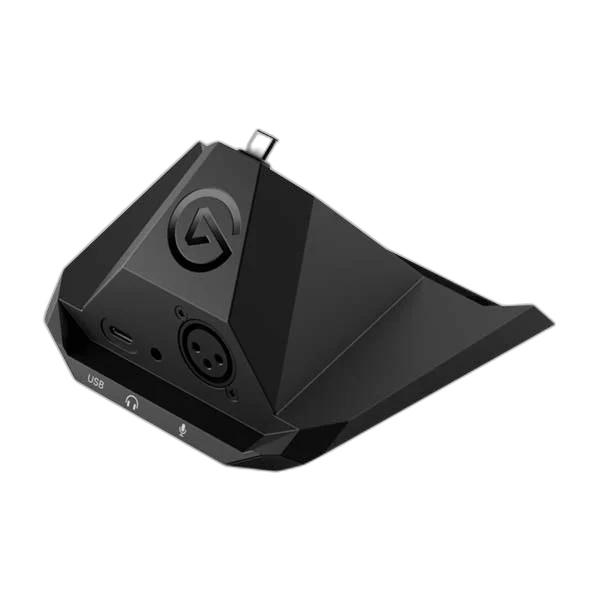
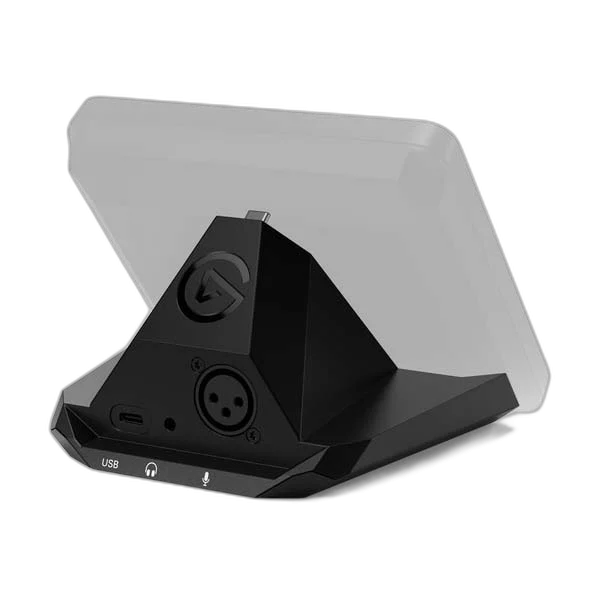
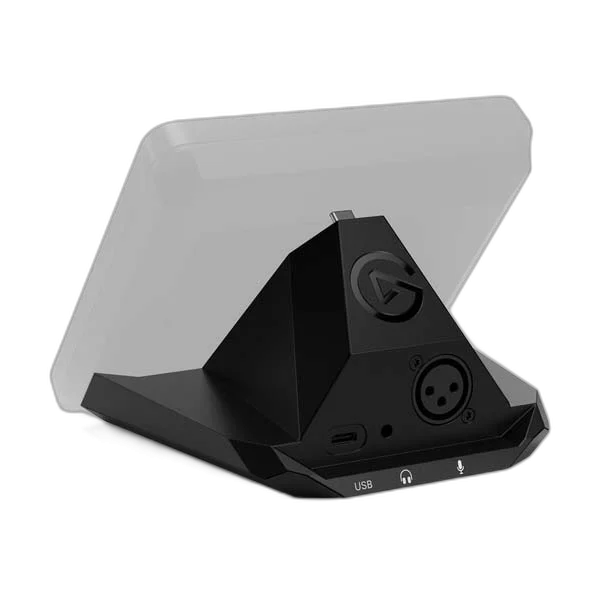
Elgato XLR Dock for Stream Deck Plus. Add an XLR microphone input and headphone monitoring to your Stream Deck + with the original Elgato XLR Dock. It mounts behind the controller and combines up to 75 dB of gain with Wave Link audio mixing. Stream Deck + is required and sold separately.
Regular price
55.500 KWD
or 4 payments of 13.875 KWD with
Pay with card & save


53.000 KWD
Save 2.500 KWD
Overview
ELGATO XLR DOCK FOR STREAM DECK PLUS
Elgato XLR Dock for Stream Deck Plus
Elgato XLR Dock for Stream Deck Plus: Add an XLR microphone input and headphone monitoring to your Stream Deck + with the original Elgato XLR Dock. It mounts behind the controller and combines up to 75 dB of gain with Wave Link audio mixing. Stream Deck + is required and sold separately. Explore this model at AX Store in Kuwait.
1 XLR input
Microphone connection
75 dB
Maximum preamp gain
48 V
Switchable phantom power
24-bit / 48 kHz
Recording format
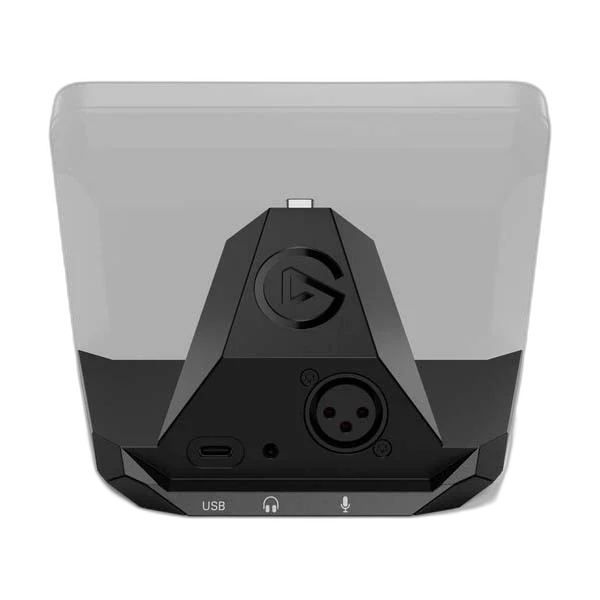
Bring an XLR mic into your setup
The original dock provides up to 75 dB gain and selectable 48 V phantom power for compatible microphones. Check the actual input, working position and settings before the session, then confirm the result with the intended recording or computer workflow.
Monitor directly
Connect headphones to the 3.5 mm output for direct monitoring. Clipguard helps prevent overload distortion. Check the actual input, working position and settings before the session, then confirm the result with the intended recording or computer workflow.
Put controls within reach
The dock attaches behind a compatible Stream Deck +. The controller is required and is not included with this dock. Check the actual input, working position and settings before the session, then confirm the result with the intended recording or computer workflow.
Install the audio apps
Run both Stream Deck and Wave Link software, then map mixing actions to your controls. Connect directly to a computer USB port for setup. Check the actual input, working position and settings before the session, then confirm the result with the intended recording or computer workflow.
Build the XLR Recording Path
Use a suitable XLR microphone and XLR-to-XLR cable, then set input gain around the actual voice. Select phantom power only when the microphone requires it. The headphone socket provides listening audio; it is not an additional microphone input or a replacement for the XLR connection.
Keep the Package and Generation Clear
This listing supplies the original XLR Dock; Stream Deck Plus is required for the specified mounting arrangement and is sold separately. Keep its listed twenty-four-bit, forty-eight-kilohertz recording format and original hardware features with this model. A newer similarly named dock should not be assumed to have the same inputs, processing or supplied components.
Plan the Controls You Will Actually Use
Choose the keys, dials or other controls that suit your applications and desk space. Check the exact model and supported software before adding accessories or moving between computers. Compare related options such as Elgato Stream Deck Neo - White Version or Elgato USB Hub for Stream Deck Plus - Multiport Connection, keeping the exact model and configuration in the decision. For the wider setup, explore Logitech Blue Snowball iCE USB Microphone - Black / White and check the connection, size or mounting requirements before pairing accessories. Browse the Elgato range at AX for more choices.
Elgato XLR Dock for Stream Deck Plus Setup Choices
Choose the keys, dials or other controls that suit your applications and desk space. Check the exact model and supported software before adding accessories or moving between computers. Explore Elgato Facecam MK.2 1080p Premium Webcam, Elgato Wave 3 MK.2 USB Condenser Microphone - Wave FX / Black, Razer Key Light Chroma - All-In-One Lighting Kit.
Frequently Asked Questions
Is Stream Deck Plus included?
No. This is the original XLR Dock accessory; the Stream Deck Plus controller is separate.
How many XLR microphones connect?
The original dock provides one XLR microphone input. Software channels do not create additional physical microphone sockets.
Can it supply phantom power?
Selectable 48 V is available for compatible XLR microphones. Use the power setting required by the actual microphone.
Can a headset mic use the headphone socket?
The 3.5 mm headphone socket is for listening. Record the microphone through the XLR input.
Is this the newer Wave FX dock?
This listing is the original 10GBM9901 dock or its stated bundle, with the listed 24-bit/48 kHz format. Keep newer dock features separate.
Which applications are used?
Use the supported Stream Deck and Wave Link applications. Check current software requirements alongside the published hardware reference.
Are a microphone, arm and XLR cable included?
Those are separate recording choices unless expressly listed in the package. Choose the actual microphone input and mounting arrangement before ordering accessories.
Build Your Setup with AX Store
Explore computers, displays and accessories for your workspace at AX Store. For help choosing the right model or checking an accessory, contact AX Store.
Compare Elgato Stream Deck Plus with XLR Dock Bundle - Complete Audio Control. Match the exact model, connection and configuration to your setup.
THE DETAILS
Technical specifications
XLR Dock audio
20 Hz–20 kHz
100 dB; 120 dB with Clipguard
-130 dBV at 60 dB gain
0–75 dB
48 V DC, 7 mA
10 V at 0 dB gain with Clipguard
77 mW
24-bit
48 kHz
USB 2.0 Type-C
XLR
3.5 mm
XLR Dock physical
137 × 115 × 76 mm
169 g
Requirements
Stream Deck + required; sold separately
Stream Deck and Wave Link applications
Windows 10 64-bit or later; macOS 13 or later
COMPLETE YOUR SETUP
Pairs well with