MSI
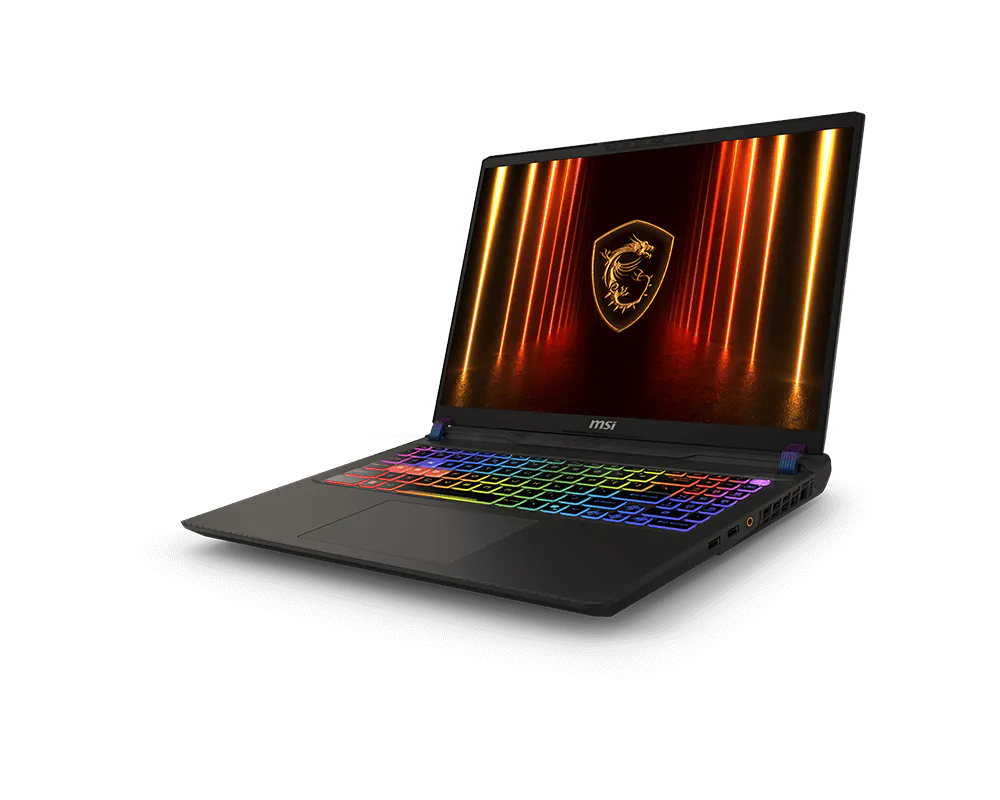
MSI Vector 16 HX AI 16" FHD+ 144Hz – Ultra 7 255HX, RTX 5070 Ti 12GB, 16GB RAM, 1TB SSD – Cosmo Gray
The MSI Vector 16 HX AI combines an Intel Core Ultra 7 255HX processor with NVIDIA GeForce RTX 5070 Ti 12GB graphics and a 16-inch FHD+ 144Hz display. This Cosmo Gray configuration includes 16GB DDR5 memory, a 1TB NVMe SSD, an English 24-zone RGB keyboard and Windows 11 Home.
Regular price
617.500 KWD
or 4 payments of 154.375 KWD with
Pay with card & save


588.000 KWD
Save 29.500 KWD
Overview
MSI / VECTOR GAMING LAPTOPS
MSI Vector 16 HX AI
Ready for demanding games and busy working days.
The Vector 16 HX AI A2XWHG-275US pairs an Intel Core Ultra 7 255HX processor with GeForce RTX 5070 Ti Laptop graphics. With 16GB DDR5 memory, a 1TB NVMe SSD and Windows 11 Home, this Cosmo Gray configuration gives you one machine for gaming, projects and everyday work.
16-inch 144Hz
FHD+ display with a 16:10 layout
RTX 5070 Ti
Laptop GPU with 12GB GDDR7
16GB DDR5
Two 8GB memory modules
1TB NVMe
SSD storage for games and files
INTEL CORE ULTRA 7 255HX
Handle more than the game
The Core Ultra 7 255HX combines twenty cores and twenty threads, with turbo speeds of up to 5.2GHz. Eight performance cores and twelve efficiency cores divide demanding work and background activity.
That makes it a useful foundation for a laptop shared between games, development tools and creative applications. Intel AI Boost also supports compatible AI workloads through a dedicated processor.
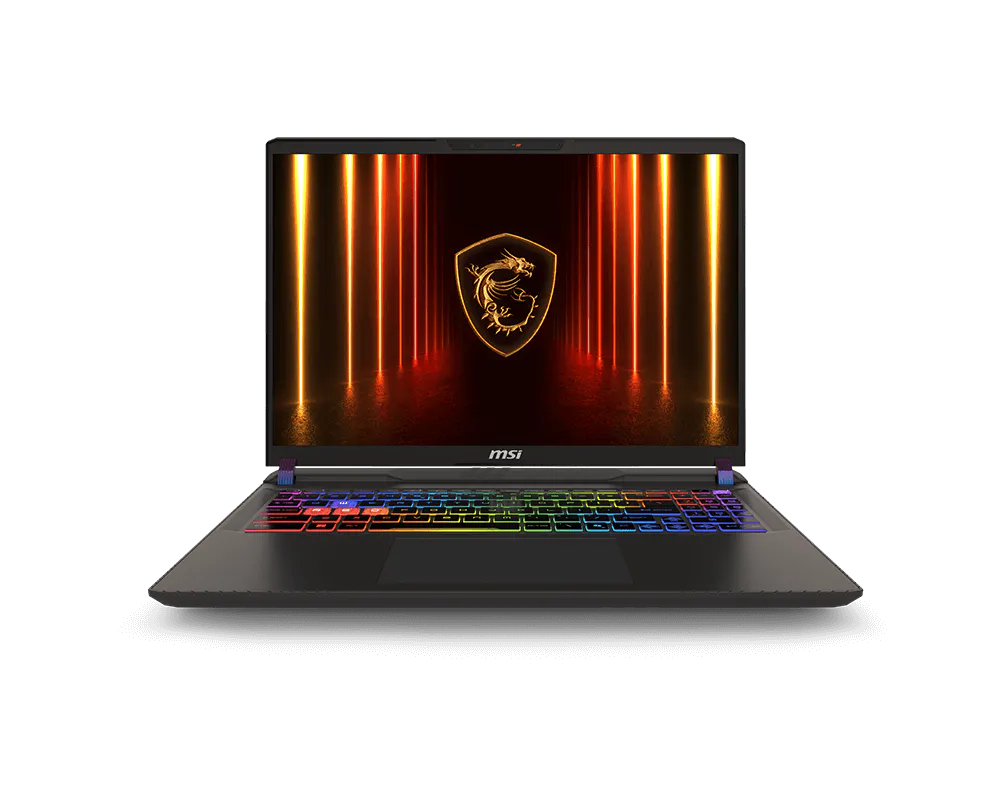
FHD+ 144HZ DISPLAY
Follow the action with room to work
This configuration uses a 1920 × 1200 IPS-level panel with a 144Hz refresh rate. The 16:10 shape gives documents, browser windows and editing timelines extra vertical space.
For games, adjust graphics settings around the frame rate you prefer. The display’s refresh rate describes its capability; actual game performance depends on the title and settings.
GEFORCE RTX 5070 TI LAPTOP GPU
Choose how you want to play
The RTX 5070 Ti Laptop GPU brings 12GB of GDDR7 graphics memory, ray tracing and DLSS with Multi Frame Generation in supported games. These features give you options for balancing visual detail and smoothness.
A MUX switch lets you select discrete graphics or hybrid operation, so you can choose a mode suited to gaming at your desk or lighter everyday tasks.
MEMORY AND STORAGE
Start with the essentials, expand when needed
The installed 16GB DDR5-5600 memory comes as two 8GB modules. A 1TB PCIe Gen4 NVMe SSD holds your operating system, applications and current game library.
The platform supports up to 96GB of memory across two slots, plus two M.2 storage slots. You can plan upgrades around larger projects or a growing collection of games.
COOLER BOOST 5
Cooling for demanding sessions
MSI’s Cooler Boost 5 uses two fans and six heat pipes to move heat away from the processor and graphics hardware. MSI Center provides controls for adjusting the laptop to your workload.
Keep the intake and exhaust vents clear, and use a firm surface during longer gaming or rendering sessions.
THUNDERBOLT 5 AND DESK CONNECTIONS
Connect your displays and everyday gear
Two Thunderbolt 5 ports support compatible displays, docks and storage. HDMI 2.1, two USB-A ports, an SD card reader and a headset jack provide additional connections.
For networking, this 275US configuration includes Wi-Fi 6E and Ethernet supporting up to 2.5Gbps with compatible network equipment.
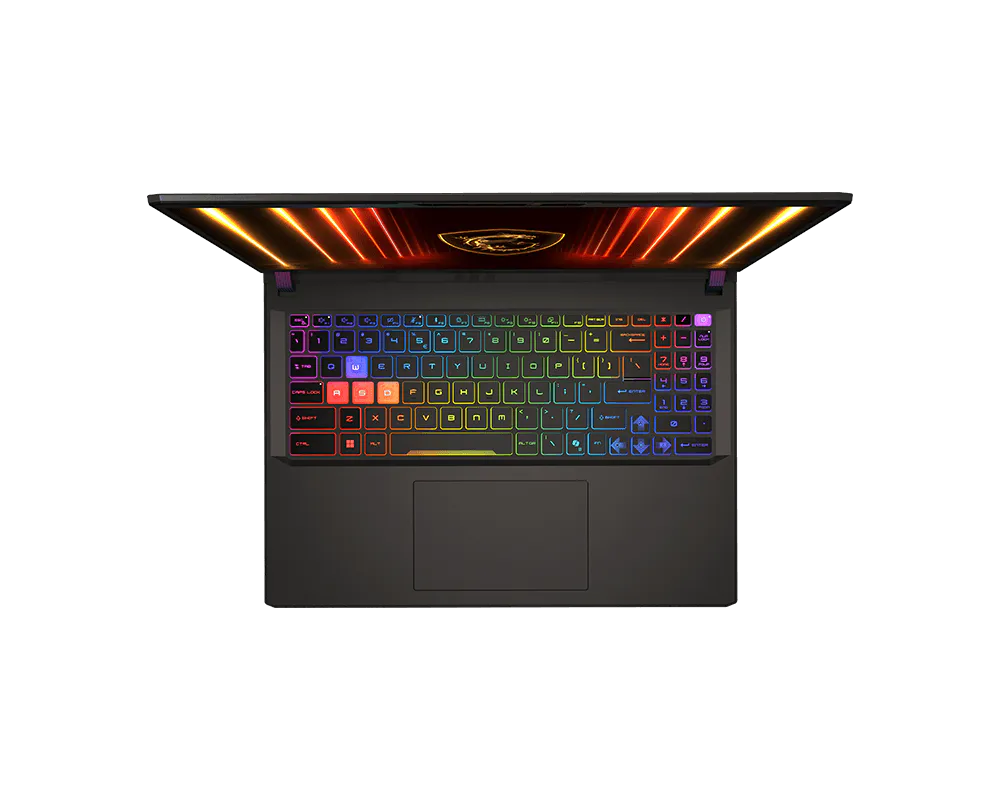
KEYBOARD AND EVERYDAY USE
Make the setup feel like yours
The English keyboard offers 24-zone RGB lighting, highlighted WASD keys and a number pad. Its 1.7mm key travel supports typing as well as gaming controls.
An FHD infrared webcam handles video calls, with a physical shutter for covering the camera when it is not in use.
BEFORE YOU CHOOSE
A few useful answers
Which model is this?
This is the Vector 16 HX AI A2XWHG-275US, with an FHD+ 144Hz display and Windows 11 Home.
Are there free memory slots?
Both memory slots are occupied by 8GB modules. Increasing capacity requires replacing installed memory with compatible modules.
Does the keyboard have Arabic lettering?
This listing specifies an English keyboard. Arabic typing can be enabled through Windows language settings.
Is the display intended for color-critical editing?
MSI lists 45% NTSC coverage for this panel. For work requiring precise color judgment, consider a suitable calibrated external monitor.
Can it charge through USB-C?
Compatible USB-C Power Delivery charging is supported. Use the main 330W adapter for demanding gaming, since USB-C charging can limit available performance.
EXPLORE THE SETUP
THE DETAILS
Technical specifications
General
MSI
Vector 16 HX AI A2XWHG-275US
VECTOR16HXA2275
9S7-15M352-413
Cosmo Gray
Windows 11 Home
Processor
Intel Core Ultra 7 255HX
1.8 GHz base; up to 5.2 GHz turbo
Intel HM870
Graphics
NVIDIA GeForce RTX 5070 Ti Laptop GPU
12 GB GDDR7 dedicated
Up to 2220 MHz
140 W with Dynamic Boost
992 AI TOPS
Up to 205 W with MSI OverBoost Ultra
Display
16 inches
1920 x 1200 (FHD+)
16:10
IPS-Level
144 Hz
45% NTSC
Memory and Storage
16 GB (2 x 8 GB) DDR5-5600
2 x SO-DIMM, both occupied
96 GB
Up to DDR5-6400; installed memory is DDR5-5600
1 TB NVMe PCIe Gen 4 x4 SSD
1 x M.2 PCIe Gen 4 + 1 x M.2 PCIe Gen 5 compatible
MSI recommends consulting its service center for SSD upgrades
I/O Ports
2 x USB 3.2 Gen 2 Type-A
2 x Thunderbolt 5 with DisplayPort and Power Delivery 3.1
1 x HDMI 2.1; supports up to 8K at 60 Hz or 4K at 120 Hz with a compatible display and cable
SD 7.0 card reader
1 x RJ-45
1 x 3.5 mm headphone/microphone combo
Keyboard and Camera
SteelSeries 24-zone RGB keyboard, anti-ghosting, 99 keys
FHD IR webcam, 1080p at 30 fps, HDR and 3D Noise Reduction+
Physical shutter
Array microphone
Audio
2 x 2 W speakers
Network and Connectivity
Intel Wi-Fi 6E AX211 (802.11ax), 2x2
Bluetooth 5.3
Up to 2.5 Gigabit Ethernet
Battery and Power
90 Wh, 4-cell Li-ion
330 W
Weight and Dimensions
14.05 x 11.18 x 1.12 inches
5.95 lb (approximately 2.70 kg)
Security
Firmware TPM 2.0; Intel Platform Trust Technology (PTT)
Kensington lock slot
Windows Hello facial recognition
Manufacturer Warranty
1-year limited warranty, including 1-year global coverage; eligibility and service are subject to MSI regional terms
COMPLETE YOUR SETUP
Pairs well with