UGREEN
UGREEN HDMI 2.0 Splitter, 4K@60Hz Switching
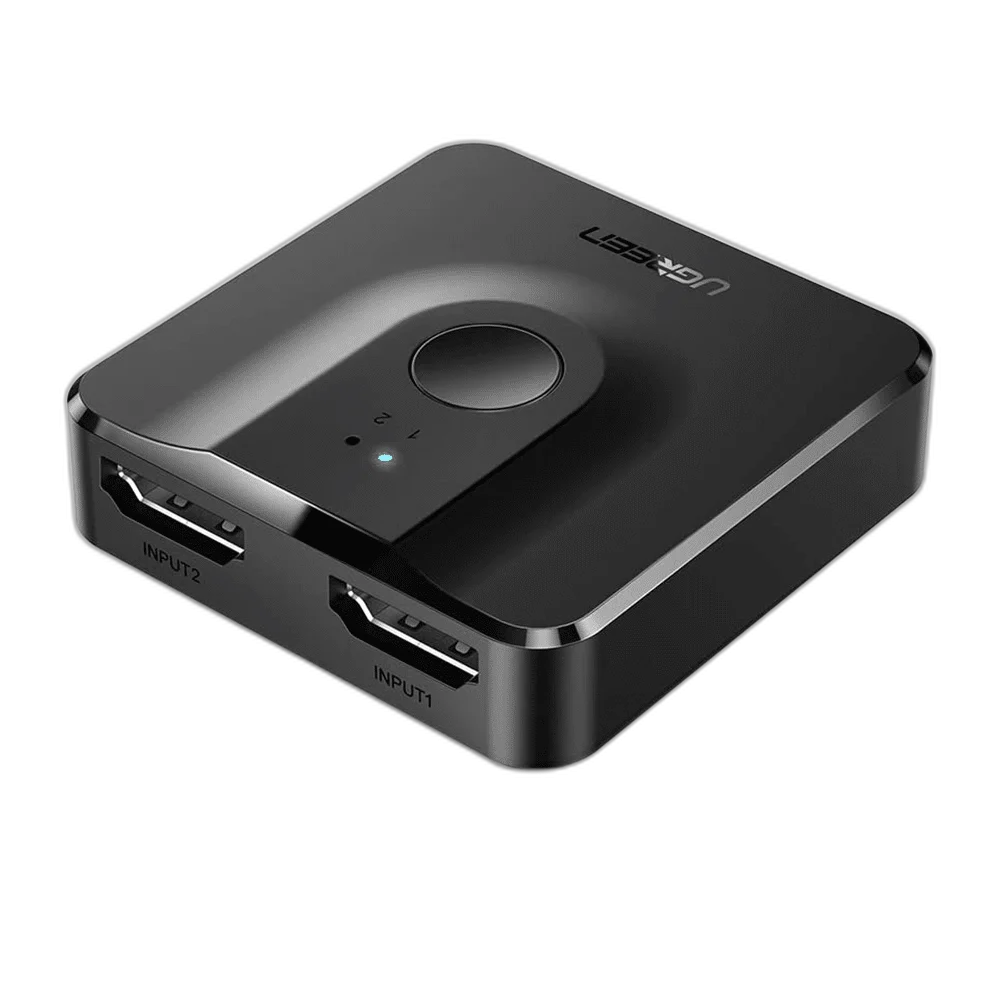
UGREEN 50966 bidirectional HDMI 2.0 switch for two sources to one display, or one source to two selectable displays. Supports up to 4K 60Hz and 18Gbps, with manual switching and no external power required. Only one display operates at a time.
Regular price
11.500 KWD
or 4 payments of 2.875 KWD with
Pay with card & save


11.000 KWD
Save 0.500 KWD
Overview
UGREEN 50966 HDMI 2.0 SWITCH
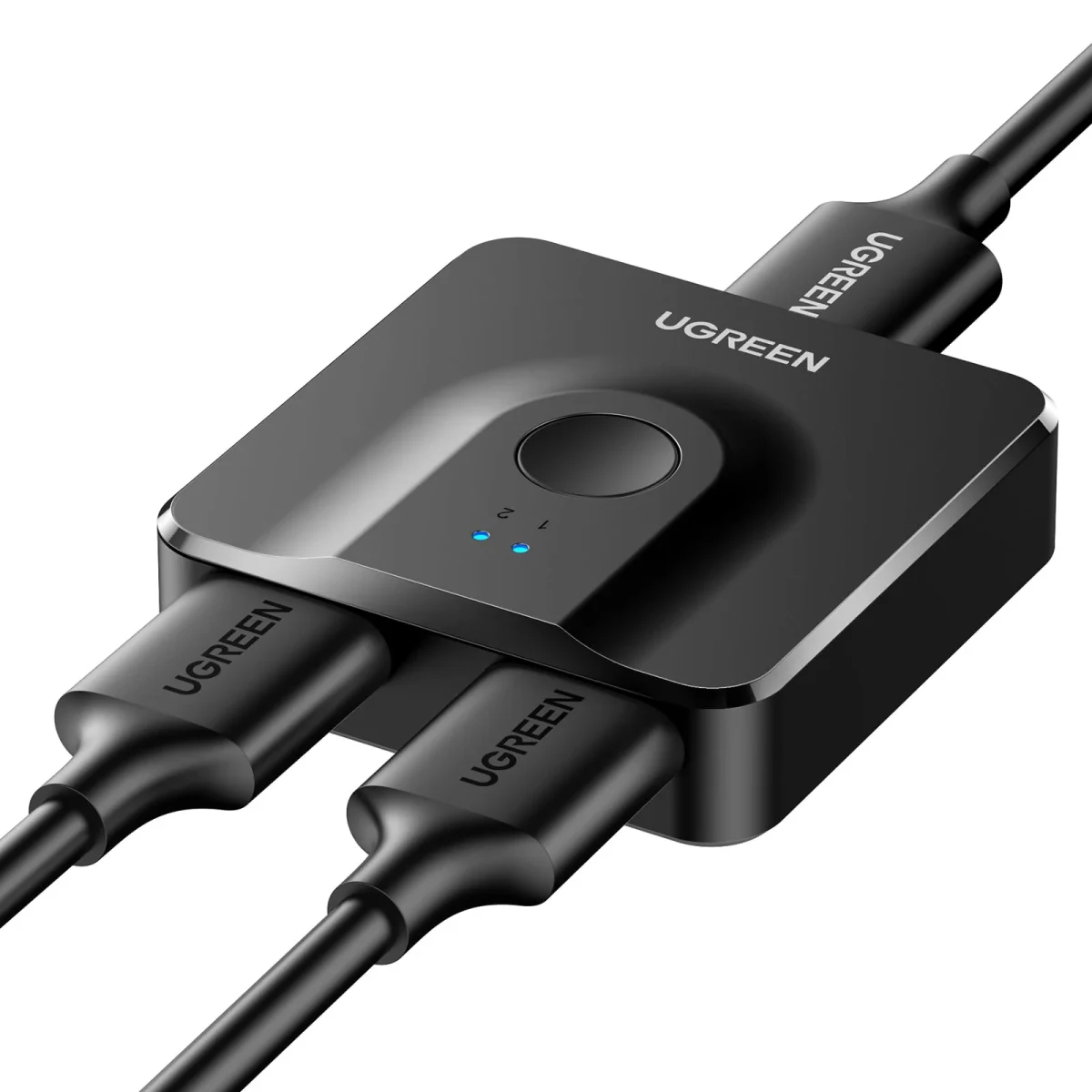
UGREEN 50966 HDMI switch
UGREEN 50966 HDMI switch: UGREEN 50966 brings a simple switching point to an HDMI setup. Connect two sources to one display, or connect one source to two displays and select which screen receives the signal. Its bidirectional design supports video up to 4K at 60Hz, with manual selection and no external power supply required. Plan the connections around the equipment you want to use together. Explore this model at AX Store in Kuwait.
4K 60 Hz
Maximum Listed Video Mode
18 Gbps
Maximum Bandwidth
Bidirectional
Switch Arrangement
One at a Time
Active Display Output
Two Sources, One Display
Connect two HDMI source devices to one compatible screen, then use the switch button to choose the active source. This arrangement suits a desk or entertainment setup where a computer, console or player shares the same display. Keep both source connections in place and select the device you want to use when changing activities.
One Source, a Choice of Two Screens
The bidirectional connection also lets one HDMI source connect to two display inputs. One screen operates at a time, selected using the button. Plan this arrangement when the same source is used at different screens, and choose the destination you need for the current session. The switching arrangement does not provide simultaneous output to both displays.
Video up to 4K at 60Hz
The published video support includes 4K at 60Hz, 2K at 120Hz and 1080p. Match the chosen mode to the capabilities of the source, display and complete HDMI connection. For 4K at 60Hz, UGREEN recommends an HDMI 2.0 cable measuring 1m or less, so consider cable length when arranging the switch and connected equipment.
HDMI 2.0 and 18Gbps Bandwidth
The HDMI 2.0 interface provides a listed bandwidth of up to 18Gbps and backward compatibility with HDMI 1.4, 1.3, 1.2 and 1.1. Published feature support also includes HDR, 3D, CEC, HDCP and DTS sound. The usable video and audio features depend on the support available throughout the connected source, cables and display.
Manual Selection without Extra Power
A physical button selects the active connection. The switch operates without a separate external power supply or driver installation, giving the setup an accessible control point. Position it where the button is easy to reach, connect the required HDMI equipment, and choose the input or output arrangement that matches the way you use the screen.
An HDMI Connection for Everyday Equipment
UGREEN lists compatibility with HDMI-equipped consoles, computers, Blu-ray and DVD players, televisions, monitors and projectors. Use the connection type and required video mode to check the complete setup before installation. Choose suitable HDMI cables for each connected device, leaving enough access to select the active route and manage the connections around the desk or viewing area.
Check the Ports and Signal Before Choosing a Cable
Match both devices, the connector type and the signal or data mode you intend to use. Physical fit alone does not establish supported resolution, charging or data capability. Compare related options such as RØDE SC6-L Dual TRRS Input Lightning Mobile Adapter or Sabrent USB 3.0 Extension Cable, 3m, keeping the exact model and configuration in the decision. For the wider setup, explore Pulsar eS Gaming Arm Sleeve Finger Glove and check the connection, size or mounting requirements before pairing accessories.
UGREEN 50966 HDMI switch Setup Choices
Match both devices, the connector type and the signal or data mode you intend to use. Physical fit alone does not establish supported resolution, charging or data capability.
Frequently Asked Questions
How can sources and displays be switched?
Switching arrangements: 2 HDMI sources to 1 display; or 1 source to 2 selectable displays. Simultaneous display output: One display at a time. Selection: Manual button.
What video modes and bandwidth are listed?
Maximum listed video modes: 4K at 60Hz; 2K at 120Hz; 1080p. Maximum bandwidth: 18Gbps.
Does it need a separate power supply or driver?
External power supply: Not required. Driver installation: Not required.
What cable guidance applies to 4K 60Hz?
Manufacturer 4K 60Hz cable guidance: HDMI 2.0 cable, 1m or shorter recommended.
Build Your Setup with AX Store
Explore computers, displays and accessories for your workspace at AX Store. For help choosing the right model or checking an accessory, contact AX Store.
THE DETAILS
Technical specifications
Connections and Specifications
50966
HDMI 2.0
2 HDMI sources to 1 display; or 1 source to 2 selectable displays
One display at a time
Manual button
4K at 60Hz; 2K at 120Hz; 1080p
18Gbps
1.4 / 1.3 / 1.2 / 1.1
HDR; 3D; CEC; HDCP; DTS sound, subject to connected equipment
Not required
Not required
HDMI 2.0 cable, 1m or shorter recommended
COMPLETE YOUR SETUP