Brand
Govee
81 PRODUCTS
Govee RGBIC light strips, monitor backlights with screen sync, wall lights, lamps and smart bulbs. Smart lighting for gaming rooms.



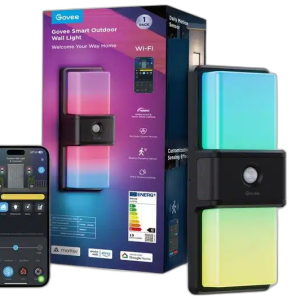
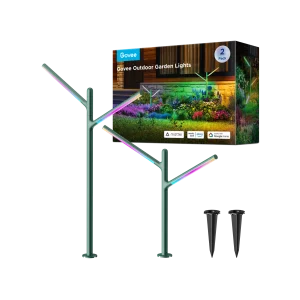

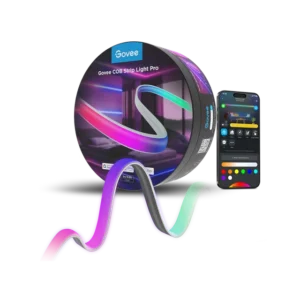
Load More Products
Showing 12 of 81 products
GOVEE AT AX
The gaming room upgrade everyone starts with.
Shop Govee in Kuwait: RGBIC and RGBWW LED strips, monitor and TV backlights, gaming light bars and wall panels, floor lamps, smart bulbs, ceiling lights and outdoor lighting. Check the size on each listing before you buy: backlights are made for specific screen-size ranges (for example 27-34 inch monitors or 55-65 inch TVs), and our strips run from 2m to 10m.
Popular Govee lines
- Lamps & bulbs: the Uplighter Floor Lamp H60B0, B600D3C1 GU10 bulb 2-pack and B600CCC1 smart bulb 2-pack.
- LED strips: the M1 RGBICW 5m, H615A2A3 RGB 5m and M1 H61E0 RGBIC 2m strips.
- Monitor & TV backlights: the Gaming Light Strip G1, H6098 Envisual TV Backlight 3S and H605C Envisual TV Backlight. See all smart lighting.
RGBIC
many colours on one strip
Screen sync
G1 monitor backlight
Lamps · Bulbs
floor, corner and wall lights
GOVEE FAQ
Before you buy.
Straight answers to the questions we hear most about Govee smart lighting.
RGB, RGBIC or RGBWW: what do the letters mean?
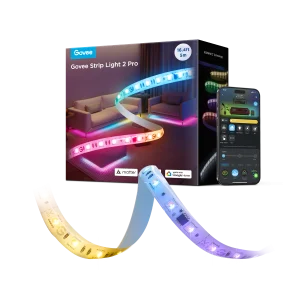
RGB strips show one color at a time along the whole strip, while RGBIC strips such as the H612A and H612C can show several colors at once for flowing effects. RGBWW adds dedicated warm and cool white LEDs, as in the H61F5 Strip Light 2 Pro and the B600D3C1 bulbs, for cleaner everyday white light.
How do Govee Envisual TV backlights follow the picture?
Envisual backlights such as the H605C and the T2 Dual Cameras model use a camera mounted on the TV to read the colors on screen and mirror them on the light strip behind it. Choose the model that matches your TV size, for example the H605C for 55 to 65 inch TVs or the T2 for 75 to 85 inch TVs.
Which app do Govee lights use?
Govee lights are set up and controlled in the Govee Home app, where you create scenes, schedules and music sync modes. Wi-Fi models such as the H612A and H612C Wi-Fi + Bluetooth strips can also be controlled away from home and linked to voice assistants.
How do I light up a gaming setup with Govee?
Start with light bars such as the Smart Gaming Light Bars Pro H8048 beside the monitor, then add wall pieces like the Cyborg Cube Gaming Wall Light for depth. A COB strip like the H61E5 Strip Light Pro under the desk gives smooth, dot-free light, and a floor lamp such as the H607C Floor Lamp 2 fills the room.