
BUYING GUIDES
Same-day delivery · Official warranty · Taly & Deema
Glass vs Cloth Mousepads is a choice about glide, texture, hand contact and the mouse feet you use. Compare ARTISAN cloth surfaces with Pulsar Superglide and Razer Atlas glass options, then choose the combination that fits your desk and aiming preferences.

Glass vs Cloth Mousepads is a choice about glide, texture, hand contact and the mouse feet you use. Compare ARTISAN cloth surfaces with Pulsar Superglide and Razer Atlas glass options, then choose the combination that fits your desk and aiming preferences.
The mousepad works with the mouse feet, your hand pressure and the part of your arm that touches the desk. A new surface can change how those parts interact, so begin with the movement you want to improve. Do you want a different glide, a softer base, a different texture under the arm or simply more usable space?
Use those questions to make a shortlist. A material label alone cannot tell you which pad will feel right. Two cloth surfaces can differ substantially, and glass models also use different surface treatments and textures. Keep the exact product generation in the comparison.
| Buying check | Cloth mousepad | Glass mousepad |
|---|---|---|
| Surface and base | Fabric surface with a base that may offer different firmness options | Rigid glass playing surface with its own base construction |
| Pressure | Base compression can affect the feel under hand pressure | Check the rigid surface and how your hand contacts it |
| Mouse feet | Choose the appropriate feet and model-specific fit | Follow the glass-pad maker’s skate material guidance |
| Care | Follow the fabric pad’s washing and drying instructions | Keep the surface and mouse feet free of grit |
| Desk fit | Check dimensions, edge and usable movement area | Check dimensions, edge comfort and a stable support surface |
Compare the actual product and available size after choosing a material direction. The pad must fit the part of the desk where your mouse moves, including wide turns at your normal sensitivity.
ARTISAN Zero, Hien and Type-99 are different surfaces. SOFT, XSOFT and MID describe base firmness where offered; they are not alternative spellings of the surface name. The combination of surface and base matters when you press down or make small corrections.
Start with our Zero, Hien and Type-99 guide for the surface decision, then use the base-firmness comparison to understand the second choice. The Zero and Type-99 listings at AX provide a direct way to compare the available size, colour and firmness combinations without assuming every option exists on every surface.
Pulsar Superglide V3 Type S uses an aluminosilicate glass surface with a silicone base. The manufacturer describes this Type S as a speed surface and supplies UHMW-PE dot skates. That makes the feet part of the setup decision, alongside size and edge comfort.
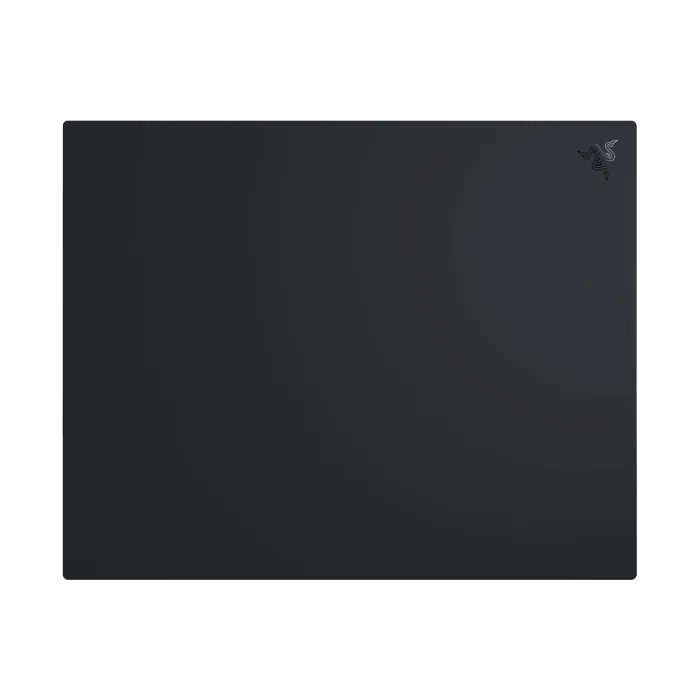
Razer Atlas and Razer Atlas Pro are separate listings. Compare the exact model and dimensions rather than assuming that a similar name means the same playing area. For a smaller desk, place the keyboard and normal mouse sweep on the desk before choosing the pad size.

A glass mousepad and glass mouse skates are different products. Pulsar’s guidance for the Superglide3 glass pad advises against using glass mouse feet on that glass surface. Choose a supported skate material and follow the instructions for the exact pad and mouse.
Also check skate thickness, sensor clearance and the model-specific outline. Universal dots offer a different installation arrangement from a complete shaped replacement set. Keep any sensor ring and placement requirements in mind, and remove old adhesive carefully according to the skate maker’s instructions. Clean the feet and pad before judging a scratchy sound or inconsistent movement.
Think about where your wrist and forearm rest during actual play. Skin contact, clothing and sleeve material can change how movement feels on a surface. Try your usual arm position rather than evaluating a pad only by sliding the mouse with two fingers.
Keep the same sensitivity while making the first comparison. The DPI, eDPI and cm/360 guide helps you preserve a repeatable baseline. Change one factor at a time so you can understand whether a preference comes from the pad, the feet or a new mouse setting.
Cloth and glass need different routines. Let a cleaned cloth pad dry fully before returning it to the desk, and follow the specific fabric care guidance. With glass, remove loose particles from the pad and feet so they do not sit between the moving surfaces. Avoid transferring a cleaning product recommendation from one pad to another without checking the manufacturer.
Choose cloth when you want the available surface and base-firmness choices. Consider glass when you specifically want to explore a rigid surface and are ready to match the feet and care routine. Browse ARTISAN and Pulsar for the actual combinations at AX.
AX price check, 27 October 2026: Superglide V3 Type S starts at KWD 29.900, Razer Atlas is KWD 28.000 and Atlas Pro is KWD 42.000. Those listings were in stock at the check. Select the specific size and colour to see the current option price and availability.
Pulsar advises against glass mouse feet on the Superglide3 glass pad. Follow the pad manufacturer’s instructions and use a supported skate material.
Choose the surface by how it works with your feet, grip and movement. Keep sensitivity constant during the first comparison so the effect is easier to judge.
Zero is the surface name. SOFT describes a base firmness available on selected ARTISAN configurations.
KEEP READING
All Comparisons guides

Choose the right equipment for your setup
Explore the products and ask AX about the exact models and connections you need.
Added to cart
Subscribed
We'll email you as soon as it's back in stock.
Saved to wishlist


