ASUS
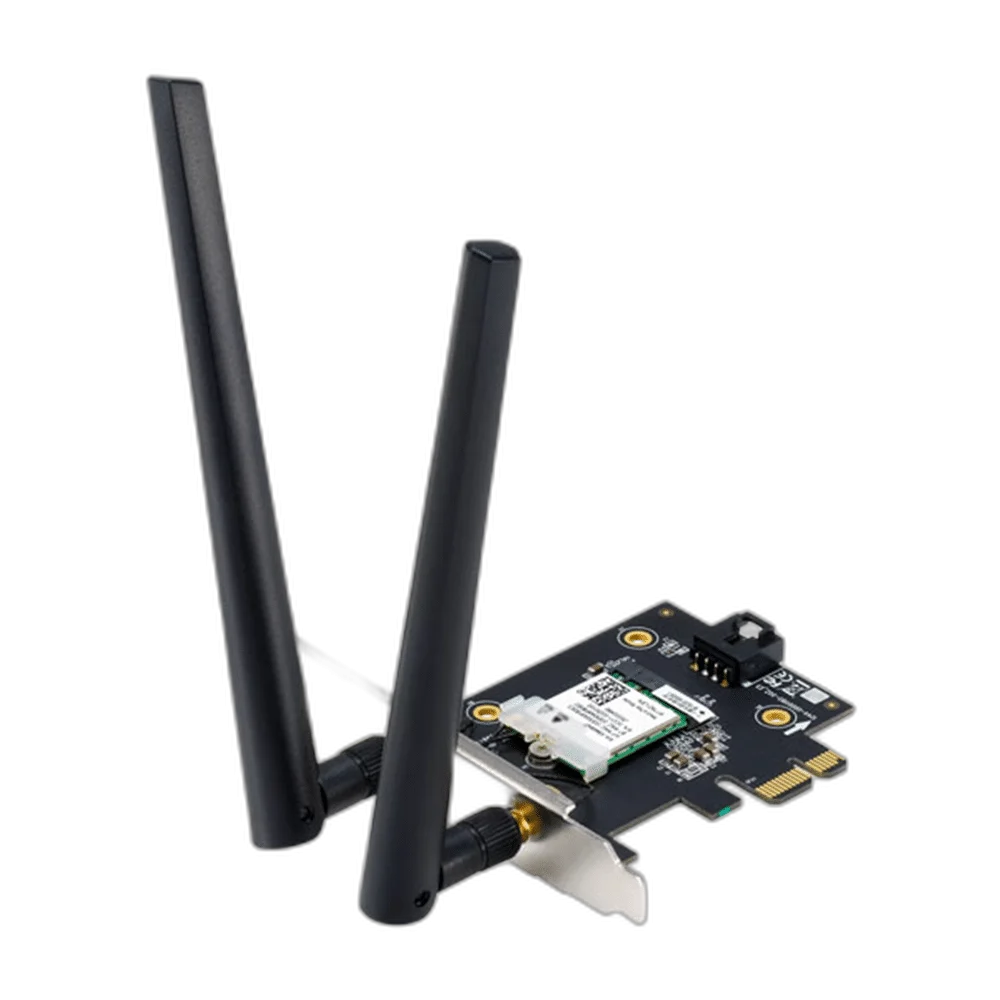
ASUS PCE-AX1800 WiFi 6 Adapter
ASUS PCE-AX1800 Wi-Fi 6 PCIe adapter with Bluetooth 5.2, OFDMA, MU-MIMO and WPA3 support. Published link rates: 5GHz up to 1201Mbps and 2.4GHz up to 574Mbps. Confirm host OS and installation requirements before use.
Regular price
8.500 KWD
or 4 payments of 2.125 KWD with
Pay with card & save


8.000 KWD
Save 0.500 KWD
Overview
ASUS PCE-AX1800 WI-FI 6 PCIE ADAPTER
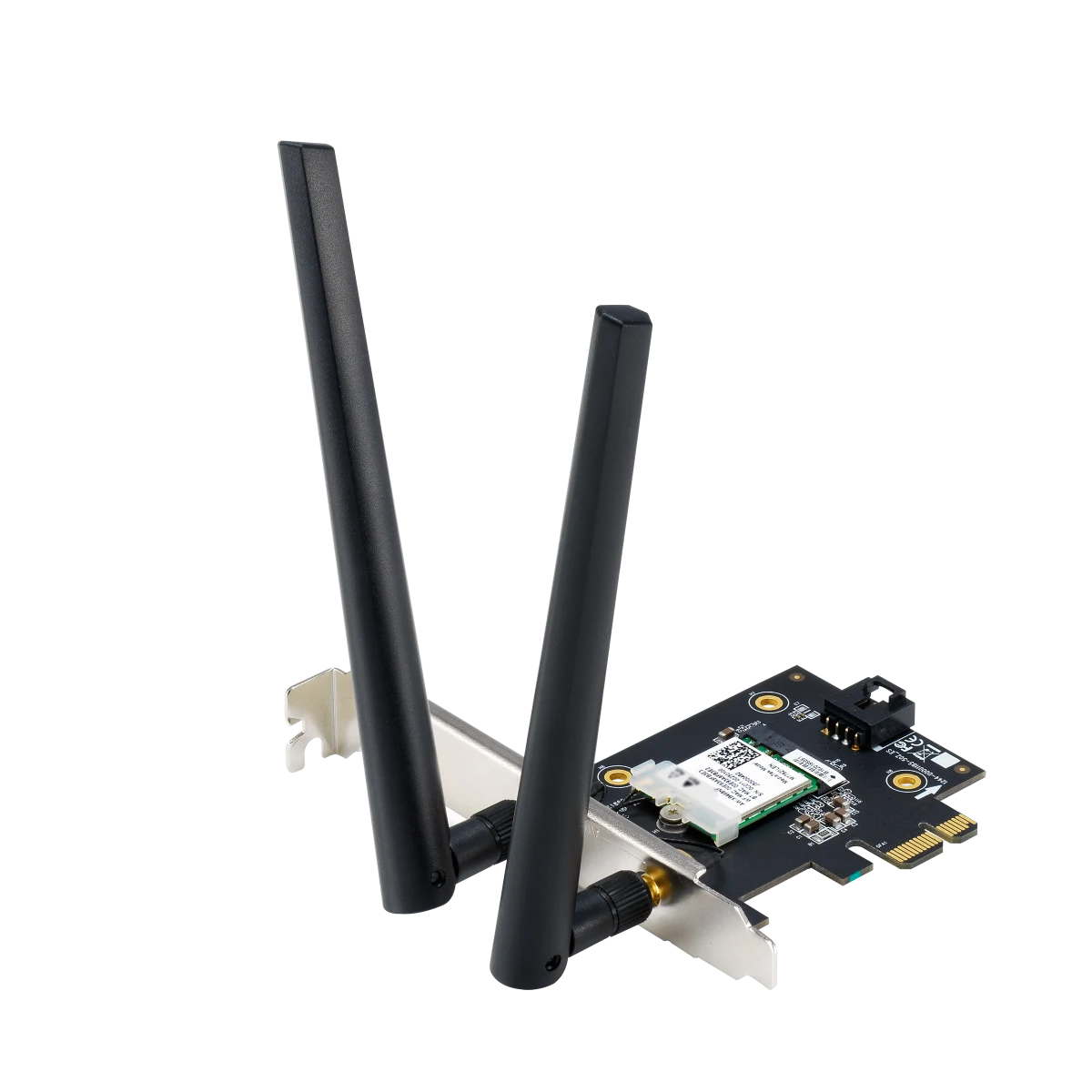
ASUS PCE-AX1800 Wi-Fi 6 PCIe Adapter
ASUS PCE-AX1800 Wi-Fi 6 PCIe Adapter: ASUS PCE-AX1800 adds Wi-Fi 6 and Bluetooth 5.2 to a compatible desktop computer. Its PCIe design supports wireless networking alongside Bluetooth peripherals, with two dual-band external antennas. Plan the installation around the available expansion slot, supported operating system and router capabilities, then configure the connections for the devices and network you use at the desk. Explore this model at AX Store in Kuwait.
Wi-Fi 6
Wireless Generation
Bluetooth 5.2
Bluetooth
PCIe x1
Host Interface
WPA3
Wi-Fi Security
Wireless Bands and Published Link Rates
The adapter supports 5GHz up to 1201Mbps and 2.4GHz up to 574Mbps. Match the chosen band to the router and the coverage available where the computer is installed. These are maximum wireless link rates rather than guaranteed file-transfer or internet speeds. Actual results depend on the router, client configuration, distance, interference and network workload during use.
OFDMA and MU-MIMO Support
PCE-AX1800 supports OFDMA and MU-MIMO to help a compatible wireless network handle communication with multiple devices. Use it with suitable router support to access those features. Consider the capabilities of both ends of the connection when upgrading the desktop, especially where several computers, phones or other wireless devices share the same network.
Bluetooth for Supported Peripherals
Bluetooth 5.2 provides a connection option for compatible wireless peripherals alongside Wi-Fi networking. Complete the driver and hardware setup required for the Bluetooth functions you intend to use. Check the host drivers, accessory compatibility and required Bluetooth profiles before pairing. The usable peripheral functions depend on the complete computer and accessory setup, including the software used to manage the connection.
Antennas and Desktop Placement
The adapter uses two dual-band external antennas. Plan the computer location and antenna position around the available router coverage, leaving the antenna connections accessible. ASUS lists a weight of 49.4g device-only and dimensions of 120.5 × 88.03 × 21.59mm. Check the expansion-slot space and installation requirements when fitting the card into the desktop system.
Published Operating-System Support
The manufacturer lists Windows 10 64-bit. Check the operating system and driver requirements before installation, then use the matching official driver resources for the card. Review the supported wireless bands and Bluetooth setup for that system so the intended features are available when the computer joins the network and pairs with peripherals.
PCIe Installation and WPA3 Security
The card installs through a PCI Express x1 connection. PCE-AX1800 also supports WPA3 Wi-Fi security for compatible router and system configurations. Prepare the available expansion slot, follow the model-specific installation instructions and configure the router security settings as part of setup. Keep the network and Bluetooth driver requirements together when completing the desktop upgrade.
Match the Network Device to Your Connection
Check the required wired or wireless connection, power arrangement and coverage needs. Confirm the intended role and compatibility with the existing network before choosing another device. Compare related options such as UGREEN CAT8 Braided Ethernet Cable or UGREEN Bluetooth 5.3 USB Adapter, Mini Design, keeping the exact model and configuration in the decision. For the wider setup, explore Cable Matters 8K Mini DisplayPort to DisplayPort Cable and check the connection, size or mounting requirements before pairing accessories. Browse the ASUS range at AX for more choices.
ASUS PCE-AX1800 Wi-Fi 6 PCIe Adapter Setup Choices
Check the required wired or wireless connection, power arrangement and coverage needs. Confirm the intended role and compatibility with the existing network before choosing another device.
Frequently Asked Questions
Which wireless standards are supported?
WiFi 6 (802.11ax); Bluetooth® 5.2.
Which computer interface does this card require?
PCI Express x1.
Which operating systems and band limitations apply?
OS Support : Windows 10 64-bit.
What wireless link rates are specified?
WiFi 6 (802.11ax) (5GHz) : up to 1201 Mbps; WiFi 6 (802.11ax) (2.4GHz) : up to 574 Mbps. These are link-rate specifications; actual throughput depends on the router, client configuration and environment.
Does it support Bluetooth and WPA3?
Bluetooth: 5.2. Wi-Fi security: WPA3.
Build Your Setup with AX Store
Explore computers, displays and accessories for your workspace at AX Store. For help choosing the right model or checking an accessory, contact AX Store.
THE DETAILS
Technical specifications
Model and Configuration
PCE-AX1800
PCI Express x1
Supported with compatible router
WPA3
Technical Specifications
WiFi 6 (802.11ax); Bluetooth® 5.2
AX1800 ultimate AX performance: 1201Mbps+574Mbps
5.2
WiFi 6 (802.11ax) (5GHz) : up to 1201 Mbps; WiFi 6 (802.11ax) (2.4GHz) : up to 574 Mbps
2 x Dual Band External Antenna
OS Support : Windows 10 64-bit
49.4 g (Device Only)
120.5 x 88.03 x 21.59 mm
COMPLETE YOUR SETUP
Pairs well with