Gigabyte
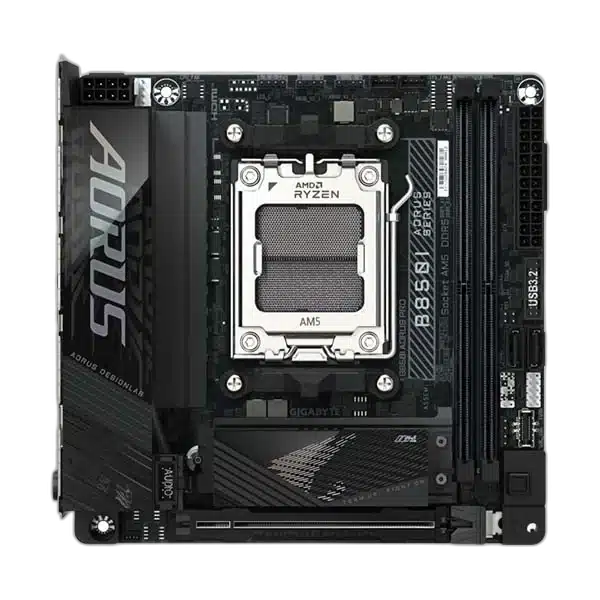
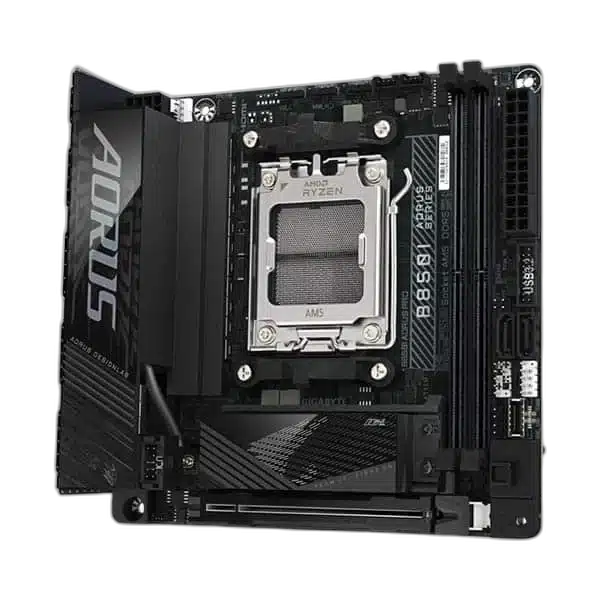
GIGABYTE B850I AORUS PRO Mini-ITX Motherboard, Black
Build a compact AMD system with the GIGABYTE B850I AORUS PRO. This Mini-ITX AM5 board supports DDR5 memory, dual M.2 storage, Wi-Fi 7 and 2.5GbE networking, with PCIe 5.0 graphics and primary M.2 support when paired with a compatible Ryzen processor.
Regular price
91.500 KWD
or 4 payments of 22.875 KWD with
Pay with card & save


87.000 KWD
Save 4.500 KWD
Overview
GIGABYTE B850I AORUS PRO MINI-ITX MOTHERBOARD, BLACK
GIGABYTE B850I AORUS PRO
The GIGABYTE B850I AORUS PRO brings AMD AM5 support to a 17 x 17cm Mini-ITX motherboard. Pair a compatible Ryzen processor with DDR5 memory, PCIe storage and integrated Wi-Fi 7 while keeping your system footprint small. Available from AX Store in Kuwait.
AM5
Processor Socket
B850
Chipset
Mini-ITX
Board Form Factor
2 DIMMs / 128 GB
DDR5 Memory Configuration
AM5 and DDR5 in a compact layout
Build around a supported Ryzen 7000, 8000 or 9000 series processor. Two DDR5 slots support up to 128GB in dual-channel operation, with EXPO and XMP memory profiles. Memory speed depends on the CPU, modules, BIOS and board revision.
Two M.2 slots for your storage
The CPU-connected M.2 slot supports PCIe 5.0 storage with Ryzen 7000/9000 processors, while the second M.2 slot on the back of the board supports PCIe 4.0. Two SATA connectors provide additional drive options.
Fast networking built in
Connect by Realtek 2.5GbE Ethernet or Wi-Fi 7, with Bluetooth 5.4 for compatible peripherals. Wi-Fi 7 features need supported Windows 11 software and networking equipment; 6GHz availability depends on local regulations.
Choose your rear I/O
The rear panel includes USB 3.2 Gen 2 Type-C and Type-A, USB 3.2 Gen 1, USB 2.0 and HDMI. An internal Type-C header supports a compatible case front-panel port.
Choose Firmware for the Exact Processor
Check the motherboard’s CPU support list and required BIOS before installing the processor. Use the board’s printed hardware revision when choosing the matching BIOS file and memory guidance. A shared socket does not guarantee support with every installed BIOS.
Leave Room for the Complete Build
Mini-ITX is the board’s form factor. Match the case mounting points and expansion layout, then allow room for the graphics card, cooler and drive installation. Connect the required board power and front-panel headers according to the manual.
Plan the Platform Before Adding Components
Match the processor socket and supported generation, memory type, board size and storage connections. Check the exact board’s documentation before selecting components or assuming another regional version has the same features. Compare related options such as GigaByte X870I Aorus Pro Ice Wifi7 Mini-ITX Motherboard or ASUS TUF GAMING B850M-PLUS WIFI DDR5 Micro-ATX Motherboard, keeping the exact model and configuration in the decision. For the wider setup, explore Kingston Fury Beast 16GB DDR4 3200MT/s Memory Kit and check the connection, size or mounting requirements before pairing accessories. Browse the Gigabyte range at AX for more choices.
GIGABYTE B850I AORUS PRO Setup Choices
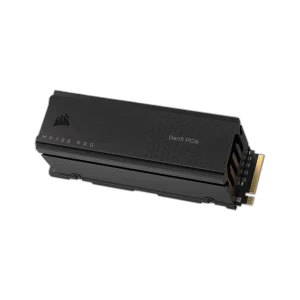
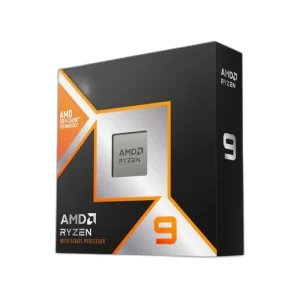
Match the processor socket and supported generation, memory type, board size and storage connections. Check the exact board’s documentation before selecting components or assuming another regional version has the same features. Explore AMD Ryzen 9 9950X3D – 16 Cores, 32 Threads, Up to 5.7GHz, ASUS TUF Gaming GeForce RTX 5060 Ti 16GB GDDR7 OC Edition, Corsair MP700 PRO 4TB SSD with Air Cooler.
Frequently Asked Questions
Which processor families are supported?
AMD Ryzen 7000, 8000 and 9000 series; BIOS and CPU support list apply. Confirm the exact CPU support list and required BIOS version before installation.
Can I install DDR4 memory?
This is a DDR5 motherboard. DDR4 modules are not interchangeable with DDR5, even if a supported Intel processor also accepts DDR4 on a different board.
What should I check for the case?
Mini-ITX is the board form factor. Check case motherboard support, mounting positions, cooler clearance and access to the required power and front-panel connections.
Will motherboard display outputs work with every CPU?
Display output depends on the installed processor’s graphics support and the chosen connection. A CPU without integrated graphics needs a dedicated graphics card; the motherboard connector alone does not add graphics processing.
Which memory and BIOS files match this board?
Check the hardware revision printed on the board. The rated OC memory support differs: up to DDR5-8400 for revision 1.0 or DDR5-8800 for revision 1.1, with CPU, BIOS and memory configuration conditions.
Build Your Setup with AX Store
Explore computers, displays and accessories for your workspace at AX Store. For help choosing the right model or checking an accessory, contact AX Store.
THE DETAILS
Technical specifications
Platform
AMD B850
AMD AM5
AMD Ryzen 7000, 8000 and 9000 series; BIOS and CPU support list apply
Mini-ITX
17.0 x 17.0cm
Windows 11 64-bit
Memory
2 x DDR5 DIMM
128GB; up to 64GB per DIMM
Dual channel
Non-ECC unbuffered DDR5; 1Rx8, 2Rx8 or 1Rx16
AMD EXPO and Intel XMP
Up to DDR5-8400 on revision 1.0; up to DDR5-8800 on revision 1.1; CPU, BIOS and memory dependent
Graphics and Expansion
1 x PCIe x16 physical slot
PCIe 5.0 x16
PCIe 4.0 x8 (Phoenix 1) or x4 (Phoenix 2)
HDMI 2.1 TMDS; up to 4096 x 2160 at 60Hz with supported CPU
Storage
M.2 2280 PCIe 5.0 x4/x2 with Ryzen 7000/9000; PCIe 4.0 x4/x2 with Ryzen 8000
Rear-mounted M.2 2280 PCIe 4.0 x4/x2
2 x SATA 6Gb/s
RAID 0/1/5/10; RAID 5 requires Ryzen 9000
RAID 0/1
Networking and Audio
Realtek 2.5GbE; 2.5Gbps / 1Gbps / 100Mbps
Realtek RTL8922AE Wi-Fi 7
2.4GHz, 5GHz and 6GHz; 6GHz subject to regional availability
Up to 160MHz
5.4
Realtek ALC4080
2-channel high-definition audio; 2 rear audio jacks
USB and Internal Headers
1 x USB 3.2 Gen 2 Type-C
2 x USB 3.2 Gen 2; 2 x USB 3.2 Gen 1; 2 x USB 2.0
1 x USB-C Gen 2 header; 1 x USB 3.2 Gen 1 header for 2 ports; 1 x USB 2.0 header for 2 ports
24-pin ATX and 8-pin ATX 12V
1 CPU fan; 1 CPU fan/pump; 1 system fan
2 addressable RGB Gen2; 1 RGB
Front panel, speaker, front audio, reset jumper, clear CMOS jumper and chassis intrusion
Firmware and Setup
256Mbit flash; AMI UEFI
Q-Flash and Q-Flash Plus
Q-Flash Plus
GIGABYTE Control Center
Check the revision printed on the board when choosing BIOS and memory support files
COMPLETE YOUR SETUP
Pairs well with