Motherboards
Gigabyte Z690 AORUS ELITE DDR4 ATX Motherboard
GIGABYTE Z690 AORUS ELITE DDR4 combines the Z690 chipset and LGA1700 socket with DDR4 desktop memory support. Its ATX layout provides 4 DIMM slots, 4 M.2 storage positions and 6 SATA ports for a compatible desktop configuration.
Regular price
96.500 KWD
or 4 payments of 24.125 KWD with
Pay with card & save


92.000 KWD
Save 4.500 KWD
Overview
GIGABYTE Z690 AORUS ELITE DDR4
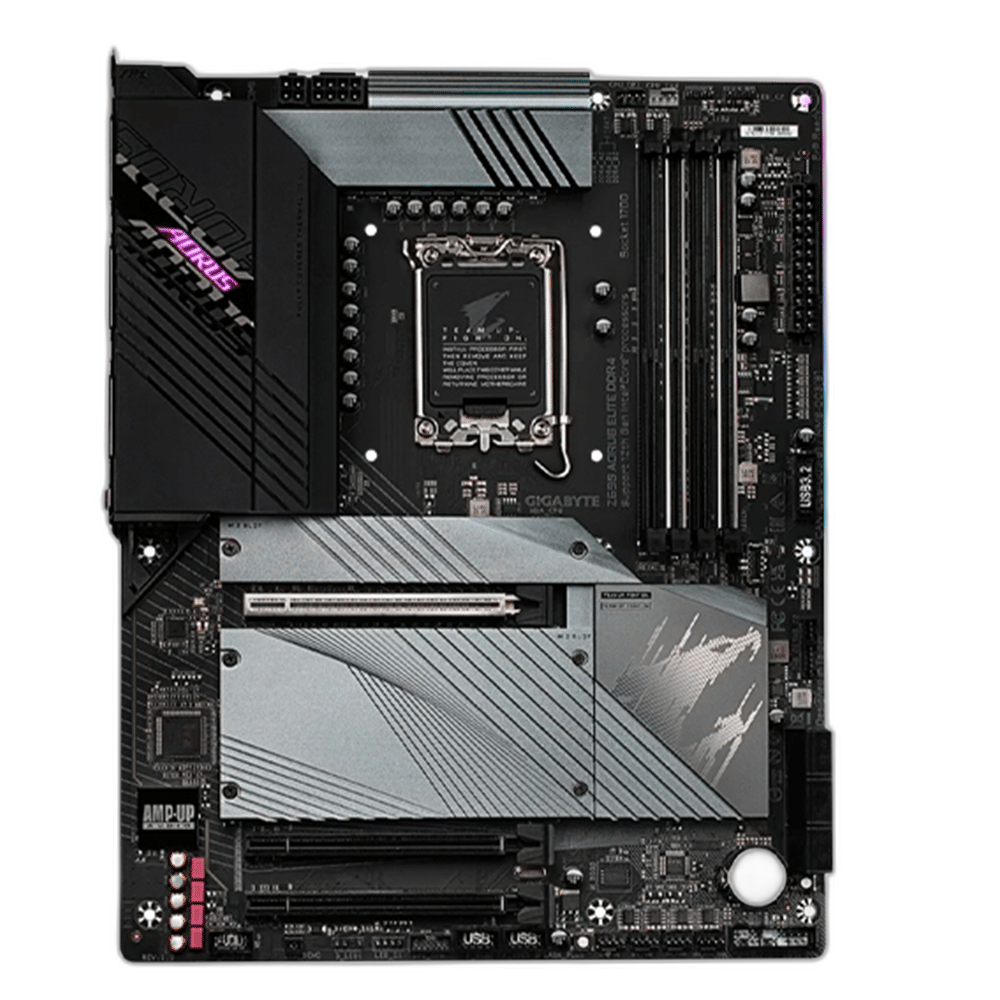
DDR4 Desktop Platform with a LGA1700 Socket
GIGABYTE Z690 AORUS ELITE DDR4 combines the Z690 chipset and LGA1700 socket with DDR4 desktop memory support. Its ATX layout provides 4 DIMM slots, 4 M.2 storage positions and 6 SATA ports for a compatible desktop configuration.
LGA1700
CPU socket
DDR4
Memory generation
4 DIMMs
Memory slots
4 M.2
Physical storage positions
Match the Processor and BIOS
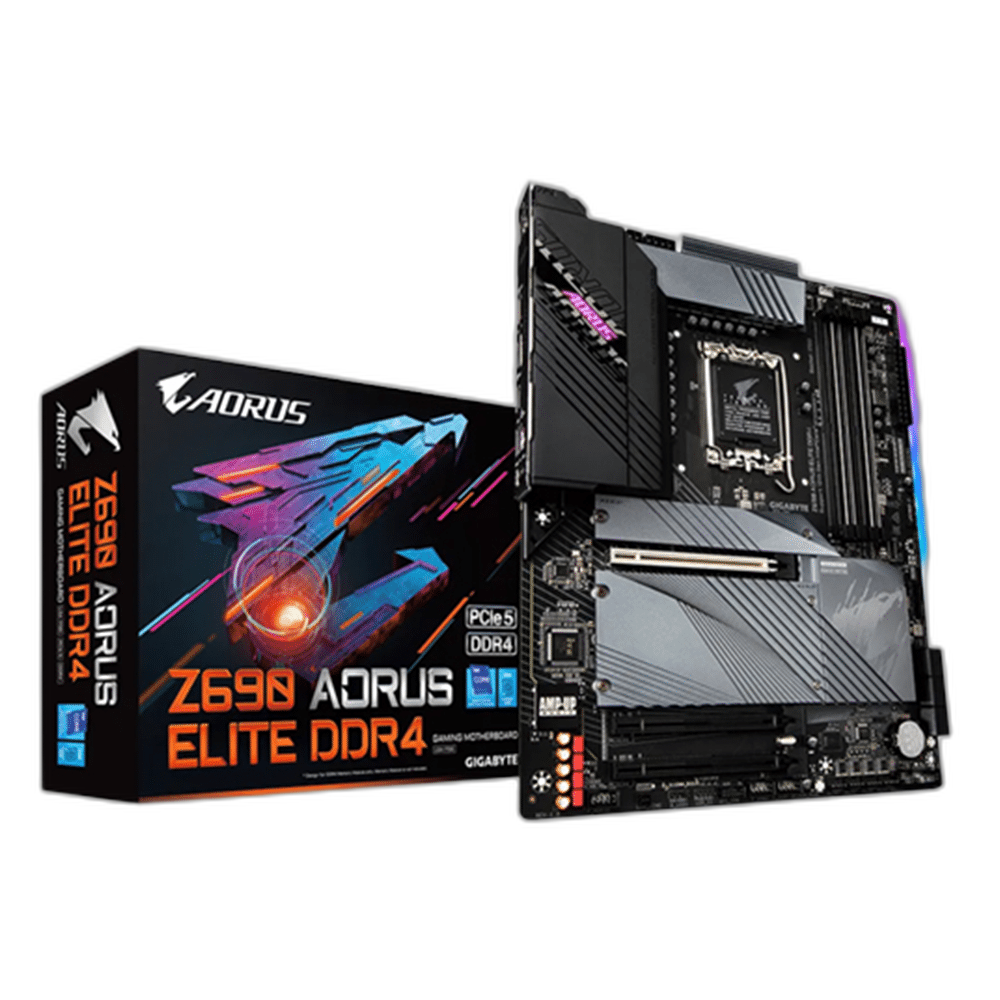
The board supports compatible 12th, 13th and 14th Generation Intel Core processors, subject to the exact CPU-support list and required BIOS. Check the exact processor entry and required BIOS version before installation, especially when updating an existing system. The primary graphics slot supports PCIe 5.0 x16. Two additional physical x16 slots each provide chipset-connected PCIe 3.0 x4. Plan the graphics card and other expansion devices around those connections, keeping the processor’s capabilities and the motherboard’s physical slot layout together as one platform.
4 Slots for DDR4 Memory
The board uses 4 DDR4 DIMM slots with dual-channel support. Select a compatible kit from the manufacturer’s memory guidance and fit the modules in the recommended positions. Memory profiles and attainable speed depend on the CPU, installed BIOS and module arrangement; a kit’s advertised profile does not guarantee the same operating speed with every system configuration.
Plan the Storage Positions
Four onboard M.2 positions support PCIe 4.0 x4: M2A_CPU connects to the CPU and M2P_SB, M2Q_SB and M2M_SB connect to the chipset. M2M_SB additionally accepts SATA M.2 drives. Follow the manual’s connector-sharing table when combining that position with SATA drives. The board also provides 6 SATA 6Gb/s ports. Check the slot-sharing conditions before choosing the positions for the boot SSD, additional storage and expansion cards. The number of physical connectors should be considered alongside any shared lanes or processor-generation requirements in the board’s supported configuration.
Network Connections for the Desk
Realtek 2.5Gbps Ethernet provides the wired network connection. No onboard Wi-Fi or Bluetooth module is included. The available connection speed also depends on the surrounding network, connected router or switch, operating system and driver support. Choose the network path around the system’s intended use, leaving access to the rear connectors and any wireless antennas in the completed desk arrangement.
Display, USB and Audio Connections
The board provides HDMI and DisplayPort. The motherboard display outputs require a supported processor with integrated graphics. 1 × USB 20Gbps Type-C, 2 × USB 10Gbps Type-A, 3 × USB 5Gbps Type-A and 4 × USB 2.0 Type-A are available on the rear panel. Realtek ALC1220-VB supplies onboard audio. Match each external device with the port’s supported function, including the display cable, audio connection and data interface needed for the equipment being used.
Motherboard
GIGABYTE Z690 AORUS ELITE DDR4
Chipset
Z690
CPU socket
LGA1700
A ATX Board for the Case
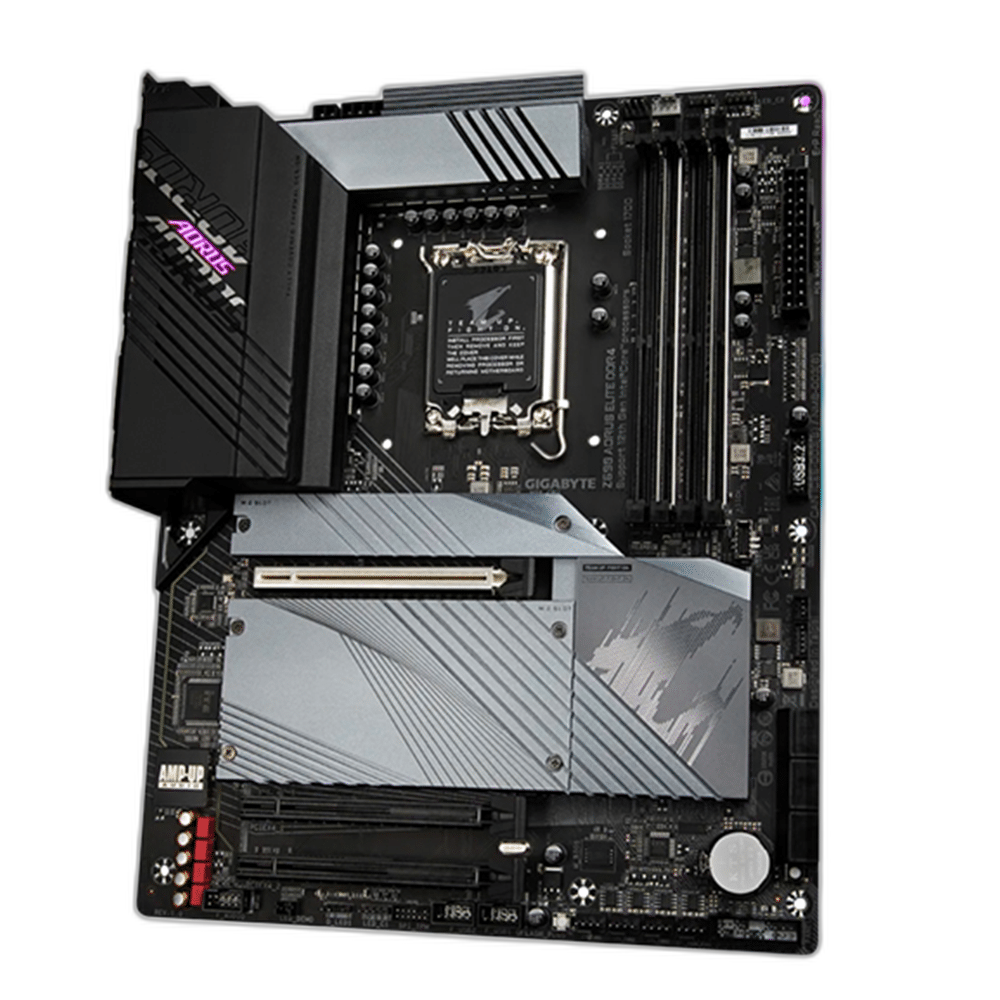
The ATX board measures 305 × 244 mm. Q-Flash Plus assists with compatible firmware updates. Fan headers and UEFI settings support system setup; follow the manual when connecting front-panel and cooling cables. Check the case mounting positions, power connections and cooling layout before assembly. Follow the board’s front-panel and fan-header instructions when connecting the case, and leave the intended airflow routes clear around the processor, memory and installed expansion cards.
Complete Your Workspace
Explore Motherboards to compare suitable options and complete your setup.
Frequently Asked Questions
Which processors can be installed?
compatible 12th, 13th and 14th Generation Intel Core processors, subject to the exact CPU-support list and required BIOS. Check the exact CPU-support list and required BIOS.
Which memory generation is required?
DDR4 desktop DIMMs, with 4 slots and dual-channel support. The kit must be compatible with the CPU and motherboard.
How is M.2 storage configured?
Four onboard M.2 positions support PCIe 4.0 x4: M2A_CPU connects to the CPU and M2P_SB, M2Q_SB and M2M_SB connect to the chipset. M2M_SB additionally accepts SATA M.2 drives. Follow the manual’s connector-sharing table when combining that position with SATA drives.
What network connections are included?
Realtek 2.5Gbps Ethernet. No onboard Wi-Fi or Bluetooth module is included.
Can every supported CPU use the display outputs?
No. The motherboard’s display outputs require a supported CPU with integrated graphics.
Build Your Setup with AX Store Kuwait
Explore computers, displays and accessories for your workspace at AX Store Kuwait. For help choosing the right model or checking an accessory, contact AX Store.
THE DETAILS
Technical specifications
Motherboard Specifications
GIGABYTE Z690 AORUS ELITE DDR4
Z690
LGA1700
compatible 12th, 13th and 14th Generation Intel Core processors, subject to the exact CPU-support list and required BIOS
ATX
4 × DDR4 DIMM; dual channel
4
6 × SATA 6Gb/s
Four onboard M.2 positions support PCIe 4.0 x4: M2A_CPU connects to the CPU and M2P_SB, M2Q_SB and M2M_SB connect to the chipset. M2M_SB additionally accepts SATA M.2 drives. Follow the manual’s connector-sharing table when combining that position with SATA drives.
The primary graphics slot supports PCIe 5.0 x16. Two additional physical x16 slots each provide chipset-connected PCIe 3.0 x4.
Realtek 2.5Gbps Ethernet
No onboard Wi-Fi or Bluetooth module is included.
Realtek ALC1220-VB
HDMI and DisplayPort; require CPU integrated graphics
1 × USB 20Gbps Type-C, 2 × USB 10Gbps Type-A, 3 × USB 5Gbps Type-A and 4 × USB 2.0 Type-A
The ATX board measures 305 × 244 mm.
Q-Flash Plus assists with compatible firmware updates. Fan headers and UEFI settings support system setup; follow the manual when connecting front-panel and cooling cables.
1 x 24-pin ATX main power connector
1 x 8-pin ATX 12V power connector
1 x 4-pin ATX 12V power connector
XMP-compatible modules; actual operating settings depend on CPU, BIOS and kit
COMPLETE YOUR SETUP
Pairs well with