RAZER
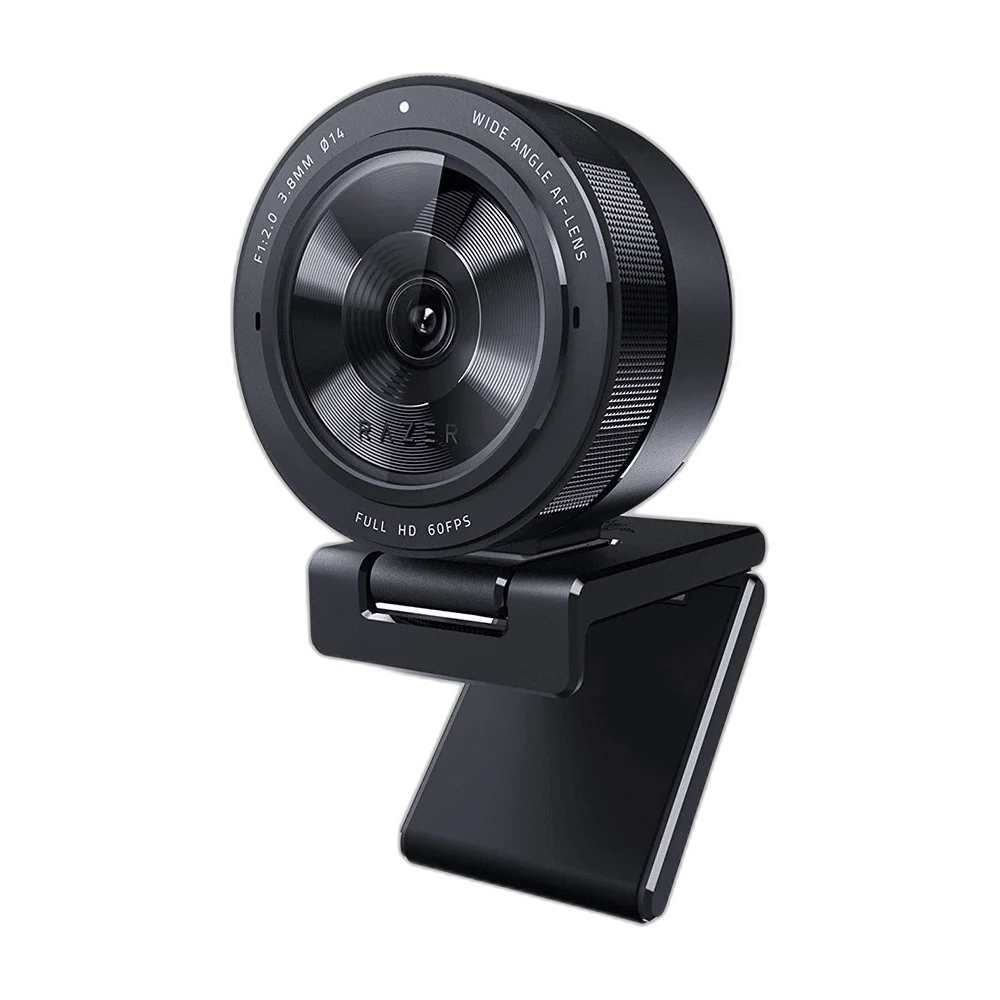
Razer Kiyo Pro FHD Streaming Camera, Black
Give your stream a smooth 1080p60 picture with the Razer Kiyo Pro. Its Sony STARVIS sensor, autofocus and selectable field of view help you set up a clear camera feed for gaming, video calls and content creation.
Regular price
63.000 KWD
or 4 payments of 15.750 KWD with
Pay with card & save


59.900 KWD
Save 3.100 KWD
Overview
RAZER KIYO PRO FHD STREAMING CAMERA, BLACK
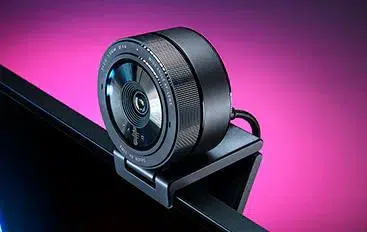
Razer Kiyo Pro
Give your stream a smooth 1080p60 picture with the Razer Kiyo Pro. Its Sony STARVIS sensor, autofocus and selectable field of view help you set up a clear camera feed for gaming, video calls and content creation. Explore this model at AX Store in Kuwait.
1080p60
Maximum Full HD Mode
STARVIS
Sony IMX327 Sensor
Autofocus
Focus System
HDR
Up to 30 fps
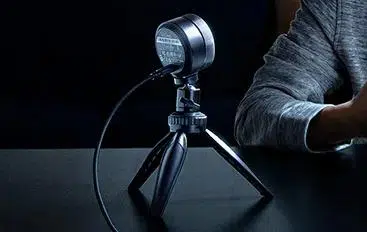
Smooth 60fps or HDR at 30fps
Use uncompressed Full HD video over USB 3.0 for fluid movement, or enable HDR at 30fps when balancing bright and dark areas matters more. The 1/2.8-inch sensor is designed to work across varied indoor lighting conditions.
Choose how much viewers see
Switch between 80°, 90° and 103° diagonal views in Razer Synapse. A tighter frame suits a facecam overlay, while the wider options give you room to show more of your desk or include another person.
Position it your way
Use the adjustable monitor stand, place the camera on a desk or attach it to a compatible 1/4-inch tripod. A detachable braided USB cable and included privacy cover make it easy to connect and cover the camera between sessions.
Choose the Host Port for the Video Mode
Use the computer connection specified for the required camera mode. A connector adapter does not increase host bandwidth, so check the actual USB port and application before expecting the highest listed resolution or frame rate.
Set the Framing for the Working Position
Select an available field of view and position the camera for the person or scene being recorded. Keep focus and lighting settings appropriate to the shot, and confirm the framing in the intended calling or recording application.
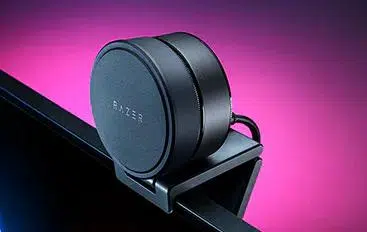
Keep Camera and Microphone Selection Clear
Choose the intended camera and audio devices in the application before starting a session. The built-in microphones provide one option, while a separate computer microphone can be selected when the desk setup calls for another voice arrangement.
Choose a Camera Route for Your Streaming Desk
Decide between a direct computer webcam and a separate camera workflow. Check the selected resolution, frame rate, power and connection requirements, then arrange lighting around the picture you see in the application. Compare related options such as Logitech C922 HD Pro Streaming Webcam or Canon PowerShot G7X Mark III Camera - Compact Vlogging, keeping the exact model and configuration in the decision. For the wider setup, explore Razer Key Light Chroma - All-In-One Lighting Kit and check the connection, size or mounting requirements before pairing accessories. Browse the RAZER range at AX for more choices.
Razer Kiyo Pro Setup Choices
Decide between a direct computer webcam and a separate camera workflow. Check the selected resolution, frame rate, power and connection requirements, then arrange lighting around the picture you see in the application. Explore Elgato Wave 3 MK.2 USB Condenser Microphone - Wave FX / Black, Elgato Stream Deck MK.2, 15-Key Customizable Controller, Elgato Mini Mount Desktop Stand | Compact & Versatile.
Frequently Asked Questions
Which video modes are listed?
1080p at 60 / 30 / 24 fps; 720p60; 480p30; 360p30.
How fast can HDR operate?
Up to 30 fps.
What USB connection is required?
USB 3.0; USB-C port on camera.
What changes on USB 2.0?
H.264 compressed; reduced mode availability.
Build Your Setup with AX Store
Explore computers, displays and accessories for your workspace at AX Store. For help choosing the right model or checking an accessory, contact AX Store.
THE DETAILS
Technical specifications
Camera specifications
RZ19-0364
1080p at 60 / 30 / 24 fps; 720p60; 480p30; 360p30
Up to 30 fps
2.1 MP
1920 × 1080
Sony IMX327 with STARVIS technology
1/2.8 inch
f/2.0
Corning Gorilla Glass 3
Autofocus
80° / 90° / 103°
Uncompressed YUY2 and NV12
H.264 compressed; reduced mode availability
USB 3.0; USB-C port on camera
Stereo
16-bit / 48 kHz
Omnidirectional
−38 dB
1.5 m braided cable
Detachable L-shaped stand; 1/4-inch-20 thread
Included lens cover
Razer Synapse
68.7 × 48.5 × 68.7 mm
196.3 g
Black
COMPLETE YOUR SETUP
Pairs well with