
SETUP GUIDE
Smart Home
Smart RGB Gaming Room Lighting: Plan a Complete Setup
Smart RGB gaming room lighting works best as a planned layout: choose the surfaces, power routes and control method before buying panels or strips. Keep.
AS
AX Store
Smart RGB Gaming Room Lighting: the essentials
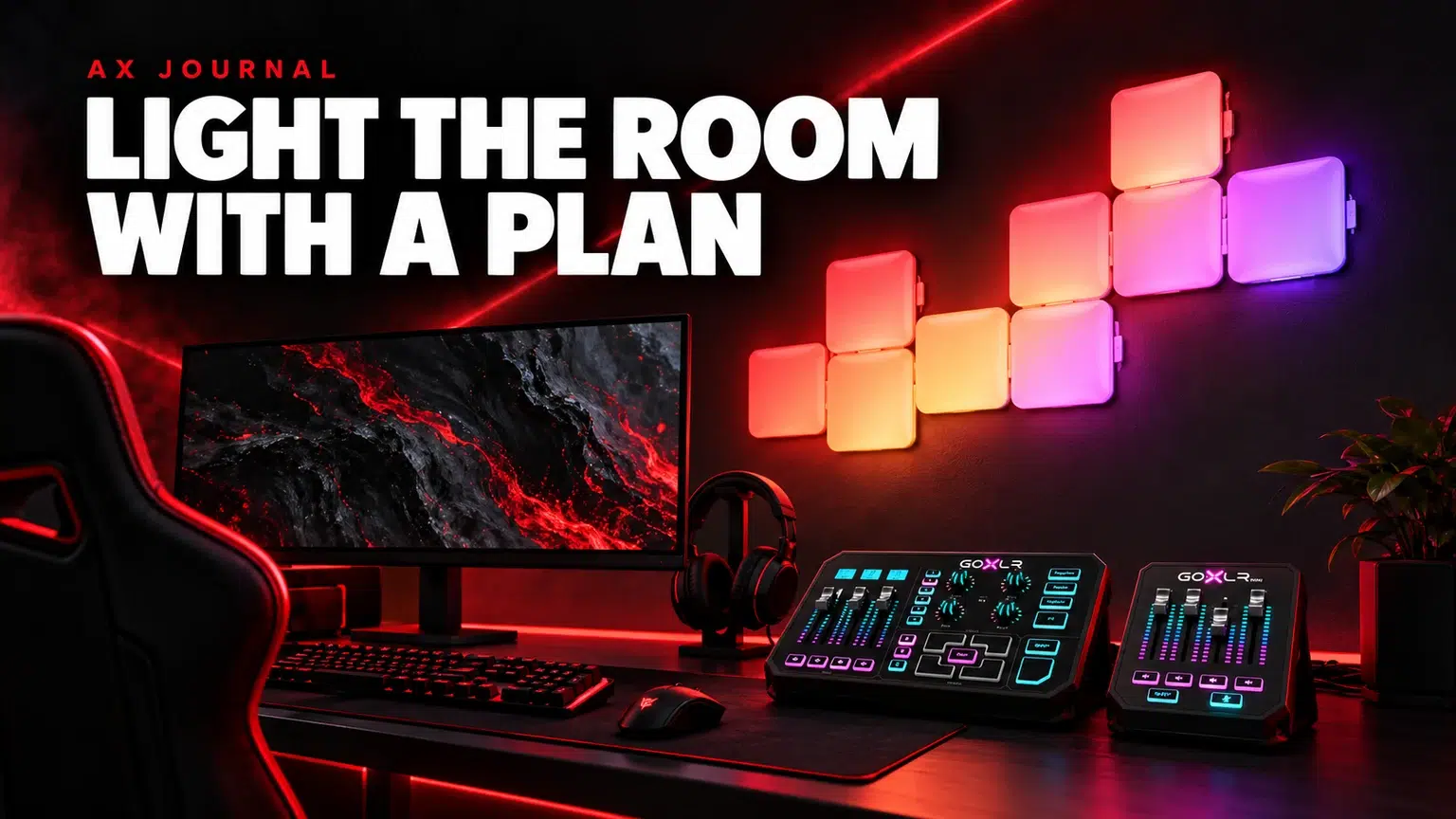
Smart RGB gaming room lighting works best as a planned layout: choose the surfaces, power routes and control method before buying panels or strips. Keep decorative lighting separate from the useful light needed for work and camera use.
Choose the lighting job first
Decide whether you want light behind the monitor, a feature wall, an illuminated corner or a coordinated room scene. Each location suits a different product shape. Buying several unrelated packs before drawing the room can leave you with overlapping effects and awkward power routes.
Use a photograph of the room from the seated position and mark the areas you want to light. Check how those areas appear on camera too. A wall effect that looks good from the doorway can reflect strongly in a monitor or dominate the background of a stream.
Starter kit and extension pack are different purchases
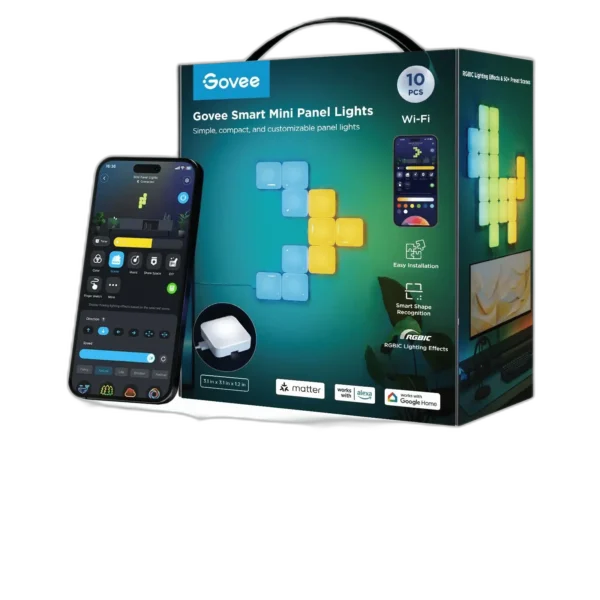
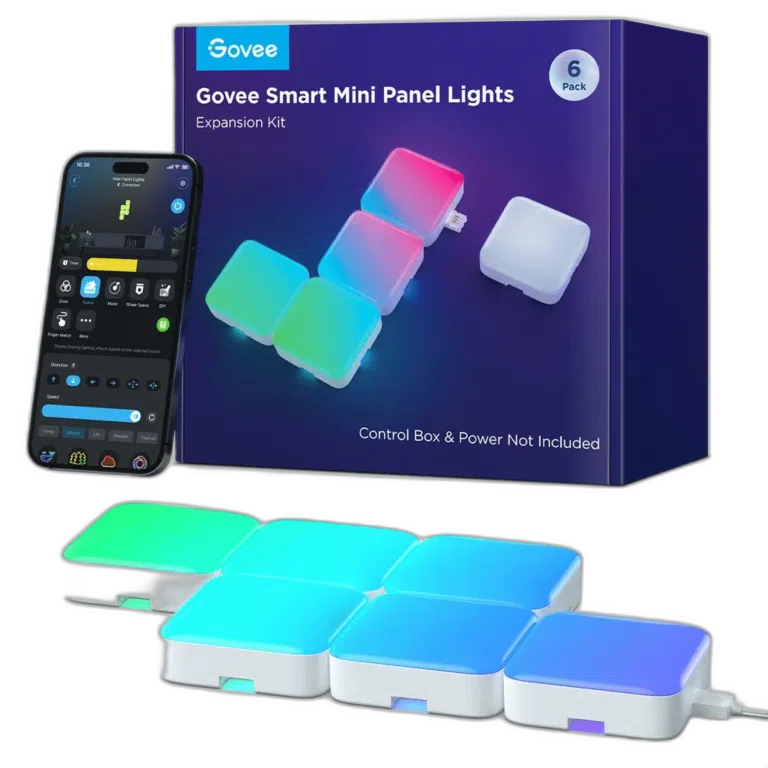
The Govee Smart Mini Panel Lights starter listing and Govee Mini Panel extension pack should be read as parts of a compatible system, not assumed to be two independent complete kits.
Check the exact controller, power supply and supported expansion arrangement before adding panels. Match the model information on the product and its documentation, including regional versions. An extension pack may depend on hardware from the starter kit, and the permitted total must come from that exact system rather than a different series.
Use strips and a floor lamp for different spaces
The Govee H61F5 Strip Light 2 Pro 5M suits a different placement question from wall panels. Measure the route and account for corners, the controller and power access. Follow the model’s cut marks and connection guidance if adapting the length; do not assume that every RGBIC strip can be cut or extended the same way.
The Govee H8076 corner floor lamp is another approach when you want a freestanding light source rather than adhesive panels or a strip behind furniture. Give it room to stand securely and keep the cable route clear of the chair.
Understand the control labels
| Label | What to check |
|---|---|
| RGBIC | How the product controls separate colour segments |
| RGBWW or RGBICW | Which white-light channels and controls the exact model provides |
| Wi-Fi and Bluetooth | Required network band, setup and local control options |
| Matter | Whether the exact model supports the ecosystem you use |
| DreamView or syncing | Which devices and required controllers are supported together |
These labels describe different functions. A product with RGBIC is not automatically a Matter device, and a product with an app does not automatically support every voice assistant. Write down the ecosystem you already use and check compatibility for each SKU before choosing the room package.
Plan installation and power access
Check the mounting surface and the manufacturer’s adhesive or fixing guidance. Lay out panel shapes before attaching them, and keep the controller and power connection reachable. A finished arrangement should let you reset or service the product without moving the entire desk.
For strips, avoid a route that requires pulling the cable tightly around a sharp corner. For a standing desk, check movement at both height extremes. Do not hide the required power adapter where furniture crushes it or where you cannot access its connections.
Keep the first arrangement manageable. Connect and configure one product, confirm its control method and save a usable scene before expanding. That makes a setup problem easier to isolate.
Make the room useful with the effects off
Choose a simple everyday scene as well as the dramatic gaming scene. You should be able to see the desk controls and use the monitor comfortably without every product running its brightest effect. Adjust the background while watching the actual camera image if you stream.
For face lighting, use a deliberate key light arrangement rather than asking decorative wall panels to do that job. Combine the room plan with a practical desk layout so that cables and controllers do not take over the working surface.
If you are also adding smart cameras, read the home camera checklist separately. Lighting automation and security recording have different setup and reliability requirements, even when both appear in a smart-home shopping list.
Frequently asked questions
Can an extension panel pack work alone?
Check the exact system. An extension can require the starter kit’s controller and power supply.
Does RGBIC mean that a product supports Matter?
No. Segmented colour control and smart-home ecosystem support are different features.
Can I cut any smart LED strip to fit?
No. Follow the exact model’s permitted cut points and connection instructions before modifying the strip.
Continue planning your setup
- Plan a Small Gaming Desk Without Losing Mouse Space
- Light Your Streaming Setup Before Upgrading Camera
- Home Camera Checklist: Placement, Storage and Wi-Fi
Related guide: Wooting keyboard buying guide.
Shop the equipment in Kuwait
AX price check, 26 October 2026: Govee Smart Mini Panel Lights H8069, 10 Pack RGB Panels — KWD 35.900 (in stock); Govee Smart Mini Panel Lights Extension A6069, 6 Pack — KWD 14.500 (in stock). The product cards show the current price and availability when you shop.
Explore Govee at AX Kuwait for the rest of the range.
AS


Build a setup that fits how you use it
Tell AX your exact models and what you want to do. We can help match the equipment and connections.