Skip to content
COMPARISON Gaming Gear

Wooting 60HE vs 80HE: Layout, Rapid Trigger and Desk Fit

Wooting 60HE vs 80HE is a layout decision as well as a gaming decision: compare the keys you use daily, mouse space and the exact keyboard version.

AS
AX Store
Updated 27 October 2026 4 min read
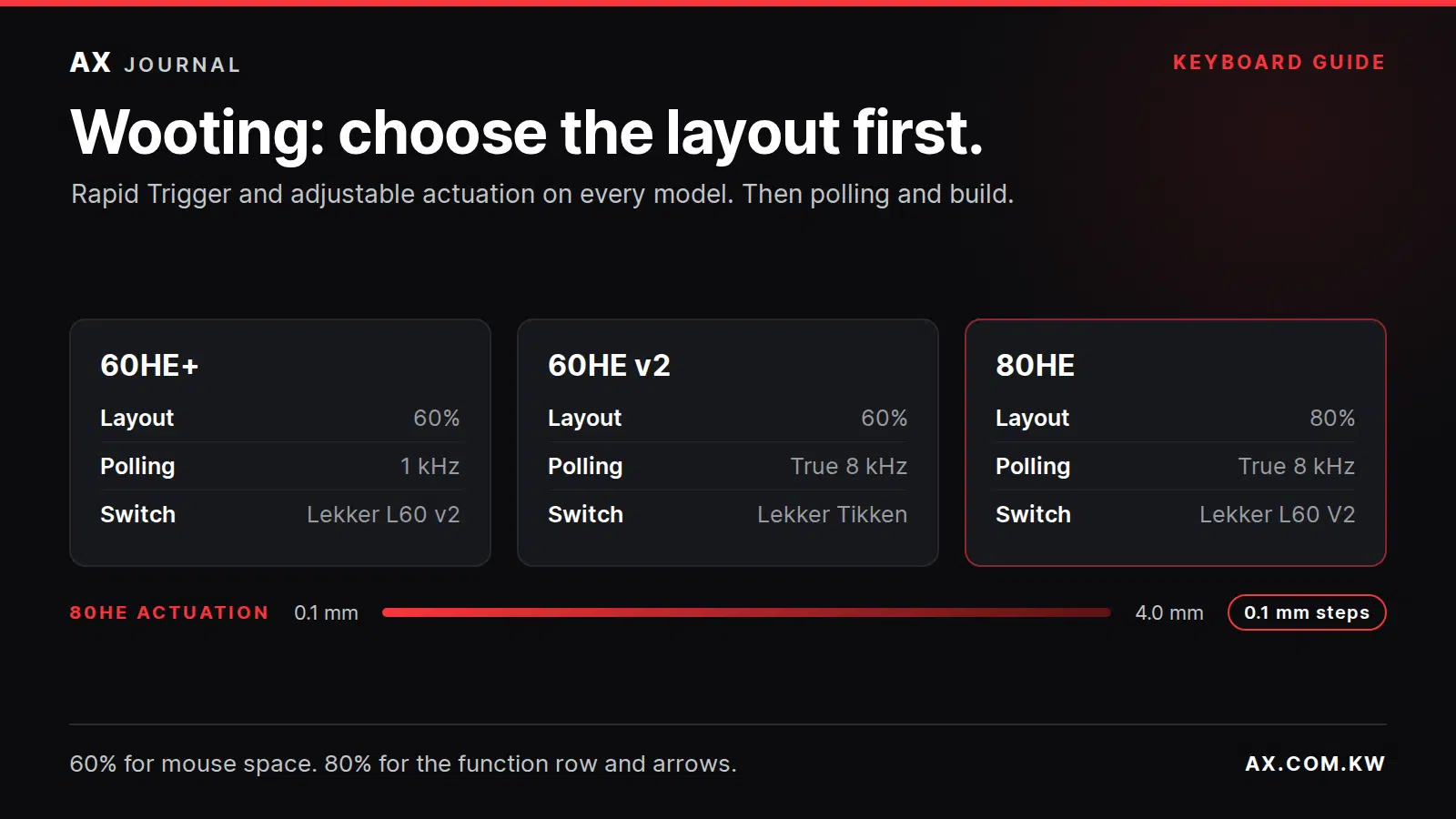
Wooting 60HE+, 60HE v2 and 80HE comparison: layout, polling rate and switches, with 80HE actuation range

Wooting 60HE vs 80HE: the essentials

Wooting 60HE vs 80HE is a layout decision as well as a gaming decision: compare the keys you use daily, mouse space and the exact keyboard version.

What makes a Wooting different

Wooting keyboards use Hall-effect magnetic switches that measure how far each key is pressed, all the way through its travel. That enables three things a normal mechanical keyboard cannot do: an actuation point you set yourself, Rapid Trigger, and true analog input.

  • Adjustable actuation: choose how deep a key must travel before it registers, from a light touch to a full press.
  • Rapid Trigger: the key resets the moment it starts moving up and fires again as soon as it moves down, which makes counter-strafing and fast taps feel instant.
  • Analog input: keys can act like a controller stick, so pressing partway can mean walking instead of running in supported games.

Everything is configured in Wootility, which runs in the browser or as an app.

Wooting models side by side

Feature 60HE+ 60HE v2 80HE
Layout 60% 60% 80% with function row and navigation keys
Polling rate 1 kHz True 8 kHz True 8 kHz
Switches Lekker L60 v2 Lekker Tikken Lekker L60 V2
Case Plastic Plastic or aluminium PCR ABS, plus special editions
Rapid Trigger and analog input Yes Yes Yes

On the 80HE, actuation can be set from 0.1 mm to 4 mm in 0.1 mm steps, and the keyboard stores up to four onboard profiles.

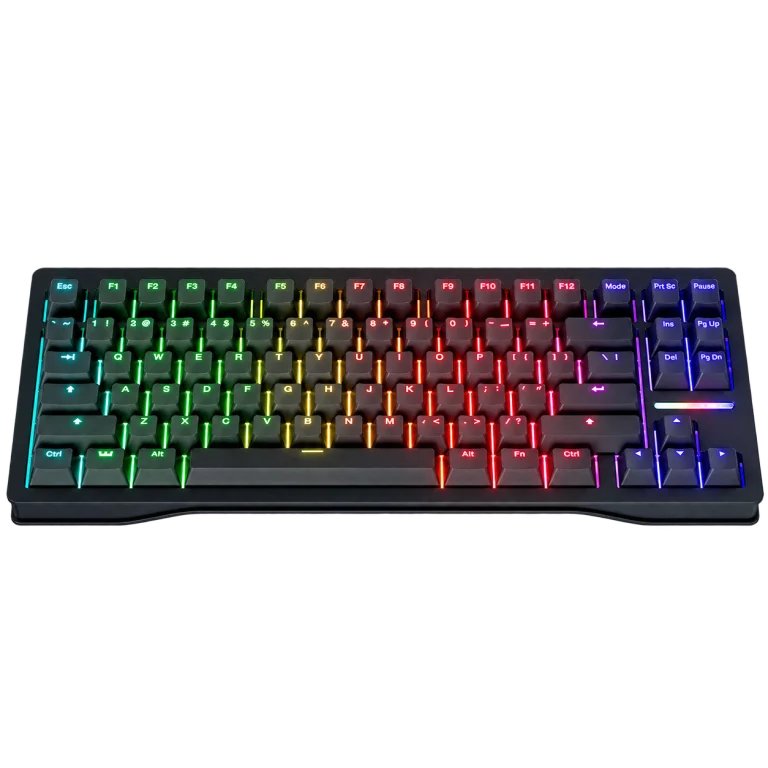
Wooting 80HE Rapid Trigger Gaming Keyboard, PCR Black — product view
Wooting 80HE Rapid Trigger Gaming Keyboard, PCR Black

60% or 80%: start with your desk

A 60% board removes the function row, arrow keys and navigation cluster. That frees space on the desk, which low-sensitivity players use for wide mouse swipes on a large mousepad. The trade-off is that arrows and function keys move to a second layer.

The 80HE keeps the function row, arrows and navigation keys. It suits players who also work, edit or play games that rely on those keys, and anyone who does not want to learn a layer system.

Does 8 kHz polling matter?

Polling rate is how often the keyboard reports to the computer. The 60HE v2 and 80HE poll at a true 8 kHz, cutting the reporting interval from 1 ms to 0.125 ms. On the 80HE, 8 kHz runs through Tachyon mode in Wootility.

It is a real improvement, but a small one. For most players, a well-tuned Rapid Trigger setup makes a bigger difference than the jump from 1 kHz to 8 kHz. The 60HE+ remains a very capable keyboard at 1 kHz.

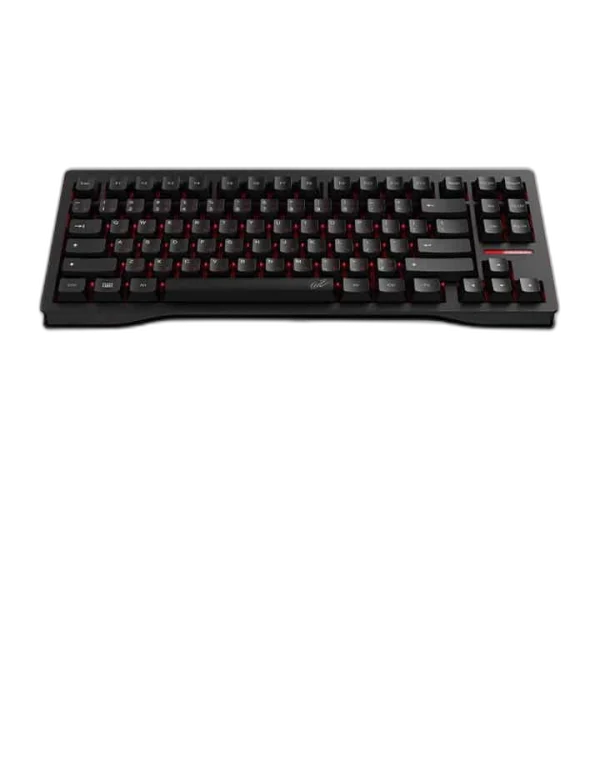
Wooting 80HE TenZ Takeover Analog Gaming Keyboard — product view
Wooting 80HE TenZ Takeover Analog Gaming Keyboard

60HE+ or 60HE v2?

Both are 60% keyboards with the same core Wooting features. The 60HE v2 adds true 8 kHz polling, Lekker Tikken switches and the option of an aluminium case.

Choose the v2 if you want the latest hardware and feel. Choose the 60HE+ if you want the 60% Wooting experience and value matters more than the newest build.

Setting up Rapid Trigger the right way

  • Start moderate: begin with a medium actuation point and a less sensitive Rapid Trigger setting.
  • Adjust in small steps: lower the values gradually over a few sessions until movement feels instant without accidental presses.
  • Tune per key: movement keys benefit most. Keep keys like reload or abilities a little less sensitive.
  • Save profiles: keep separate profiles for competitive play, casual games and typing.

Frequently asked questions

Does Rapid Trigger work in every game?

Yes. It is handled inside the keyboard, so it works anywhere. Some games and tournaments restrict certain input features, so check the rules of the title you compete in.

Do I need Wootility running all the time?

No. Settings are saved to the keyboard profiles. You only need Wootility to change them.

Which model is best for FPS games?

All three are built for competitive play. Choose by layout first: 60% for maximum mouse space, 80% if you need the function row and arrows.

Choose your Wooting with AX

Compare the 80HE, the 80HE TenZ Takeover edition and the 60% models on their product pages, then pair your keyboard with a gaming mouse and a mousepad that suits your aim. Our Artisan Ninja FX guide helps with that. If a model shows as out of stock, contact AX to ask about availability.

Shop the equipment in Kuwait

AX price check, 26 October 2026: Wooting 80HE Rapid Trigger Gaming Keyboard, PCR Black — KWD 97.900 (out of stock); Wooting 80HE TenZ Takeover Analog Gaming Keyboard — KWD 109.900 (out of stock). The product cards show the current price and availability when you shop.

Explore Wooting at AX Kuwait for the rest of the range.

AS

WRITTEN BY

AX Store

All guides from this desk

Find the Wooting that fits your desk

Tell us the games you play and how much desk space you have. We will help you choose the right layout and model.

Added to cart

View cart

Subscribed

We'll email you as soon as it's back in stock.

Saved to wishlist

View wishlist