BUYING GUIDE
Networking
Gaming Router vs Mesh Wi-Fi: Coverage, Ping and Wired Backhaul
Choose a gaming router or mesh Wi-Fi for your Kuwait home. Compare ASUS GT-BE98 and ZenWiFi XD5, wired backhaul, coverage and latency limits.
AA
Ali Aljaber
Quick answer
Choose a gaming router when the main requirement is a capable central router with the ports and wireless features your devices can use. Choose a mesh system when reliable coverage across several rooms is the main problem. Neither choice automatically reduces your game’s ping to a distant server.
For a home in Kuwait, wall construction, router position, ISP equipment and available Ethernet cabling often matter as much as the Wi-Fi generation. Before buying, identify whether the problem is a weak local signal, congestion inside the home or the internet connection beyond it.
Compare three ASUS options at AX Store
| Product | Network class | Useful reason to consider it | Important limit |
|---|---|---|---|
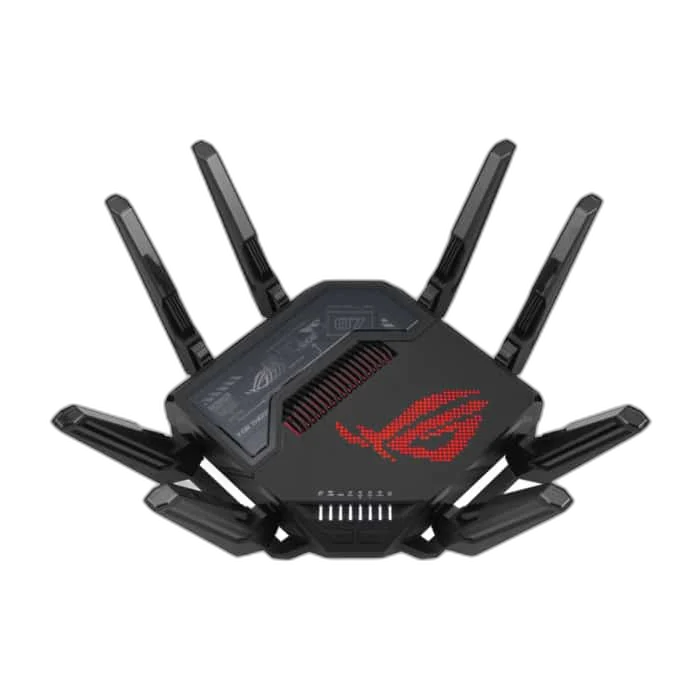
| ROG Rapture GT-BE98 | Quad-band Wi-Fi 7 | Central router with multi-gigabit connectivity and advanced controls | Client support and regional settings determine usable features |
| GT-BE98 Edition 20 | Anniversary version of the GT-BE98 family | The Edition 20 design and its exact listed specification | Anniversary styling alone does not prove a speed increase |
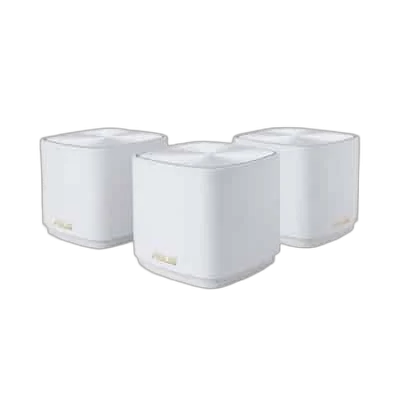
| ZenWiFi XD5, 3-pack | AX3000 dual-band Wi-Fi 6 mesh | Distributing coverage with several nodes | No dedicated third wireless backhaul band; Gigabit Ethernet ports |
Separate coverage, throughput and latency
Coverage describes whether devices can maintain a useful signal where they are used. Throughput describes how much data a connection transfers. Latency is the time taken for a response; jitter is variation in that delay. A speed test with a high download number does not prove that wireless latency remains stable during a busy gaming session.
Test the same game on Ethernet if possible. If the problem disappears, investigate the wireless path. If a wired device also has high latency, check internet load, ISP performance and the route to the game server. A new router cannot move that server closer or remove every delay beyond your connection.
When a gaming router makes sense
The GT-BE98 is relevant when you need a central router with high-speed wired connections and Wi-Fi 7 capabilities. Those features only help where the rest of the network can use them. A Gigabit client port, slow internet plan or older wireless adapter can remain the limiting link.
Advertised aggregate wireless figures such as BE25000 combine theoretical radio rates across bands. They are not the internet speed one laptop will receive. Similarly, a Wi-Fi 7 client still needs compatible features, settings and a suitable signal environment. Band availability, including 6 GHz, depends on the regional model, local requirements and client support; check the supplied unit rather than assuming every worldwide specification is enabled.
Traffic-priority controls can help when several devices compete for a saturated connection, but they cannot guarantee a lower baseline ping. Configure them for the actual internet line and test while another device uploads or downloads. An incorrect limit can reduce throughput without solving the original problem.
When mesh is the more useful upgrade
The ZenWiFi XD5 three-pack is designed to distribute coverage using multiple units. This can be more useful than placing one expensive router in a distant corner and expecting its signal to pass through several walls. The nodes still require a healthy connection back to the main network.
Place a wireless node where it receives a strong upstream signal and can extend service into the next area. Putting it inside the existing dead zone can give the phone a nearby signal while leaving the node itself with a poor connection. Test several placements before deciding that the number of nodes is insufficient.
Wired backhaul changes the mesh design
Backhaul is the link carrying traffic between a mesh node and the rest of the network. With supported Ethernet backhaul, that traffic can travel over a cable rather than sharing the wireless path. This can improve consistency where cabling is available, particularly when walls make a wireless node-to-node connection difficult.
XD5 is a dual-band model. It does not have a separate third radio reserved for wireless backhaul. Its Ethernet ports are Gigabit, so do not buy it expecting a 10-gigabit wired path. Plan the ports, any switch and the cabling route as part of the purchase rather than considering only the number printed beside Wi-Fi.
Keep one clear routing plan
If the ISP gateway remains in router mode and a second router also performs routing, you can end up with double NAT. That can complicate some inbound connections and gaming arrangements. Decide which device should provide routing and DHCP, and use supported access-point or bridge arrangements where appropriate for the ISP service.
Before changing the existing gateway, record its configuration and confirm the ISP’s requirements. Do not disable services blindly if the unit also provides other functions. For the rest of the gaming setup, our gaming PC buying checklist and RTX 5070, 5070 Ti and 5080 comparison cover rendering performance, which is separate from network delay.
A practical selection checklist
- Test wired versus wireless performance in the problem room.
- Map the rooms, walls, central connection point and Ethernet routes.
- List the port speeds and Wi-Fi capabilities of your devices.
- Choose a central router or mesh layout that addresses the measured weakness.
- Test coverage and latency during normal household use after installation.
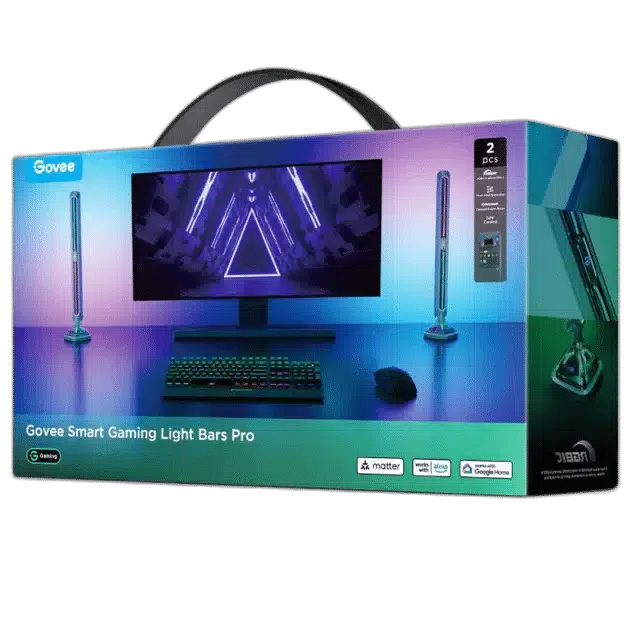
Smart lights also rely on a working local network. If they are part of the room, use our Govee lighting selection guide and confirm each light’s supported network settings rather than buying a router solely for a decorative-lighting feature.
Frequently asked questions
Will a gaming router lower my ping automatically?
No. It may address local congestion or wireless limitations, but ISP routing, server distance and other external factors remain.
Is ZenWiFi XD5 a Wi-Fi 7 system?
No. XD5 is a dual-band Wi-Fi 6 AX3000 system.
Should a mesh node go in the weakest-signal room?
A wireless node needs a good upstream connection. It is often better placed between the main router and the weak area, then tested.
Is GT-BE98 Edition 20 necessarily faster than the regular model?
Do not infer that from the anniversary name. Compare the exact technical specifications and regional versions.
Manufacturer references
Product configurations checked against AX Store listings on 14 November 2026. Use the linked product pages for current prices, stock, selected colours and included accessories.
Explore the current Network selection at AX Store Kuwait.
AA
KEEP READING
All Buying Guides guides


Choose the right equipment for your setup
Explore the exact models, current configurations and availability at AX Store Kuwait.