COMPARISON
Monitors
OLED vs IPS Monitors: Choose for Gaming, Work or Both
Compare OLED and IPS monitors for gaming and work: motion, contrast, text, brightness, static content and care, with ASUS examples at AX Store Kuwait.
AA
Ali Aljaber
Quick answer
Choose OLED when its per-pixel contrast and fast pixel transitions suit your gaming and media use. Choose IPS when your priorities centre on a conventional LCD workflow, long periods of static desktop work or a particular combination of resolution, ports and price. The right monitor depends on your daily workload as well as its panel technology.
For an OLED versus IPS monitor comparison in Kuwait, separate panel type from resolution and refresh rate. A 27-inch QHD gaming OLED, a high-refresh QHD IPS and a 27-inch 4K professional IPS are not identical screens with only the panel changed. Compare the full specifications and your intended use.
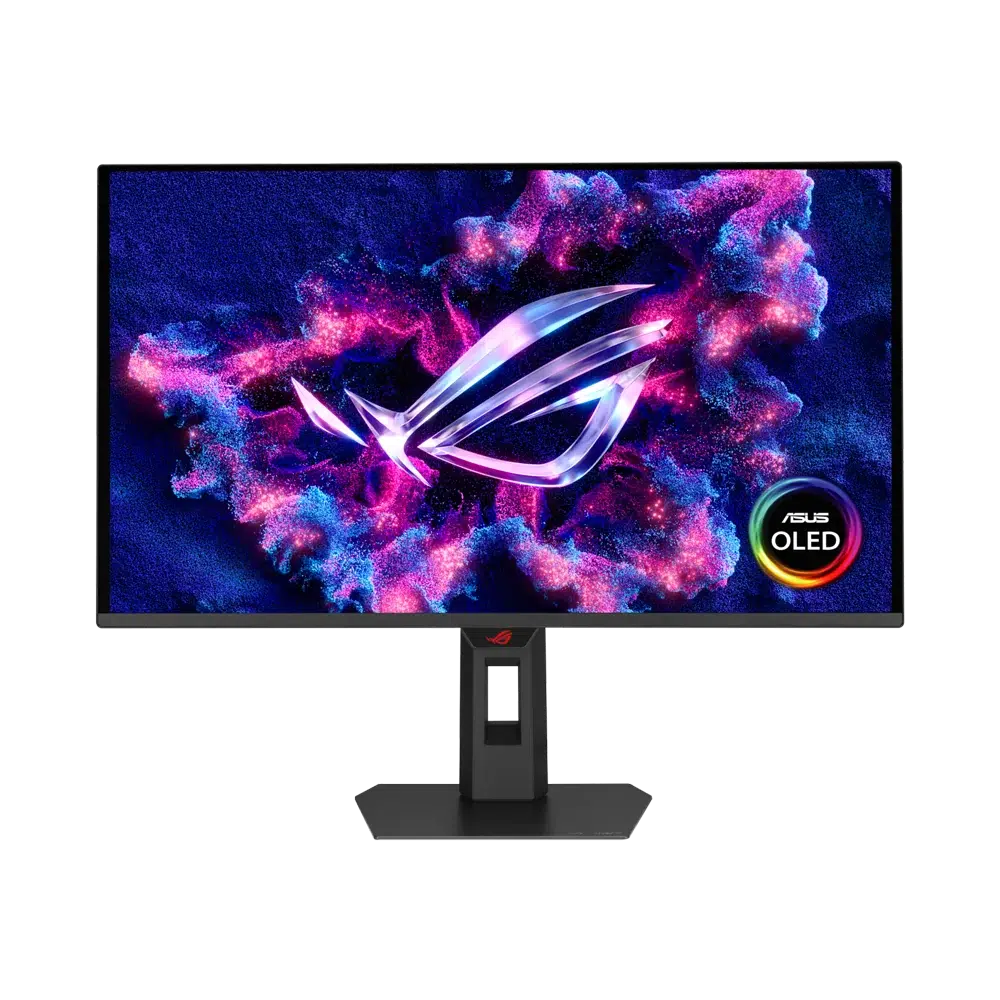
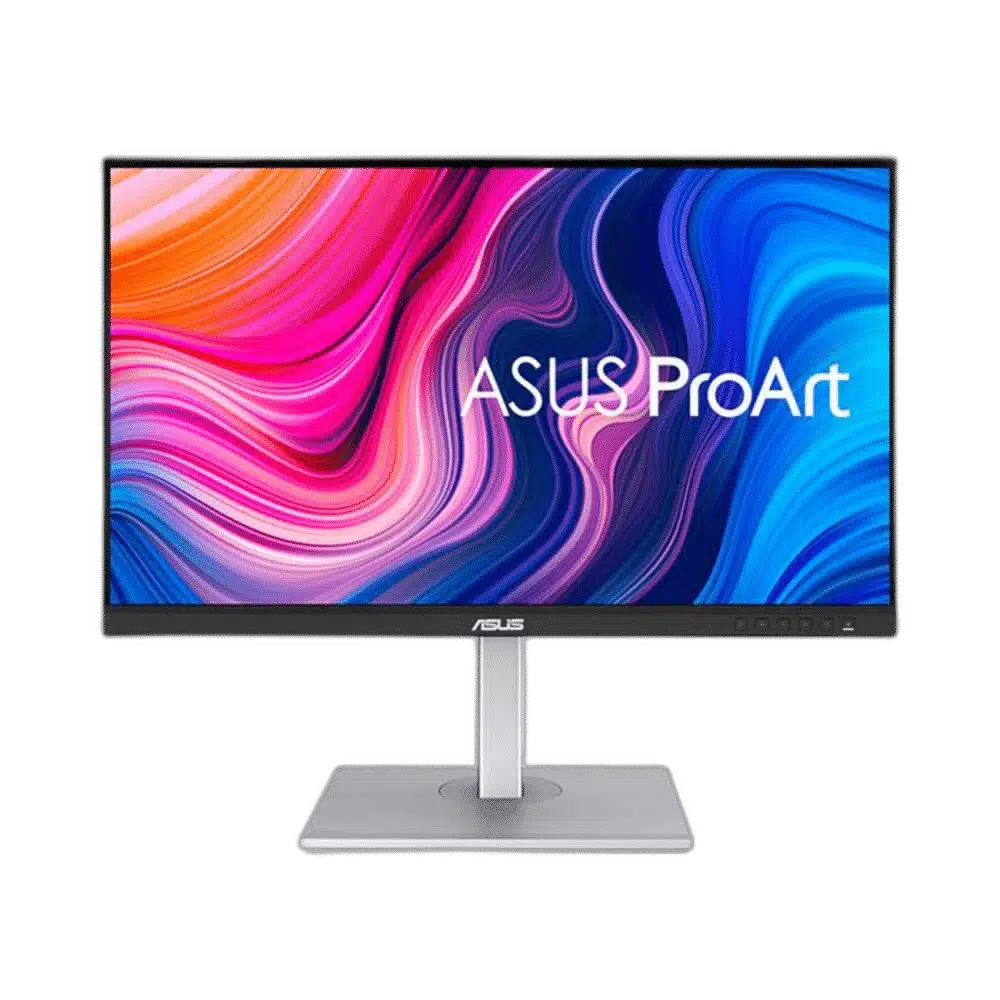
Three ASUS examples with different purposes
| AX monitor | Panel / resolution | Listed refresh rate | Why consider it |
|---|---|---|---|
| ROG Strix XG27AQDNG, 27-inch | QHD QD-OLED | 360 Hz | High-refresh gaming with per-pixel light control |
| TUF Gaming VG27AQML5A, 27-inch | QHD Fast IPS | 300 Hz | High-refresh gaming in an IPS design |
| ProArt PA279CV, 27-inch | 4K UHD IPS | 60 Hz | Higher desktop pixel density and a work-focused feature set |
These are product examples, not a measured side-by-side review. The 360 Hz and 300 Hz figures describe maximum refresh capabilities, while the ProArt example prioritises a different workflow. Confirm the required input, cable and graphics output for the mode you intend to run.
Contrast and dark scenes
OLED pixels emit their own light, allowing dark pixels to turn off rather than relying on a shared backlight. This gives a strong contrast advantage in suitable viewing conditions, particularly in dark scenes containing bright highlights. Room lighting and reflections still affect the picture you see.
IPS is an LCD technology using a backlight. Black level and HDR performance depend on the complete monitor, including whether it has local dimming and how that system behaves. Do not assume every IPS has the same contrast, or that an HDR label alone means it can reproduce the same highlights and dark detail as another screen.
Motion clarity is more than one response-time number
OLED’s fast pixel transitions can help reduce transition blur. Refresh rate determines how often the screen can present an update, while the game’s frame delivery, persistence behaviour and display processing affect the overall result. A panel response-time figure is not a measurement of total mouse-to-screen latency.
Marketing response-time specifications can also use different test conditions and measurement definitions. Do not read 0.03 ms and 0.3 ms as a complete ten-to-one comparison of how responsive the whole setup feels. Look at measured motion behaviour, overshoot, input lag and the refresh rates you will actually use.
A high-refresh monitor needs the PC to deliver useful frames. Read our RTX 5070, 5070 Ti and 5080 gaming PC guide to match the screen to the rendering workload, then use the Windows high-refresh setup guide to check the selected mode.
Text clarity: compare resolution and subpixel layout
At the same 27-inch size, a 4K panel has a higher pixel density than a QHD panel. That can provide finer text and more detailed application content, with operating-system scaling adjusted for comfortable reading. It is a separate issue from OLED versus IPS.
Subpixel layout and text rendering can also affect how fonts appear. Some OLED layouts may show colour fringing more noticeably to certain users at particular sizes and scaling settings. Avoid assuming that every OLED looks the same or that every IPS text presentation is automatically ideal. If the main job is long documents, coding or spreadsheets, inspect text at your normal viewing distance.
Static content and OLED care
Prolonged repeated static content can contribute to uneven OLED wear and permanent image retention. The risk depends on usage, brightness, content and the panel’s care systems. It is not a certainty that every OLED used for work will fail, but it is a relevant consideration for an all-day fixed dashboard or application layout.
Keep the model’s recommended protection features enabled, use appropriate screen sleep settings and follow its pixel-cleaning instructions. Do not assume that cutting power immediately is compatible with every maintenance cycle. The timing and behaviour differ by model, so follow its manual rather than applying one generic schedule to all OLED monitors.
Conventional IPS LCDs do not have the same emissive OLED wear mechanism, which can make them a practical choice for heavy static use. Warranty terms should still be checked for the exact product and regional coverage; this guide does not assume burn-in cover for every OLED model.
Brightness, reflections and the room
Peak HDR brightness measured on a small highlight is different from sustained brightness across a large white document. Compare both if the monitor will spend hours displaying light desktop applications. Reflections and room lighting can matter as much as a peak number.
Position decorative lights so they do not create distracting reflections. Our Govee lighting comparison covers placement around the desk. For an arm installation, confirm VESA pattern, monitor weight and desk support with our monitor arm compatibility guide.
Choose by the hours you spend using it
For gaming-led use with varied content, OLED is worth considering for contrast and motion behaviour. For a workstation displaying fixed tools all day, a suitable IPS may be a simpler fit. For mixed use, weigh text presentation, resolution, screen-care expectations, ports and the games you play. Compare more models in our ASUS ROG OLED monitor guide once those requirements are clear.
Frequently asked questions
Does OLED always look better for office text?
No. Resolution, subpixel arrangement, scaling and viewing distance all affect text clarity. Compare the actual model and workload.
Is response time the same as input lag?
No. Pixel-transition time is only one part of the full input-to-display chain.
Will an OLED definitely burn in?
No single outcome is guaranteed. Static-content patterns, brightness and maintenance influence wear, so follow model-specific guidance.
Can an IPS monitor be a good gaming choice?
Yes. A suitable high-refresh IPS can be a strong option. Judge its measured motion performance, resolution and overall features.
Manufacturer references
Product configurations checked against AX Store listings on 14 November 2026. Use the linked product pages for current prices, stock, selected colours and included accessories.
Explore the current Monitors selection at AX Store Kuwait.
AA
KEEP READING
All Comparisons guides


Choose the right equipment for your setup
Explore the exact models, current configurations and availability at AX Store Kuwait.