ASUS
ASUS ROG STRIX LC III 360 ARGB LCD Liquid Cooler
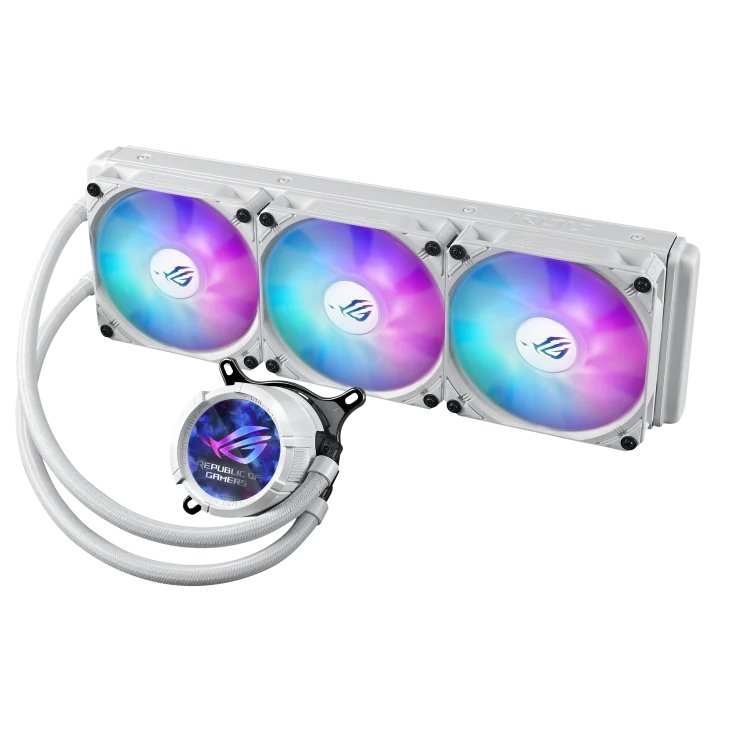
Add cooling and a custom display to your PC with the ASUS ROG Strix LC III 360 ARGB LCD. Its 2.1-inch IPS screen pairs with a 360 mm radiator, Asetek Gen7 V2 pump and three ARGB fans, with Black and White versions for matching builds.
Color
Overview
ASUS ROG STRIX LC III 360 ARGB LCD LIQUID COOLER
ASUS ROG Strix LC III 360 ARGB LCD
The ASUS ROG Strix LC III 360 ARGB LCD combines a 360 mm radiator with a 2.1-inch full-colour IPS screen. Available in Black or White, it gives your build a visible focal point while the Asetek Gen7 V2 pump and three ARGB fans handle CPU cooling. Available from AX Store in Kuwait.
360 mm
Radiator Class
2.1-inch IPS
Full-Colour LCD
3 × 120 mm
Included ARGB Fans
Asetek Gen7 V2
Pump Design
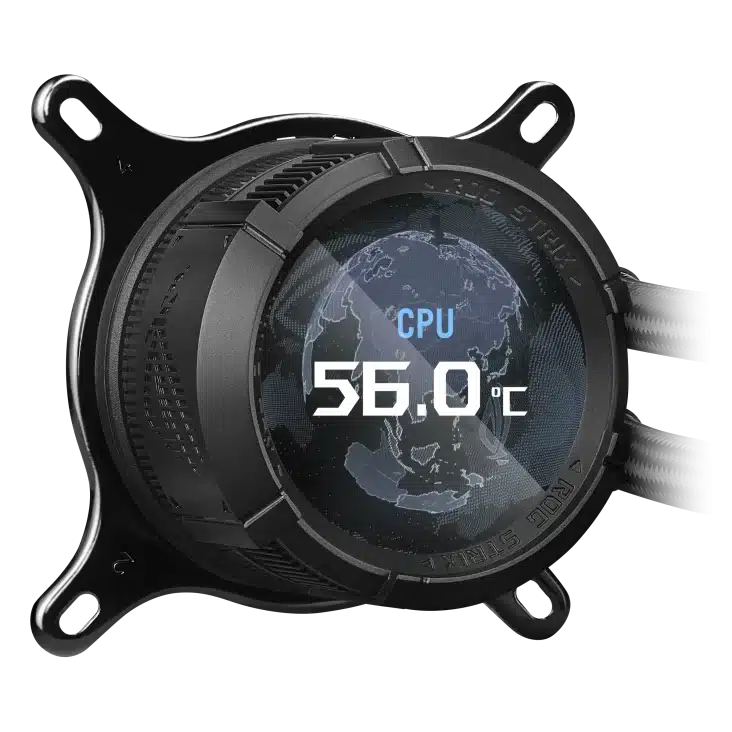
Keep useful information in view
Set the LCD to show system statistics, your own artwork or the time. Graphics can rotate through 360 degrees to suit the orientation of the pump block.
Match fan speed to the workload
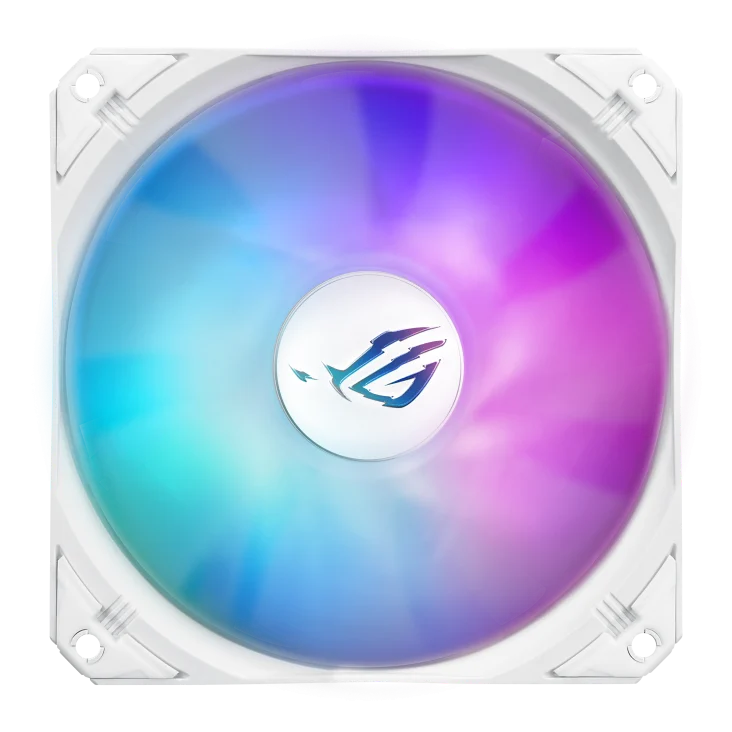
Three ROG STRIX AF-12S ARGB fans operate from 800 to 2200 RPM and support a 0 RPM mode. PWM/DC control lets you tune cooling behaviour to your system rather than run a fixed speed.
Check fit before you build
The radiator measures 394 x 121 x 27 mm, with 25 mm-thick fans and 400 mm sleeved tubes. Check case mounting space, motherboard clearance and socket hardware together when choosing the installation position.
Plan the Complete Radiator Stack
This 360 mm AIO includes a 394 × 121 × 27 mm radiator and three 25 mm-thick fans, a nominal 52 mm radiator/fan stack before mounting clearances. Check the complete case mounting area, motherboard components and tubing route. Supported sockets include AM4/AM5 and Intel LGA1851/1700/1200/115x.
A Supplied Cooling Assembly for the Build
The cooler includes pre-applied thermal compound and three ROG STRIX AF-12S ARGB fans, with fan and lighting splitters plus installation brackets. Choose the bracket specified for the actual processor socket and follow the installation order.
Allow a Clear Route for the Tubes
The sleeved rubber tubing is 400 mm long. Plan the radiator position and CPU block orientation so the tubing reaches without sharp bends or tension, allowing access around memory, motherboard heatsinks and the pump connections.
Match the Cooler to the Socket and Case
Check the supported processor socket, mounting kit and case clearance. For liquid cooling, compare radiator and fan positions with the case layout and other installed components. Compare related options such as NZXT Kraken X53 RGB 240mm Liquid Cooler, White or Corsair iCUE LINK TITAN 360 RX 3x120mm CPU Cooler, keeping the exact model and configuration in the decision. For the wider setup, explore ASUS TUF Gaming GT502 Mid Tower Case with 4 ARGB Fans, White and check the connection, size or mounting requirements before pairing accessories. Browse the ASUS range at AX for more choices.
ASUS ROG Strix LC III 360 ARGB LCD Setup Choices
Check the supported processor socket, mounting kit and case clearance. For liquid cooling, compare radiator and fan positions with the case layout and other installed components. Explore ASUS Hyperion GR701 Full Tower E-ATX Gaming Case, ASUS ROG Strix Helios Mid Tower Case, ASUS TUF GAMING B850M-PLUS WIFI DDR5 Micro-ATX Motherboard.
Frequently Asked Questions
What should I check for this exact model?
This 360 mm AIO includes a 394 × 121 × 27 mm radiator and three 25 mm-thick fans, a nominal 52 mm radiator/fan stack before mounting clearances. Check the complete case mounting area, motherboard components and tubing route. Supported sockets include AM4/AM5 and Intel LGA1851/1700/1200/115x.
Are other computer components included?
The sale covers the stated case, cooler or power supply and its listed included accessories. Motherboard, processor, graphics card, memory and display-build components are separate purchases unless the listing explicitly includes them.
Does matching a headline size guarantee a complete build fit?
Check the exact board dimensions, radiator and fan stack, graphics-card length and power-cable bend space, PSU depth and cable routing. Consider components together rather than relying on one maximum clearance.
Can I reuse any modular PSU cable?
Use the cables specified for the exact power supply. Modular PSU pinouts are not universal, even when the equipment-side connector looks the same; verify an approved cable before connecting power.
Build Your Setup with AX Store
Explore computers, displays and accessories for your workspace at AX Store. For help choosing the right model or checking an accessory, contact AX Store.
THE DETAILS
Technical specifications
Cooling specifications
ROG Strix LC III 360 ARGB LCD
Black / White
90RC00W1-M0UAY0
90RC00W2-M0UAY0
All-in-one CPU liquid cooler
360 mm
2.1-inch full-colour IPS
72 x 72 x 63 mm
Copper
Asetek Gen7 V2
800–2800 RPM ±10%
394 x 121 x 27 mm
Aluminium
Sleeved rubber; 400 mm
3 x ROG STRIX AF-12S ARGB
120 x 120 x 25 mm
800–2200 RPM ±10%; 0 RPM supported
3.92 mmH2O
70.38 CFM
36 dB(A)
PWM / DC
AM5 / AM4
LGA1851 / LGA1700 / LGA1200 / LGA115x
Liquid cooler with pre-applied thermal compound; 3 x 120 mm radiator fans
1-to-3 fan splitter; 1-to-4 ARGB splitter; screws and brackets; cable organiser; quick start guide
COMPLETE YOUR SETUP
Pairs well with