RODE
RØDE RCV-G RODECASTER Video and Audio Console
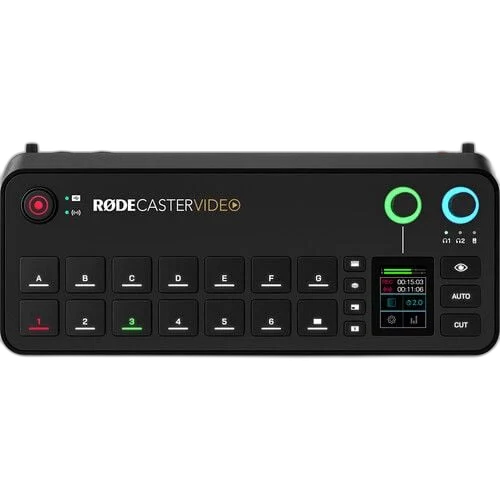
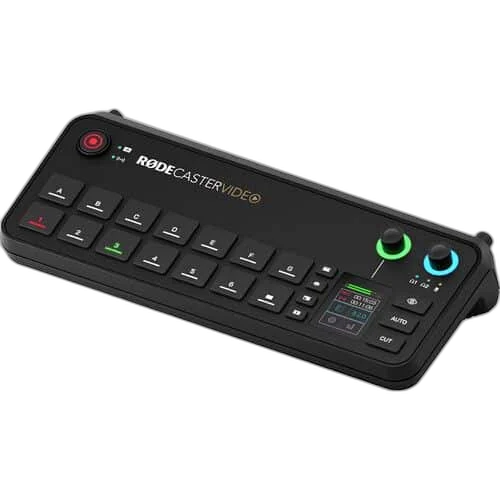
RØDECaster Video. Control a video podcast, live show or multi-camera recording from one console. RØDECaster Video combines video switching, scene layouts and an integrated audio mixer.
Overview
RØDECASTER VIDEO
RodeCaster Video
RodeCaster Video: Control a video podcast, live show or multi-camera recording from one console. RØDECaster Video combines video switching, scene layouts and an integrated audio mixer. Available from AX Store in Kuwait.
4 HDMI
Physical video inputs
1080p60
Normal live production
2 combo inputs
Revolution microphone preamps
7 scenes
Custom compositions
Switch the show as it happens
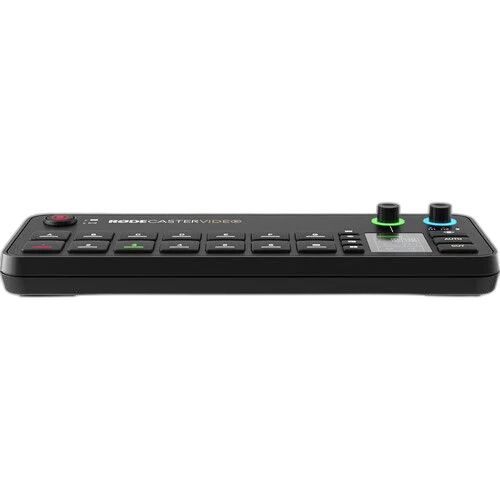
Combine up to six video sources and save seven custom scenes. Four HDMI inputs and compatible USB video devices give you options for cameras and other sources.
Give audio the same attention
Two combo inputs with Revolution Preamps, wireless receiver support and APHEX processing bring microphones into the same workflow as your video. Check the selected input and listen to a short test recording before the session, keeping the microphone position and recording level consistent.
Stream, record and edit
Stream through Ethernet or Wi-Fi, and record to external USB storage. Updated firmware adds a dedicated UHD30 4K Capture mode with ISO recording; this is separate from normal 1080p live switching.
Plan the Video Mode Before Going Live
Normal live production runs up to 1080p60. Supported firmware adds a separate UHD30 Capture mode for ISO capture and NDI output. Choose the mode for the actual job; this does not make every live switch, scene and output a simultaneous 4K workflow.
Monitor the Voice Before Broadcasting
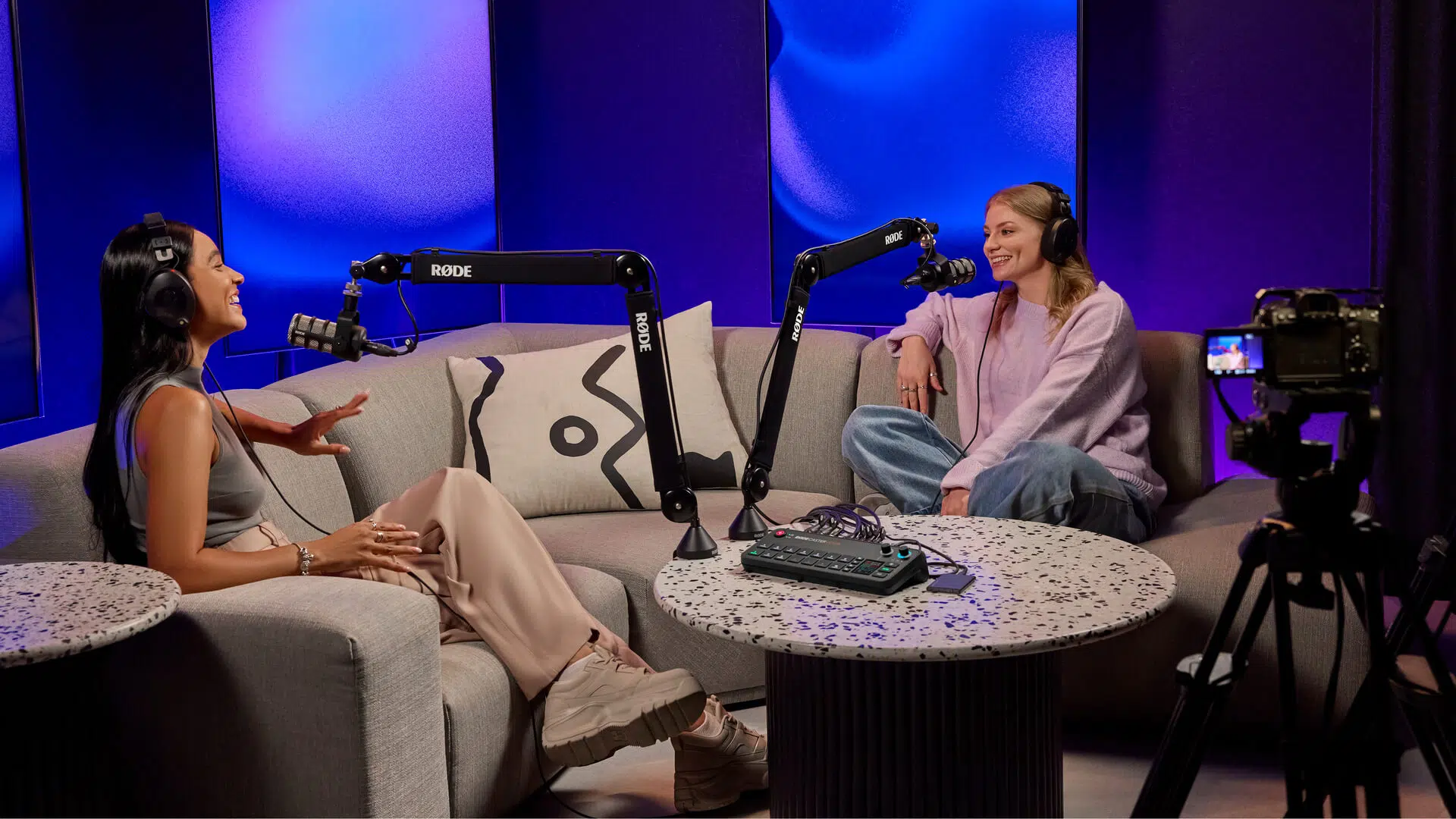
Connect a suitable XLR microphone to the Revolution preamp, set the input gain and listen through an appropriate headphone connection. The integrated Series IV receiver offers a supported RØDE wireless microphone route. A camera’s HDMI audio and an analogue microphone input are separate sources to balance.
Give Every Device the Correct Connection
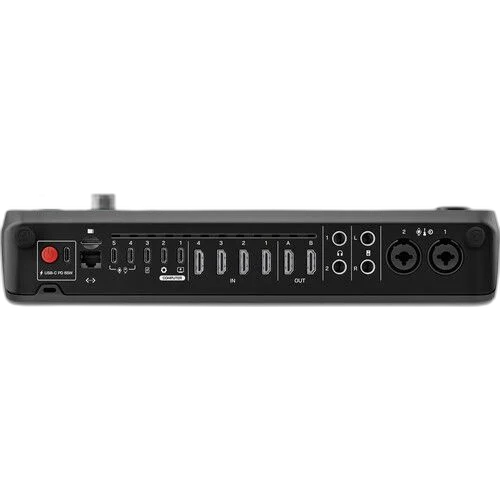
Use the specified USB data connection and power arrangement, then select the device in the streaming or recording software. Microphone cables, HDMI sources and headphones serve different signal paths. Check the complete route with a short test recording before the actual broadcast or interview.
Build the Video and Commentary Route
Choose the source connection and computer connection for this exact capture device. Plan display routing separately where needed, and select a microphone and monitoring arrangement for your own commentary. Compare related options such as ASUS TUF Gaming CU4K30 USB Capture Box - 4K30 Capture / 4K60 HDR Passthrough or AVerMedia GC311 Live Gamer Mini Capture Device, keeping the exact model and configuration in the decision. For the wider setup, explore Razer Seiren V3 Mini USB Microphone, White and check the connection, size or mounting requirements before pairing accessories. Browse the RODE range at AX for more choices.
RodeCaster Video Setup Choices
Choose the source connection and computer connection for this exact capture device. Plan display routing separately where needed, and select a microphone and monitoring arrangement for your own commentary. Explore Elgato Wave 3 MK.2 USB Condenser Microphone - Wave FX / Black, Elgato Stream Deck MK.2, 15-Key Customizable Controller, Razer Key Light Chroma - All-In-One Lighting Kit.
Frequently Asked Questions
Is normal live video production 4K?
Normal live production is up to 1080p60. UHD30 ISO capture and NDI output belong to dedicated Capture mode with supported firmware.
Can I connect an XLR microphone?
Yes. RØDECaster Video has two combo XLR/6.35 mm microphone inputs with Revolution preamps.
Can a compatible RØDE wireless transmitter connect?
The integrated Series IV wireless receiver supports compatible transmitters. Use the exact supported RØDE generation; a Bluetooth label does not establish microphone compatibility.
Does it record without a computer?
Recording to compatible external USB storage is supported, including ISO workflows. Prepare the storage and recording mode before the production.
Is a gaming display or camera included?
The listed device is the production/capture unit. Cameras, displays, microphones and other setup equipment shown in demonstrations are separate purchases unless expressly included.
What can connect to the USB video inputs?
Two compatible USB video sources can use USB 4 and 5. Check source compatibility and the selected production mode instead of assuming every USB camera or adapter is supported.
Build Your Setup with AX Store
Explore computers, displays and accessories for your workspace at AX Store. For help choosing the right model or checking an accessory, contact AX Store.
Compare RODE Streamer X Audio Interface and Video Capture Card. Match the exact model, connection and configuration to your setup.
Complete Your Setup
Explore equipment for your workspace: Elgato Stream Deck Plus Multi-Touch Controller, RØDE PodMic USB Dynamic Microphone – USB-C & XLR – Black / White, RODE RODECaster Duo Integrated Audio Production Studio.
THE DETAILS
Technical specifications
Production
RØDECaster Video
Up to 6 in the live production workflow
7
4
2 configurable
Up to 1080p60
UHD30 ISO capture and NDI output in dedicated Capture mode; requires supported firmware
Audio
2 × combo XLR / 6.35mm with Revolution Preamps
76dB
2 × 6.35mm
2 × balanced 6.35mm
2 × RØDE Series IV
APHEX audio processing
Workflow
Ethernet, Wi-Fi or USB to a computer
External USB storage; ISO recording supported
2 compatible USB video sources via USB 4 and 5
USB-C PD, 60W (20V / 3A)
Product identification
RODE
698813014507
698813014507
COMPLETE YOUR SETUP