COMPARISON
Gaming
Wooting 60HE v2 vs Keychron K2 HE vs ROG Falchion Ace 75 HE
Compare Wooting 60HE v2, Keychron K2 HE and ROG Falchion Ace 75 HE: layout, Rapid Trigger, wired and wireless modes, software and desk space.
AA
Ali Aljaber
Quick answer
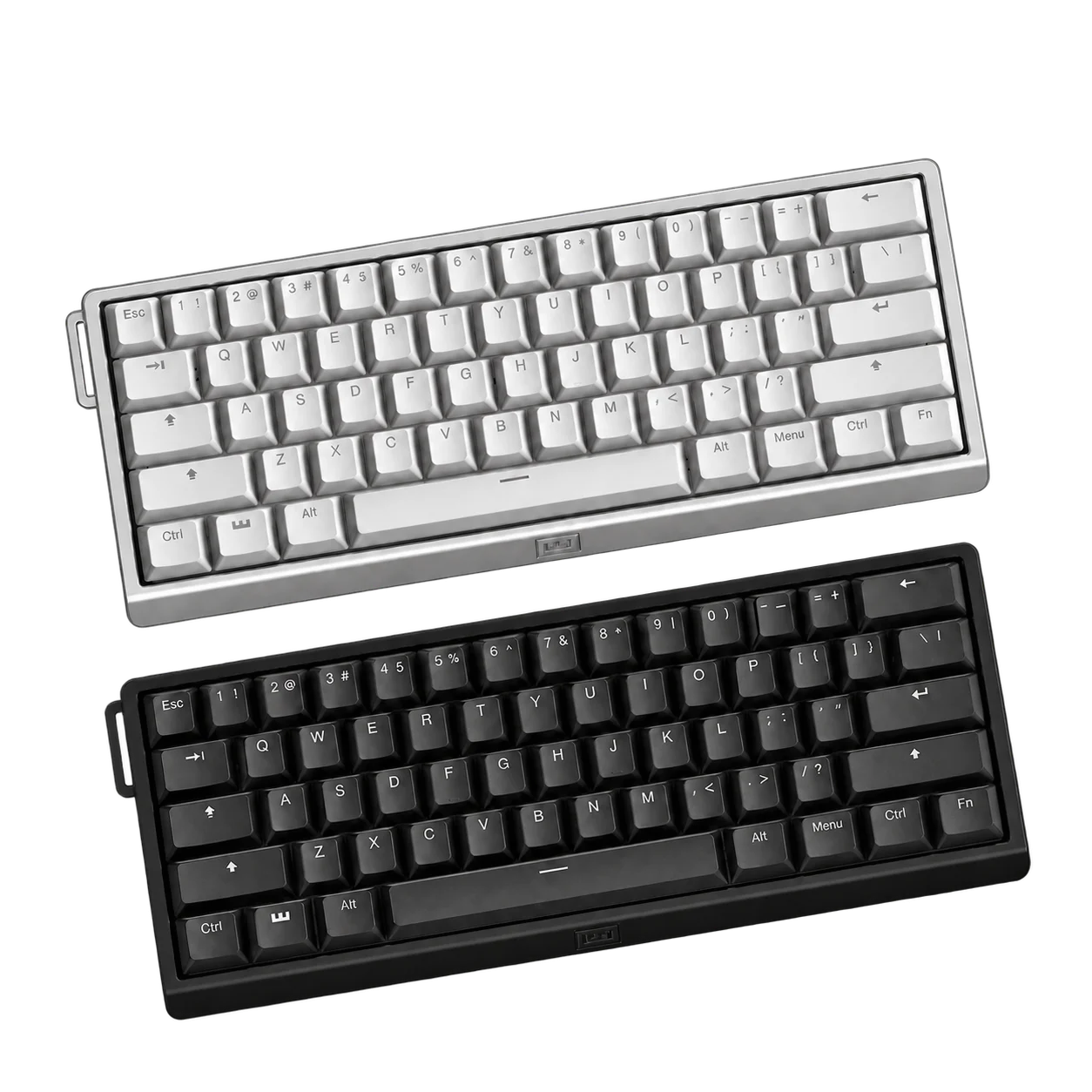
Wooting 60HE v2, Keychron K2 HE and ASUS ROG Falchion Ace 75 HE all use magnetic key sensing, but they suit different desks. Wooting is a compact 60% wired option, Keychron adds wireless connections in a 75% layout, and the ROG model combines a 75% layout with wired 8K polling and physical adjustment controls.
For a Hall effect gaming keyboard in Kuwait, layout and connection mode should be decided before comparing the smallest actuation increment. A keyboard you can configure comfortably and use for both games and everyday work is more useful than a specification you never benefit from.
Compare the AX Store versions
| Feature | Wooting 60HE v2 Aluminium | Keychron K2 HE Standard | ROG Falchion Ace 75 HE |
|---|---|---|---|
| Layout | 60% | 75% | 75% |
| Connections | Wired USB | Wired USB, 2.4 GHz, Bluetooth | Wired USB |
| Maximum stated polling | 8,000 Hz wired | 1,000 Hz wired / 2.4 GHz; 125 Hz Bluetooth | 8,000 Hz wired |
| Actuation adjustment | 0.1–4.0 mm, 0.1 mm increments | 0.2–3.8 mm, 0.1 mm increments | 0.1–3.5 mm, 0.01 mm increments |
| Configuration | Wootility | Keychron Launcher | ASUS Gear Link |
| Listed version detail | Aluminium case | Standard Black, English-Arabic | Lava Red, English-Arabic |
60% versus 75% affects every day at the desk
The Wooting leaves out a dedicated function row and dedicated arrow-key cluster to save width. Those functions remain accessible through configured layers. That can create more room for low-sensitivity mouse movement, especially when the keyboard and mouse share a small desk. It also means learning shortcuts for navigation and work applications.
The K2 HE and Falchion retain a function row and dedicated arrow keys within a compact 75% layout. If you regularly use spreadsheets, video editing shortcuts or navigation keys, that may be a more convenient balance. Measure your usable mouse area with the keyboard in its actual position; our small gaming desk layout guide covers the rest of the arrangement.
Actuation and Rapid Trigger do different jobs
Adjustable actuation sets how far a key moves before its input registers. Rapid Trigger changes how the key releases and reactivates according to its movement, rather than requiring one fixed reset point. Both can be useful for responsive movement inputs, but an extremely sensitive setting can also register unintended movement when your finger rests on a key.
Start with a moderate setting and tune movement keys separately from typing keys. Keep a second profile for work. Wootility provides onboard profiles, so a gaming configuration does not have to become your permanent typing behaviour. Read the Hall effect terminology guide and Rapid Trigger setup guide before enabling every available feature.
8K polling is not an eight-times-faster game
Polling rate describes how often the keyboard can report to the computer. At 8,000 Hz, the report interval is shorter than at 1,000 Hz, but total input latency also includes scanning, processing, the game engine and the display. The difference in one stage is not the same as the difference in the complete system.
Use a direct, reliable USB connection and test for stable behaviour on your own PC. A high polling rate does not raise your game’s frame rate, replace a suitable monitor or guarantee a competitive result. For a related explanation of reporting intervals, see our mouse polling rate guide.
Choose Keychron when wireless flexibility matters
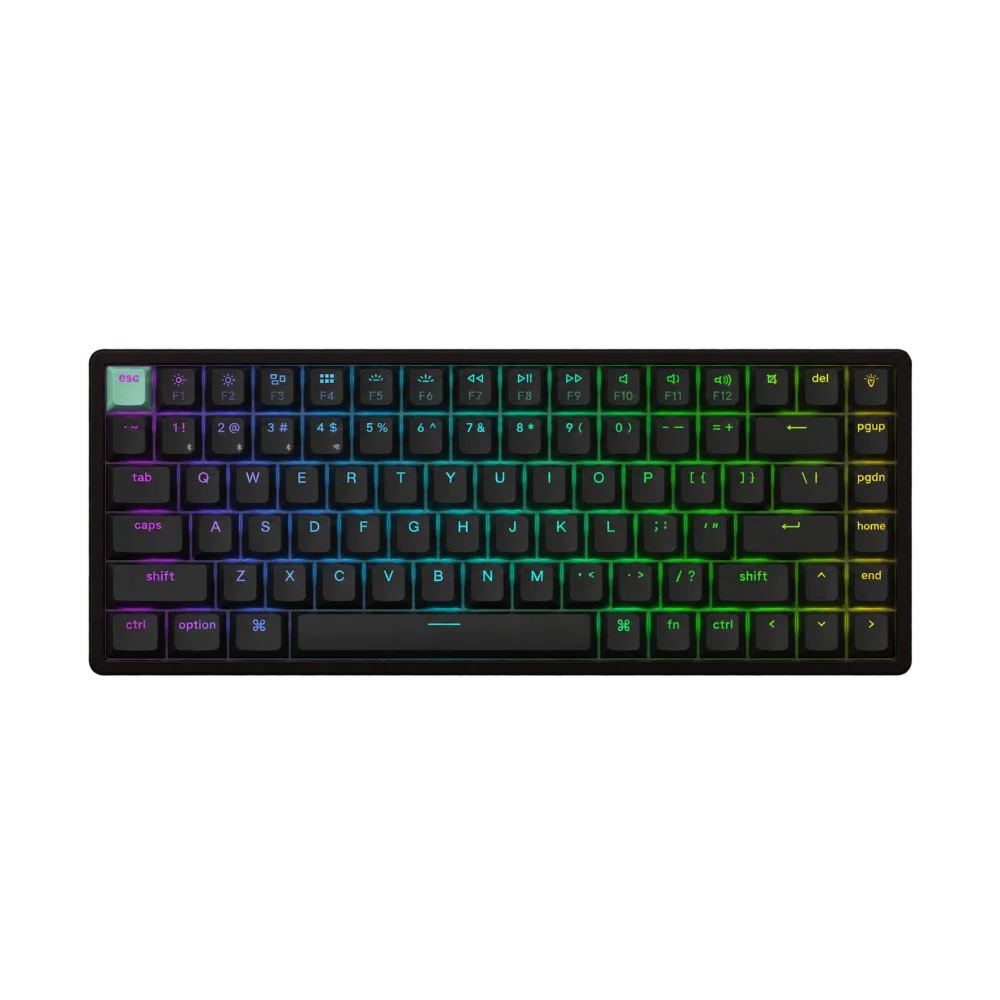
The K2 HE provides wired USB, 2.4 GHz wireless and Bluetooth connections. Its maximum polling rate depends on the mode: the Bluetooth figure is different from wired and 2.4 GHz operation. For a gaming PC, use the mode that matches your latency and reliability needs; Bluetooth can be convenient for switching to a separate work device.
The AX listing here is the Standard edition. Do not assume that wood detailing or other cosmetic features shown on Special Edition photographs are included. Also check the exact hardware revision before buying replacement magnetic switches. K2 HE revisions have specific switch compatibility; magnetic switches are not universally interchangeable just because they fit a similar-looking socket.
Choose ROG for the layout and adjustment controls
The Falchion Ace 75 HE linked here is a wired keyboard. Its 75% layout, Rapid Trigger control and sensitivity adjustment hardware make it worth comparing when you want to change settings without relying on the same software workflow as Wooting or Keychron. Its finer stated adjustment step is a control specification, not proof that every player can perceive a corresponding improvement.
Check the key legends as well as the case colour. The linked ROG and Keychron versions have English-Arabic legends. The Wooting product page should be checked for the exact supplied keycap layout. Features that automate opposing movement inputs or produce multiple actions can be treated differently by games and tournaments, so check the rules for the mode you play before enabling them.
Make the final choice by workflow
Pick Wooting 60HE v2 when the small wired footprint and Wootility configuration are the main attractions. Pick Keychron K2 HE Standard when a 75% layout and multiple connection methods are important. Pick Falchion Ace 75 HE when you want a wired 75% ROG option with its own physical controls. Compare the keyboard footprint with the surface options in our ASUS ROG mousepad comparison to keep adequate mouse movement space.
Frequently asked questions
Is Falchion Ace 75 HE wireless?
No. The model compared here uses a wired USB connection.
Does K2 HE run at 1,000 Hz over Bluetooth?
No. The stated Bluetooth polling rate is 125 Hz; wired and 2.4 GHz modes are rated up to 1,000 Hz.
Will a 60% keyboard lose arrow-key functions?
The functions can be assigned to layers, but the layout does not provide the same dedicated arrow keys as the 75% models.
Can I install any Hall effect switch?
No. Check the keyboard manufacturer, exact revision and supported switch list before ordering replacements.
Manufacturer references
- Wooting 60HE v2 technical specifications
- Keychron K2 HE specifications and revision options
- ROG Falchion Ace 75 HE specifications
Product configurations checked against AX Store listings on 14 November 2026. Use the linked product pages for current prices, stock, selected colours and included accessories.
Explore the current Keyboards selection at AX Store Kuwait.
AA
KEEP READING
All Comparisons guides


Choose the right equipment for your setup
Explore the exact models, current configurations and availability at AX Store Kuwait.