COMPARISON
Audio
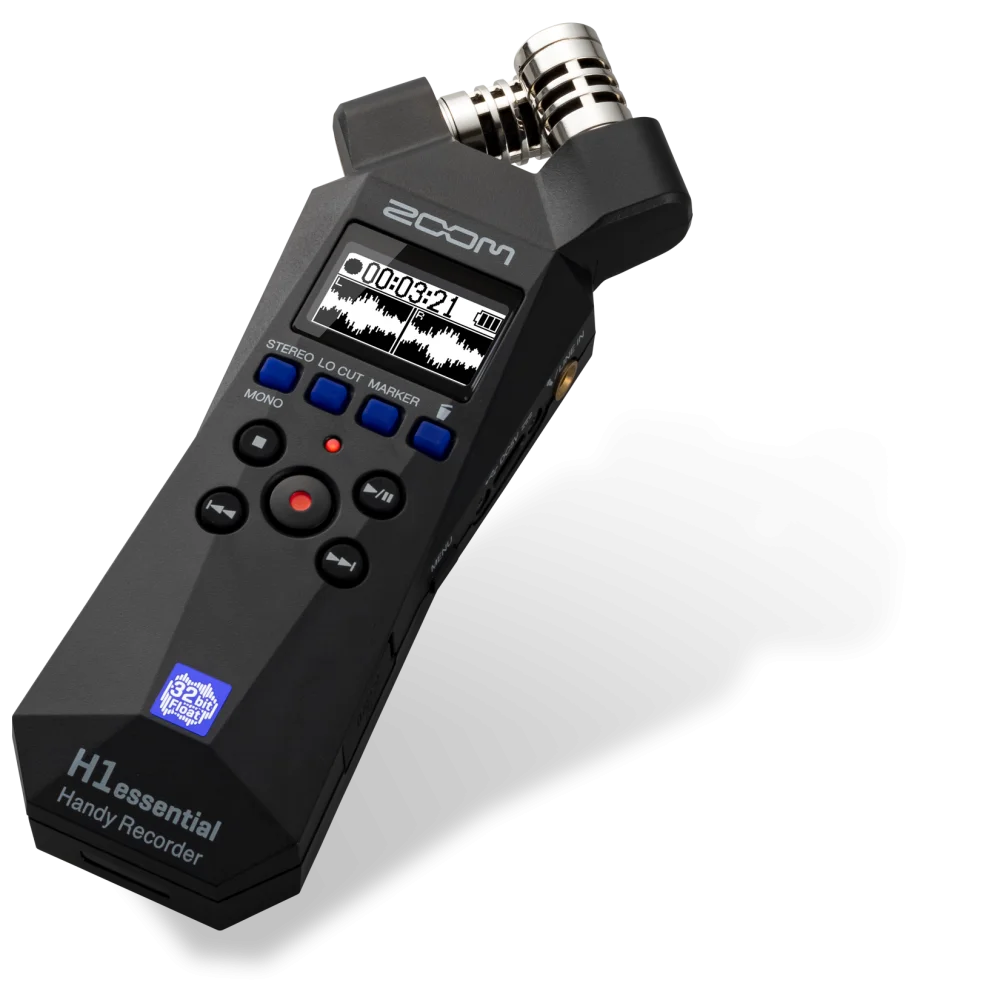
Zoom H1essential vs H6essential vs PodTrak P4next
Compare Zoom H1essential, H6essential and PodTrak P4next by inputs, headphone outputs, recording format and field or podcast workflow.
AA
Ali Aljaber
Quick answer
Choose Zoom H1essential for a compact stereo recorder, H6essential when you need a handheld recorder with four external XLR/TRS inputs, or PodTrak P4next for a podcast workflow built around four XLR microphones and four headphone outputs. The right choice depends on how many sources you need to record and how people will monitor them.
One specification is especially important: H1essential and H6essential record 32-bit float WAV files, while PodTrak P4next records 24-bit/48 kHz WAV. The P4next is not another 32-bit float essential-series recorder. Its appeal is the podcast layout, monitoring and routing.
Compare inputs and workflow
| Feature | H1essential | H6essential | PodTrak P4next |
|---|---|---|---|
| Built-in microphones | Stereo X/Y | Stereo X/Y capsule | None |
| External microphone connection | 3.5 mm stereo input replaces built-in mics | Four XLR/TRS combo inputs | Four XLR microphone inputs |
| Main use | Simple stereo field recording | Several external sources plus stereo capture | Multi-person podcast and remote-call production |
| Onboard recording format | 32-bit float WAV | 32-bit float WAV | 24-bit / 48 kHz WAV |
| Headphone monitoring | One output | One output | Four outputs with independent volume |
| Key planning question | Is stereo capture enough? | How many external sources need their own tracks? | How will every participant hear the conversation? |
H1essential: a small recorder for a clear job
The H1essential is suited to capturing a stereo scene without assembling a separate microphone system. Built-in X/Y microphones can be useful for atmosphere, rehearsals, reference recordings and spoken notes when the recorder is positioned appropriately. Distance still matters: a recorder across a reflective room captures that room along with the voice.
Its 3.5 mm input is an alternative to the built-in microphones, not an additional pair of independent recording channels. It is not an XLR input and does not provide the same connection arrangement as H6essential or P4next. If your plan includes several studio microphones, start with the input count instead of trying to adapt a stereo recorder into a multichannel system.
Also distinguish SD recording from USB microphone operation. The listed H1essential USB microphone mode is 16-bit/48 kHz, two inputs and two outputs. Its 32-bit float SD recording capability should not be carried over to every USB workflow.
H6essential: more capture inputs
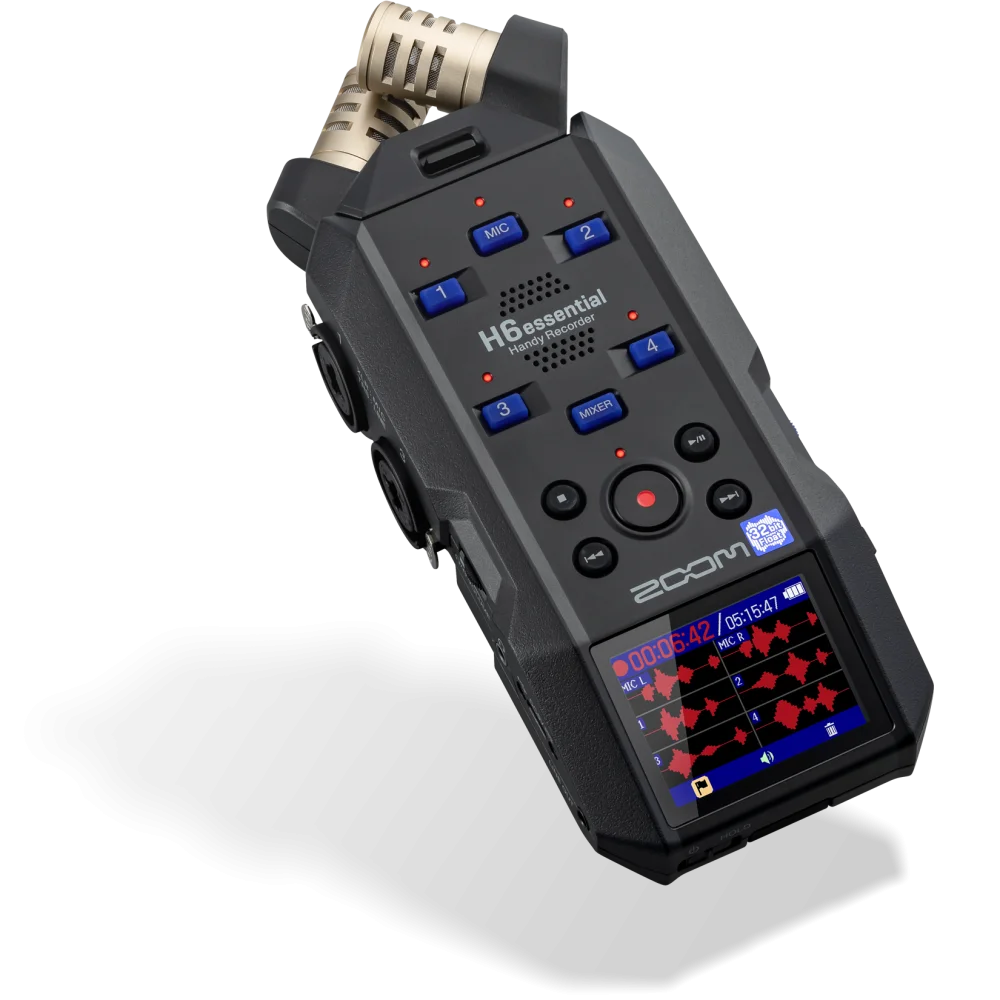
The H6essential combines its stereo microphone capsule with four XLR/TRS combo inputs. That supports a more flexible field or location setup, such as several separately connected microphones plus stereo ambience. Separate source tracks give you more editing control than recording everything into one combined stereo file.
Plan microphone type, input level and any required phantom power for each source. An input socket accepting both XLR and TRS does not mean every connected device should use the same settings. Check the input specification and use the correct cable and operating mode. The H6essential’s float-capable USB interface operation also depends on a compatible host and recording application.
There is one headphone output on the recorder. If several people need independent listening levels, that is a different requirement from simply having several recording inputs. Plan an appropriate monitoring system rather than assuming the six-source capture arrangement provides six headphone sockets.
P4next: podcast monitoring and routing
The PodTrak P4next is designed around four XLR microphone inputs and four separately controlled headphone outputs. For a seated conversation, each participant being able to hear comfortably can be more useful than having a built-in stereo microphone. The P4next has no built-in X/Y pair; external microphones and their cables are part of the setup.
Its remote-call and USB routing features need to be understood as channel assignments. Smartphone or computer call audio can use designated input paths; they should not be counted as unlimited extra simultaneous guests on top of every other connection. Mix-minus helps prevent a caller’s own audio from being sent straight back to them, but the correct routing still needs to be selected and tested.
For a practical shopping list including microphones, arms and closed-back headphones, use our two-person podcast equipment checklist. If you already have desk equipment, compare that workflow with the current AX audio bundles before duplicating hardware.
32-bit float does not replace good capture
A float recording can offer substantial level-adjustment flexibility when the recorder’s capture path remains clean. It cannot remove room reverberation, wind striking the capsule or handling noise from moving the recorder. It also does not increase the physical maximum level a microphone can tolerate.
Our 32-bit float explained guide separates file headroom from microphone and analogue-stage limits. A well-positioned 24-bit podcast recording can be excellent; a badly positioned float recording can still be difficult to use.
Prepare the whole recording session
- Write down every microphone and remote source you need simultaneously.
- Confirm how each source connects and which channel it occupies.
- Choose a manufacturer-supported memory card and test recording and playback.
- Check power for the whole session, including phantom-powered microphones.
- Record a short test with everyone speaking at their real level and wearing headphones.
- Copy the files after recording and confirm they open before clearing the card.
For your first session, our first podcast episode checklist covers preparation beyond the recorder. If the main job is walking video interviews rather than a seated conversation, the wireless microphone kit comparison may be the better starting point.
Frequently asked questions
Is PodTrak P4next a 32-bit float recorder?
No. It records 24-bit/48 kHz WAV. Choose it for its podcast input, monitoring and routing workflow.
Can H1essential record its built-in mics and external input as four tracks?
No. The external stereo input replaces the built-in microphone source; it does not add another independent pair.
Does H6essential have four headphone outputs?
No. It has four external combo inputs, but one headphone output. P4next provides four headphone outputs.
Does a recorder include all the microphones for a podcast?
H1essential and H6essential have built-in stereo microphone arrangements. P4next requires external microphones. Check each package and your required accessories.
Manufacturer references
- Zoom H1essential
- Zoom H6essential
- Zoom PodTrak P4next
- P4next operation manual and format specifications
Product configurations checked against AX Store listings on 14 November 2026. Use the linked product pages for current prices, stock, selected colours and included accessories.
Explore the current Recorders selection at AX Store Kuwait.
AA
KEEP READING
All Comparisons guides


Choose the right equipment for your setup
Explore the exact models, current configurations and availability at AX Store Kuwait.