BUYING GUIDE
Displays
200Hz 1080p Gaming Monitor: Refresh Rate or Resolution?
A 200Hz 1080p Gaming Monitor makes most sense when its resolution and refresh rate match the games, PC and screen size you want to use.
AS
AX Store
200Hz 1080p Gaming Monitor: the essentials
A 200Hz 1080p Gaming Monitor makes most sense when its resolution and refresh rate match the games, PC and screen size you want to use.
Refresh rate and resolution solve different problems
Refresh rate describes how often the display can update. Resolution describes the pixel grid. A 1920 × 1080 display has about 2.07 million pixels; 2560 × 1440 has about 3.69 million. The latter is approximately 78% more pixels, but that does not translate into a fixed 78% performance cost in every game.
A higher refresh ceiling is useful only as part of the full system. Your game, processor, GPU, settings, connection and display mode determine the frames that can actually be shown. Buying 200Hz does not make a game run at 200 fps.
Choose around your main use
| Your priority | A sensible direction | What to check |
|---|---|---|
| Fast competitive games at high fps | Consider high-refresh Full HD | Sustained frame rate and consistent frame delivery |
| Text, work and detailed desktop use | Consider higher resolution at the chosen size | Readable scaling, viewing distance and workspace |
| Mixed gaming and creative work | Balance resolution, refresh and image requirements | Actual applications and GPU capability |
| Console use | Choose supported console display modes | Exact resolution / refresh compatibility, not the PC maximum |
There is no universal winner between 1080p high refresh and 1440p. A player who mostly runs competitive settings can make a different sensible choice from someone who edits text all day and plays visually demanding games at night.
The VG279Q5R as a concrete AX example
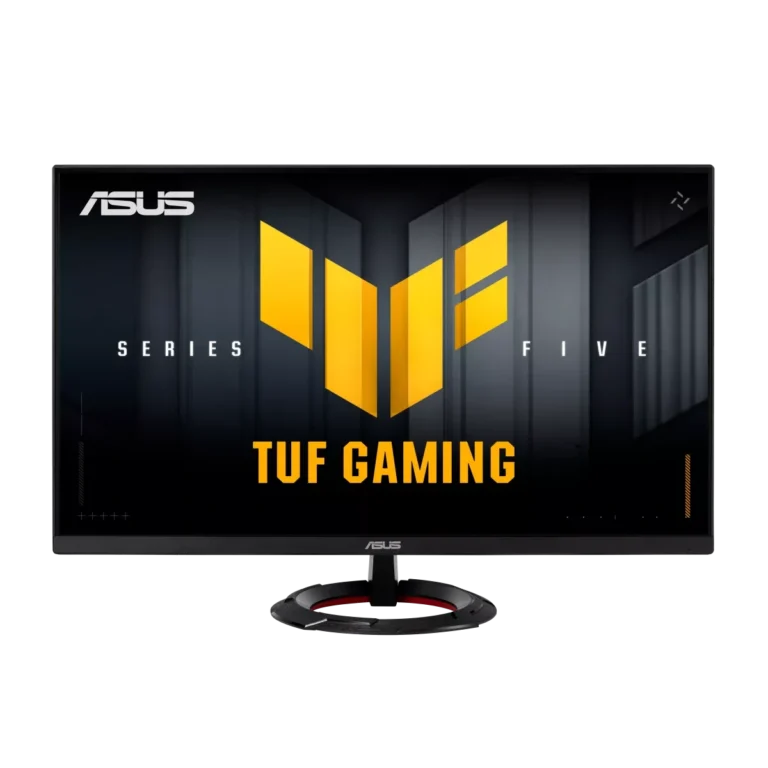
The ASUS TUF Gaming VG279Q5R is a 27-inch 1920 × 1080 Fast IPS monitor with a maximum 200Hz refresh rate. ASUS specifies DisplayPort 1.4 and two HDMI 2.0 inputs, Adaptive-Sync support and a tilt-adjustable stand.
That makes it a product to consider for a Full HD high-refresh plan. It does not make it a 1440p monitor, and HDR10 signal support should not be confused with a guarantee of premium HDR contrast or local-dimming performance.
Read response-time claims with their conditions
ASUS lists 1 ms GTG and 0.3 ms minimum GTG for this model. A minimum pixel-transition specification is not total input lag and does not mean every colour transition occurs at the same speed.
Use the available overdrive settings sensibly. The strongest setting is not automatically the clearest if it creates visible overshoot. Compare motion in the games you play and follow model-specific guidance for features such as blur reduction and variable refresh.
A 27-inch Full HD desk needs the right viewing plan
At the same resolution, spreading pixels across a larger panel changes pixel density. Decide whether the text and image detail at your normal seating distance suit you. Do not choose only from diagonal size.
Measure desk depth, display position and stand footprint. The VG279Q5R standard stand provides tilt rather than height adjustment; if you need a different mounting arrangement, verify the exact VESA pattern and monitor weight before buying an arm.
Set up the refresh rate you paid for
- Use a connection and cable suitable for the model and desired mode.
- Select the correct monitor input.
- Choose the intended resolution and refresh rate in the operating system.
- Check game display and frame-rate settings.
- Configure compatible variable-refresh features as instructed.
- Confirm that the system remains stable in the actual games you play.
A monitor can remain at a lower default refresh rate until configured. Check settings before assuming the new screen feels unchanged because the panel is defective.
Budget for the complete experience
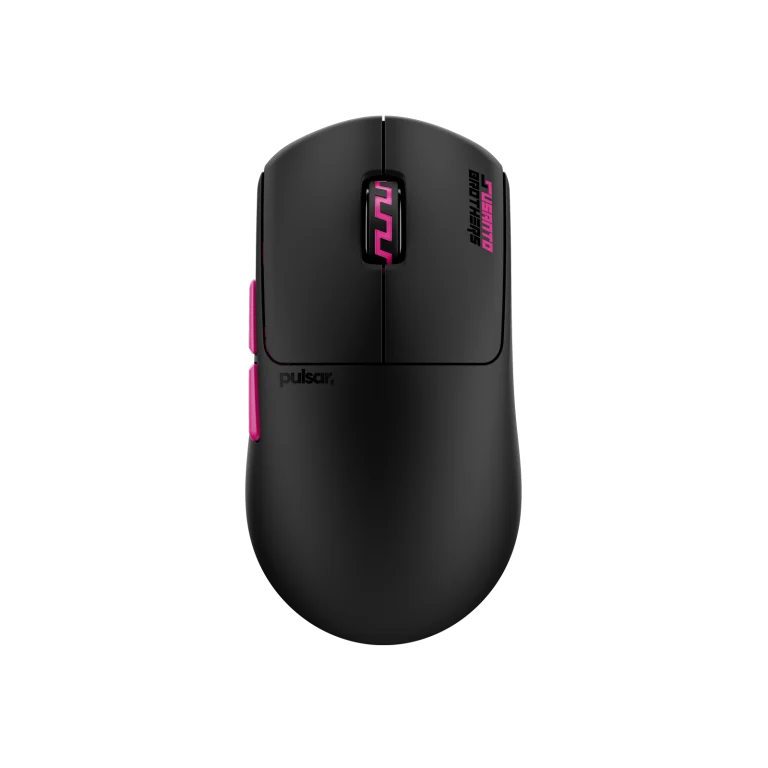
Match the display to the PC first. A Wooting keyboard or Pulsar mouse can complement a responsive desk, but neither solves a frame-rate bottleneck or a resolution that is unsuitable for your work.
For a buying recommendation from AX, share the GPU, main games, typical settings and how much work you do on the same screen. Those details are more useful than asking for the highest Hz figure at a given price.
For the related buying decision, read our Wooting keyboard buying guide.
Frequently asked questions
Is 200Hz always better than a lower-refresh 1440p screen?
No. It depends on your frame rate, work, viewing distance and priorities. Refresh ceiling and image detail are separate trade-offs.
Does 0.3 ms mean total input lag?
No. A minimum GTG response-time figure describes a pixel-transition condition, not the complete input-to-display delay.
Will a console output 200Hz because the monitor supports it?
No. The console only outputs its supported modes, and compatibility must be checked for the exact connection and display.
Continue planning your setup
- 1000Hz vs 4000Hz vs 8000Hz Mouse Polling: What Should You Use?
- Wooting Rapid Trigger Settings: Build a Reliable FPS Profile
- Mac mini Desk Setup: Choose Displays, Audio and USB Connections
Check current configurations, included accessories and availability on the linked AX product pages. Ask AX about your exact setup.
Shop the equipment in Kuwait
AX price check, 26 October 2026: ASUS TUF Gaming VG279Q5R 27″ FHD 200Hz Fast IPS Gaming Monitor — KWD 55.000 (in stock); Pulsar Pro Series Susanto-X Wireless Gaming Mouse Size 2, 50g — KWD 44.900 (in stock). The product cards show the current price and availability when you shop.
Explore ASUS at AX Kuwait, Pulsar at AX Kuwait, Wooting at AX Kuwait for the rest of the range.
AS


Build a setup that fits how you use it
Tell AX your equipment models and what you want to do. We can help you choose the right connections and products.