
BUYING GUIDES
Same-day delivery · Official warranty · Taly & Deema
This Finalmouse ULX Lion guide explains how to choose the Medium UltralightX listing around your hand, grip, desk surface and receiver setup. Start with the exact model and the controls you need, then build a consistent configuration for the games you play.
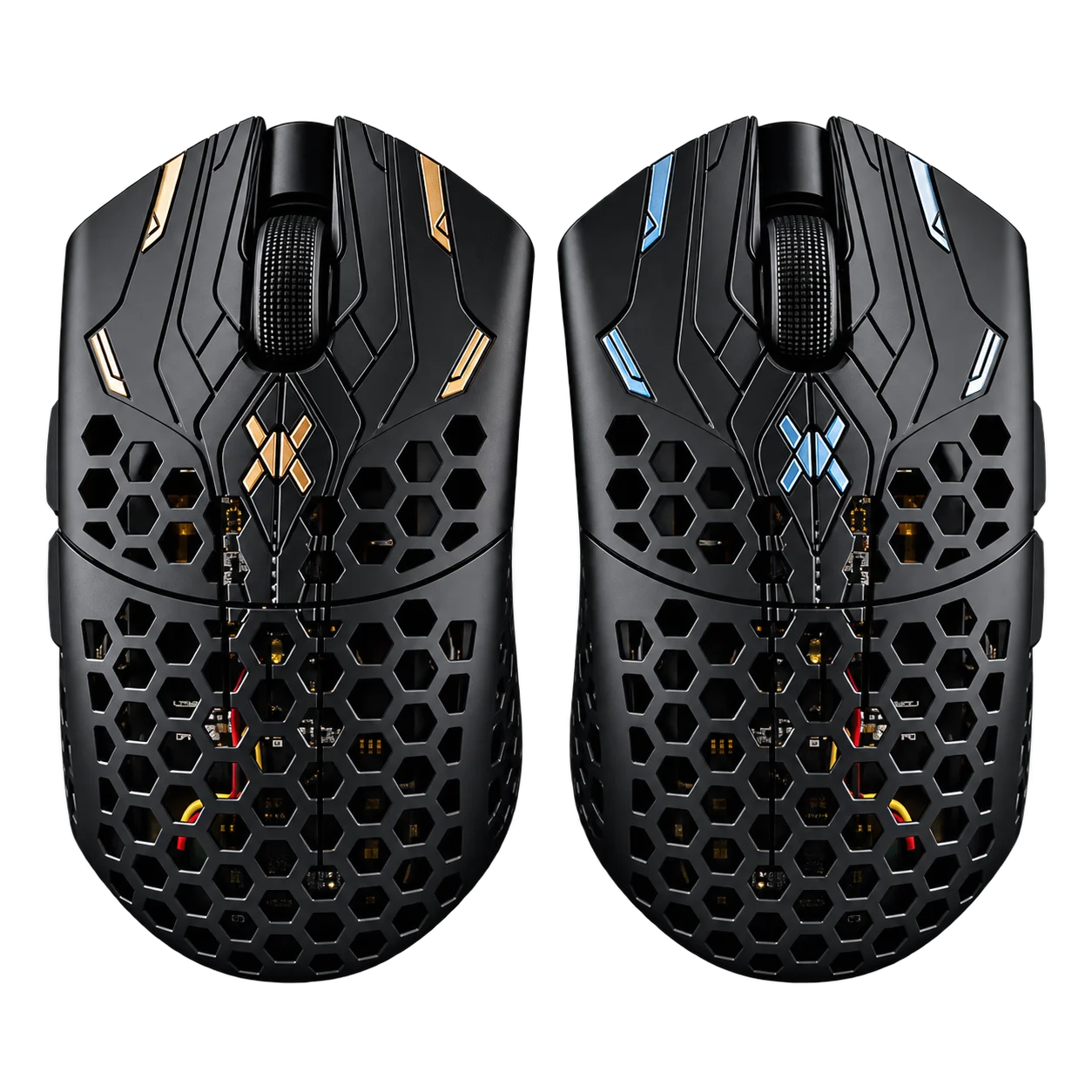
This Finalmouse ULX Lion guide explains how to choose the Medium UltralightX listing around your hand, grip, desk surface and receiver setup. Start with the exact model and the controls you need, then build a consistent configuration for the games you play.
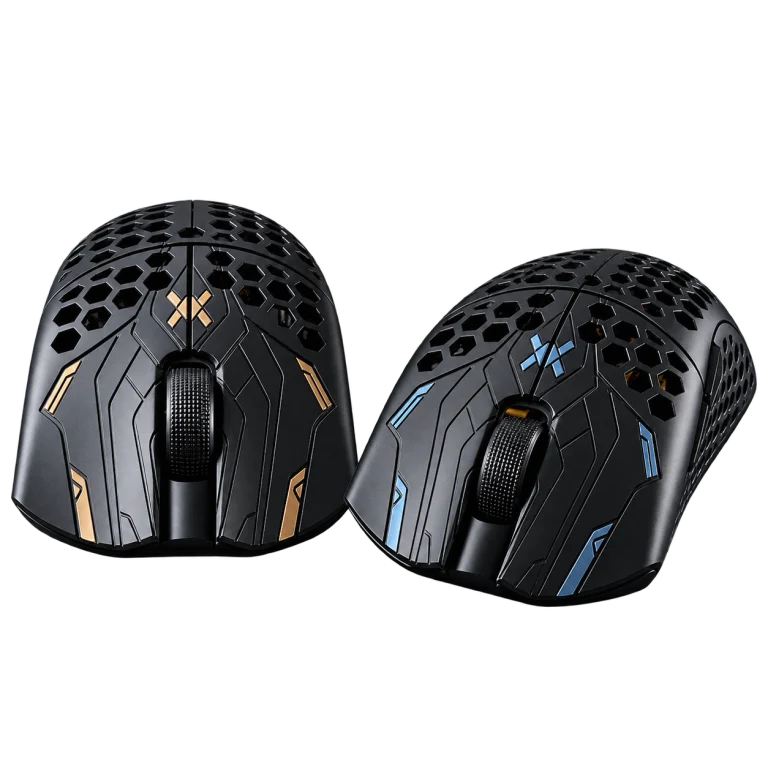
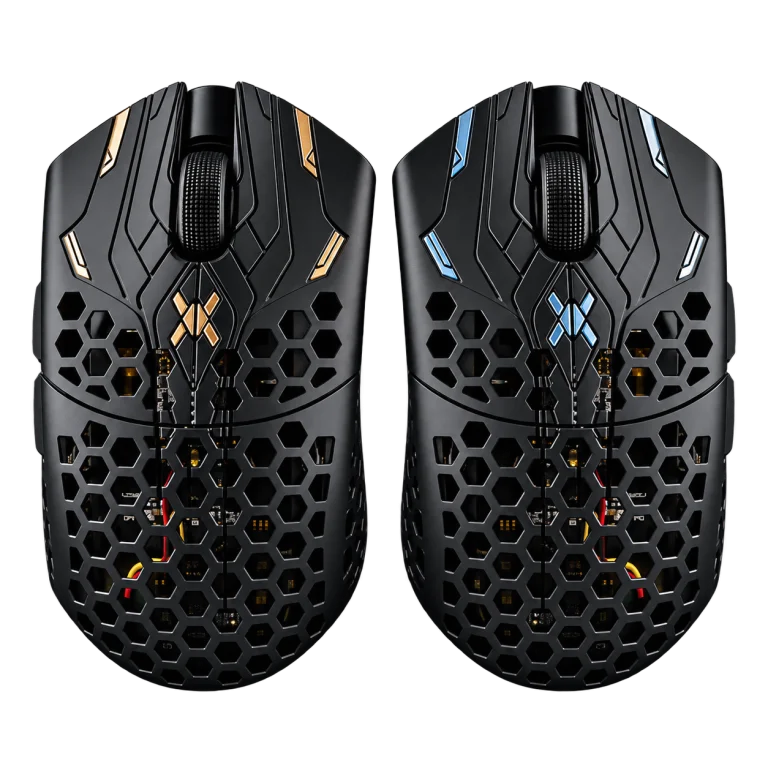
Finalmouse model names describe different generations, editions and sizes. At AX, the UltralightX Lion listing is the Medium mouse with the available colour options shown on its product page. Treat the edition, shell size and included receiver as a package when comparing it with another Finalmouse listing.
Keep UltralightX and Starlight names separate. A specification from an older Starlight model or a newer ULX edition should not be copied across solely because both carry the Finalmouse name. Check the current product details, included accessories and manufacturer software support for the exact mouse you are choosing.
Look at where the rear shell, sides and buttons contact your hand. A mouse that supports your palm differently can change how you move between a large swipe and a small correction. Consider whether your fingers rest naturally on the main buttons and whether you can reach the side controls without shifting your hold.
Use your current mouse as a reference: note what feels too wide, too narrow, too high or too long. Those observations make a Medium Lion comparison more useful than choosing only by a low weight figure. Our mouse shape and grip guide gives you a clear starting checklist.
| Check | What to establish before buying |
|---|---|
| Model and size | UltralightX Lion Medium, with the selected colour and current listed package |
| Grip and reach | Natural access to the main and side buttons without repeatedly shifting your hand |
| Desk space | Enough mousepad area for your normal sensitivity and movement |
| Receiver and software | The included receiver and manufacturer-supported firmware for this exact model |
| Accessories | Skates and grips that explicitly match the shell and model |
Complete this checklist before comparing an alternative by sensor or polling-rate headline. The right receiver and firmware combination also matters when selecting supported wireless modes.
Follow the manufacturer’s connection and charging instructions and begin with the supplied receiver and cable arrangement. Position the receiver on the desk using the supported extension arrangement where supplied, with a clear practical path to the mouse. Keep it away from avoidable obstruction and crowded cable bundles.
Confirm that the computer recognises the mouse, that the battery is charged and that the basic buttons work before changing multiple settings. Use the manufacturer’s supported software or firmware method for the exact model. Save the working configuration so you can return to it after experimenting with another game profile.
Polling rate describes how frequently the mouse reports input; sensitivity describes how mouse movement translates into movement in the game. Increasing one does not choose the other. Select a polling mode supported by the actual receiver and firmware and check that your game and computer run consistently with it.
For sensitivity, record your current DPI and in-game setting. A repeatable reference scene or measured turn helps you compare changes. Read our polling-rate guide and the sensitivity measurement guide for these two decisions. Start from a stable baseline and adjust one setting at a time.
Choose the mousepad for the glide, texture and usable area you want. A cloth pad and a glass pad can require different feet and maintenance routines. Check skate compatibility with both the mouse and pad instead of selecting a replacement set by brand name alone.
ARTISAN Zero, Hien and Type-99 are distinct cloth surfaces. The ARTISAN surface guide helps compare them before you select firmness and size. Leave room beside the keyboard for your normal swipe, particularly if a low sensitivity takes your arm across a large part of the desk.
Keep the sensor area, mouse feet and pad free of loose debris. Follow the manufacturer’s cleaning instructions and avoid forcing liquid into the shell, buttons or charging connection. Inspect worn or lifted feet before changing sensitivity to compensate for inconsistent movement.
If your current mouse already fits and works consistently, identify the specific change you want from a replacement: shape, button access, weight preference or wireless arrangement. The seven-mouse buying guide lets you compare other approaches, including Pulsar and Logitech options, using the same practical checklist.
AX price check, 27 October 2026: the UltralightX Lion listing was KWD 69.000 and in stock. Check the selected colour and current product information when ordering. The native product card shows the live price and availability.
Browse the Finalmouse range at AX Kuwait to compare the exact UltralightX and Starlight editions currently listed. Keep the model and size in your comparison notes so that a different edition’s specification does not become the basis of the purchase.
The Lion listing discussed here is the Medium model. Confirm the full product name and selected configuration when ordering.
Check the exact edition and included receiver. Generations and editions can have different hardware, firmware and accessory details.
Compare shape, grip contact points, button reach, desk space and the supported wireless setup. Identify the specific change you want before buying.
KEEP READING
All Buying Guides guides


Choose the right equipment for your setup
Explore the products and ask AX about the exact models and connections you need.
Added to cart
Subscribed
We'll email you as soon as it's back in stock.
Saved to wishlist


